WIX Website Templates – How to Choose the Right One for Your Site
Picking the right website template is one of the most important decisions you'll make when building a site. Choose wisely and you save hours of design work. Choose poorly and you spend half your time undoing decisions you never wanted in the first place.
In this guide we walk through everything Wix offers in terms of templates — how to find them, what niches they cover, and how to pick the one that fits your brand. And yes, they are all completely free.
1. What Are Wix Website Templates?
Wix templates are professionally designed, ready-to-use website layouts that you can apply to your site in one click. Every template is built and maintained directly by Wix — not by third-party designers on an open marketplace.
That matters more than it sounds. Because Wix controls the entire ecosystem, every template is guaranteed to work with the latest version of the platform. There are no compatibility issues, no broken layouts after an update, and no extra costs.
All Wix templates are included for free, even on the free plan. You only need to upgrade when you want to connect a custom domain or unlock premium features like an online store or advanced analytics.
2. How to Access Wix Templates
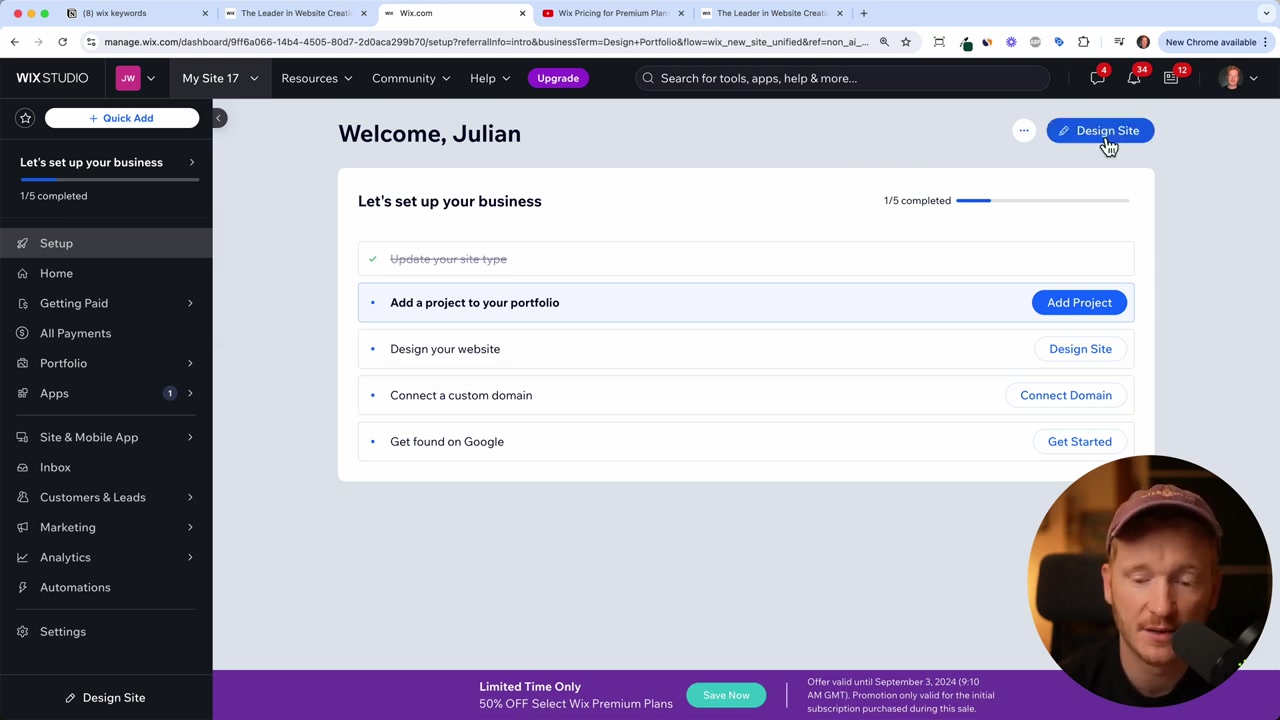
Once you sign up — just enter your email address at Wix and your free trial starts immediately — you will land on the Wix dashboard.
From the dashboard, click Design Site in the top-right corner. You will be given two options: generate a site with the Wix AI, or browse the full template library manually.
The AI-generated option is quick but produces a fairly generic result — the same basic layout in different colours. For a more polished, niche-specific look, go straight to the premium templates and choose one yourself. That is the approach this guide focuses on.
3. Browsing Wix Templates by Category
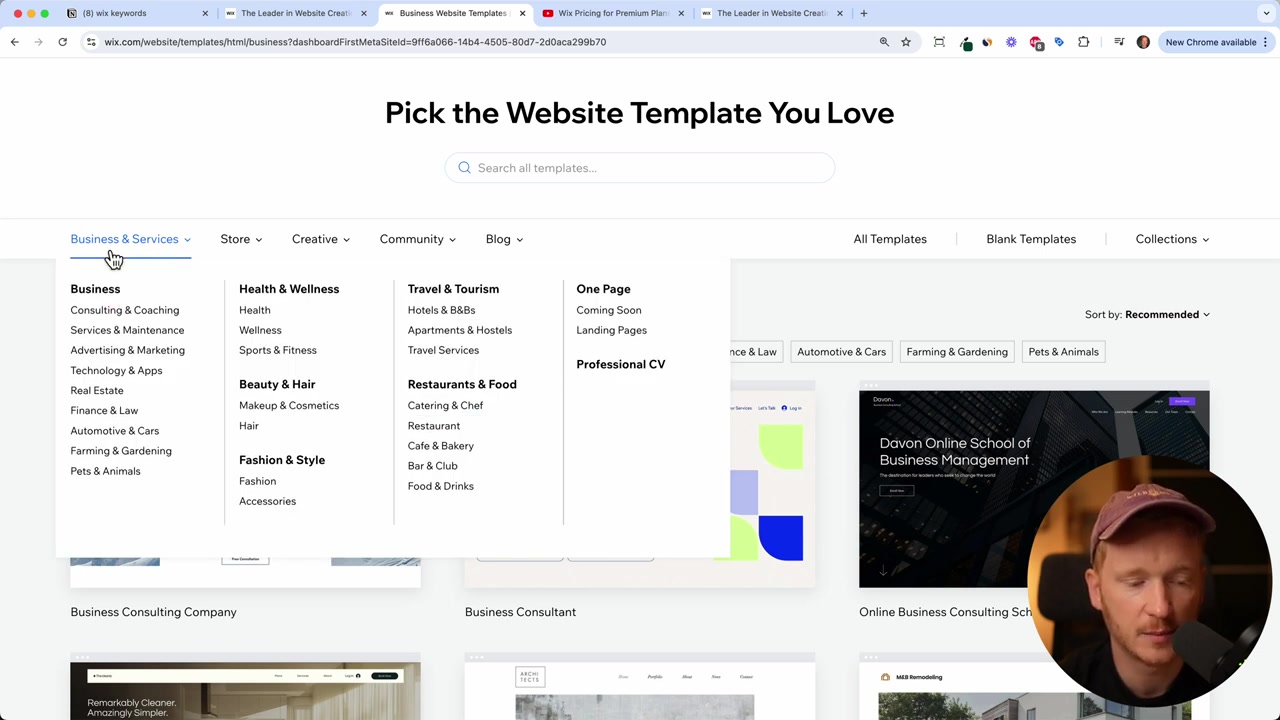
The template library is organised by industry and website type. Here is a quick overview of the main categories available:
Business & Services Covers general business sites, health and wellness, beauty and hair, fashion, travel and tourism, one-pagers, and professional CVs. Each sub-category comes with templates whose colours, fonts, and stock images are already matched to that niche.
Photography & Design Templates for architects, photographers, and creative studios. Expect clean, minimal layouts with artistic typography — think gallery-style presentation rather than corporate brochure.
Community & Education Ideal for churches, local groups, schools, and membership communities. These templates lean toward classic, trust-building designs with traditional fonts and a warmer colour palette.
Blog Yes, Wix has solid blog templates. Personal blogs, food blogs, travel blogs — they are all here and they perform well in search. More on that in the section below.
Online Store E-commerce templates for product-based businesses. Categories like Home & Decor come with multiple layout options, product grid styles, and built-in cart functionality.
4. How to Preview and Choose the Right Wix Template
Click View on any template to open a full preview. Scroll through the entire page — pay attention to the font choices, image placement, colour scheme, and overall mood.
The goal is not to find a perfect match. The goal is to find a template where the feel is right, so you are not redesigning everything from scratch.
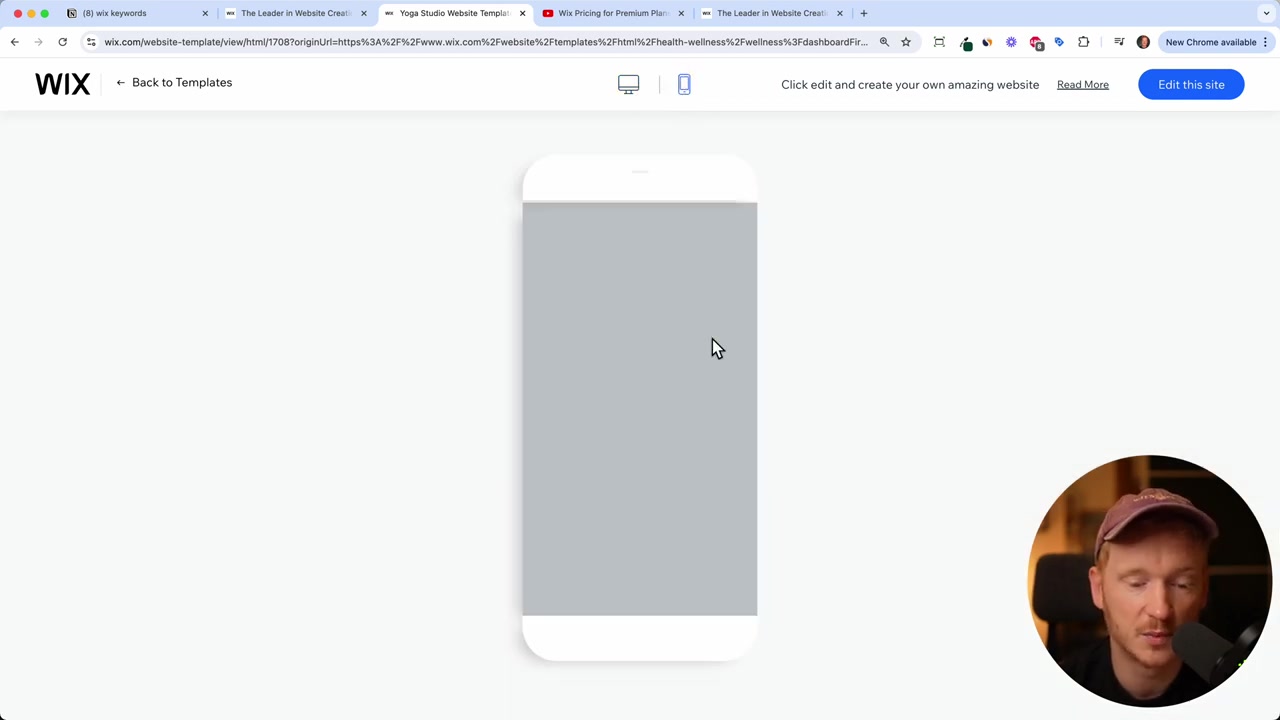
Every template is also fully mobile-optimised. Use the mobile preview toggle inside the template viewer to check how the layout adapts to smaller screens before you commit.
You can also navigate between pages inside the preview. For example, a wellness template might include a bookings page where visitors can sign up and pay for yoga classes directly through your site — all built in, no third-party plugin needed.
5. Is Wix Good for Blogging?
Short answer: yes, and the reputation that says otherwise is outdated.
A few years ago, Wix blogs were slow and struggled to rank in Google. That is no longer the case. Wix has significantly improved page speed and SEO performance. Real blogs running on Wix are generating traffic, comments, and engagement — there is no need to default to WordPress just because it was the better choice in 2019.
If you are building a personal blog, a niche content site, or a business blog alongside your main site, Wix gives you everything you need without the complexity of managing hosting, plugins, and theme compatibility.
6. Editing Your Chosen Wix Template
Once you have picked a template, click Edit This Site to open the Wix editor. This is where the real customisation happens.
Wix uses a drag-and-drop editor with no pixel grid restrictions. You can place any element — text, image, button, form — exactly where you want it on the page. Resize fonts, swap colours, rearrange sections, and swap out every image for your own.
When you are happy with the design, click Publish. Your site goes live on a free Wix subdomain instantly. When you are ready to use a custom domain, you can connect it through the dashboard — check out our guide on Wix Premium Plans for details on upgrading.

7. Wix vs WordPress: Which Template Ecosystem Is Better?
WordPress has a massive marketplace of themes from hundreds of different developers. That variety is both a strength and a weakness — quality is inconsistent, and a theme built for an older version of WordPress can break your site after a core update.
Wix templates all come from a single source: Wix itself. That means consistent quality, guaranteed compatibility, and no surprise breakage after platform updates. You also do not need to purchase hosting separately or install plugins just to make basic features work.
For most small businesses, freelancers, and creators, the Wix ecosystem is simpler to manage and less likely to cause headaches over time.
8. How Much Do Wix Templates Cost?
Every Wix template is completely free. There is no premium template tier, no marketplace purchase, and no upsell for specific designs.
The only costs associated with Wix come from plan upgrades — for example, connecting a custom domain, accepting payments, or removing Wix branding. You can find a full breakdown in our Wix Premium Plans guide. The templates themselves will always be included at no charge.
9. Wix Pros and Cons
Pros
- All templates are free and maintained by Wix
- No hosting server to manage
- Drag-and-drop editor with no pixel restrictions
- Mobile-optimised layouts included
- Built-in e-commerce, bookings, and blog functionality
- Automatic backups
- Improving SEO and page speed performance
Cons
- You cannot switch templates after publishing without rebuilding content
- Less flexibility than raw code for very advanced customisations
- Custom domain and advanced features require a paid plan
Frequently Asked Questions
Are all Wix templates really free?
Can I change my Wix template after I have started building my site?
Do Wix templates work on mobile devices?
How many Wix templates are there?
Can I use Wix templates for an online store?
Does Wix have blog templates?
Can I customise a Wix template completely?
Do I need to know how to code to use Wix templates?
10. Disclosure
Some links in this post are affiliate links. If you make a purchase through them, a small commission may be earned at no extra cost to you. All content is provided for informational purposes only, and no guarantees are made regarding results. This post does not constitute financial, legal, tax, or investment advice.
Related Articles

20 Sep 2024
Wix Premium Plans - How To Buy A Wix Premium Plan?
Ready to connect your own custom domain to your Wix website? To do that, you'll need to upgrade to a Wix Premium plan. In this guide, we walk you through the entire process — from starting your free t...

18 Sep 2024
How to Get a Free Domain for Your Wix Website in 2026 (Step-by-Step Guide)
Want to get your Wix website online without paying for a custom domain? You're in the right place. In this guide, I'll walk you through the exact steps to claim your free Wix domain — no credit card r...

21 Sep 2024
Wix Accept Payments - How To Add Payment Methods On Wix Websites in 2026
Getting paid is the whole point of running an online store — so setting up your payment methods correctly from day one is essential. In this tutorial, you'll learn exactly how to connect credit cards,...