Wix Accept Payments - How To Add Payment Methods On Wix Websites in 2026
Getting paid is the whole point of running an online store — so setting up your payment methods correctly from day one is essential. In this tutorial, you'll learn exactly how to connect credit cards, PayPal, Apple Pay, Google Pay, and more to your Wix store. Whether you're just getting started or switching to a new payment provider, this step-by-step guide has you covered.
If you haven't signed up for Wix yet, you can get started for free here — just enter your email and try it out before committing to a plan.
1. What is Wix Payments?
Wix Payments is Wix's built-in payment processing solution. It lets you accept a wide variety of payment methods — credit and debit cards, Apple Pay, Google Pay, Afterpay, Klarna, and more — all managed from a single dashboard.
Because it's deeply integrated into Wix, you don't need a separate third-party payment gateway to get started. You simply connect your account, verify your identity, and you're ready to sell.
2. Add the Wix Store App to Your Website
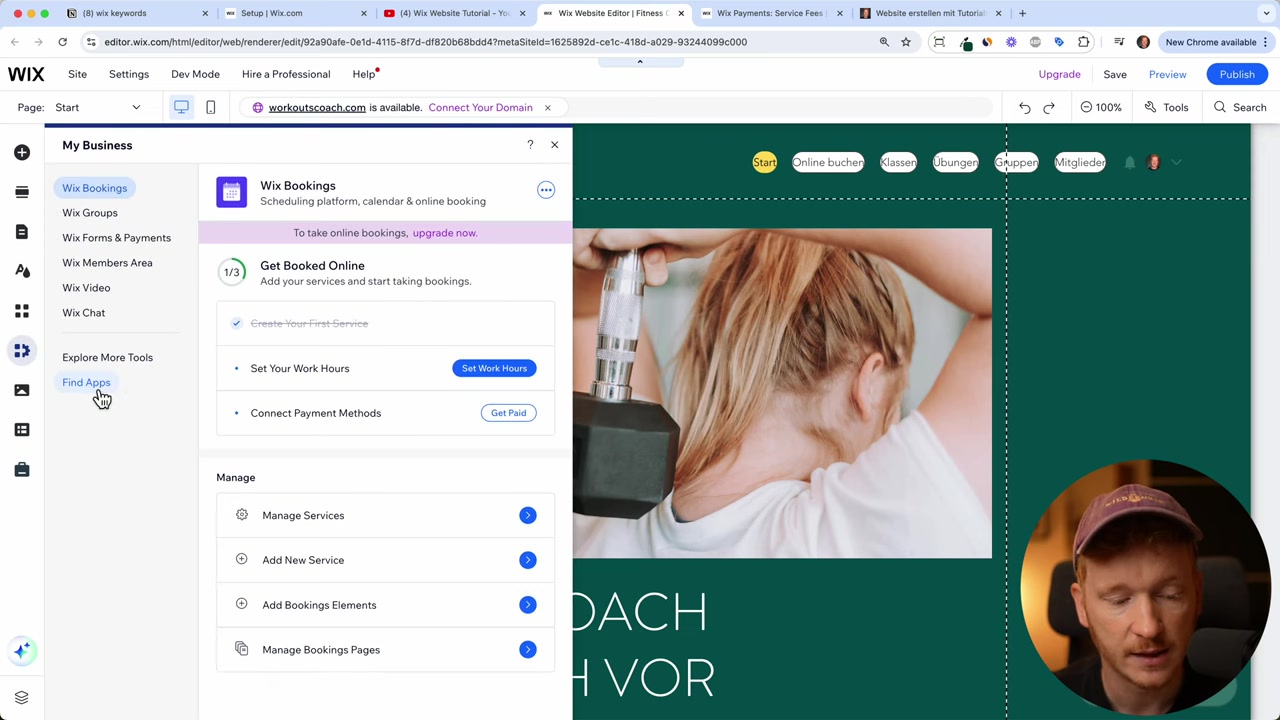
Before you can accept payments, you need the Wix Store app installed on your site. If you chose an e-commerce template when building your site, it's likely already there.
If not, open the Wix Editor, navigate to My Business, then Apps, and find the Wix Store app. Add it to your site and the full e-commerce functionality — including the payment setup — will appear in your dashboard.
3. Connect Credit Card Payments on Your Wix Store
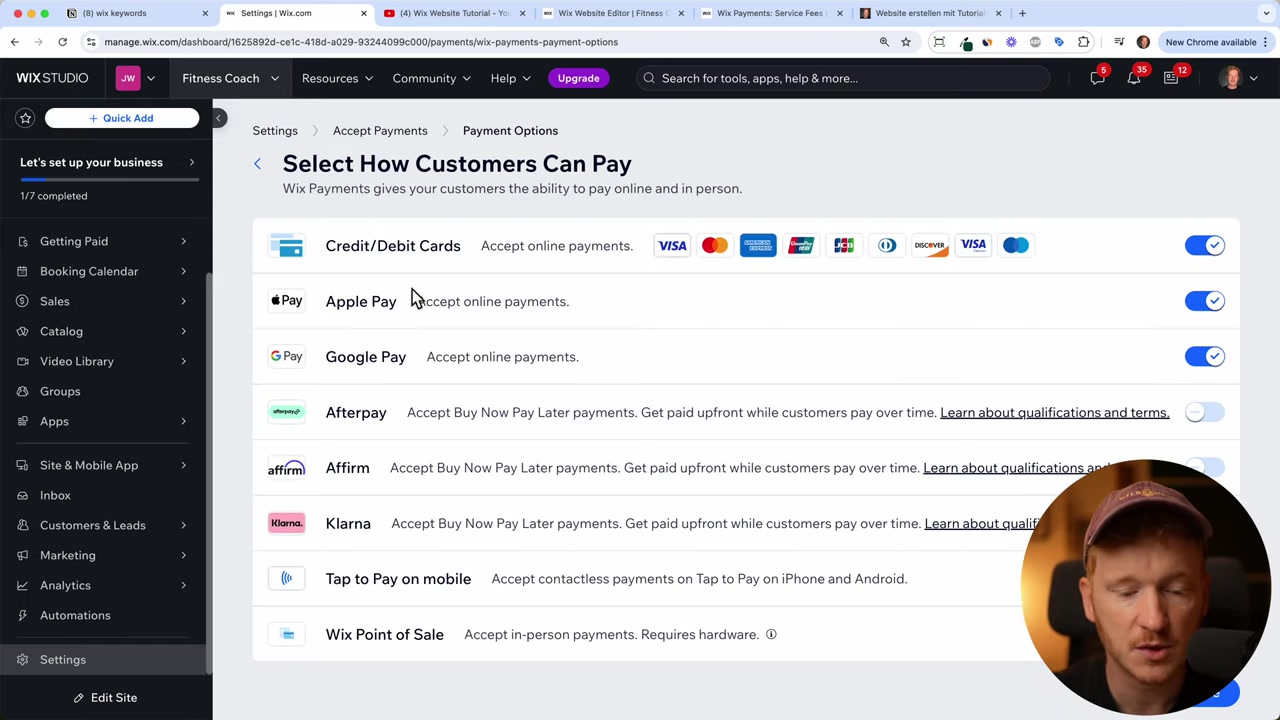
From your Wix dashboard, click Set Up Your Payment Methods. You'll see the option to accept credit and debit cards through Wix Payments, covering Visa, Mastercard, American Express, UnionPay, and more depending on your country.
Click Connect, answer the brief questionnaire about your business type (e.g., whether you sell age-restricted products), then click Accept and Continue.
Next, select the payment methods you want to offer your customers — credit cards, Apple Pay, Google Pay, Afterpay, Klarna, and tap-to-pay on mobile are all available. As a general rule, stick to five or six options maximum to avoid overwhelming shoppers at checkout.
4. Upgrade to a Wix Premium Plan
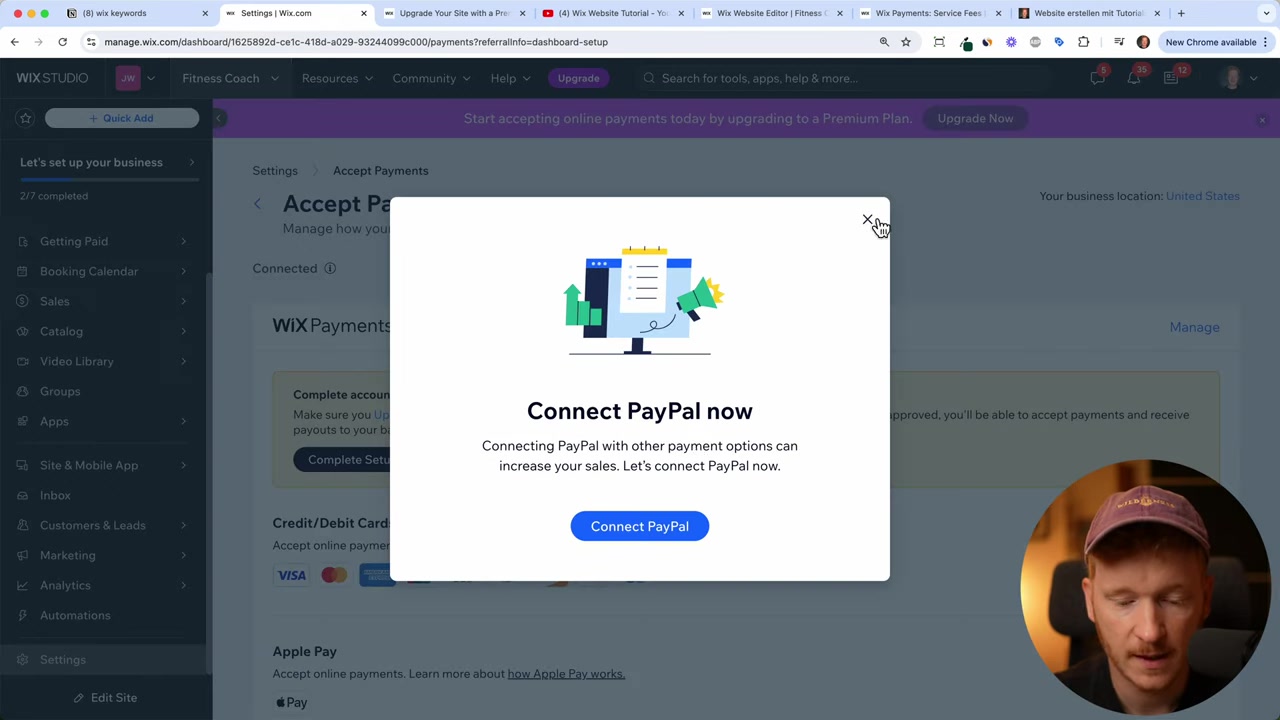
To accept payments on Wix, you need to be on a paid plan. Wix will prompt you to upgrade during the setup process.
You'll need at least the Core plan — the free Light plan does not support payment processing. Once you've upgraded, you can complete your Wix Payments account setup.
Want a full breakdown of Wix's pricing options? Check out our guide on Wix plans and pricing.
5. Complete Your Wix Payments Account Setup
After upgrading, Wix will walk you through verifying your account. You'll need to provide:
- Your business type (individual, partnership, LLC, or corporation)
- First and last name
- Date of birth
- Business address and description
- Bank account details for payouts
Once you submit, Wix confirms your account and you're ready to accept the payment methods you selected.
6. Add PayPal as a Payment Method on Wix
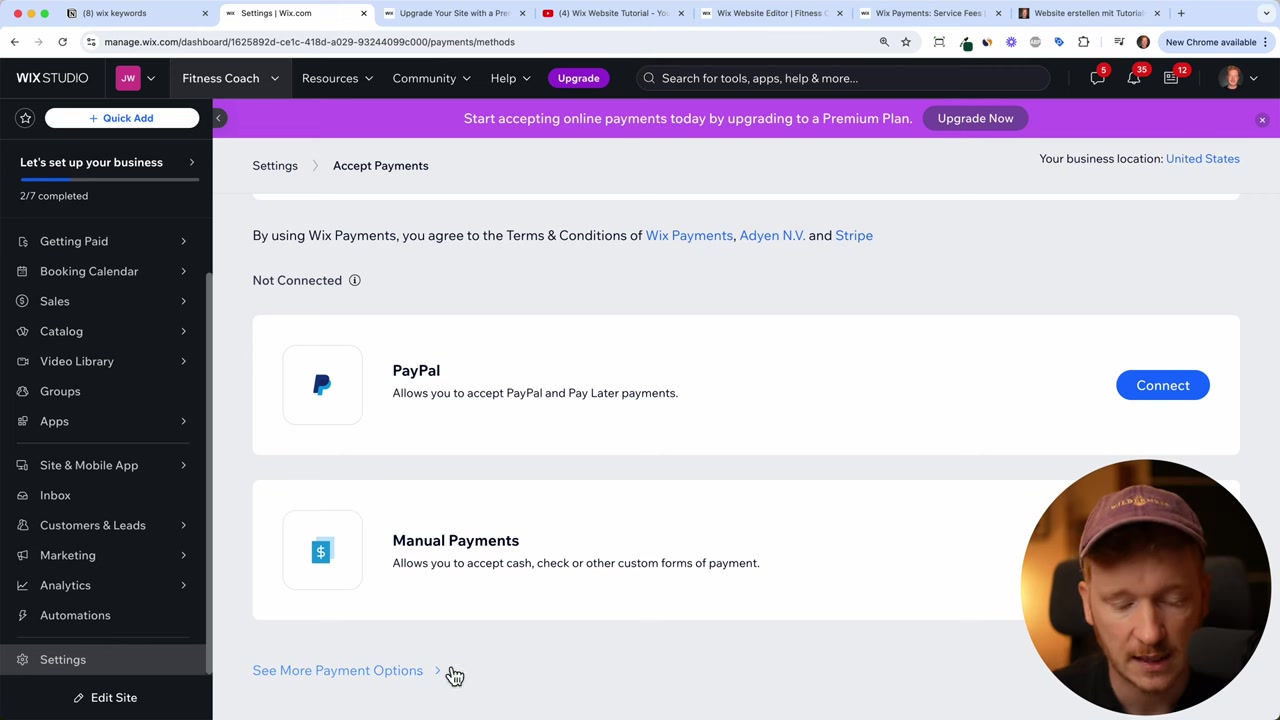
PayPal is hugely popular with online shoppers, so it's worth connecting separately. After completing your Wix Payments setup, you'll see a prompt to Connect PayPal in the payment methods section.
Click it, enter your PayPal account email, and click Connect. You'll be redirected to PayPal to authorize the connection. A personal PayPal account works, but a business account is recommended for selling online.
7. Understanding Wix Payment Fees
Every online payment comes with processing fees — this is standard across all platforms. Here's what to expect with Wix:
- Credit cards, Apple Pay, Google Pay, PayPal (US): 2.9% + $0.30 per transaction
- EU rates: 1.9% + €0.30 per transaction
These fees are charged by the underlying payment processors (Stripe and Adyen), not just Wix. The more you sell, the more fees add up — so factor this into your pricing from the start.
You can search "Wix payment fees" on Google to get the latest rates for your specific region.
8. Other Payment Options Available on Wix
Beyond the core methods, Wix supports several additional payment options depending on your market:
- Alipay — ideal if you're selling to customers in China
- Klarna — a popular buy-now-pay-later solution in Europe
- Afterpay — popular in the US and Australia
- Wix Point of Sale (POS) — accept in-person payments at a physical location using a Square card reader
- Manual payments — record cash transactions directly in your Wix dashboard for accurate analytics
Browse through all available options in your payment settings and connect whichever ones make sense for your business.
9. Is Wix Good for Accepting Payments?
For most small to medium online stores, Wix is an excellent choice. The built-in Wix Payments system is easy to set up, supports all major payment methods, and requires no technical knowledge.
The transaction fees are competitive with other platforms like Shopify, and the seamless integration with the Wix dashboard keeps everything in one place. If you already use Wix to build your site, accepting payments is a natural next step.
Frequently Asked Questions
Do I need a premium plan to accept payments on Wix?
What payment methods does Wix support?
How much does Wix charge per transaction?
Can I use PayPal with Wix?
How many payment methods should I offer on my Wix store?
Can I accept cash payments through Wix?
Does Wix support in-person payments?
Do I need a business PayPal account to connect with Wix?
10. Disclosure
Some links in this post may be affiliate links, meaning a commission may be earned at no extra cost to you if you make a purchase. All content is provided for informational purposes only and no guarantee of accuracy or completeness is given. Nothing here constitutes financial, legal, tax, or investment advice.
Related Articles

30 Sep 2024
Wix Website Tutorial for Beginners in English (2026)
Want to build a professional website without any coding skills? Wix is one of the most popular website builders out there — and for good reason. In this beginner-friendly tutorial, Julian Weber walks ...

15 Dec 2025
Wix Promo Code 2026 – How to Save on Wix Premium Plans
If you've been thinking about upgrading to a Wix premium plan, timing your sign-up the right way can make a real difference. In this guide, I'll walk you through the exact method to access the best av...

28 Oct 2025
How to Create a TikTok Ads Account in 2026
Want to run ads on TikTok but not sure where to start? Setting up your TikTok Ads Manager account is easier than you think — and it only takes a few minutes. In this guide, I'll walk you through the e...