How to Get a Free Domain for Your Wix Website in 2026 (Step-by-Step Guide)
Want to get your Wix website online without paying for a custom domain? You're in the right place. In this guide, I'll walk you through the exact steps to claim your free Wix domain — no credit card required.
It won't be a completely custom domain (it will include wixsite.com/), but it's fully functional and a great starting point when you're just getting started. You can always upgrade to a premium plan later to connect your own domain name.
1. What Is a Free Wix Domain?
When you create a free Wix account, Wix automatically gives you a subdomain that looks like this: yourprefix.wixsite.com/yoursite.
It's not a traditional domain like yoursite.com, but it works as a real, live URL that you can share on social media or use for early-stage projects.
The good news: you can customize both parts of the URL to make it look more professional — and that's exactly what this tutorial covers.
2. Sign Up and Start Your Free Wix Trial
Head over to Wix using the link in the description. You can sign up by entering your email address and clicking Start Now — no payment details needed.
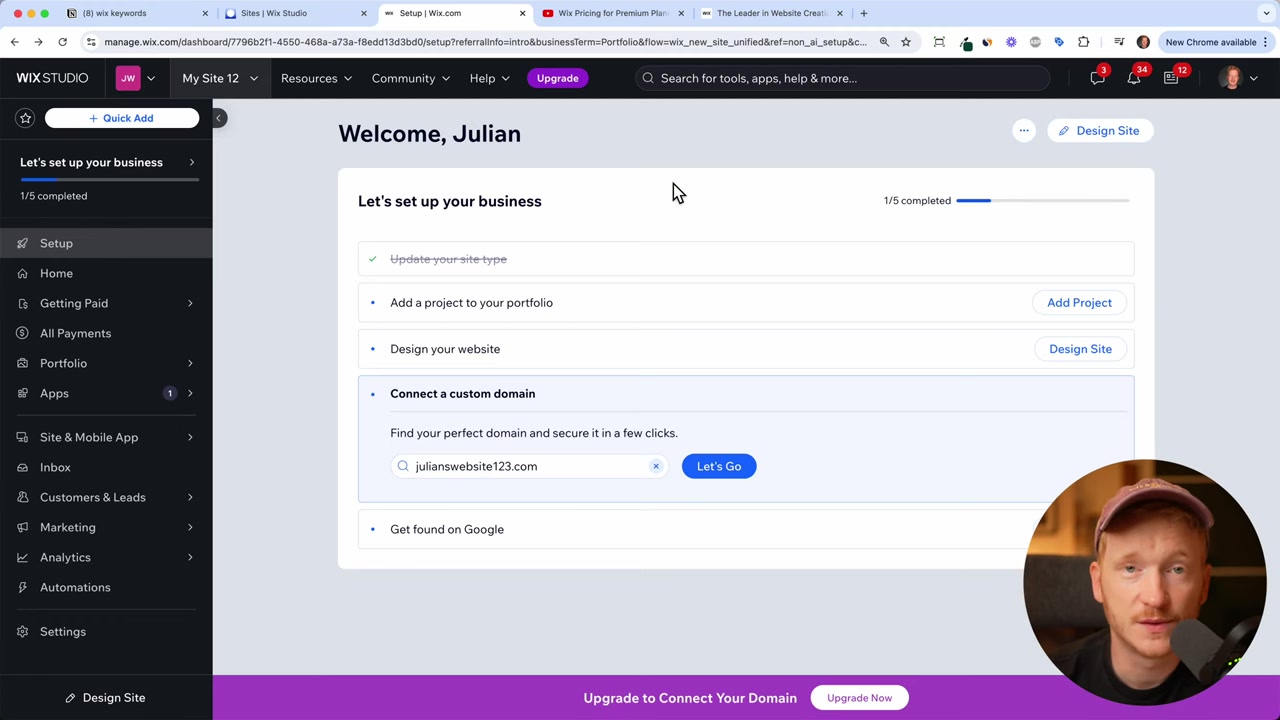
Once you're in, Wix will show you a screen where you can connect a custom domain. Skip that for now — we're going to get the free domain first.
3. Choose a Template and Open the Wix Editor
When Wix prompts you to upgrade to a paid plan, don't worry — just click Design Site instead.
This lets you browse and pick from Wix's template library. Choose whichever template suits your project and click Edit to open the Wix editor.
You don't need to fully design the site right now. The goal is just to publish it and claim your free domain.
4. Publish Your Wix Site to Claim Your Free Domain
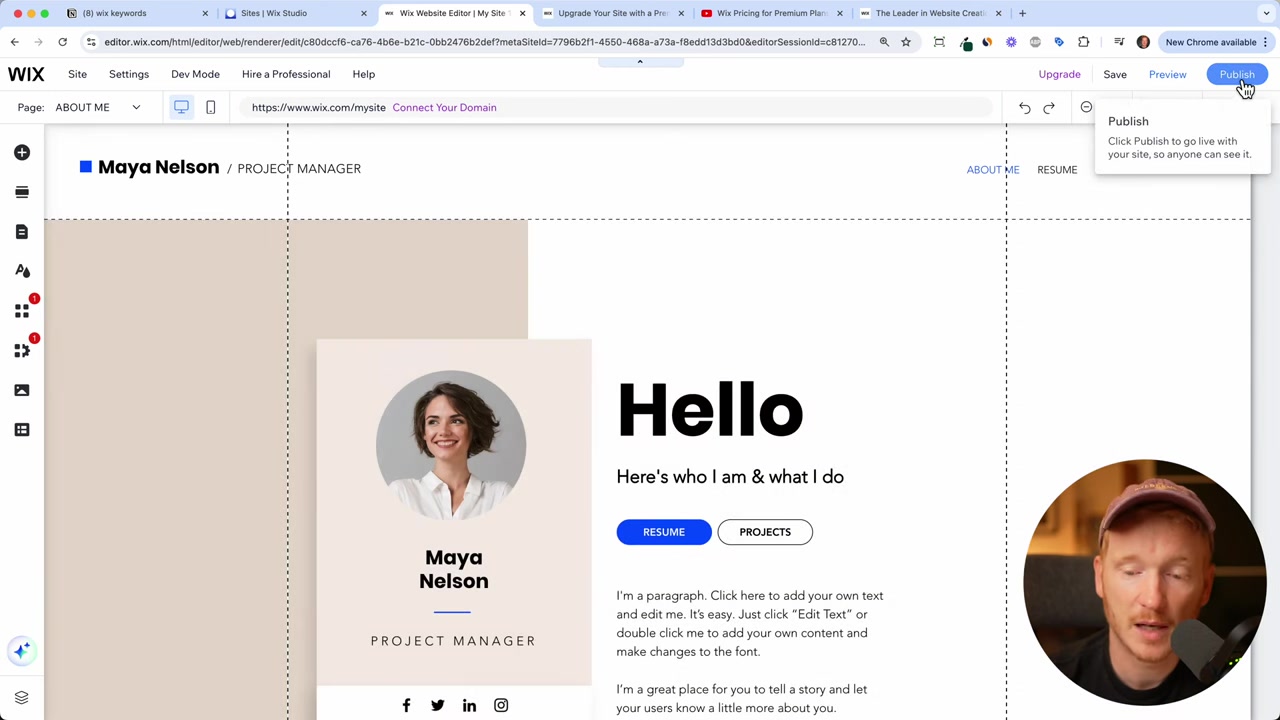
Inside the editor, click Publish. Wix will immediately assign you a free domain — something like test112445.wixsite.com.
It's not pretty, but don't worry. We'll fix that in the next step. For now, hit Publish to make the site live.
5. Customize Your Free Wix Domain URL
Once the site is published, you can edit the URL ending. In the publish dialog, change the suffix to something meaningful — for example, wixsite.com/start. Click Save to apply the change.
That handles the second part of the URL. Now let's clean up the first part (the prefix).
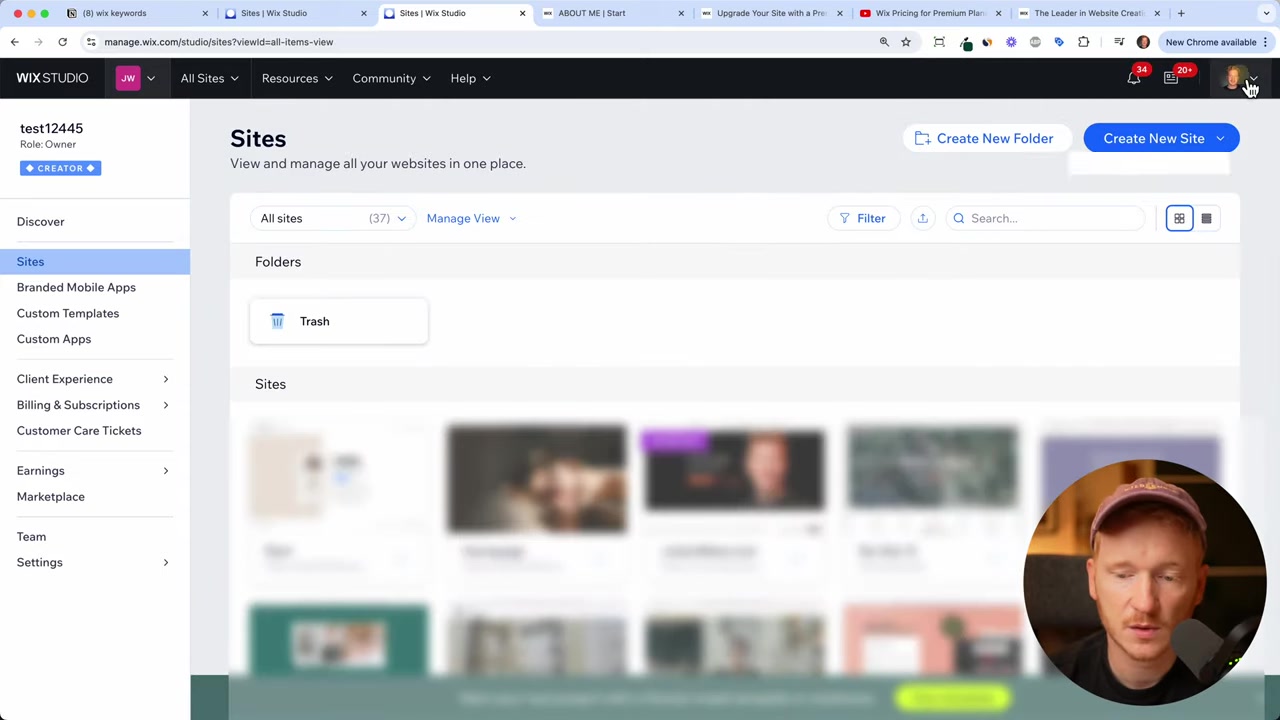
To edit the prefix, exit the editor by clicking Exit Editor → On Site → Exit Editor. This takes you to the dashboard showing all your sites.
6. Edit the Site URL Prefix in Wix Account Settings
From your site dashboard, go to Account Settings. Here you'll find an option to edit your Site URL Prefix.
Change it to something that represents your brand — for example, julians-website. Click Save.
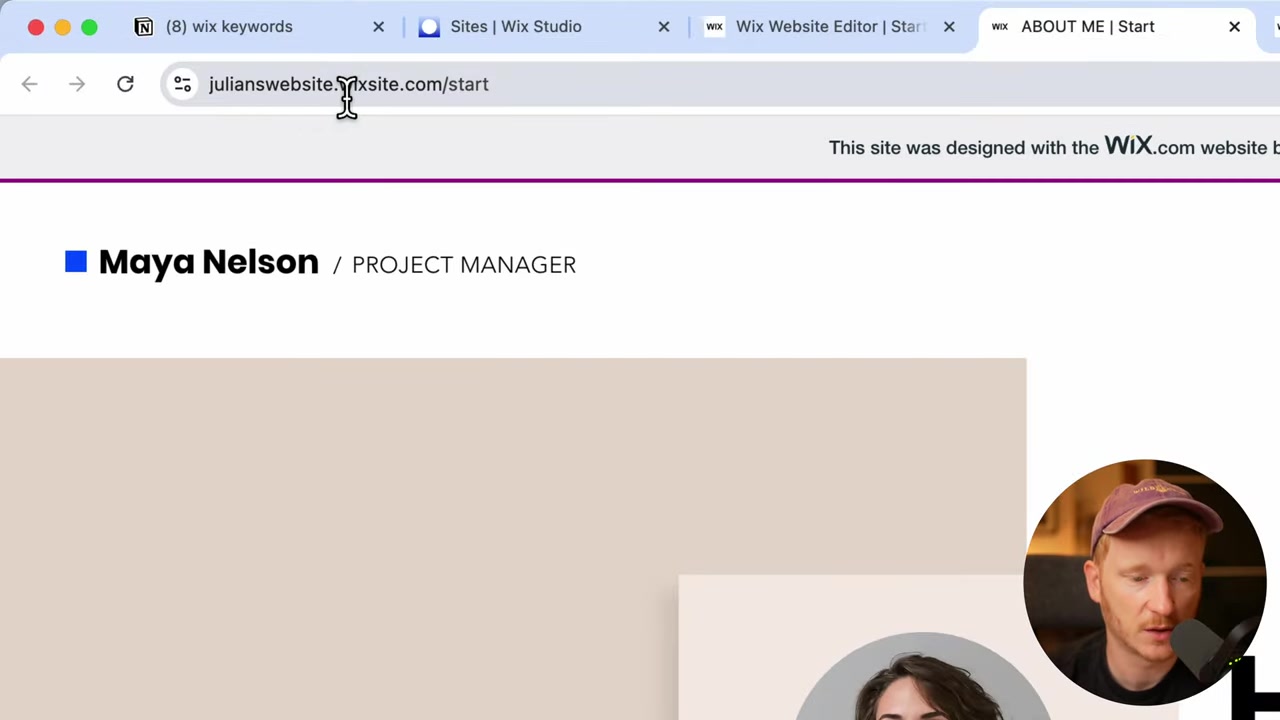
Now go back to your site and hit Publish one more time. Your new URL will appear at the top — something like julians-website.wixsite.com/start.
That's it! Your free Wix domain is live and looking much better than the default.
7. What Can You Do With a Free Wix Domain?
More than you might think. A free Wix domain gives you a fully functional website where you can:
- Upload your own images and content
- Add multiple pages
- Let visitors contact you through a contact form
- Share the link on social media
It's perfect for early-stage projects, side hustles, or testing an idea before committing to a paid plan.
8. How to Connect a Custom Domain on Wix
If you outgrow the free subdomain and want a proper domain like yourbrand.com, you'll need to upgrade to a Wix premium plan.
Wix offers several plans depending on your needs — from basic personal sites to full e-commerce stores. Check out the Wix premium plans guide to find the right fit for your project.
9. Is a Free Wix Domain Good for SEO?
A free Wix subdomain can rank in search engines, but it comes with limitations. Search engines generally treat subdomains with less authority than a standalone custom domain.
For serious SEO efforts, a custom domain (yourbrand.com) is strongly recommended. But for getting started, sharing on social, or testing a concept, the free Wix domain works fine.
10. Wix Free Plan vs Paid Plan: What's the Difference?
The free Wix plan gives you everything you need to build and publish a site — but with some trade-offs:
- Free plan: Wix-branded subdomain, Wix ads displayed on your site, no custom domain
- Premium plans: Custom domain, no Wix ads, more storage, e-commerce features, and more
If you're just starting out and testing an idea, the free plan is a great first step. When you're ready to go pro, upgrading is straightforward.
Frequently Asked Questions
Can I get a completely free custom domain with Wix?
How do I change my free Wix domain name?
Will my free Wix site show ads?
Can I use my free Wix domain on social media?
How long does it take to publish a Wix website?
Do I need a credit card to start with Wix for free?
Can I switch from a free Wix domain to a custom domain later?
Is the free Wix website good for a small business?
11. Disclosure
Some links in this post may be affiliate links. If you click through and make a purchase, I may earn a small commission at no extra cost to you. All content is provided for informational purposes only, and no guarantees are made regarding results. This post does not constitute financial, legal, tax, or investment advice.
Related Articles

20 Sep 2024
Wix Premium Plans - How To Buy A Wix Premium Plan?
Ready to connect your own custom domain to your Wix website? To do that, you'll need to upgrade to a Wix Premium plan. In this guide, we walk you through the entire process — from starting your free t...

21 Sep 2024
Wix Accept Payments - How To Add Payment Methods On Wix Websites in 2026
Getting paid is the whole point of running an online store — so setting up your payment methods correctly from day one is essential. In this tutorial, you'll learn exactly how to connect credit cards,...

15 Dec 2025
Wix Promo Code 2026 – How to Save on Wix Premium Plans
If you've been thinking about upgrading to a Wix premium plan, timing your sign-up the right way can make a real difference. In this guide, I'll walk you through the exact method to access the best av...