Wix Subscription Plans – Which Wix Yearly Plan is Right for You?
Trying to figure out which Wix subscription plan is right for you? You're not alone. Wix offers four different plans — Light, Core, Business, and Business Elite — and picking the wrong one can mean paying for features you don't need (or missing ones you do). In this guide, we break down every plan, who it's for, and how to get the best value. You can try Wix for free before committing to any paid plan.
1. What Is the Wix Free Plan?
Before spending a cent, you can sign up and build a full website on Wix completely for free. Just enter your email and you're in — no credit card required.
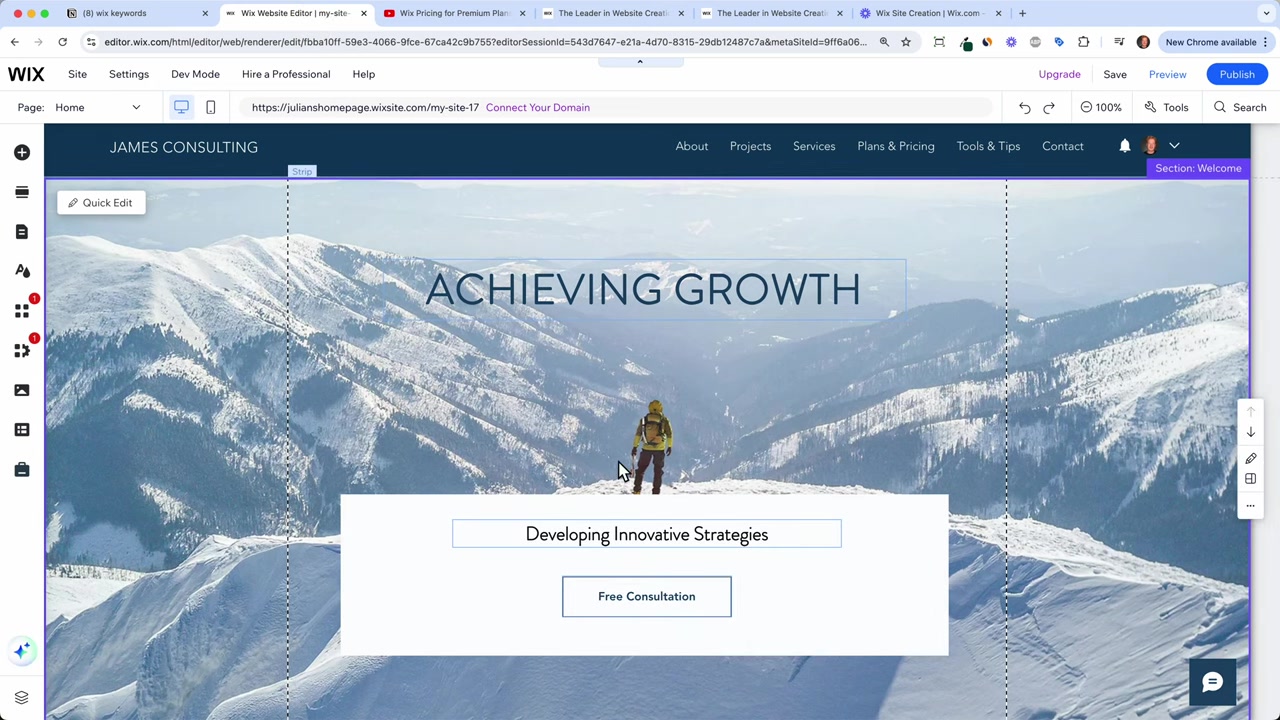
The free plan lets you drag and drop headlines, change text and images, add new pages, and even publish your site. Wix gives you a free subdomain like yourname.wixsite.com/mywebsite.
The catch? That subdomain is always visible. If you want a professional-looking website with your own custom domain (like julianweber.com), you'll need to upgrade to a paid plan.
2. Overview of All Wix Subscription Plans
Wix currently offers four paid subscription tiers. Here's a quick overview:
| Plan | Best For | Collaborators | Storage |
|---|---|---|---|
| Light | Personal blogs, portfolios | 2 | 2 GB |
| Core | Small businesses, e-commerce | 5 | 50 GB |
| Business | Established businesses | 10 | 100 GB |
| Business Elite | Large/corporate sites | Unlimited | Unlimited |
Every paid plan includes a free custom domain, removal of Wix branding, and 24/7 customer support. That's a solid baseline regardless of which tier you pick.

3. Wix Light Plan – Best for Personal Websites
The Light plan is the entry-level paid option and a great starting point for most people. It supports up to 2 collaborators and comes with 2 GB of storage.
You also get a light version of the Wix marketing suite and, of course, your own custom domain. If you're running a personal blog, a portfolio, or a simple informational site, this plan covers everything you need.
The one major limitation: no e-commerce functionality. You cannot accept payments on the Light plan. If you ever need to sell products or take bookings, you'll need to upgrade to Core.
4. Wix Core Plan – The Best Value for E-Commerce
The Core plan is where things get interesting. It starts at around 13–15/month (discounted) and unlocks basic e-commerce functionality — meaning you can accept payments for products, services, or bookings.
You get 5 collaborators, 50 GB of storage, and a basic marketing suite. That's a significant jump from the Light plan and covers the needs of most small to medium-sized businesses.
This is the plan Julian recommends as the default for anyone who knows they need to sell something online. It's also the sweet spot for value when combined with a yearly or two-year billing cycle.
5. Wix Business Plan – For Established Teams
The Business plan is designed for more established operations. It normally runs around 36–40/month and gives you 10 collaborators and 100 GB of storage.
You also get the standard Wix marketing suite, which offers more automation and analytics tools than the basic tier. E-commerce functionality is also upgraded to the standard tier.
Unless you have a team of people working on your site and need the extra storage, most small business owners won't need this plan right away. You can always upgrade later.
6. Wix Business Elite Plan – Enterprise-Level Features
Business Elite is Wix's top-tier plan, designed for large businesses and corporate websites. It offers unlimited collaborators, unlimited storage, and priority support.
For the vast majority of users, this plan is overkill. It's worth considering only if you're running a high-traffic store or managing a large team of editors and marketers.
7. How to Choose the Right Wix Plan for Your Website
The decision really comes down to two questions:
- Do you need to accept payments? If yes, go with Core or higher.
- How many people need editor access? That determines whether you need Business.
If you're just getting started, the Light plan is a smart, low-risk entry point. And if you realize you need more features down the road, upgrading is always an option.
All Wix plans come with a 14-day money-back guarantee, so there's very little risk involved in trying a plan out.
8. Yearly vs Monthly Billing – Which Saves More?
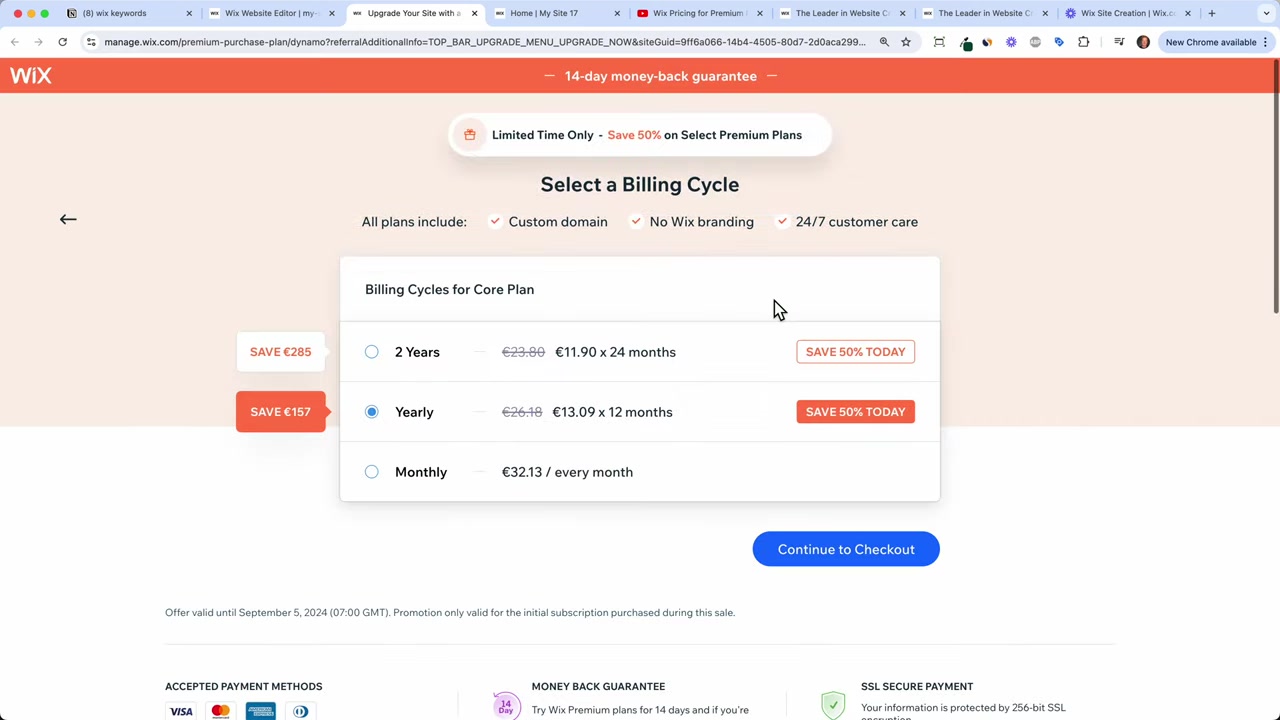
Wix offers both monthly and yearly (or two-year) billing options. Choosing a longer billing period saves you significantly compared to paying month-to-month.
When you sign up and then wait a short while, Wix often sends a limited-time offer via email. Waiting an hour or two before upgrading can be worth your while — keep an eye on your inbox.
The two-year plan locks in the best per-month rate. If you know you're committed to building your website for the long run, it's the most economical choice.
9. How to Purchase a Wix Subscription Plan
Once you've picked your plan, the checkout process is straightforward. From the Wix editor, click Upgrade Now or Connect Your Own Domain to be taken to the plans page.
Select your preferred plan and billing cycle, then proceed to payment. Wix accepts Visa, Mastercard, UnionPay, Discover, American Express, and PayPal. Your local currency will be shown automatically based on your location.
Fill in your invoice details, submit your payment, and you're done. Your custom domain and premium features are activated immediately.
10. Wix Pricing – Is It Worth It?
For most users, Wix offers solid value for the price. The Core plan in particular hits a sweet spot — you get e-commerce, decent storage, and a professional domain at a reasonable monthly cost.
The free plan is genuinely useful for testing and building before you commit. And the 14-day money-back guarantee means you're not locked in if a paid plan doesn't meet your expectations.
If you want a deeper look at Wix pricing and how to get the best deal, check out our dedicated post: Wix Promo Code 2026 – How to Save on Wix Premium Plans.
Frequently Asked Questions
What are the Wix subscription plans in 2026?
Can I use Wix for free?
Which Wix plan is best for e-commerce?
Does Wix offer a money-back guarantee?
What payment methods does Wix accept?
Can I upgrade my Wix plan later?
Is it cheaper to pay for Wix annually or monthly?
Does Wix include a free domain with paid plans?
11. Disclosure
Some links in this post may be affiliate links. If you purchase through them, I may earn a small commission at no extra cost to you. All content is provided for informational purposes only and comes without any guarantee of accuracy or completeness. Nothing in this post constitutes financial, legal, tax, or investment advice.
Related Articles

15 Dec 2025
Wix Promo Code 2026 – How to Save on Wix Premium Plans
If you've been thinking about upgrading to a Wix premium plan, timing your sign-up the right way can make a real difference. In this guide, I'll walk you through the exact method to access the best av...

28 Jul 2025
SiteGround WordPress Tutorial – How to Setup Your WordPress Website in 2026
Setting up a WordPress website doesn't have to be complicated. In this tutorial, you'll learn exactly how to get your site live on SiteGround — one of the most popular and reliable WordPress hosting p...

20 Aug 2025
Flippa Review – Is It Legit or a Scam? Full Breakdown
Thinking about buying or selling an online business? Flippa is one of the most well-known marketplaces for digital assets — but is it actually legit, or should you be worried about scams? In this hone...