Wix Promo Code 2026 – How to Save on Wix Premium Plans
If you've been thinking about upgrading to a Wix premium plan, timing your sign-up the right way can make a real difference. In this guide, I'll walk you through the exact method to access the best available Wix deal — step by step, just like in the video below.
The key is using the right partner link when you sign up. You can get started with Wix here to make sure you land on the correct page.
1. What Is a Wix Promo Code and How Does It Work?
A Wix promo code (or coupon) is a discount that Wix offers on select premium plans. Instead of entering a traditional coupon code at checkout, Wix activates these offers automatically — either via a dashboard banner or through email.
The deal is usually surfaced right after you create a new account. That's why it's important to sign up through the right link to ensure the offer appears.
2. Sign Up Through the Partner Link
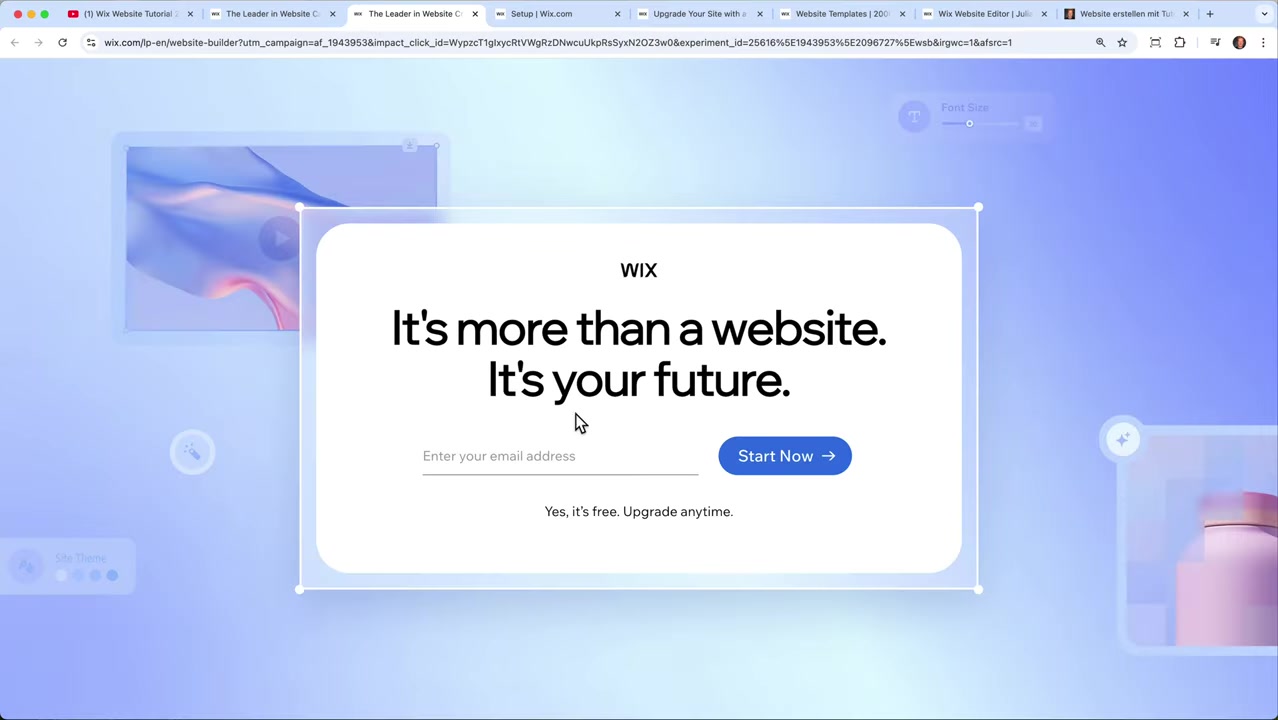
The first step is simple: click the partner link in the video description. This ensures your account is correctly flagged for the promotional offer.
Once you land on the Wix page, just enter your email address. On the next screen, create a password to finish setting up your account.
3. Find the Wix Savings Offer on Your Dashboard
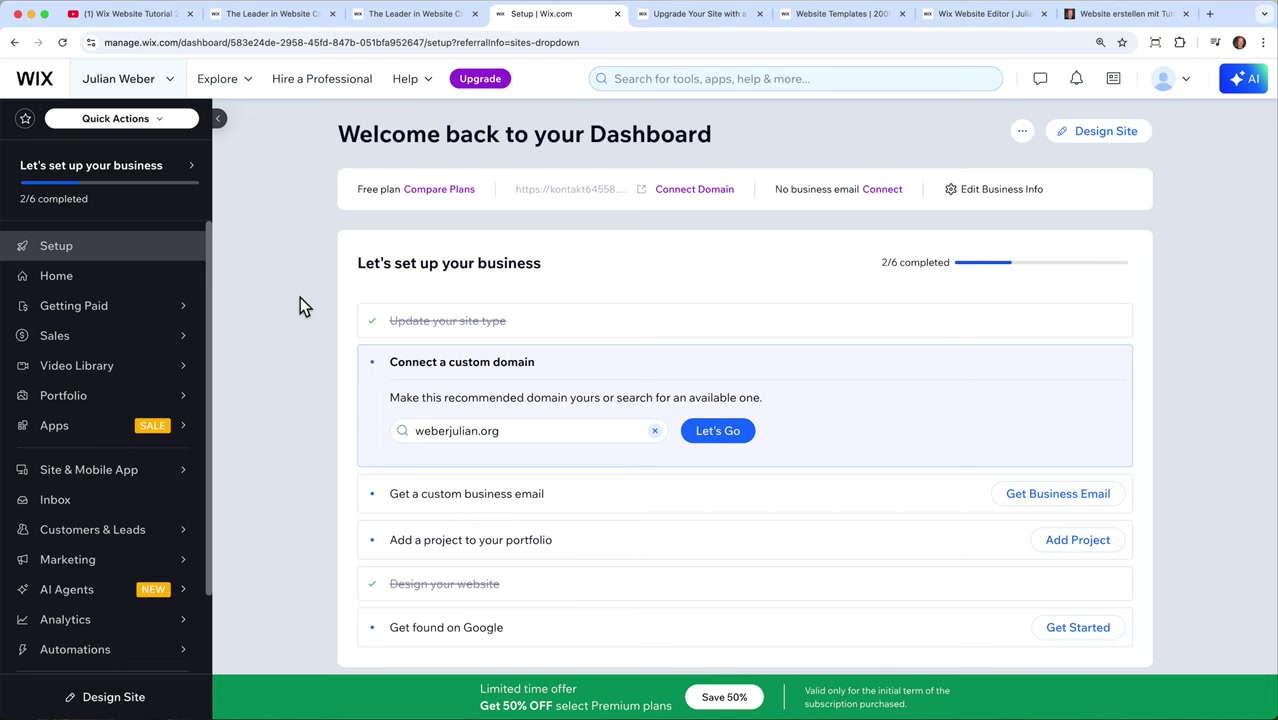
After signing up, you'll be taken directly to the Wix dashboard. Look for a pop-up or a banner at the bottom of the screen — this is where Wix shows the current promotional pricing.
If you don't see it immediately, check your email. Wix typically sends the offer early in the week, around Tuesday or Wednesday. Based on experience, though, the banner almost always appears right on the dashboard after a fresh sign-up.
4. Which Wix Plans Are Included in the Offer?
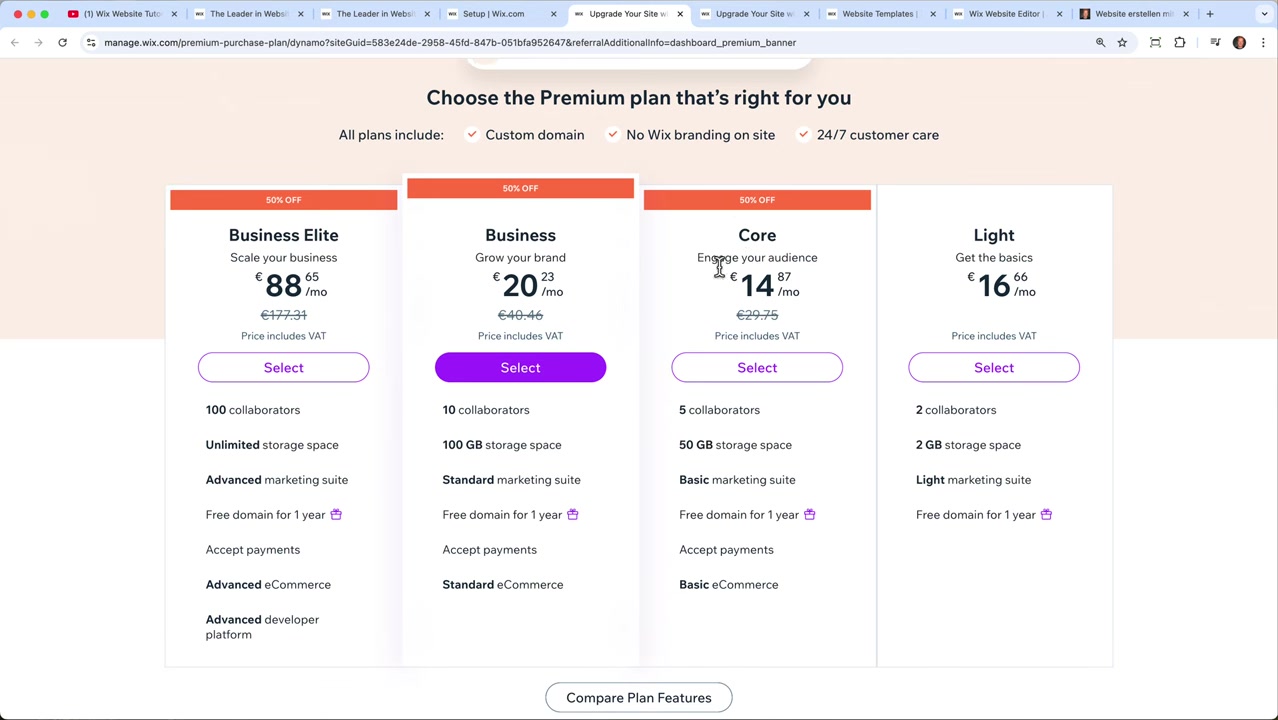
When you click the banner, you'll be taken to the Wix pricing page. Not all plans are part of the promotional pricing — here's what's usually included:
- Core Plan — included
- Business Plan — included
- Business Elite Plan — included
- Light Plan — typically excluded
The Light plan being left out is intentional. Wix uses this structure to encourage users to upgrade to Core or higher, where more features unlock.
5. Wix Core Plan vs. Light Plan – What's the Difference?
Understanding the difference helps you decide which plan makes sense for your goals.
The Light Plan is designed for simple websites. You get two collaborators, 2 GB of storage, and a free domain for one year. It's a decent starting point if you just need a basic online presence.
The Core Plan unlocks the ability to accept payments — meaning you can run an e-commerce shop, sell digital products like online courses or downloads, and accept Visa, Mastercard, American Express, and PayPal. You also get more storage and access to marketing tools like newsletter automations.
6. Choose Your Billing Period to Maximize Savings on Wix
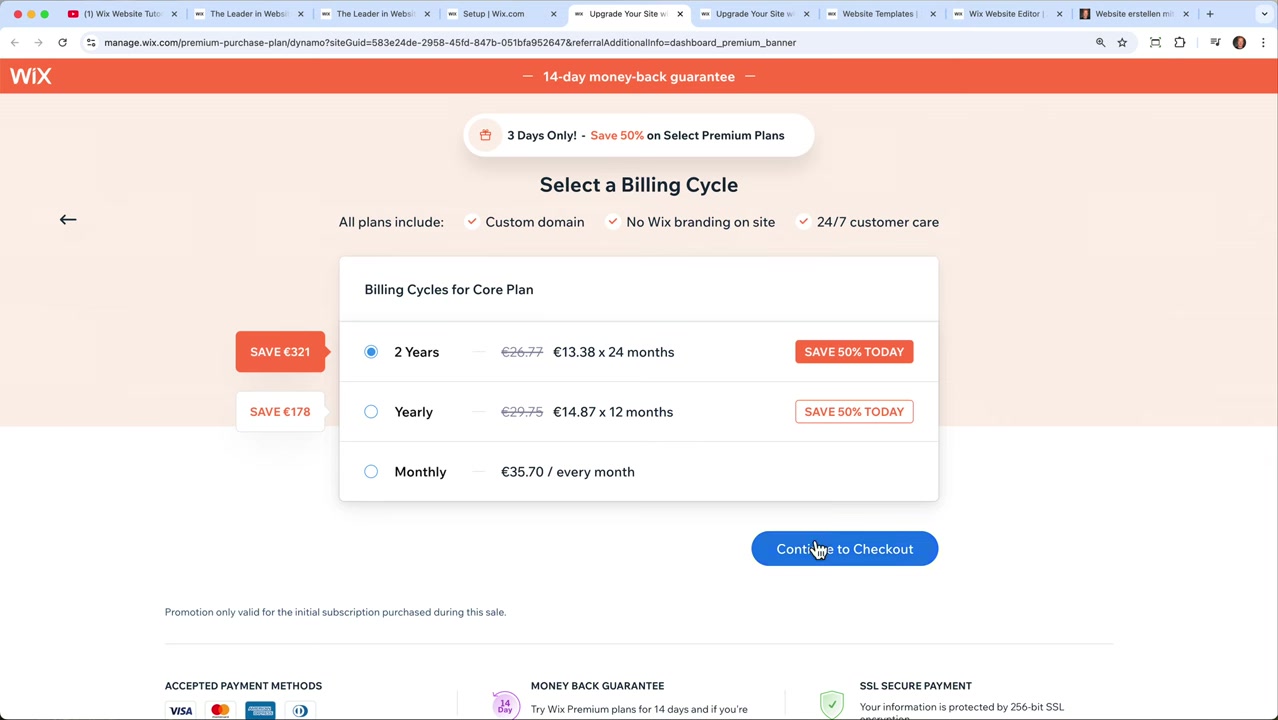
Once you've decided on a plan, you'll be asked to choose a billing period. Selecting a 2-year plan gives you the best overall value. If you prefer less commitment, the 1-year option is also available.
After clicking Continue, you'll reach the checkout screen where you can pay via PayPal, credit card, or Apple Pay. All Wix plans also come with a 14-day money-back guarantee, so there's a safety net if you change your mind.
7. The Business Plan — For Faster Growth
If you're planning to scale quickly, the Business Plan is worth considering. It includes more collaborators, extra storage, and additional e-commerce features beyond what Core offers.
You can scroll down on the pricing page to compare every feature side by side before making a decision. Take your time — there's no rush to commit before reviewing what each tier includes.
8. Is Wix Good for Beginners?
Yes — Wix is one of the most beginner-friendly website builders available. The drag-and-drop editor requires no coding knowledge, and there are hundreds of templates to start from.
For simple portfolio sites, small business pages, or online stores, Wix handles everything from design to payments in one place. Even users with zero technical experience can get a professional-looking site live in a matter of hours.
9. How Much Does Wix Cost in 2026?
Wix offers several pricing tiers:
- Light — entry-level plan for simple websites
- Core — adds payment processing and e-commerce features
- Business — for growing stores and teams
- Business Elite — for high-volume e-commerce
All plans are billed monthly or annually (with annual being cheaper). The promotional offer, when available, applies to Core and above. You can review the latest pricing directly on the Wix website.
10. Wix vs. Competitors — Why Choose Wix?
Compared to competitors like Squarespace or Weebly, Wix offers more design flexibility and a larger template library. The editor gives you true drag-and-drop freedom rather than locking you into a rigid grid.
For e-commerce, Shopify is often the go-to choice for larger stores — but for small to mid-sized businesses that also need a marketing website, Wix strikes a good balance between simplicity and functionality. If you're already deep into Shopify, you can check out Shopify here.
Frequently Asked Questions
Does the Wix promo code apply automatically?
Which Wix plans are eligible for the promo?
How long is the Wix promotional offer valid?
Is there a Wix money-back guarantee?
Can I switch Wix plans later?
Do I need a credit card to try Wix?
What payment methods does Wix accept at checkout?
Is Wix good for selling digital products?
11. Disclosure
Some links in this post are affiliate links, meaning I may earn a small commission at no extra cost to you if you purchase through them. All content is provided for informational purposes only — no guarantee of results is given. This post does not constitute financial, legal, tax, or investment advice.
Related Articles

28 Apr 2026
How to Redesign Your Website with AI (Free & No Code)
Is your website looking dated? In this tutorial from the Julian Weber channel, you'll see how to completely redesign an old website into a clean, modern, and high-converting page — in under 10 minutes...
10 May 2026
Gamma AI Website Builder Tutorial (2026) – Build a Website in Minutes
Most people know Gamma AI for its slick presentations — but did you know it can also build full websites? In this tutorial from the Julian Weber channel, you'll see exactly how to go from a blank prom...

25 Aug 2025
Gamma AI Tutorial 2026 – How to Use Gamma AI for Presentations
Tired of spending hours on PowerPoint slides? Gamma AI lets you create professional, animated presentations in just a few minutes — all you need is a prompt. In this tutorial, you'll see exactly how t...