How to Create a Sales Page with Wix (2026 Tutorial)
Want to build a professional sales or service page with Wix that actually converts visitors into clients? In this tutorial, you'll learn exactly how to do that — from picking the right template and filling it with compelling content, to nailing your on-page SEO and getting your page indexed on Google.
Whether you're a freelancer, agency, or small business owner, this guide walks you through every step. And the best part? You can try Wix for free and start building today.
1. What Is a Sales Page (and Why Does It Matter)?
A sales page — sometimes called a service page — is the page on your website where you convince visitors to buy your product or book your service. It's one of the most important pages you'll ever build.
Unlike a homepage, a sales page has one clear goal: conversion. Every element — the headline, the copy, the images, the call-to-action — should work together to move visitors toward taking action.
A well-built sales page can also rank on Google and bring in organic traffic for months or even years. That's why getting both the design and the SEO right from the start is so important.
2. Add a New Service Page in Wix
To get started, open your Wix editor and click on Pages & Menu. Then hit Add Page and browse the available templates under the Services category.
Choose a basic template to start with — you'll be adding your own sections anyway. For this tutorial, we're building a page for a fictional web design agency, so a clean, simple layout works perfectly.
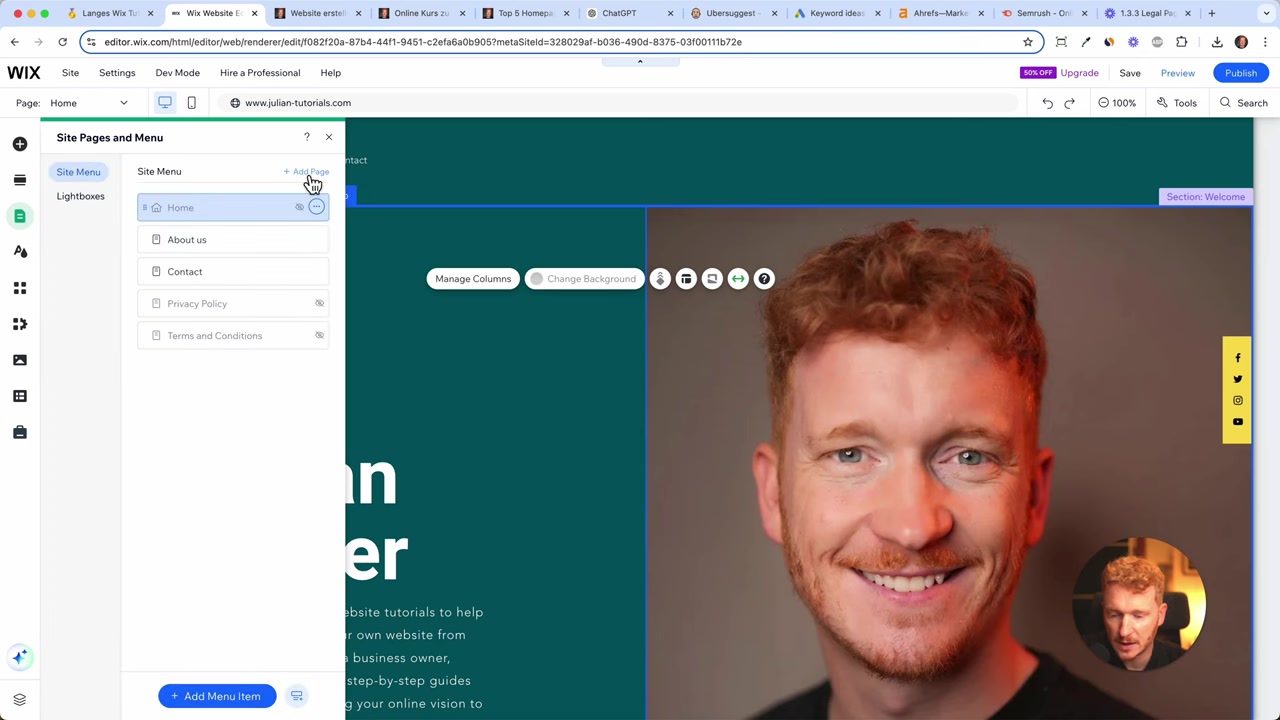
Once the page is added, you'll see the default template with placeholder headlines, paragraphs, and images. Your job now is to replace everything with your own content.
3. Write Compelling Headlines and Copy for Your Wix Sales Page
Start by changing the main headline. Make it clear, specific, and benefit-driven. Tools like ChatGPT can help you generate a solid first draft if you're stuck — just give it context about your service and your target audience.
Keep paragraphs short — no more than two or three sentences each. Long walls of text scare readers away, especially on mobile.
Bullet points work great for listing what's included in your service. Add some spacing between them so the page breathes and stays easy to scan.
Always write with your visitor in mind: what's in it for them? Make the copy persuasive and personal.
4. Add Images and a Step-by-Step Process Section
Visuals make a huge difference on a sales page. Wix gives you direct access to Unsplash from within the editor, so you can find professional, royalty-free photos without ever leaving the platform.
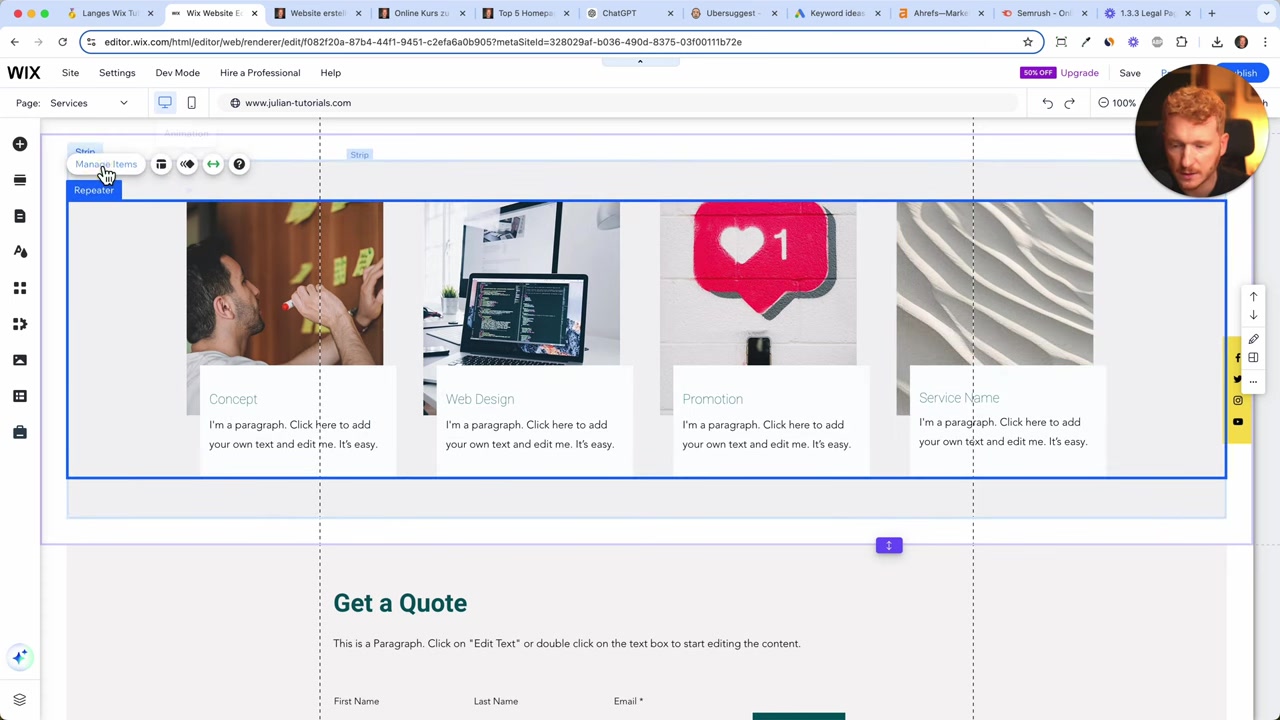
A great structure for a service page is a three-step process section. For example: Concept → Web Design → Promotion. This gives visitors an instant overview of what working with you looks like.
To keep things clean, click Manage Items in the repeater and remove any extra cards you don't need. Three items is usually the sweet spot — easy to read, easy to remember.
5. Add a Contact Form So Visitors Can Request a Quote
Most service page templates in Wix already include a contact or quote form. Customize it by adding extra fields that are relevant to your business — for example, a long-answer message field where visitors can describe their project.
You can also add fields for budget range or their current website URL. The more context you collect upfront, the better your initial response can be.
Make sure the form's colors and typography match your brand. If your site uses a specific accent color, apply it to the headlines and button text in the form section too.
6. Use Rulers and Alignment Tools to Polish Your Wix Page
One of the most underused features in the Wix editor is the ruler tool. Go to Show Tools → Ruler and you can drag guidelines onto the canvas to align all your elements perfectly.
This matters more on a sales page than anywhere else. A misaligned layout feels unprofessional and can erode trust with potential clients.
Take the time to make sure all headlines start at the same horizontal position and all body text lines up consistently. It sounds like a small detail — but it makes a big visual difference.
7. Wix SEO Basics — Get Your Sales Page Found on Google
Once your page looks great, you need to make sure Google can find it. This is where on-page SEO comes in. Check out the full Wix SEO basics guide for a deeper dive, but here are the essentials.
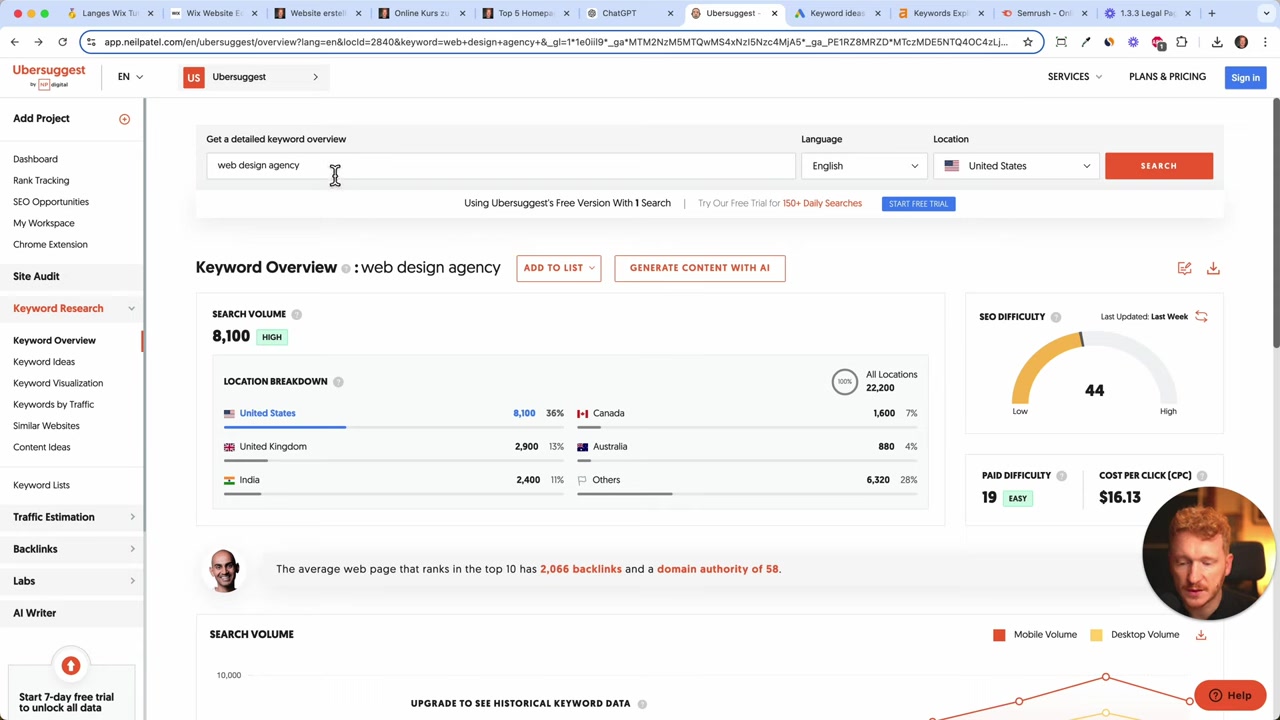
Start by researching your keywords. Free tools like Ubersuggest (by Neil Patel) are great for beginners. You can also use Google Keyword Planner inside Google Ads. More advanced options like Ahrefs or SEMrush are worth it once you're scaling.
For example, if you run a web design agency, you might try to rank for "web design agency" — but that keyword is extremely competitive. A smarter approach is to go local: target "web design agency in New York" instead.
Edit the Meta Title and Description in Wix
In the Wix editor, go to your page settings and open the SEO tab. Here you can set your:
- Title tag — include your main keyword (e.g. "Web Design Agency in New York | Julian Weber")
- Meta description — write 1–2 sentences that use the keyword naturally and describe what you offer
- URL slug — keep it clean and keyword-rich (e.g.
/web-design-agency-new-york)
Set a Social Sharing Image
Don't skip the social sharing image in the SEO settings. Google sometimes displays these images directly in search results, and they always appear when someone shares your page on social media.
Choose a high-quality image that represents your service — a photo of you working, your portfolio, or a branded graphic all work well.
On-Page SEO — Use Your Keyword in the Right Places
Your main keyword should appear in the H1 headline of your page. This tells Google what the page is about at a glance.
Then repeat the keyword naturally two or three times throughout the body text. Don't stuff it — just make sure it shows up in the headline, in a paragraph near the top, and once more further down the page.
8. How Much Does Wix Cost?
Wix offers a free plan that lets you build and publish a website at no cost. However, to connect a custom domain and remove Wix branding, you'll need to upgrade to a paid plan.
Paid plans start at a reasonable monthly rate and scale up based on features like storage, analytics, and ecommerce functionality. You can learn more in the Wix promo code guide if you're looking for ways to save on a premium plan.
9. Is Wix Good for Building Sales Pages?
Yes — Wix is one of the most beginner-friendly website builders available, and it's genuinely capable of producing professional sales pages. The drag-and-drop editor makes it easy to arrange sections, add forms, and customize every detail without writing a single line of code.
The built-in SEO tools, Unsplash image library, and contact form builder make it a solid all-in-one solution for freelancers and small businesses.
The main trade-off is time. A truly polished sales page — with custom images, aligned sections, and persuasive copy — can take two to three days to build well. But that investment is worth it when it starts converting visitors into paying clients.
10. Wix Sales Page vs. Dedicated Landing Page Builders
Tools like Unbounce, Leadpages, or Carrd are built specifically for landing pages and offer features like A/B testing and conversion tracking out of the box.
However, Wix has a major advantage: everything lives in one place. Your blog, about page, contact page, and sales pages are all on the same domain — which is better for SEO and easier to manage long-term.
If you already have a Wix website, building your sales page there is almost always the right call. The SEO juice from your existing domain benefits every new page you add.
Frequently Asked Questions
Can I build a sales page with Wix for free?
What should every sales page include?
How do I find the right keywords for my Wix sales page?
How do I submit my Wix page to Google?
Where do I add meta title and description in Wix?
How many times should I repeat my keyword on the page?
Should I go after broad or local keywords for my service page?
How long does it take to build a good sales page in Wix?
11. Disclosure
Some links in this post may be affiliate links. If you click through and make a purchase, a commission may be earned at no extra cost to you. All content is provided for informational purposes only and comes without any guarantee. This post does not constitute financial, legal, tax, or investment advice.
Related Articles
21 Apr 2025
Wix SEO Basics – What You Need to Do Before Publishing Your Wix Site
Want your Wix website to actually show up on Google? Before you hit publish, there are a few essential SEO settings you need to configure. In this guide, we'll walk through the Wix SEO basics — from t...

15 Dec 2025
Wix Promo Code 2026 – How to Save on Wix Premium Plans
If you've been thinking about upgrading to a Wix premium plan, timing your sign-up the right way can make a real difference. In this guide, I'll walk you through the exact method to access the best av...

19 Apr 2025
How to Enable the Cookie Banner on Your Wix Website
If you run a website, a cookie consent banner isn't optional — it's a legal requirement in many countries. Whether you're dealing with GDPR in Europe, CCPA in California, or the ePrivacy Directive, yo...