How to Enable the Cookie Banner on Your Wix Website
If you run a website, a cookie consent banner isn't optional — it's a legal requirement in many countries. Whether you're dealing with GDPR in Europe, CCPA in California, or the ePrivacy Directive, your visitors need to know what tracking technologies your site uses.
The good news: Wix has a built-in cookie banner tool that takes just a few minutes to set up. In this guide, I'll walk you through exactly how to activate it, customize it, and link it to your privacy policy. You can also try Wix for free if you haven't signed up yet.
1. What Is a Cookie Banner and Why Do You Need One?
A cookie banner is a notice that appears the first time someone visits your website. It informs visitors that your site uses cookies — small files stored in their browser that track behavior and preferences.
Without a cookie banner, you could be in violation of data protection laws like GDPR (Europe), CCPA (California), or the ePrivacy Directive. These regulations require informed user consent before certain types of cookies are placed.
Even if you run a simple personal blog, having a cookie banner is strongly recommended to stay on the right side of the law.
2. Exit the Wix Editor and Go to Dashboard Settings
The cookie banner settings are not inside the Wix editor — you manage them from your site dashboard. So your first step is to leave the editor.
Click Exit Editor at the top of the screen. This brings you back to the main Wix dashboard for your site.
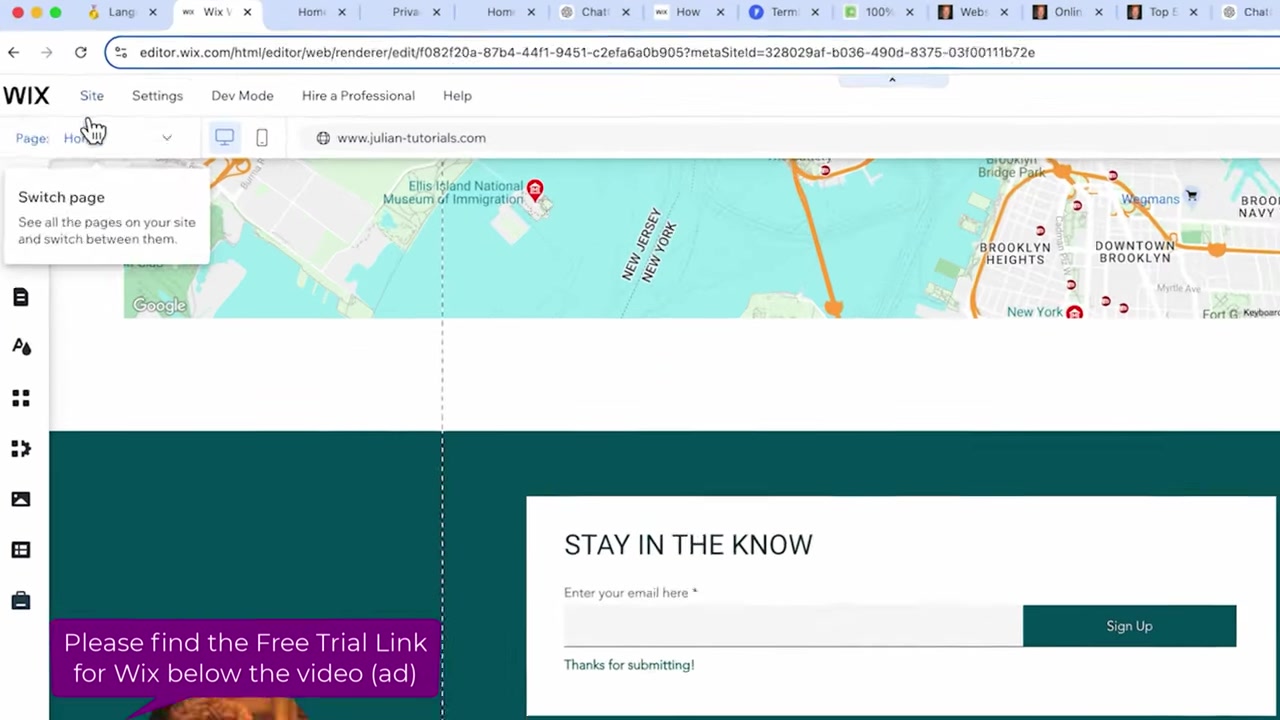
Once you're in the dashboard, click on Settings in the left-hand menu, then select Privacy & Cookies. This is where all cookie consent configuration lives.
3. Enable the Wix Cookie Consent Banner
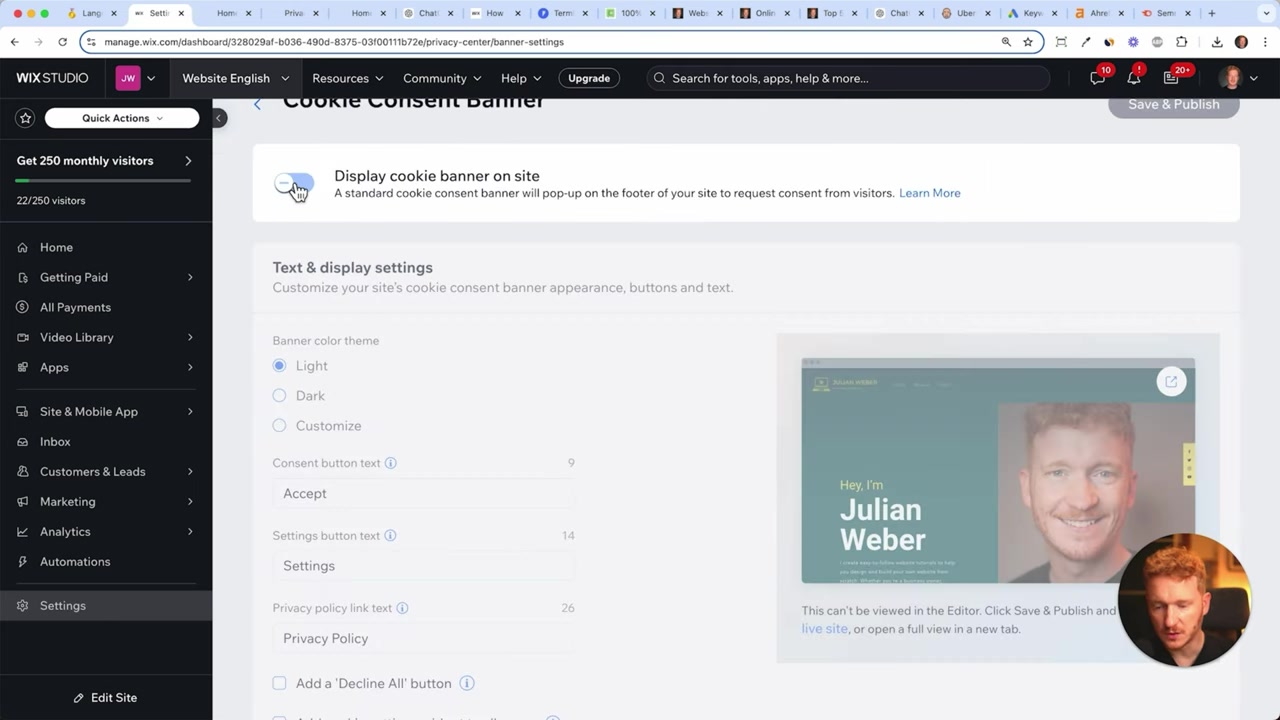
Inside Privacy & Cookies, you'll see an option to display a cookie consent banner. Toggle it on — this is the main switch that activates the banner across your entire site.
Once enabled, the banner will automatically appear at the bottom of your website the first time any visitor lands on it.
4. Customize the Cookie Banner Appearance and Settings
Wix gives you a few customization options to match the banner to your site's look and feel.
You can choose between a light theme and a dark theme — pick whichever fits your design. The default button says "Accept," but you can also add additional options.
Under the settings, you'll find the option to add a Decline All button. This is important — it gives visitors the ability to refuse non-essential cookies, which is required under GDPR.
You can also add a Cookie Settings widget so visitors can choose exactly which categories of cookies they want to accept while browsing your website.
5. Edit the Cookie Banner Text and Link Your Privacy Policy
Wix provides default banner text that reads something like: "We use cookies on our website to see how you interact with it. By accepting, you agree to our use of such cookies."
You're free to edit this text — ideally with input from a legal professional to make sure it matches your specific use case and jurisdiction.
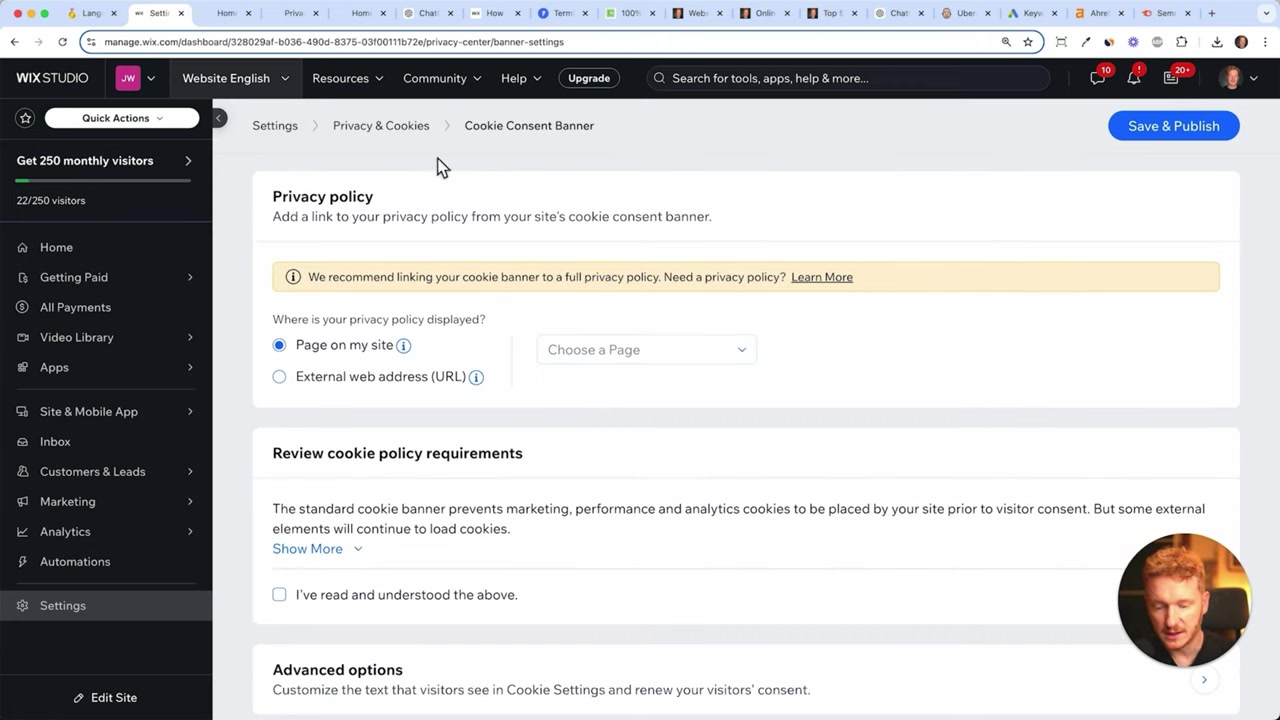
You also need to link your Privacy Policy to the banner. In the cookie settings panel, there's a field where you can connect your privacy policy page. Make sure this is filled in before publishing.
Once you're happy with everything, check the box confirming you've read and understood the settings, then click Save and Publish.
6. Check the Live Cookie Banner on Your Wix Website
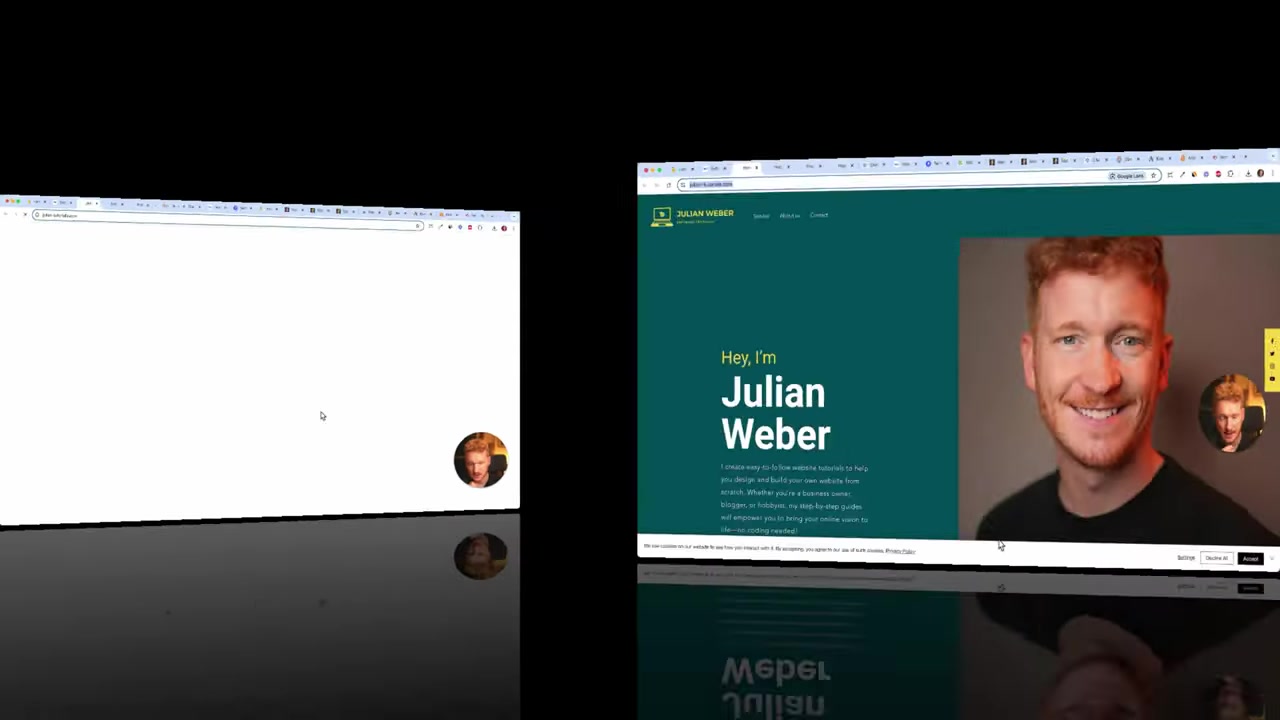
After publishing, visit your live site to confirm the banner is showing correctly. You should see it appear at the bottom of the page.
Click through the options to verify everything works: the privacy policy link should open, the settings panel should allow cookie preferences, and both the Accept and Decline All buttons should function.
Keep in mind: once a visitor clicks Accept, the banner won't appear again on their next visit. That's expected behavior — the browser remembers their consent decision.
7. Is the Wix Cookie Banner GDPR Compliant?
The built-in Wix cookie banner covers many of the basics required for GDPR compliance — it shows a consent notice, allows users to accept or decline, and lets you link your privacy policy.
However, full GDPR compliance depends on many factors beyond just displaying a banner. You also need to ensure your site doesn't load tracking scripts before consent is given, and that your privacy policy is accurate and up to date.
Always consult a qualified legal professional to confirm your site meets all applicable requirements. Wix is a tool — legal compliance is ultimately your responsibility as the site owner.
8. Wix Cookie Banner vs. Third-Party Cookie Tools
Wix's native cookie banner is convenient and free — no plugins or integrations needed. For most small websites and blogs, it's more than sufficient.
If you run a more complex site with many third-party scripts, you may want to consider a dedicated Consent Management Platform (CMP) that offers more granular control over script blocking and cookie categorization. Tools like Cookiebot or CookieYes integrate with Wix via custom code.
For the majority of Wix users, however, the built-in tool gets the job done without any extra cost or complexity.
Frequently Asked Questions
Where do I find the cookie banner settings in Wix?
Does Wix have a built-in cookie banner?
Is the Wix cookie banner GDPR compliant?
Can I add a Decline All button to the Wix cookie banner?
Why is the cookie banner not showing on my Wix site?
Will the cookie banner show every time someone visits my site?
Can I customize the text on the Wix cookie banner?
Do I need a cookie banner if my Wix site uses Google Analytics?
9. Disclosure
Some links in this post may be affiliate links. If you click through and make a purchase, I may earn a commission at no extra cost to you. All content is provided for informational purposes only, without any guarantee of accuracy or completeness. This post does not constitute legal, financial, tax, or investment advice — always consult a qualified professional for guidance specific to your situation.
Related Articles
21 Apr 2025
Wix SEO Basics – What You Need to Do Before Publishing Your Wix Site
Want your Wix website to actually show up on Google? Before you hit publish, there are a few essential SEO settings you need to configure. In this guide, we'll walk through the Wix SEO basics — from t...

22 Apr 2025
How to Edit Your Wix Website for Mobile – Responsive Design Guide (2026)
If you've just finished building your Wix homepage, there's one more step before you hit publish: making sure it looks great on mobile. With most web traffic now coming from smartphones, a poorly opti...

20 Apr 2025
How to Make a Logo for Your Wix Website – Step-by-Step Guide
A great logo is one of the fastest ways to make your Wix website look polished and professional. In this tutorial, you'll learn how to design your own logo from scratch using Canva — no design experie...