Gamma AI Website Builder Tutorial (2026) – Build a Website in Minutes
Most people know Gamma AI for its slick presentations — but did you know it can also build full websites? In this tutorial from the Julian Weber channel, you'll see exactly how to go from a blank prompt to a published, shareable website in just a few minutes, no coding required.
1. What is Gamma AI?
Gamma AI started as an AI-powered presentation tool, but it has grown into a full creative suite. Today you can use it to create presentations, social media graphics, and websites — all from a simple text prompt.
For website creation, Gamma is best suited to static sites: portfolios, landing pages, personal brand pages, and informational sites. Think of it as a fast, AI-assisted alternative to traditional drag-and-drop builders.
2. Sign Up and Access the Gamma AI Dashboard
Head to Gamma AI and sign up for free using your Google account or email. Once inside, you'll land on your personal dashboard where all your projects live.
To get started, click "Create a new with AI". You'll immediately be asked how you want to provide content for your site.

3. Choose Your Input Method
Gamma gives you several ways to feed it content. You can:
- Write a prompt from scratch
- Paste in existing text (e.g. a client brief or email)
- Start from a template
- Upload a file (PDF, presentation, etc.)
- Enter a URL from an existing website to use as a starting point
For most people, starting with a prompt is the fastest path. Julian's tip: use ChatGPT, Claude, or Gemini to dictate and generate a solid prompt for you — especially if you're not sure what sections your site needs.
4. Configure Your Gamma AI Website Settings
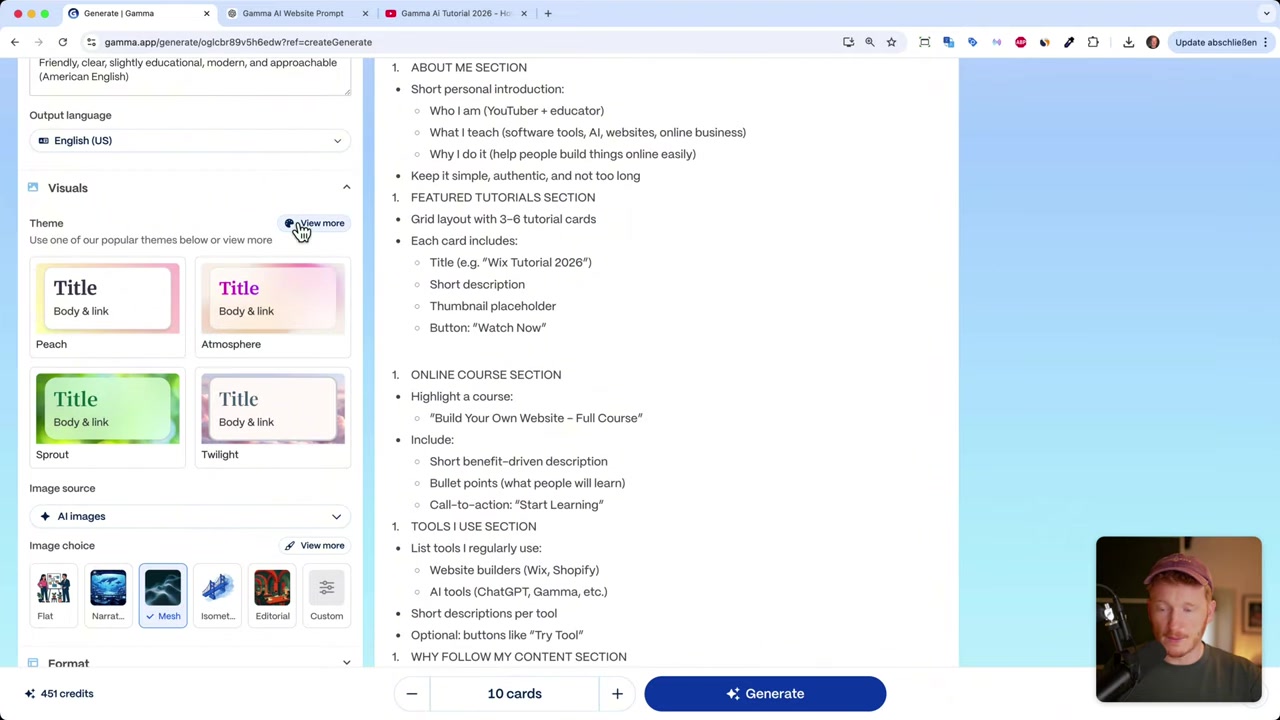
After entering your prompt, select "Web page" as the output type (not presentation or social post). Then configure:
- Number of cards — think of these as rows or sections on your page. Six to eight is a good starting point.
- Language — pick your preferred language for the generated content.
- Amount of text — "Concise" works well for most websites; visitors tend to skim.
- Target audience and tone — describe who you're writing for (e.g. "small business owners") and the desired tone (e.g. "friendly, American English").
5. Pick a Theme and Image Style for Your Website
Gamma offers a range of visual themes. Click "View more" to browse them and find one that matches your brand. Julian chose "Sage" — clean, white background, and professional-looking.
You can also choose your image source:
- Stock photos — realistic and polished
- Web search — pulls relevant images from the internet
- AI-generated images — Gamma generates custom visuals in styles like flat design, narrative, or illustrative
Don't overthink this — everything can be changed after generation. Click "Generate" and Gamma builds the full website in seconds.
6. Edit Your Website Content in Gamma AI
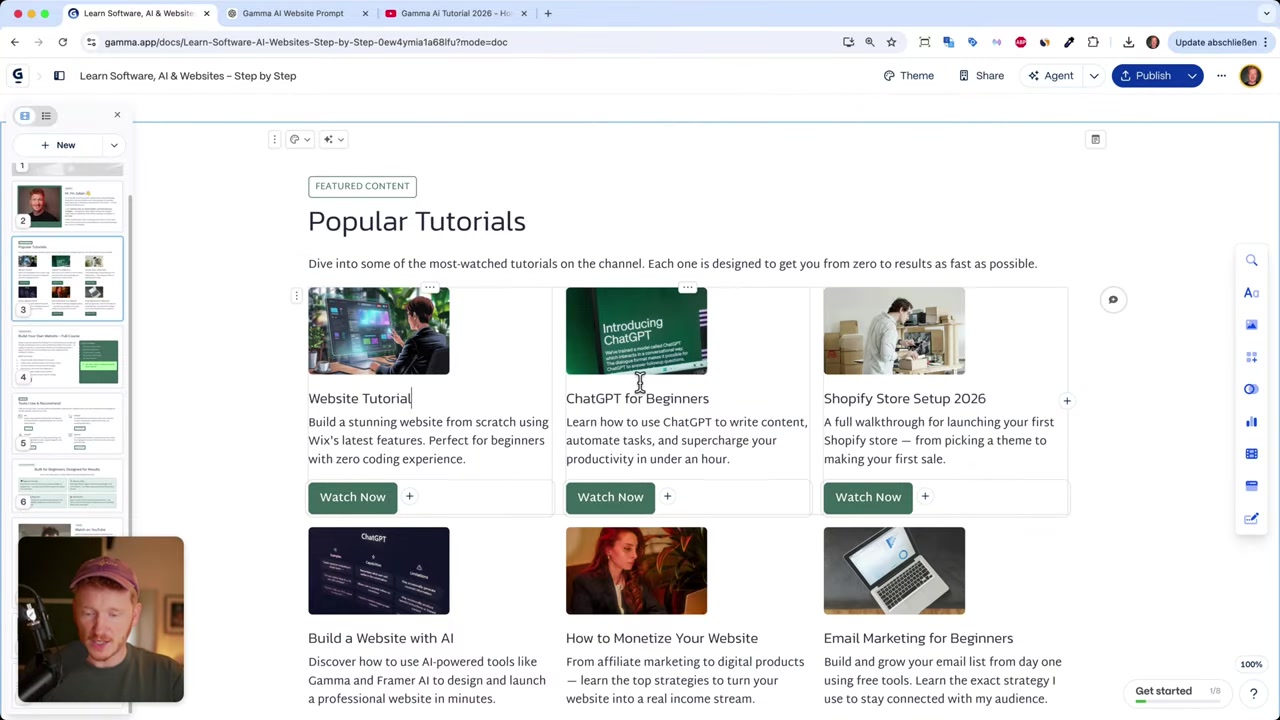
Once generated, you'll see a live preview of your site with placeholder text and images. Editing is straightforward — just click any element to modify it.
Replacing images is easy: click the image, choose "Edit image", and upload your own photo by drag-and-drop. For a personal brand or portfolio site, swapping in your own face immediately makes it feel real.
For AI-generated images, you can type a description like "website builder tutorial screen, modern drag-and-drop interface, narrative art style" and Gamma generates a matching visual on the spot.
Adding New Sections and Content Blocks
Need more sections? Click "Add a blank card" and type a section name. Inside each card, type / to pull up a block menu with options including:
- Headings and text
- Tables and info boxes
- Buttons
- Numbered lists and checklists
- Images and galleries
- YouTube video embeds
- Graphs and pie charts
To embed a YouTube video, drag the video block into your card, paste your video URL, and it's live on your site. Perfect if you're a creator showcasing your content.
Adding a Logo to Your Website
In the header area, you can upload your own logo or ask Gamma AI to generate one for you. It automatically fills in a prompt based on your site content — you just pick a style (flat design works well for logos) and click generate.
No need for a separate design tool. This is one of Gamma's most convenient features for people building a site from scratch.
7. Collecting Leads and Adding Forms
Gamma doesn't have its own native form builder, but it integrates with popular tools so you can still collect visitor information.
Supported integrations include:
- Typeform
- Jotform
- Airtable
- Google Forms
- Calendly (for booking links)
Add a "Contact" or "Subscribe" card to your page, then drop in a form or button block and connect it to your preferred tool. It's a solid workaround that covers most use cases for a static site.
8. Publish Your Gamma AI Website
When you're happy with your site, click "Publish". Gamma publishes it instantly and gives you a live URL ending in .gamma.site.
You can share this link on LinkedIn, send it to clients, or embed it anywhere. Visitors can click buttons, watch embedded videos, and fill out connected forms — it's a fully functional website.

You can also add multiple pages or keep it as a single-page layout — whichever fits your needs better.
9. How Much Does Gamma AI Cost?
Gamma offers a free plan that includes around 400–500 credits — more than enough to build your first website. You can sign up and publish a site without entering any payment details.
Paid plans unlock more credits, custom domains, and advanced features. For most personal projects or small business landing pages, the free tier gets you a long way. Try it here.
10. Is Gamma AI Good for Beginners?
Absolutely. Gamma requires zero coding knowledge and very little design experience. The AI handles layout, content generation, and image sourcing automatically.
The editing interface is clean and intuitive — click what you want to change, and your options appear inline. Even complete beginners can have a polished site live within 15–20 minutes.
11. Gamma AI Pros and Cons
Pros:
- Extremely fast setup — generate a site in under a minute
- Clean, professional themes out of the box
- AI image generation and logo creation built in
- Embed YouTube videos, galleries, and third-party forms
- Free plan with generous credits
- No coding or design skills needed
Cons:
- Best for static websites — limited native functionality for complex features
- No built-in form builder (requires third-party integrations)
- Custom domain requires a paid plan
- Not ideal for e-commerce or membership sites
12. Gamma AI vs. Base44 – Which Should You Choose?
Julian also recommends Base44 as an alternative, especially if you need more functionality. While Gamma excels at clean, static sites, Base44 works more like an app builder.
With Base44 you can build online courses, custom forms, complex logic, and even AI agents — things that go well beyond what a static site builder can do. If your needs grow beyond a portfolio or landing page, it's worth exploring.
Frequently Asked Questions
Is Gamma AI free to use for websites?
Can I use my own domain with Gamma AI?
What types of websites can I build with Gamma AI?
Can I embed YouTube videos on a Gamma AI website?
Does Gamma AI have a form builder?
How long does it take to build a website with Gamma AI?
Can I change the design theme after generating my website?
What is a good alternative to Gamma AI for more advanced websites?
Related Articles

17 Mar 2026
Base44 Superagents: The Free AI Agent That Automates Your Work
Base44 just released their Superagents to the public — and in this tutorial from the Julian Weber channel, you'll see exactly how to set one up, connect it to Gmail and Google Calendar, and automate r...
24 Apr 2026
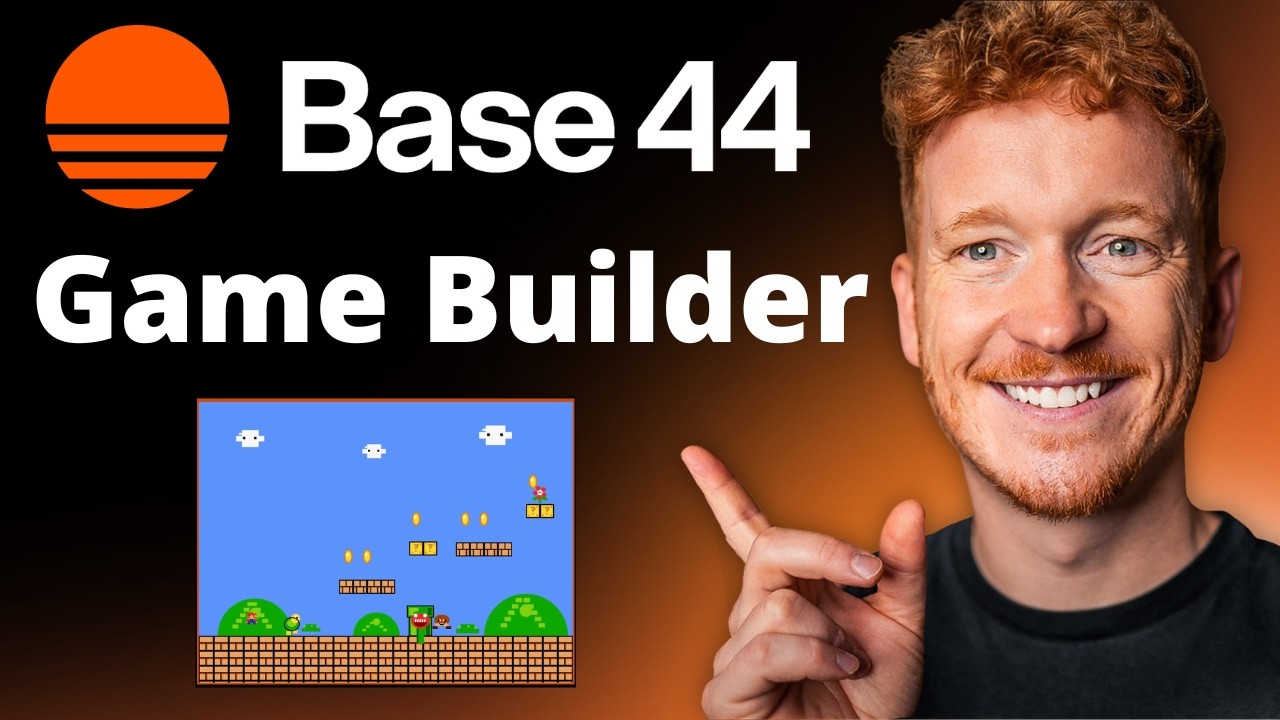
Create Your Own Game with Base44 (No Coding Required)
Want to build your own game but have zero coding experience? In this tutorial, Julian Weber walks you through how to use Base44 — an AI-powered app and game builder — to create a fully playable game f...

28 Apr 2026
How to Redesign Your Website with AI (Free & No Code)
Is your website looking dated? In this tutorial from the Julian Weber channel, you'll see how to completely redesign an old website into a clean, modern, and high-converting page — in under 10 minutes...