How to Get a Professional Email Address with Wix
If you're running a business website on Wix, a professional email address is one of the easiest ways to boost your credibility. Instead of using a generic Gmail account, you can have something like [email protected] — and Wix makes it surprisingly simple to set up.
In this guide, we'll walk through the exact steps to create a business email with Wix using Google Workspace, so your brand looks polished from day one.
1. What Is a Professional Email Address?
A professional email address uses your own domain name instead of a third-party provider. So rather than [email protected], you'd have something like [email protected].
This small change makes a big difference. Customers and partners immediately take you more seriously when your email matches your website domain.
2. Why You Need a Business Email for Your Wix Website
Generic email addresses can hurt your credibility. When a potential client receives an email from [email protected], it signals that you run a real, established business.
It's also great for consistency. You can put the same email address on your homepage, business cards, invoices, and anywhere else you market yourself.
3. How to Set Up a Professional Email Address with Wix
Setting up your business email inside Wix takes just a few minutes. Here's how to do it:
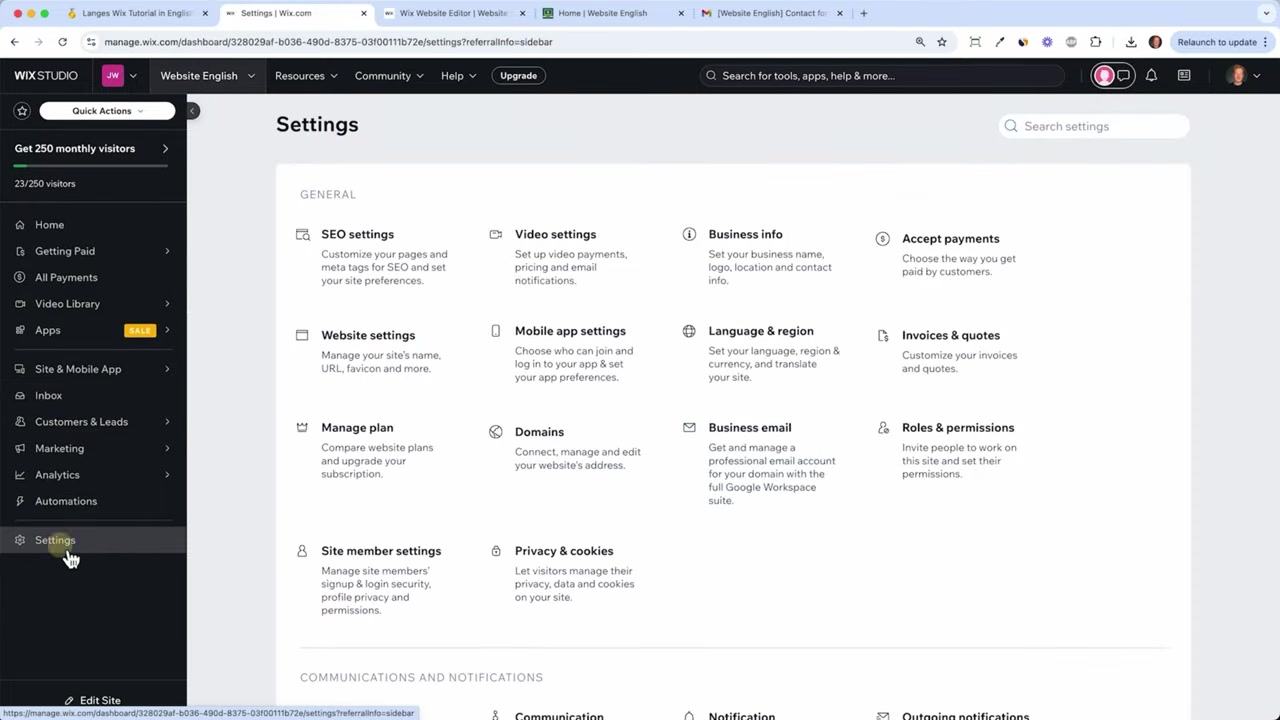
Step 1: Open Email Settings in the Wix Dashboard
Log into your Wix account and go to your Dashboard. From there, click on Settings in the left-hand menu, then select Business Email.
This is where you can configure one or more professional email addresses connected to your domain.
Step 2: Choose Your Email Address
You can create any email address you like — common choices include info@, hello@, support@, or contact@ followed by your domain name.
Think about what makes sense for your business. A single-person brand might just use their first name, while a business with a team might want a general inbox like info@.
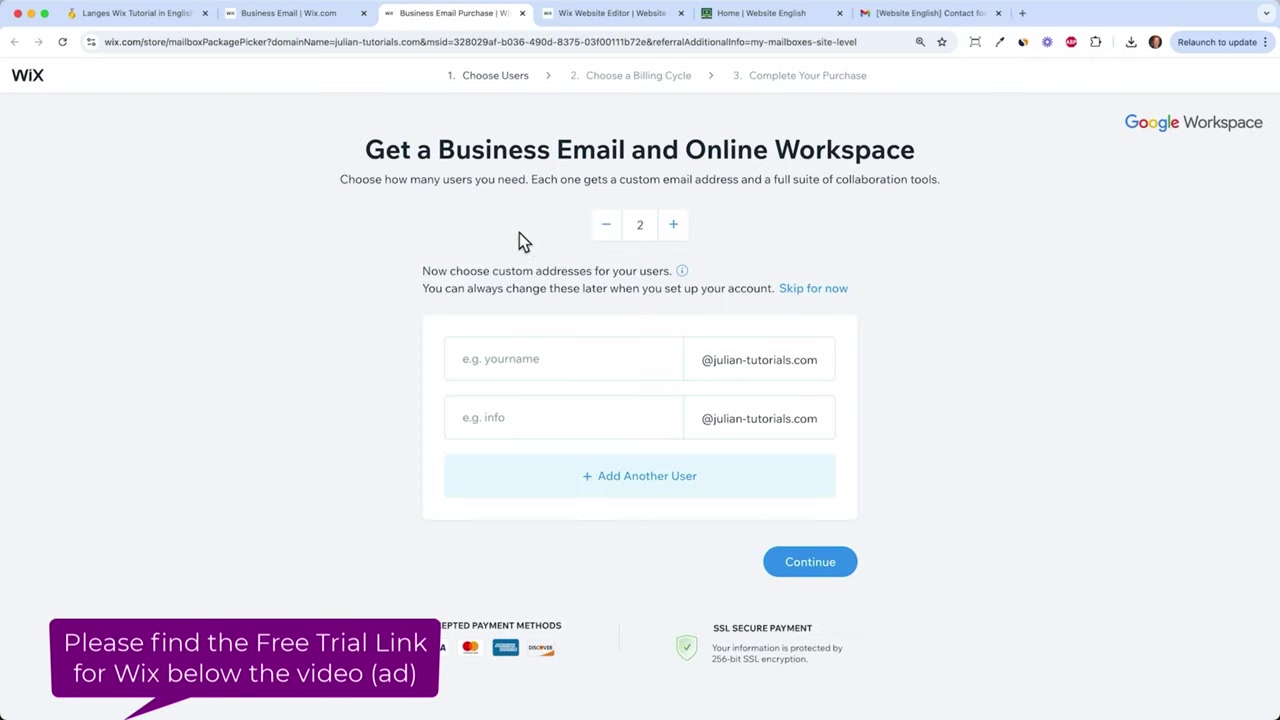
Step 3: Select the Number of Email Accounts
Wix charges per email address, so it's worth thinking about how many you actually need upfront. If you're a solo business owner, one address is usually plenty.
If you have multiple employees or departments, you can add more accounts — just keep in mind that costs add up with each additional address.
Step 4: Purchase the Yearly Plan
Once you've chosen your email address and the number of accounts, click Continue to review the plan options. Wix offers business email through Google Workspace, which gives you a full Gmail-like inbox — just with your own domain attached.
The plan is billed annually, making it an affordable way to maintain a professional email setup year-round.
Step 5: Everything Connects Automatically in Wix
After completing your purchase, Wix automatically connects your new Google Workspace email to your account. There's no manual DNS configuration required — it just works.
Once it's live, update your website's contact section and footer with your new email address. Done!
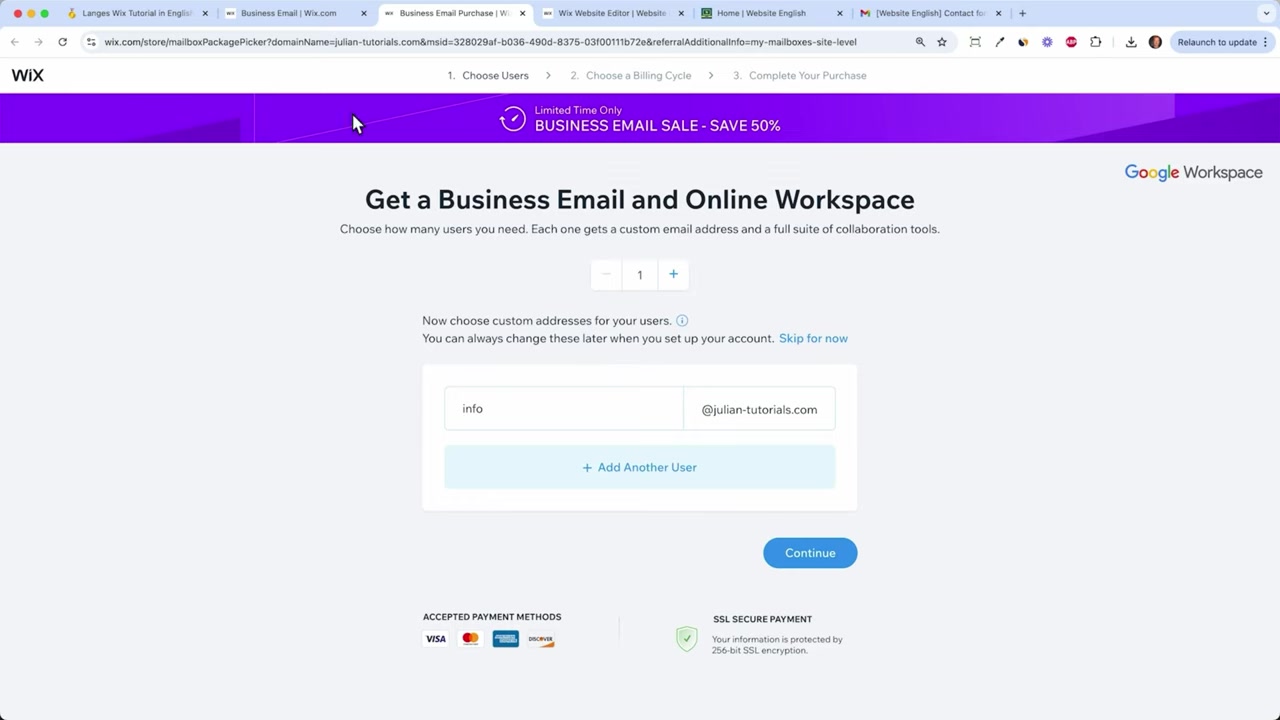
4. How Much Does Wix Business Email Cost?
Wix business email is powered by Google Workspace and is priced per email account on an annual billing cycle. The exact price can vary by region, but it typically comes out to a few dollars per month per account.
You only pay for the accounts you need, so starting with just one is a cost-effective option for most small businesses and freelancers.
5. Wix Email vs. Regular Gmail — What's the Difference?
Functionally, the experience is very similar. Your Wix business email runs on Google Workspace, so you get the familiar Gmail interface, Google Calendar, Google Drive, and all the other tools you're used to.
The key difference is the email address itself. With a regular Gmail account, your address ends in @gmail.com. With Wix business email, it ends in your own domain — which looks far more professional.
6. Is Wix Business Email Good for Beginners?
Absolutely. The setup process is completely guided inside the Wix dashboard — no technical knowledge required. Wix handles the domain verification and DNS configuration automatically.
If you already have a Wix website with a custom domain, adding a professional email address is just a few clicks away. It's one of the easiest upgrades you can make to your online presence.
7. Tips for Using Your New Wix Business Email
Here are a few ways to make the most of your new professional email address:
- Add it to your website — update your contact page, footer, and about page.
- Use it on business cards — consistency across print and digital materials builds trust.
- Set it as your reply-to address — make sure all client communication comes from your branded address.
- Create a professional email signature — include your name, role, website URL, and phone number.
Frequently Asked Questions
Can I set up a business email without a custom domain on Wix?
How many email addresses can I create with Wix?
Does Wix business email work like Gmail?
Can I access my Wix business email on my phone?
Is the Wix business email setup complicated?
Can I use my Wix business email to send newsletters or marketing emails?
What happens to my email if I cancel my Wix plan?
8. Disclosure
Some links in this post may be affiliate links. If you make a purchase through them, we may earn a small commission at no extra cost to you. All content is provided for informational purposes only and comes without any guarantee. This post does not constitute financial, legal, tax, or investment advice.
Related Articles

18 Apr 2025
How to Create a Sales Page with Wix (2026 Tutorial)
Want to build a professional sales or service page with Wix that actually converts visitors into clients? In this tutorial, you'll learn exactly how to do that — from picking the right template and fi...

21 Apr 2025
Wix SEO Basics – What You Need to Do Before Publishing Your Wix Site
Want your Wix website to actually show up on Google? Before you hit publish, there are a few essential SEO settings you need to configure. In this guide, we'll walk through the Wix SEO basics — from t...

16 Apr 2025
How to Install the Wix Chat App – Live Chat Setup Guide
Want to chat with your website visitors in real time? Adding a live chat to your Wix site is one of the easiest ways to boost customer engagement and build trust. In this guide, you'll learn exactly h...