Wix Landing Page Tutorial 2026
Want to build a high-converting landing page without touching a single line of code? In this tutorial, Julian walks you through everything you need to know to create a stunning landing page with Wix — from picking the right template to publishing with your own custom domain.
1. What Is Wix and Why Use It for Landing Pages?
Wix is a popular drag-and-drop website builder that lets you create professional websites and landing pages without any coding skills.
It's especially well-suited for landing pages because it offers hundreds of purpose-built templates, a powerful visual editor, and built-in tools for capturing leads, managing events, and even accepting payments.
Best of all, you can get started completely for free with a Wix free trial — no credit card required.
2. Create Your Free Wix Account
Head to the link in the description and click through to the Wix sign-up page. Simply enter your email address and set a password to create your free account.
Once you're in, Wix will greet you with its AI assistant. For a landing page focused on lead generation, you can skip the AI setup flow for now — it's designed for more complex sites with blogs and online stores.
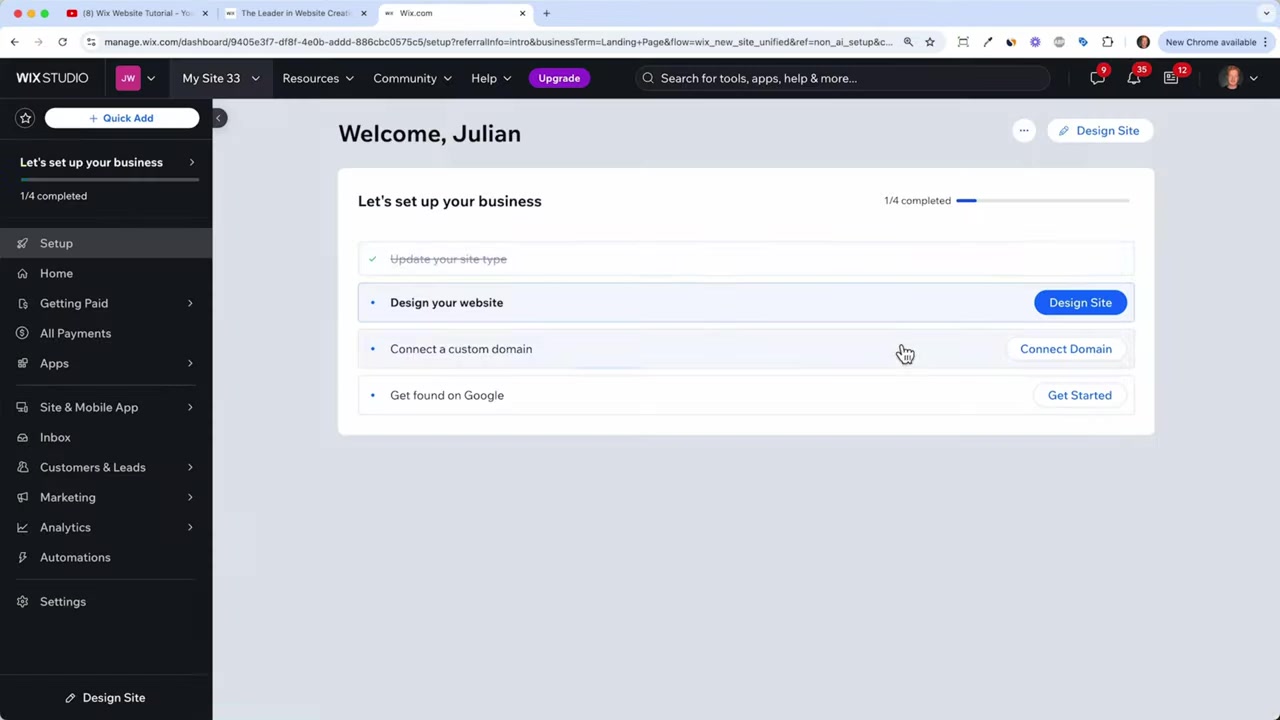
Instead, type "landing page" in the site type field and click Continue. Wix will set up your dashboard where you can manage leads, analytics, payments, and more.
3. Choose the Right Wix Template for Your Landing Page
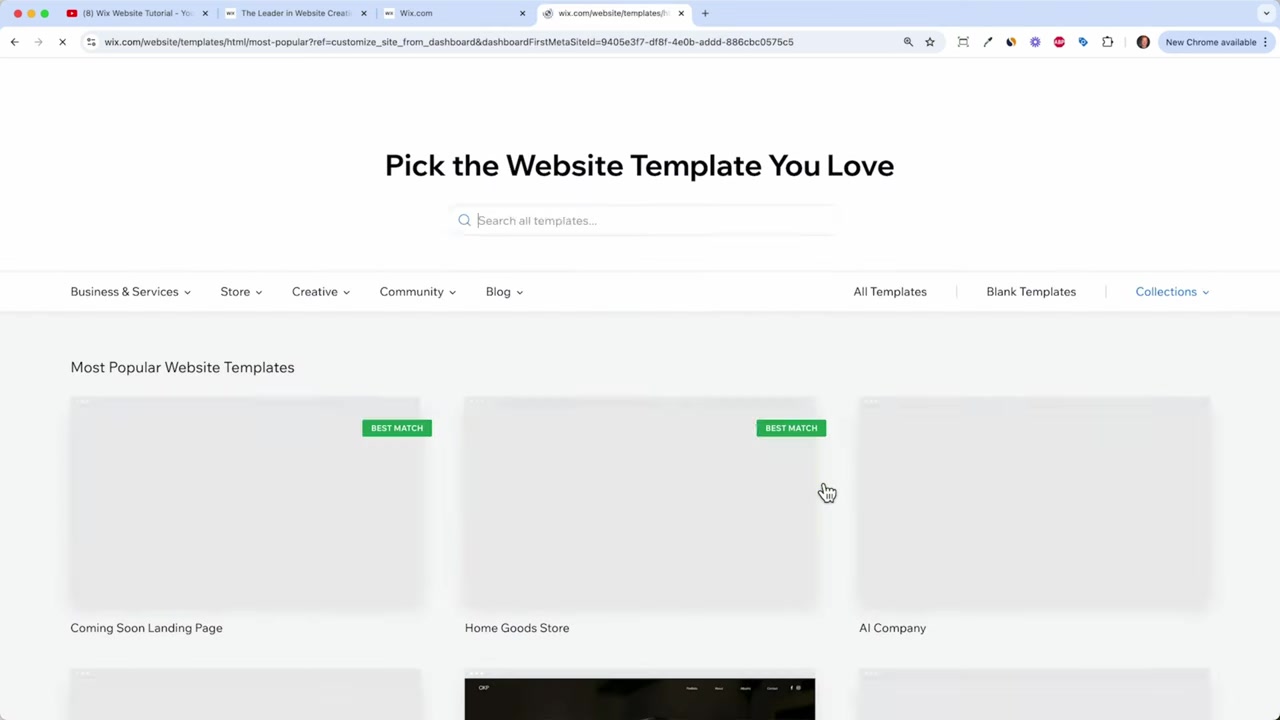
In your dashboard, Wix gives you a handy to-do list to get started. Click on "Design Your Site" and then search for "landing page" in the template library.
This is where picking the right template really pays off. You want a template that already fits your use case — whether that's a webinar, a product launch, a real estate listing, or a service offering.
Choosing a relevant template means you'll spend far less time swapping out images, colors, and fonts. Wix has templates for nearly every niche, and you can preview any of them before committing.
Some popular template categories include:
- Webinar landing pages — great for course creators and coaches
- App launch pages — ideal for SaaS and mobile apps
- Real estate pages — perfect for property listings
- Product landing pages — works for physical and digital products
If none of the templates fit, you can also start from a blank canvas and build from scratch.
4. Customize Your Landing Page Design in the Wix Editor
Once you select a template and click Edit Site, the Wix drag-and-drop editor opens up. You'll also see the Wix AI assistant — give it a brief description of your page and it will generate placeholder text for you automatically.
This is a huge time saver. For example, you might tell it: "I'm Julian Weber and I need a landing page for my webinar on how to build a Wix website." Click Generate Site Text and Wix writes the copy for you.
The left-hand panel gives you access to all the building blocks of your page:
- Text and buttons — click any element to edit it directly
- Images and videos — upload your own or browse free stock photos
- Sections — add pre-built sections like contact forms, testimonials, and maps
- Pages — add additional pages if you want to expand beyond a single landing page
- Apps — extend functionality with the Wix App Market (e-commerce, bookings, courses, and more)
Editing Text and Fonts
Click on any text element to edit it directly. You'll see a familiar toolbar — similar to Microsoft Word — where you can change the font, size, color, and styling.
Keep your headline bold and clear. Your visitors should understand the value of your page within seconds of landing on it.
Uploading Your Own Images
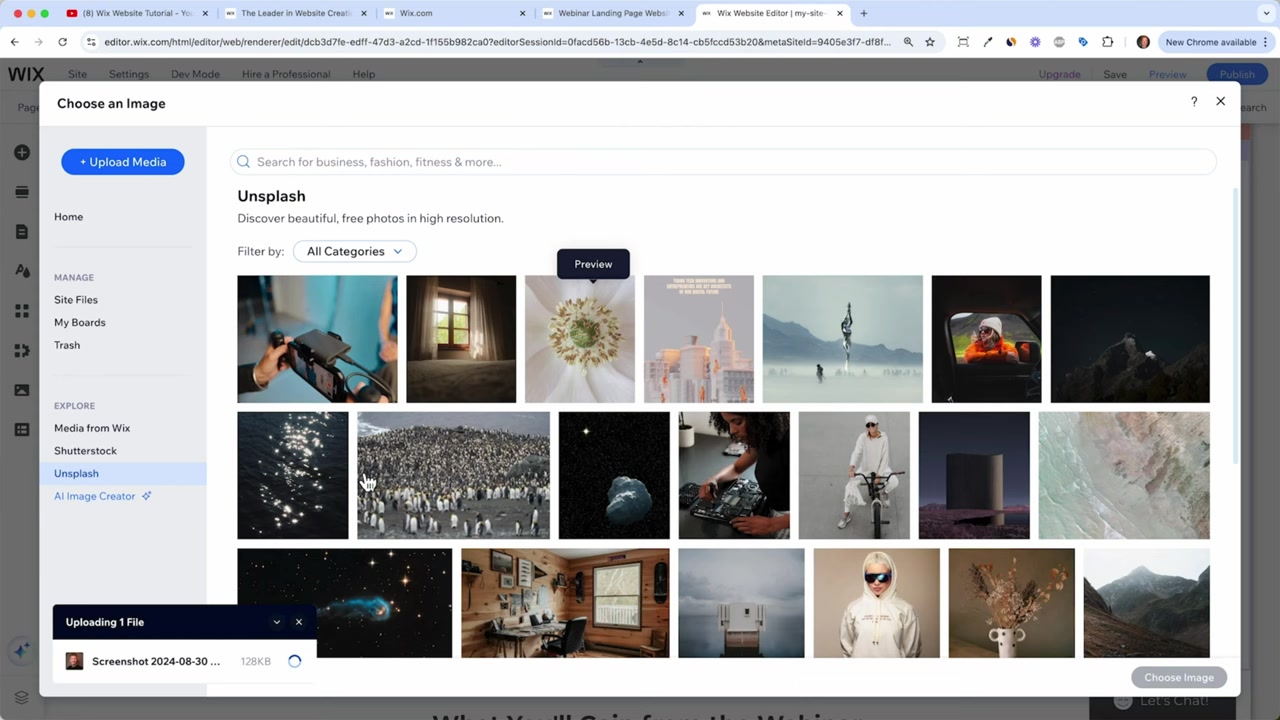
Click on any image and select Change Image. You can upload directly from your computer, or browse Wix's built-in free stock photo library and its integration with Unsplash.
Always make sure your text stays within the safe zone of the image so it remains readable on smaller screens like tablets and phones.
5. Add a Contact Form or Lead Capture Section
Every good landing page needs a way for visitors to take action — whether that's signing up, getting in touch, or registering for an event.
In the Wix editor, you can add a contact form in two ways. The quickest method is to click the + icon on the left panel, go to Sections, and choose a Contact section. Drag it onto your page and it will include a form, your contact details, and even a Google Map.
You can also add individual form elements by clicking Elements and dragging a standalone contact form anywhere on the page.
If you need to collect additional information — like a visitor's website URL or birth date — you can add custom fields to your form with just a few clicks.
All form submissions will appear automatically in your Wix dashboard under Leads, so you'll never miss an inquiry.
6. Optimize Your Wix Landing Page for Mobile
More than half of web traffic comes from mobile devices, so checking your mobile layout is essential. In the Wix editor, switch to Mobile View using the toggle at the top.
Wix automatically adapts your desktop layout for mobile, but you should still review every section manually. You may need to adjust text sizes, reposition elements, or hide certain items that clutter the mobile experience.
Wix lets you hide specific elements on mobile without affecting the desktop view — a great feature for keeping things clean on smaller screens.
7. Connect Your Domain and Publish Your Landing Page with Wix
Once you're happy with your design on both desktop and mobile, it's time to go live. Click Publish and Wix will assign you a free URL like yourname.wixsite.com.
For a professional look, you'll want to connect your own custom domain. Click Connect Domain, type in the domain you want, and Wix will check if it's available.
Connecting a custom domain requires upgrading to a paid Wix plan. The Light plan is a great starting point if you're running a single landing page — it includes 2GB of storage, two collaborators, and a free domain.
If you plan to accept payments or add e-commerce features down the line, the Core plan gives you more storage and additional collaborators.
After choosing your plan and entering your payment details, Wix will automatically connect your domain to your site — no manual DNS configuration needed.
8. Wix Pricing: How Much Does Wix Cost?
Wix offers a free plan that lets you build and publish a site, but it includes Wix branding and a Wix subdomain. For a professional landing page, a paid plan is recommended.
Here's a quick overview of the most relevant Wix plans:
- Light — best for simple landing pages and personal sites, includes a free domain and 2GB storage
- Core — adds e-commerce, payment processing, and 50GB storage
- Business — for growing businesses with more advanced needs
All paid plans include 24/7 customer support and a 14-day money-back guarantee. You can read a full breakdown in the Wix Promo Code guide if you want to make sure you're getting the best deal.
9. Is Wix Good for Beginners?
Absolutely. Wix is one of the most beginner-friendly website builders available. There's no coding required, and the drag-and-drop editor makes it easy to build a polished page in under an hour.
The built-in AI assistant also speeds things up significantly — it can generate page text, suggest layouts, and help you configure features like event sign-ups or online stores.
If you're creating your very first landing page, Wix is a solid choice that won't overwhelm you with complexity.
10. Wix vs Competitors: How Does It Compare?
Wix stands out from competitors like Squarespace and Weebly primarily because of its flexibility. The free-form drag-and-drop editor lets you place elements exactly where you want them — unlike grid-based builders that lock you into predefined layouts.
Compared to Squarespace, Wix offers more templates and a larger app ecosystem. Squarespace, on the other hand, is often praised for its sleeker default designs.
For landing pages specifically, Wix's dedicated landing page templates and built-in lead management tools give it a clear edge for marketers and small business owners.
Frequently Asked Questions
Can I create a landing page with Wix for free?
How long does it take to build a landing page with Wix?
Do I need coding skills to use Wix?
Can I collect leads and email sign-ups with a Wix landing page?
How do I connect my own domain to a Wix landing page?
Can I hide the menu on my Wix landing page?
What types of landing pages can I create with Wix?
Does Wix have a mobile editor for landing pages?
11. Disclosure
Some links in this post are affiliate links. If you make a purchase through them, I may earn a small commission at no extra cost to you. All content is provided for informational purposes only without any guarantee of accuracy or completeness. Nothing in this post constitutes financial, legal, tax, or investment advice.
Related Articles

15 Dec 2025
Wix Promo Code 2026 – How to Save on Wix Premium Plans
If you've been thinking about upgrading to a Wix premium plan, timing your sign-up the right way can make a real difference. In this guide, I'll walk you through the exact method to access the best av...

28 Oct 2025
How to Create a TikTok Ads Account in 2026
Want to run ads on TikTok but not sure where to start? Setting up your TikTok Ads Manager account is easier than you think — and it only takes a few minutes. In this guide, I'll walk you through the e...

17 Nov 2024
Créer une Landing Page sur Wix – Tutoriel Complet 2026
Vous voulez créer une landing page professionnelle sans coder ? Dans ce tutoriel, vous allez découvrir comment construire une page d'atterrissage efficace avec Wix — de la sélection du modèle jusqu'à ...