How to Create a TikTok Ads Account in 2026
Want to run ads on TikTok but not sure where to start? Setting up your TikTok Ads Manager account is easier than you think — and it only takes a few minutes.
In this guide, I'll walk you through the entire process step by step: from creating your account and entering your business details, to exploring the dashboard and connecting your payment method.
1. What is TikTok Ads Manager?
TikTok Ads Manager is the platform you use to create, manage, and track paid ad campaigns on TikTok. It works similarly to Facebook Ads Manager or Google Ads — you set a budget, define your audience, upload your creative, and TikTok shows your ad to the right people.
It's the go-to tool for businesses, e-commerce stores, and content creators who want to reach TikTok's massive audience through paid promotion.
2. Sign Up for Your TikTok Ads Account
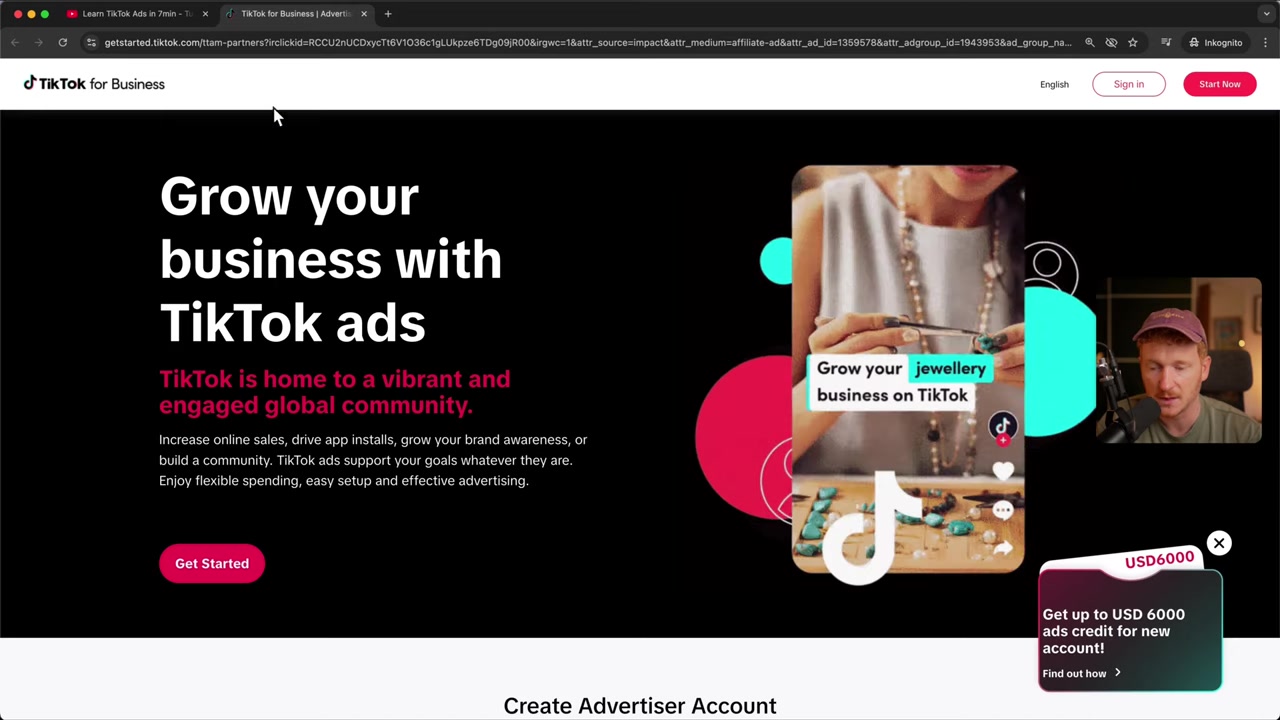
Head to the TikTok Ads Manager signup page using the link in the video description. Using a partner link can unlock ad credits for new accounts — a great way to get your first campaigns going.
On the signup page, enter your email address, accept the terms and conditions, and click Next. You can skip the newsletter subscription if you prefer.
TikTok will show you a quick puzzle verification — just select the two matching objects and confirm. After that, you'll receive a two-factor authentication code by email. Enter it to proceed.
3. Enter Your Business Details
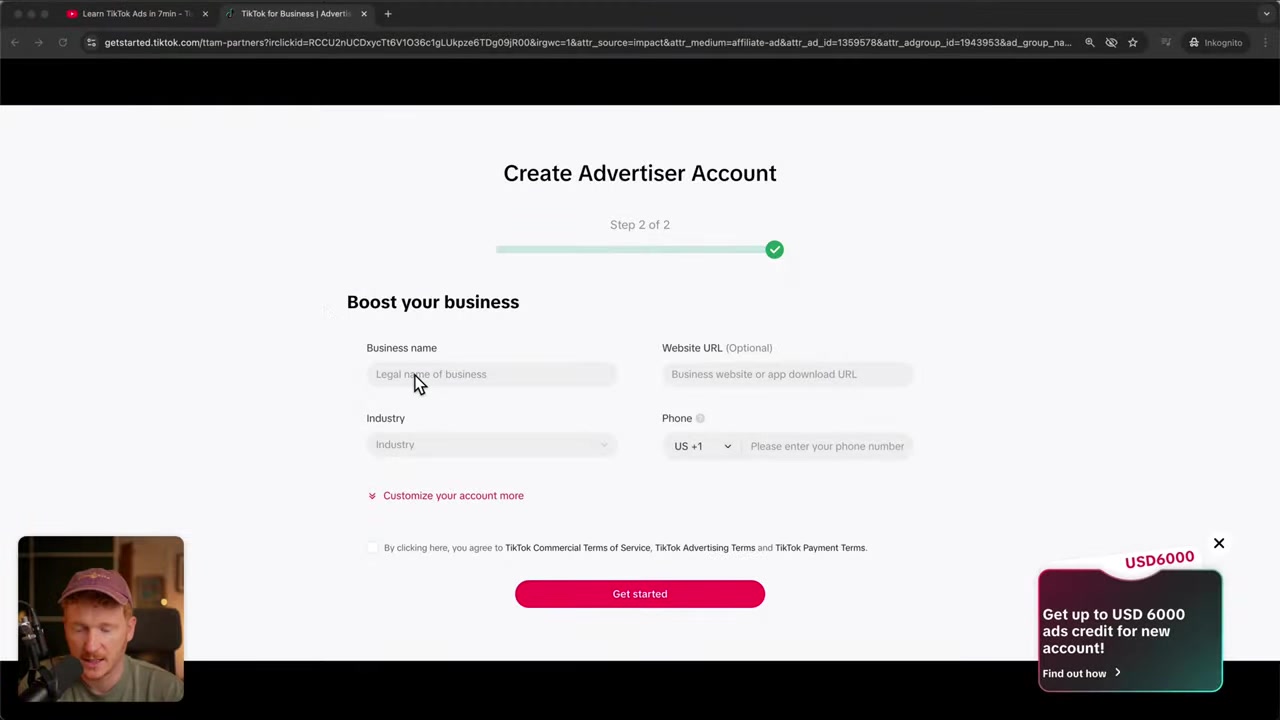
Next, you'll fill in your basic business information:
- Business name — e.g. your company or brand name
- Website URL — your main website
- Industry — choose the category that best fits your business (e.g. E-Commerce > Electric Appliance)
- Phone number — for account verification
Once you've filled in all the fields, accept the terms and conditions and click Get Started. You're now inside the TikTok Ads Manager.
4. Explore the TikTok Ads Manager Dashboard
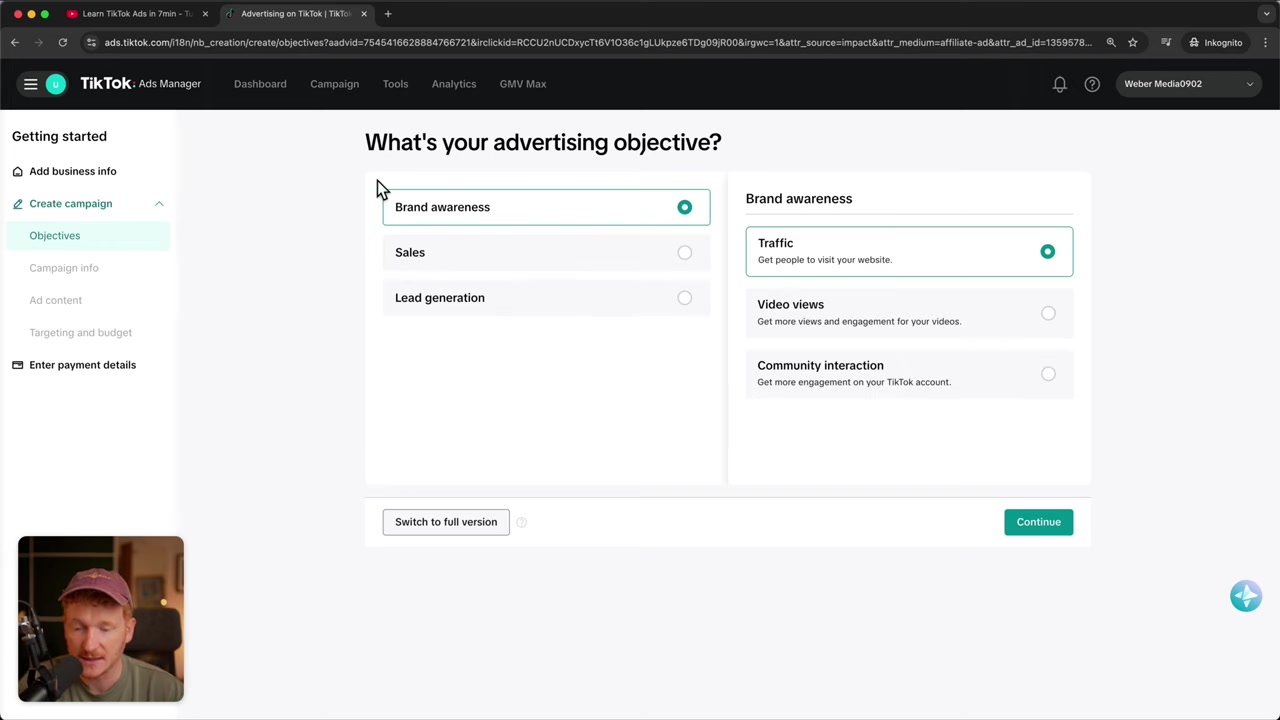
After accepting TikTok's anti-discrimination ad policy, you'll land on the main dashboard. Here's a quick overview of what you'll find:
- Campaigns — create and manage your ad campaigns
- Tools > Creative Library — browse and spy on other advertisers' creatives for inspiration
- Tools > Audience Manager — build custom audiences or lookalike audiences
- Tools > Event Manager — set up the TikTok Pixel to track events on your website or Shopify store
The Event Manager is especially important if you're running an e-commerce store. Installing the TikTok Pixel lets you track purchases and conversions — which is essential for optimizing your campaigns.
5. Connect Your Payment Method
To run ads, you'll need to add a payment method. Go to Finance in the left-hand menu, where you can connect a credit card or PayPal.
Alternatively, TikTok will prompt you for payment details automatically when you launch your first campaign — so you don't have to do it in advance.
6. Is TikTok Ads Good for Beginners?
Yes — TikTok Ads Manager is beginner-friendly. The signup process is straightforward, and the dashboard is clean and well-organized.
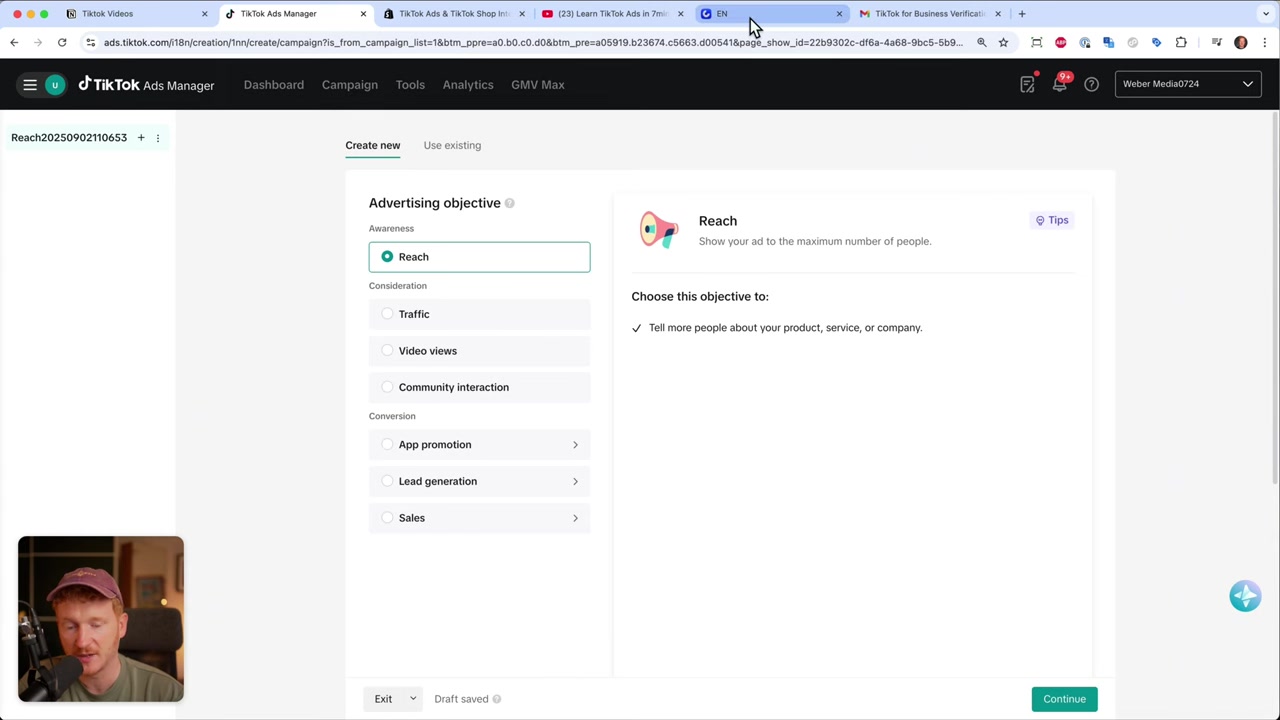
TikTok also provides helpful guidance during campaign creation, making it easier to choose the right objective, set your budget, and define your target audience. If you're new to paid advertising in general, TikTok is a solid platform to start with.
7. How Much Does TikTok Advertising Cost?
TikTok Ads doesn't have a fixed minimum spend, but in practice you'll want at least 20–50/day to gather meaningful data. Campaign-level minimums are typically around 50/day**, while ad group budgets start at **20/day.
The good news: new accounts can receive ad credits when signing up through a partner link, which helps you test the platform without spending your full budget from day one.
8. Learn TikTok Ads with a Free Course
Once your account is set up, the next step is learning how to run profitable campaigns. Julian Weber offers a free TikTok Ads course where he covers everything you need to know to advertise professionally on TikTok.
You can sign up via email and access the course for free — no credit card required. The link is in the video description.
Frequently Asked Questions
How do I create a TikTok Ads Manager account?
Is TikTok Ads Manager free to use?
What payment methods does TikTok Ads accept?
Do I need a TikTok account to run TikTok Ads?
What is the TikTok Pixel and do I need it?
What industries can advertise on TikTok?
How long does it take for a TikTok ad to get approved?
Can I advertise on TikTok with a small budget?
9. Disclosure
Some links in this post may be affiliate links. If you click through and make a purchase, a commission may be earned at no extra cost to you. All content is provided for informational purposes only — no guarantees are made regarding results. This post does not constitute financial, legal, tax, or investment advice.
Related Articles
25 Aug 2025
Gamma AI Tutorial 2026 – How to Use Gamma AI for Presentations
Tired of spending hours on PowerPoint slides? Gamma AI lets you create professional, animated presentations in just a few minutes — all you need is a prompt. In this tutorial, you'll see exactly how t...
10 May 2026
Gamma AI Website Builder Tutorial (2026) – Build a Website in Minutes
Most people know Gamma AI for its slick presentations — but did you know it can also build full websites? In this tutorial from the Julian Weber channel, you'll see exactly how to go from a blank prom...

13 Apr 2026
How I Built a $40K/Month App Using AI in 15 Minutes (Base44 Tutorial)
What if you could build a fully functional, monetizable app — without writing a single line of code? In this tutorial, we use Base44, a no-code AI app builder, to recreate a room design visualizer app...