Wix Free Vs Premium Plans 2026 – Do You Really Need to Pay?
Thinking about building a website with Wix but not sure whether you actually need to pay for it? You're not alone. Wix lets you get started completely for free — no credit card, no time limit — but there are some important limitations you should know about before you commit. In this post we break down exactly what you get on the free plan, what changes when you upgrade, and how to decide which option is right for you. You can try Wix for free here before spending a single cent.
1. What Is Wix and How Does the Free Plan Work?
Wix is one of the most popular website builders in the world. It uses a drag-and-drop editor that lets you move elements freely, upload your own images, and add as many pages as you like — all without paying anything.
Unlike competitors such as Squarespace (14-day trial) or Shopify (3-day trial), Wix puts no time limit on the free plan. You can build your entire website and take as long as you need to decide whether to upgrade.
That's a genuinely generous offer, and it makes Wix a great place to experiment before you invest any money.
2. The Biggest Limitation of Wix Free: No Custom Domain
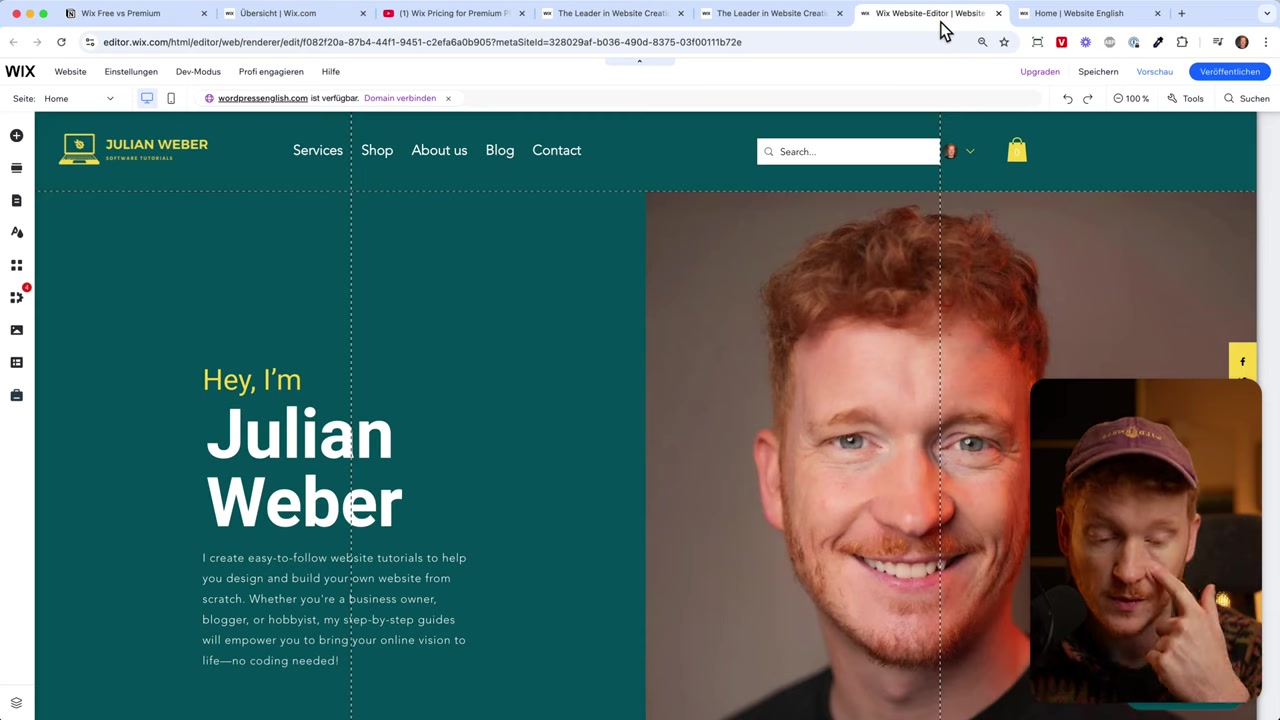
Here's the catch. When you publish your site on the free plan, Wix assigns you a subdomain that looks like this:
yourname.wixsite.com/mysite21
You can customise the first and last parts of that URL, but the middle — wixsite.com — is always there. That's not ideal for a professional impression.
Imagine putting that URL on a business card or in an email signature. It signals to visitors (and to Google) that you're using a free subdomain, which can undermine trust.
This is the single biggest reason most people choose to upgrade to a paid Wix plan.
3. Wix Ads on Free Websites
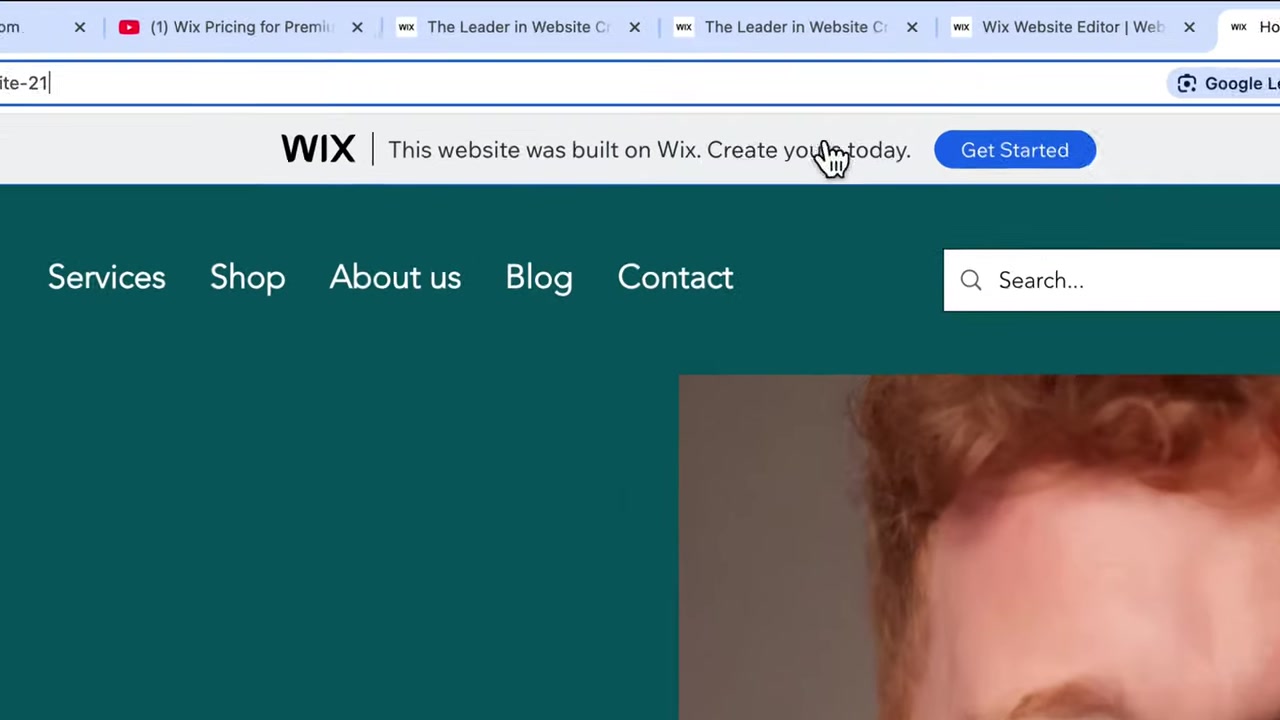
The second major limitation is advertising. Wix places a banner at the top of every free site that reads: "This website was built on Wix — create your own website today."
Visitors can click that banner and leave your site entirely. There is no way to remove it on the free plan.
Upgrading to any paid Wix plan removes the banner completely.
4. Free vs Premium: Full Feature Comparison
Beyond the domain and ads, here's a quick overview of what else changes when you upgrade:
| Feature | Free Plan | Premium Plan |
|---|---|---|
| Custom domain | ✗ (wixsite.com subdomain) | ✓ (your own .com) |
| Wix ads on site | ✓ (always visible) | ✗ (removed) |
| Storage | 500 MB | 2 GB+ |
| Accept payments | ✗ | ✓ |
| Email marketing | ✗ | ✓ |
| Google SEO ranking | Very limited | Full potential |
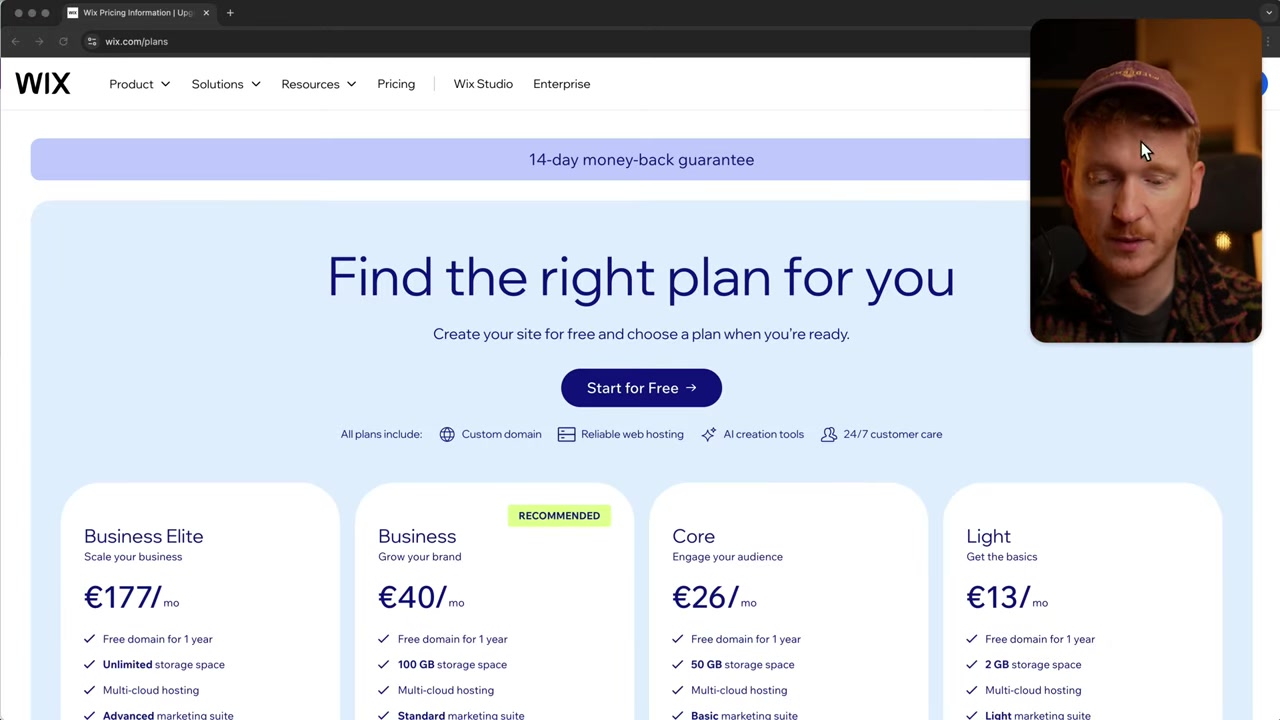
Storage is capped at 500 MB on the free plan. The entry-level paid plan (Light) bumps that to 2 GB, and the next tier (Core) gives you 50 GB — plenty for most small businesses.
5. When You Need to Upgrade: Payments, Bookings, and the Wix App Market
Wix has a built-in app market with tools for e-commerce, bookings, blogging, and more. Some of these are free to use — for example, Wix Blog lets you write and publish posts at no cost.
But if you want to get paid, you need a premium plan. Here's how it breaks down:
- Wix Stores — you can set up a store for free, but accepting payments requires upgrading to the Core (e-commerce) plan.
- Wix Bookings — visitors can book your time for free, but charging for appointments requires a paid plan.
- Email marketing — Wix's newsletter and automation features are locked behind a paid plan.
If you're running a hobby site or portfolio that doesn't need transactions, the free plan may genuinely be enough. But any kind of commercial activity will hit the paywall quickly.
You can explore all Wix plans here to see exactly which features are included at each tier.
6. Wix Free and SEO: What Google Thinks of Your Domain
Search engine optimisation is another area where the free plan holds you back. Google sees your wixsite.com subdomain as just that — a subdomain of Wix, not an independent website.
This makes it very hard to rank in search results. Google is unlikely to surface a free Wix subdomain for competitive keywords when there are thousands of real domains competing for the same terms.
If organic search traffic matters to your project, a custom domain (available on any paid plan) is essentially non-negotiable.
7. Which Wix Premium Plan Should You Choose?
Wix currently offers several paid tiers, but for most people it comes down to two options:
Light plan — a good fit for basic websites, blogs, and portfolios. Includes a free custom domain for the first year and 2 GB of storage. No e-commerce features.
Core plan — the right choice if you want to sell products, accept bookings with payment, or run a small online store. Includes full e-commerce functionality and 50 GB of storage.
The recommendation is to start with the free plan, build your site, and see how Wix feels. When you're ready to go live professionally, upgrade to the plan that matches your needs.
For a deeper look at pricing, check out our post on Wix promo codes and how to save on premium plans.
8. Is Wix Good for Beginners?
Absolutely. Wix is one of the most beginner-friendly website builders available. The drag-and-drop editor requires zero coding knowledge, and the template library gives you a professionally designed starting point for almost any niche.
The free plan is a genuinely useful sandbox. You can get a real feel for the platform before committing any money, which is rare in the website builder space.
9. Wix Free vs Competitors: Squarespace and Shopify
Squarespace offers a 14-day free trial, after which you must pay. Shopify offers just 3 days free. Neither gives you an open-ended free tier like Wix does.
The trade-off is that both Squarespace and Shopify remove their branding on paid plans, whereas Wix's free plan keeps the Wix banner permanently visible.
For pure cost-free experimentation, Wix wins. For e-commerce at scale, Shopify is often the stronger choice — but that's a separate conversation.
10. Wix Pros and Cons
Pros:
- Genuinely free to start with no time limit
- Intuitive drag-and-drop editor
- Large app market with free and paid tools
- Flexible templates for every industry
- Accepts credit card, PayPal, Klarna, and more on paid plans
Cons:
- Free plan shows Wix branding on your site
- No custom domain on the free plan
- Storage capped at 500 MB for free users
- Payments and email marketing require a paid plan
- Free subdomain hurts SEO significantly
Frequently Asked Questions
Can I use Wix completely for free forever?
Does Wix show ads on free websites?
Can I accept payments on the Wix free plan?
What is the cheapest Wix paid plan?
Does Wix free plan affect my Google ranking?
How much storage do I get with Wix free?
Is there a Wix free trial for premium plans?
Can I use Wix Blog for free?
11. Disclosure
Some links in this post are affiliate links. If you click through and make a purchase, a commission may be earned at no extra cost to you. All content is provided for informational purposes only and no guarantees are made regarding accuracy or outcomes. Nothing in this post constitutes financial, legal, tax, or investment advice.
Related Articles

15 Dec 2025
Wix Promo Code 2026 – How to Save on Wix Premium Plans
If you've been thinking about upgrading to a Wix premium plan, timing your sign-up the right way can make a real difference. In this guide, I'll walk you through the exact method to access the best av...

28 Oct 2025
How to Create a TikTok Ads Account in 2026
Want to run ads on TikTok but not sure where to start? Setting up your TikTok Ads Manager account is easier than you think — and it only takes a few minutes. In this guide, I'll walk you through the e...

12 Mar 2025
How to Install WordPress on Ionos | Ionos WordPress Tutorial 2026
Want to get a WordPress website up and running on Ionos — without any technical headaches? In this tutorial, Julian Weber walks you through the entire process step by step. From picking a hosting plan...