How to Buy a Domain in Wix – Step-by-Step Guide (2026)
Want to give your Wix website a professional look with a custom domain? In this step-by-step guide, you'll learn exactly how to search for a domain name, purchase it through Wix, and connect it to your site — all in just a few minutes. Whether you're building a business website, a blog, or an online store, having your own domain is one of the best moves you can make for your brand and SEO.
You can try Wix for free and follow along with this tutorial right away.
1. What Is a Custom Domain and Why You Need One for Your Wix Website
A custom domain is your unique web address — something like yourbrand.com instead of yourusername.wixsite.com/yoursite. It looks far more professional and trustworthy to visitors.
Custom domains also help with SEO. Search engines treat branded domains more seriously than free subdomains, which means better chances of ranking in Google.
If you're serious about your website — even if it's just a personal blog — getting a custom domain is a smart first step.
2. Connect Your Domain in Wix
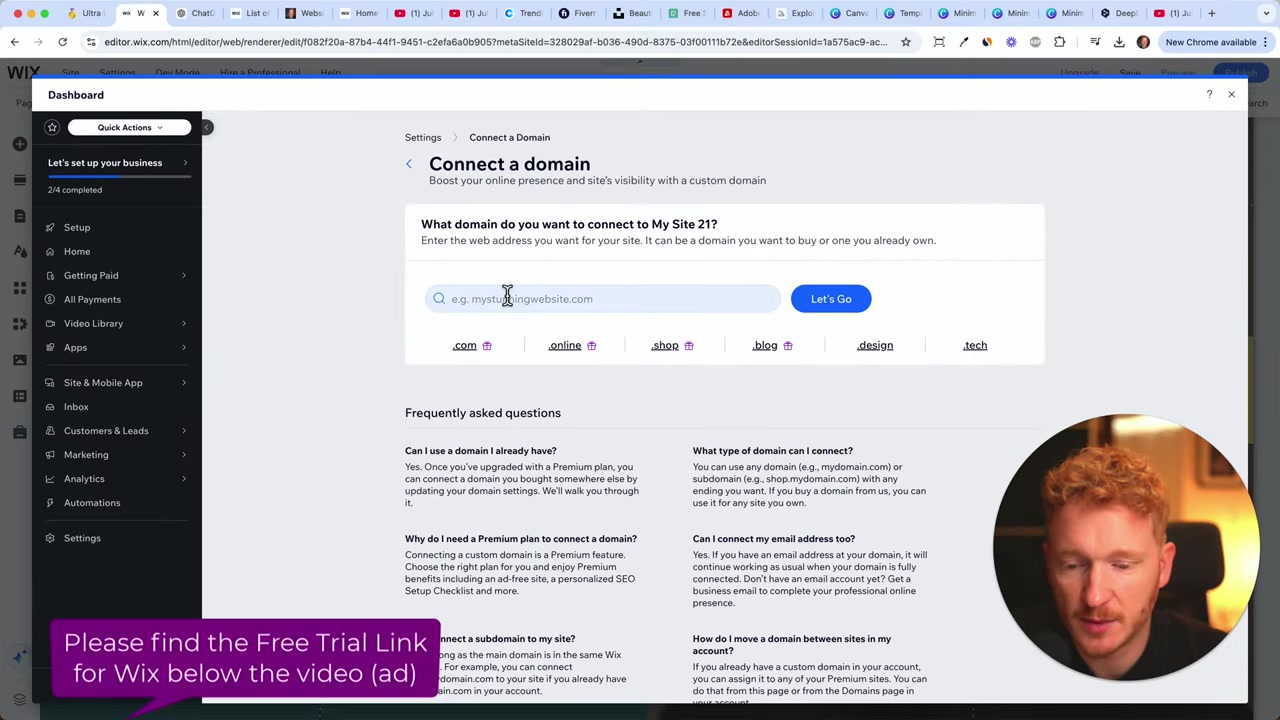
Once you've finished building your site, click Done in the Wix editor. You'll then see the option to Connect Your Domain — click it.
This takes you to the domain search page where you can type in the domain name you want. Wix will immediately tell you whether it's available or already taken.
If your first choice is taken, Wix will suggest alternatives. For example, if julianweber.com is taken, you might see options like julian-we.online or similar variations.
3. How to Choose the Right Domain Name
Picking the right domain name matters more than people think. Here are a few tips to guide you:
- Keep it short and simple — the shorter, the better
- Make it easy to spell and type — avoid numbers and special characters
- Go for a .com extension whenever possible
- Include a relevant keyword if it fits naturally — this can help with SEO
- Think personal brand — if your name is easy to spell, using it as your domain is a great long-term strategy
Not sure what to pick? Try asking ChatGPT for domain name ideas based on your niche or business concept. It's surprisingly helpful for brainstorming.
4. Get Your Domain for Free with a Wix Premium Plan
Once you find an available domain — for example, julian-tutorial.com — click Get It. Wix will prompt you to upgrade to a Premium plan to claim your free domain.
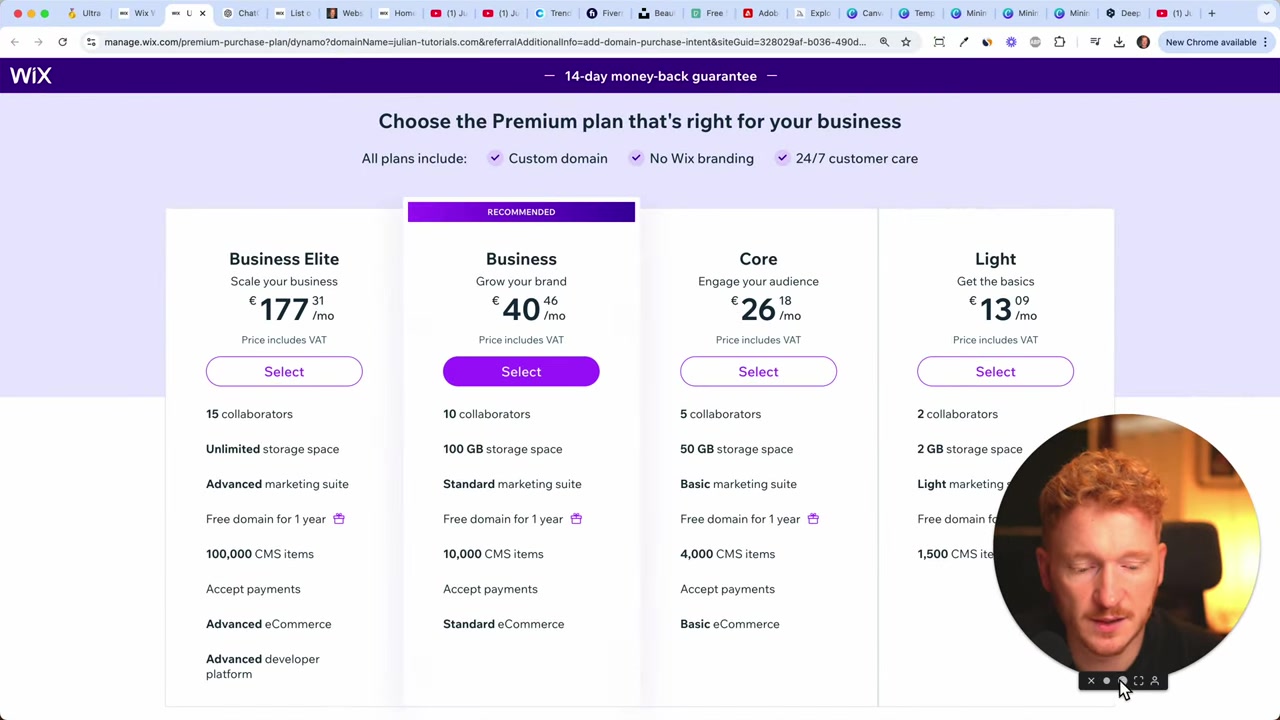
This is where you choose a plan. Wix offers a 14-day money-back guarantee, which is a nice safety net if you change your mind.
For most beginners, the Light plan is a solid starting point. You get your free domain, some storage, and two collaborators. You can always upgrade later as your site grows.
5. Which Wix Plan Should You Choose?
Wix offers several plans, and it's easy to feel overwhelmed. Here's a simple breakdown:
Light plan — Great for personal websites and blogs. You get a free domain and basic features.
Core plan — A step up that includes more storage and additional features. A good choice if you want a bit more flexibility.
Business / Business Elite — These are for growing businesses with advanced needs. You don't need these right away.
If you plan to run an online store and accept payments, you'll need at least the Core plan to access e-commerce functionality. For everything else, Light is a great place to start.
6. Complete the Purchase and Connect Your Wix Domain
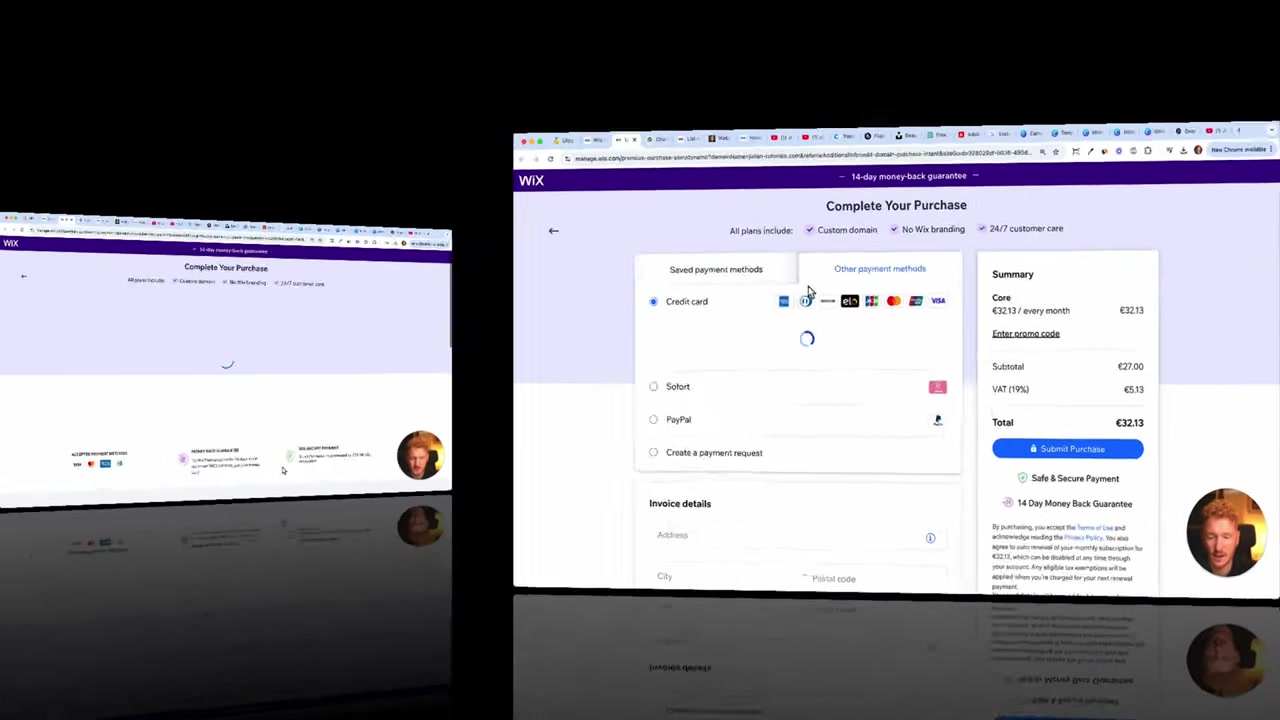
After selecting your plan, you'll be taken to the checkout page. Wix accepts Visa, Mastercard, JCB, American Express, and PayPal — so payment is flexible and quick.
Once payment goes through, you'll be prompted to claim your free domain. Choose whether you want it for one year or more, and click Continue.
You'll also see an option for full domain privacy protection. This is optional — you can skip it and go with the basic option if you prefer to keep costs down.
7. How Long Does It Take for a Wix Domain to Go Live?
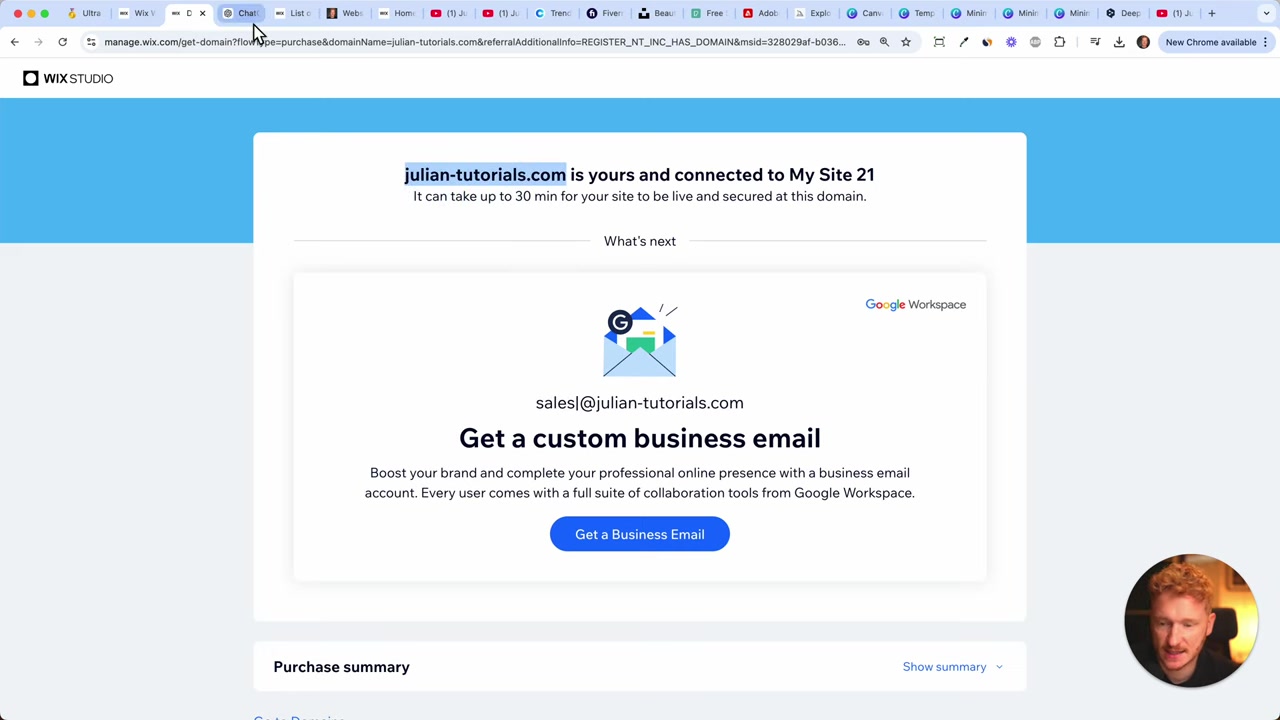
After purchasing and connecting your domain, it can take up to 30 minutes for it to go live. In some cases it's faster, but occasionally it can take a bit longer.
In the past, DNS propagation could take 24–48 hours. Wix has significantly improved this, so most domains connect much faster today.
Just be patient — type your new domain into a browser, and check back in a little while. It will be live before you know it.
8. How Much Does a Domain Cost on Wix?
When you sign up for a Wix Premium plan, your first domain is included for free for the first year. This is one of the perks of upgrading.
After the first year, domain renewal pricing applies. The exact cost depends on the domain extension (.com, .online, etc.) and current Wix pricing — always check the Wix website for the latest figures.
For a full breakdown of Wix plan pricing, check out our dedicated Wix Promo Code guide for tips on getting the best deal.
9. Is Wix Good for Beginners Who Want a Custom Domain?
Absolutely. Wix makes the entire process — from searching for a domain to connecting it to your site — extremely beginner-friendly. You don't need any technical knowledge.
Everything happens inside the Wix dashboard. There's no need to manually configure DNS records or deal with a separate domain registrar (unless you prefer to buy a domain elsewhere and connect it).
The built-in SSL certificate is also handled automatically, so your site will be secure right out of the box.
Frequently Asked Questions
Can I use a domain I already own with Wix?
Do I get a free domain with every Wix plan?
How long does it take for a Wix domain to go live?
Does Wix include SSL (HTTPS) for custom domains?
What domain extensions are available on Wix?
Can I transfer my Wix domain to another provider?
What happens if my domain is already taken?
Do I need a premium plan to connect a custom domain on Wix?
10. Disclosure
Some links in this post may be affiliate links. If you make a purchase through them, we may earn a small commission at no extra cost to you. All content is provided for informational purposes only, without any guarantee of accuracy or completeness. This post does not constitute financial, legal, tax, or investment advice.
Related Articles

15 Dec 2025
Wix Promo Code 2026 – How to Save on Wix Premium Plans
If you've been thinking about upgrading to a Wix premium plan, timing your sign-up the right way can make a real difference. In this guide, I'll walk you through the exact method to access the best av...

20 Aug 2025
Flippa Review – Is It Legit or a Scam? Full Breakdown
Thinking about buying or selling an online business? Flippa is one of the most well-known marketplaces for digital assets — but is it actually legit, or should you be worried about scams? In this hone...

28 Oct 2025
How to Create a TikTok Ads Account in 2026
Want to run ads on TikTok but not sure where to start? Setting up your TikTok Ads Manager account is easier than you think — and it only takes a few minutes. In this guide, I'll walk you through the e...