TransferWise (Wise) Review – International Money Transfers Made Easy
If you've ever sent money abroad and winced at the exchange rate, you're not alone. Banks and PayPal are notorious for adding hidden markups on top of the "real" rate. Wise (formerly known as TransferWise) was built to fix exactly that. In this review, we take a close look at what Wise offers, how their fees work, and whether it's the right service for you. You can sign up for Wise here and start saving on your next international transfer.
1. What is Wise (Formerly TransferWise)?
Wise is an online financial service that specialises in international money transfers at low fees. The company rebranded from "TransferWise" to simply "Wise" a few years ago, but the core product remains the same.
Think of Wise as a bank with a laser focus on cross-border payments. While traditional banks offer international transfers as an afterthought — and charge accordingly — Wise has built its entire platform around making that process cheaper and more transparent.

2. How Wise Exchange Rates Compare to Banks and PayPal
The biggest selling point of Wise is their exchange rate. Rather than applying a secret markup, Wise uses the mid-market rate — essentially the same rate you'd see on Google.
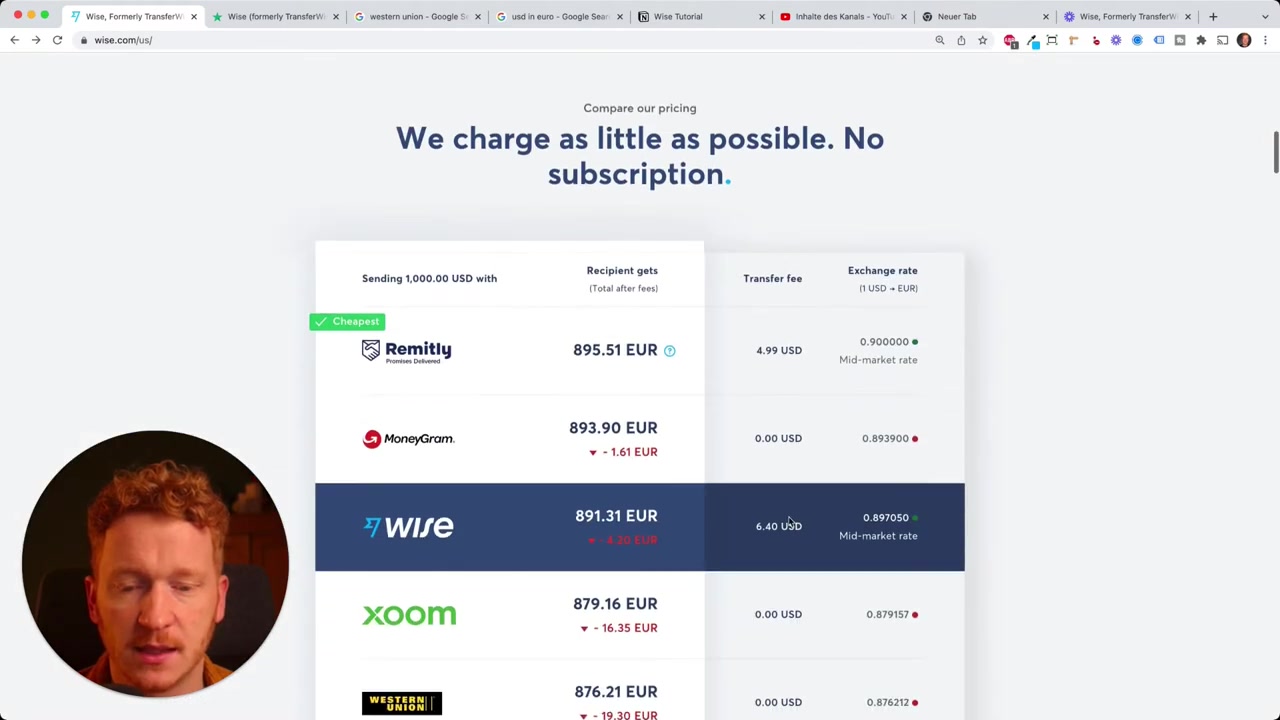
For example, at the time of this review, 1 USD = 0.9 EUR on Google. Wise offered a rate of 0.897 — barely a hair below the real rate. Compare that to Chase, Bank of America, or PayPal, which layer on their own markup and can charge significantly more.
When you're sending $2,000 or more, even a small difference in the exchange rate can add up to real money. That's where Wise consistently wins.
3. Understanding Wise Fees
Wise is transparent about their fees — and that transparency is refreshing. When you enter an amount on their homepage, you immediately see a full breakdown of what the transfer will cost.
For a 2,000 USD to EUR transfer, the Wise service fee was around **10.12**. On top of that, there's a small fee depending on how you fund the transfer:
- Bank debit: ~$3.58
- Wire transfer: ~$4.14
- Debit or credit card: Higher fees apply (Visa, Mastercard, and Amex take their cut)
Wise also has a price comparison table built right into their site. It shows their fees side-by-side with competitors like MoneyGram, Western Union, Wells Fargo, and PayPal. Sometimes Wise isn't the cheapest — but they're honest about it, which says a lot.
4. The Wise Multi-Currency Card
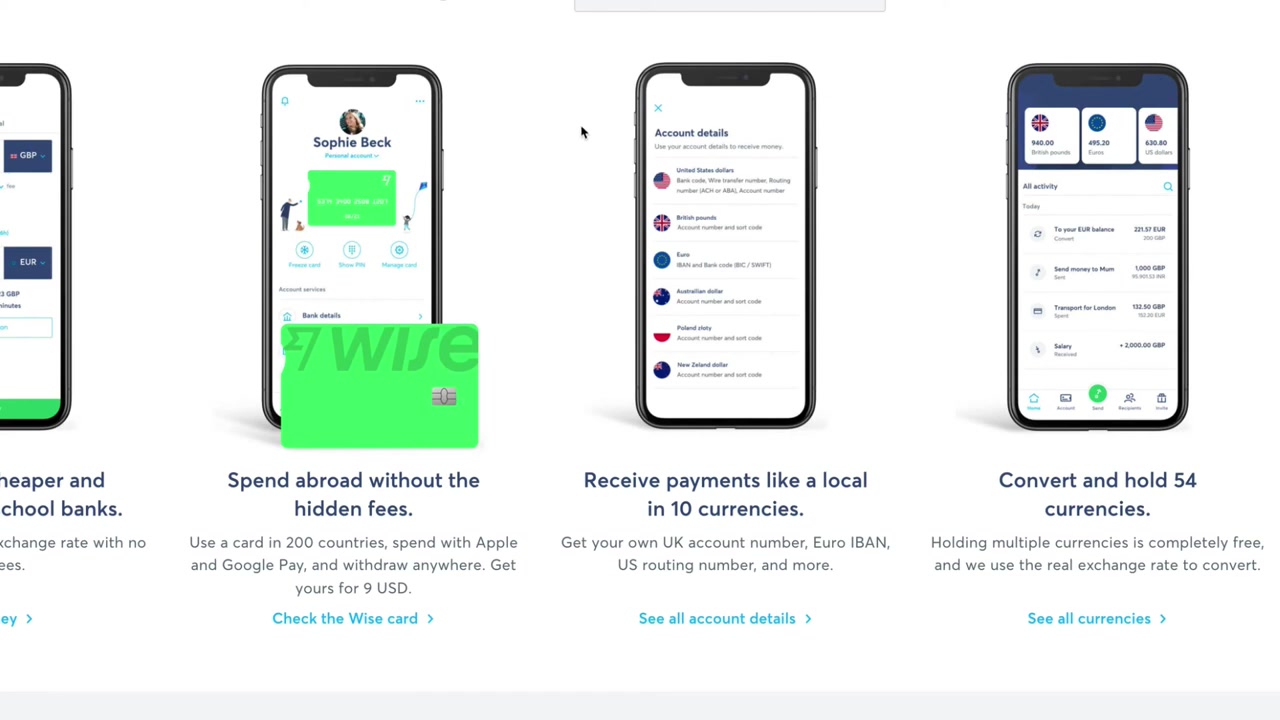
Beyond transfers, Wise offers a physical debit card that works in over 200 countries. You pay a one-time fee of around €9 to get the card issued and sent to you.
The card is ideal for travellers, pilots, freelancers — anyone who moves between countries regularly. When you pay in a foreign currency, Wise automatically uses the real exchange rate rather than the inflated one your bank card would apply.
You hold multiple currencies in your Wise account and the card draws from whichever currency is relevant for the purchase. No more surprise conversion fees on your monthly statement.
5. International Bank Account Numbers with Wise
One of Wise's most underrated features is the ability to receive local bank account details in multiple countries. This is a game-changer for freelancers and remote workers.
For example, if you're an American freelancer working with clients in Europe, you can give them a local IBAN number. Your clients pay domestically — no international transfer fees on their end — and the money lands in your Wise account in euros.
Wise supports account details for the UK, EU, US, and several other regions. It essentially gives you a local banking presence in multiple countries without ever opening a foreign bank account.
6. Holding Multiple Currencies in Your Wise Account
Wise supports over 50 currencies. You can hold balances in several of them simultaneously and check your balance for each currency at any time through the app or web dashboard.
This is especially useful if you earn or spend in multiple currencies regularly. Instead of converting back and forth and losing money on each exchange, you simply hold whatever currencies you need and use them when required.
7. Wise for Business
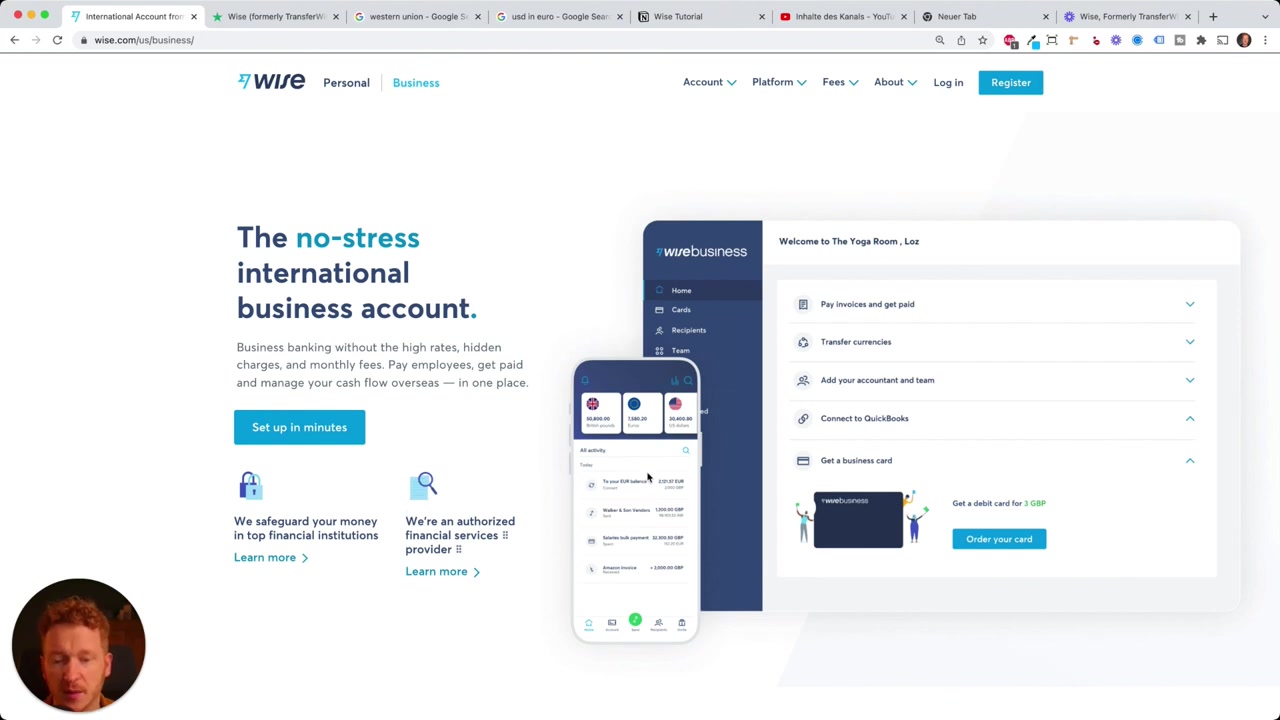
Wise also offers a business account with similar benefits. If your company has suppliers in China, contractors in Europe, or clients in the US, you can manage and track all those payments from a single dashboard.
The business interface is clean and easy to navigate. You can see the status of each transfer in real time — handy when you're on the move and need a quick update.
8. Is Wise Safe and Trustworthy?
It's natural to feel cautious about sending large sums through an online-only service. Wise has been around since 2011 and is regulated by financial authorities in the UK, US, EU, and other regions.
On Trustpilot, Wise has over 142,000 reviews with an average rating of 4.6 out of 5. That's not a small sample — it puts them firmly in the "excellent" tier. Reading through those reviews gives you a solid picture of what real customers experience day to day.
9. Wise vs PayPal for International Transfers
PayPal is convenient, but it's expensive for currency conversion. PayPal applies its own exchange rate, which typically includes a markup of 3–4% on top of the mid-market rate. On a 2,000 transfer, that can mean paying **50 or more** in hidden costs.
Wise, by contrast, uses the real mid-market rate and charges a small, visible flat fee. For anything beyond a small casual transfer, Wise is almost always the better value.
If you use PayPal frequently for international payments, switching to Wise for your larger transfers is one of the simplest ways to save money without changing how you work.
10. How Much Does Wise Cost?
There is no monthly fee for a personal Wise account. You pay per transfer, and the exact fee depends on the currency pair and the funding method you choose.
The debit card has a one-time issuance fee of around €9. Business accounts may have additional fees depending on the features you use. Overall, Wise is one of the more affordable options for international transfers — and their transparent pricing makes it easy to compare before you commit.
11. Is Wise Good for Beginners?
Yes — Wise is designed to be easy. The homepage lets you calculate costs instantly before you even create an account. The sign-up process is straightforward, and the mobile app is well-designed.
Even if you've never made an international transfer before, the step-by-step flow walks you through everything. If you want a more hands-on walkthrough, there's also a dedicated tutorial on how to send money with Wise step by step.
Frequently Asked Questions
Is Wise the same as TransferWise?
Does Wise use the real exchange rate?
How long does a Wise transfer take?
Is Wise safe to use?
Can I use Wise to receive money from abroad?
What currencies does Wise support?
Is there a Wise card and how does it work?
Can businesses use Wise?
12. Disclosure
Some links in this post may be affiliate links. If you sign up through one of these links, we may earn a small commission at no extra cost to you. All content is provided for informational purposes only and comes without any guarantee. This post does not constitute financial, legal, tax, or investment advice.
Related Articles

28 Oct 2025
How to Create a TikTok Ads Account in 2026
Want to run ads on TikTok but not sure where to start? Setting up your TikTok Ads Manager account is easier than you think — and it only takes a few minutes. In this guide, I'll walk you through the e...

15 Dec 2025
Wix Promo Code 2026 – How to Save on Wix Premium Plans
If you've been thinking about upgrading to a Wix premium plan, timing your sign-up the right way can make a real difference. In this guide, I'll walk you through the exact method to access the best av...

3 May 2024
Come creare un sito web con IONOS – Tutorial 2026 – Costruttore di siti web AI
Vuoi creare un sito web professionale senza dover scrivere una riga di codice? In questo tutorial ti mostro come usare IONOS AI Website Builder per costruire un sito completo, passo dopo passo. Dall'a...