TransferWise (Wise) Money Transfer Tutorial – How to Send Money Internationally
If you've ever sent money abroad and cringed at the fees your bank charged, Wise (formerly known as TransferWise) might be exactly what you need. It lets you transfer money internationally at fees that are a fraction of what traditional banks charge — and it uses the real mid-market exchange rate, the same one you see on Google.
In this tutorial, we'll walk you through exactly how Wise works and how to complete your first international money transfer step by step. You can get started with Wise using the link below.
1. What is Wise (formerly TransferWise)?
Wise is an international money transfer service that launched under the name TransferWise before rebranding. The core idea is simple: let people move money across borders without the painful fees and inflated exchange rates that banks typically charge.
Instead of using a traditional bank markup on the exchange rate, Wise passes the real mid-market rate directly to you. That's the same rate you'd look up on Google — not a rate padded with hidden margins.
On top of transfers, Wise also offers a multi-currency account that holds balances in dozens of currencies, as well as a physical and virtual debit card usable in over 200 countries.
2. How Wise Fees Work Compared to Banks and PayPal
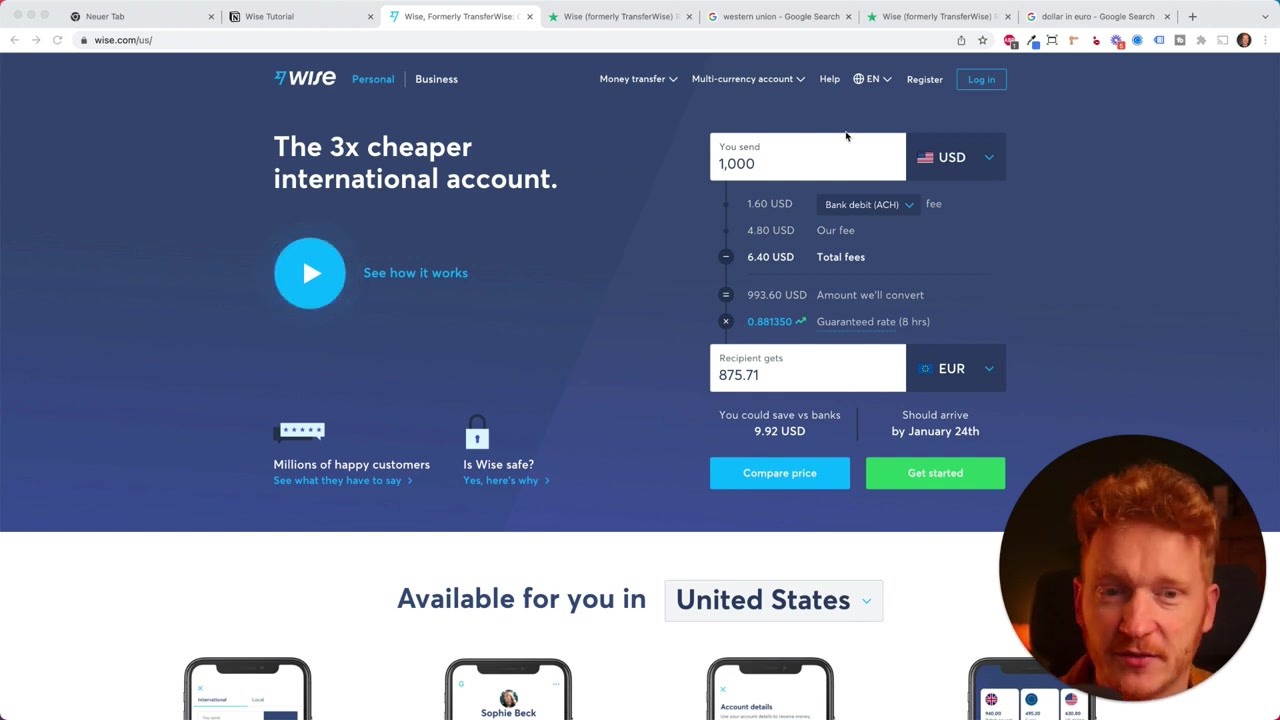
One of the most compelling things about Wise is its radical transparency around fees. On the Wise website, you can see a full breakdown of what you'll pay before you commit to anything.
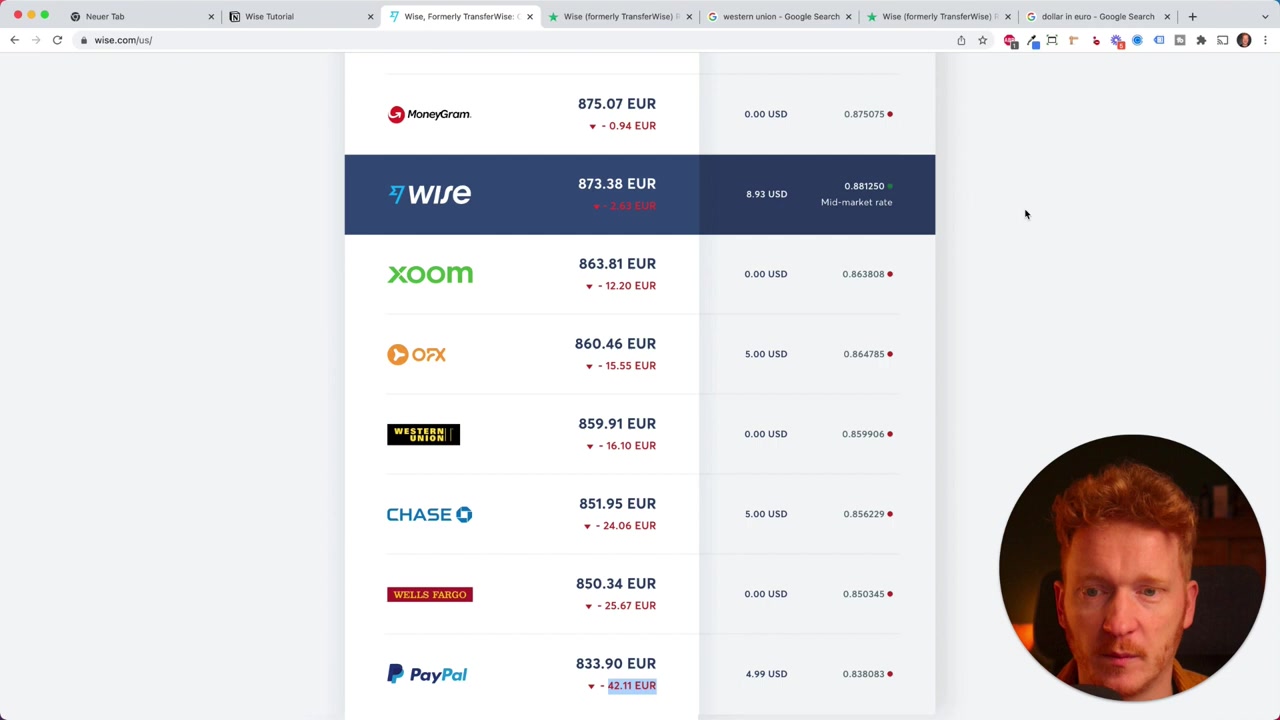
For example, sending 1,000 USD to euros might cost just 6.40 total with Wise. The same transfer through a bank like Chase could cost you 24 more, and PayPal can be even worse — adding as much as 42 in extra costs on the same transaction.
Wise even shows you how their fees compare to competitors, and they don't put themselves in the top spot just to look good. That kind of transparency is rare in financial services.
Payment Method Options and How They Affect Fees
Wise gives you a few ways to fund your transfer, and each one has a different fee:
- Wire transfer — cheapest option, around 4 for a 1,000 transfer
- Debit card — slightly higher, around $12
- Credit card — most expensive, since Visa, Mastercard, and Amex add their own fees on top
Wire transfer is slower because Wise needs to receive the funds first, while card payments tend to process faster. Choose based on your priorities — speed vs. cost.
3. The Real Exchange Rate Advantage of Wise
The exchange rate is where most banks quietly take a large cut. A local bank typically adds a markup on top of the real rate, meaning you silently lose money every time you convert currencies.
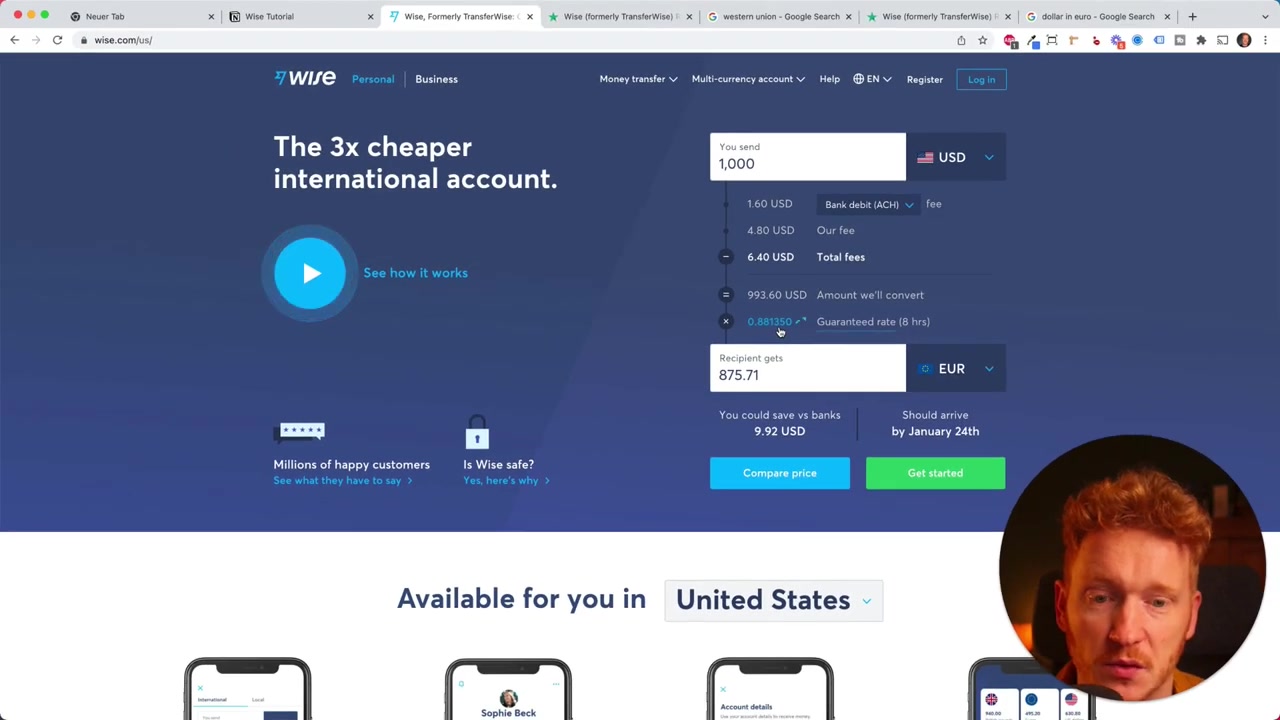
Wise uses the mid-market rate — the midpoint between the buy and sell price of a currency on global markets. In the tutorial, Julian showed that the Wise rate for USD to EUR was 0.88, identical to the Google rate at that moment.
The more money you're sending, the more this matters. Even a 1–2% difference in exchange rate on a 10,000 transfer is 100–$200 lost.
4. How to Create a Wise Account and Send Your First Transfer
Getting started with Wise is straightforward. Head to the sign-up page and register with your Google, Facebook, Apple account, or email address.
Once you're logged in, the platform walks you through the transfer process in a clean, guided flow. Here's how it works:
Step 1 – Enter the Amount and Choose Your Currency Pair
Start by entering how much you want to send and which currencies are involved — for example, USD to EUR. Wise will immediately show you the fees and the exact amount your recipient will receive.
You can also select your preferred payment method at this stage, though you can change it later in the process.
Step 2 – Enter Recipient Details
Next, Wise asks whether you're sending money to yourself (e.g., your own foreign bank account) or to someone else — family, a business, or a charity.
For European transfers, you'll enter the recipient's IBAN number, full name, country, city, and address. Fill in the details and confirm.
Step 3 – Fund Your Transfer via Wire or Card
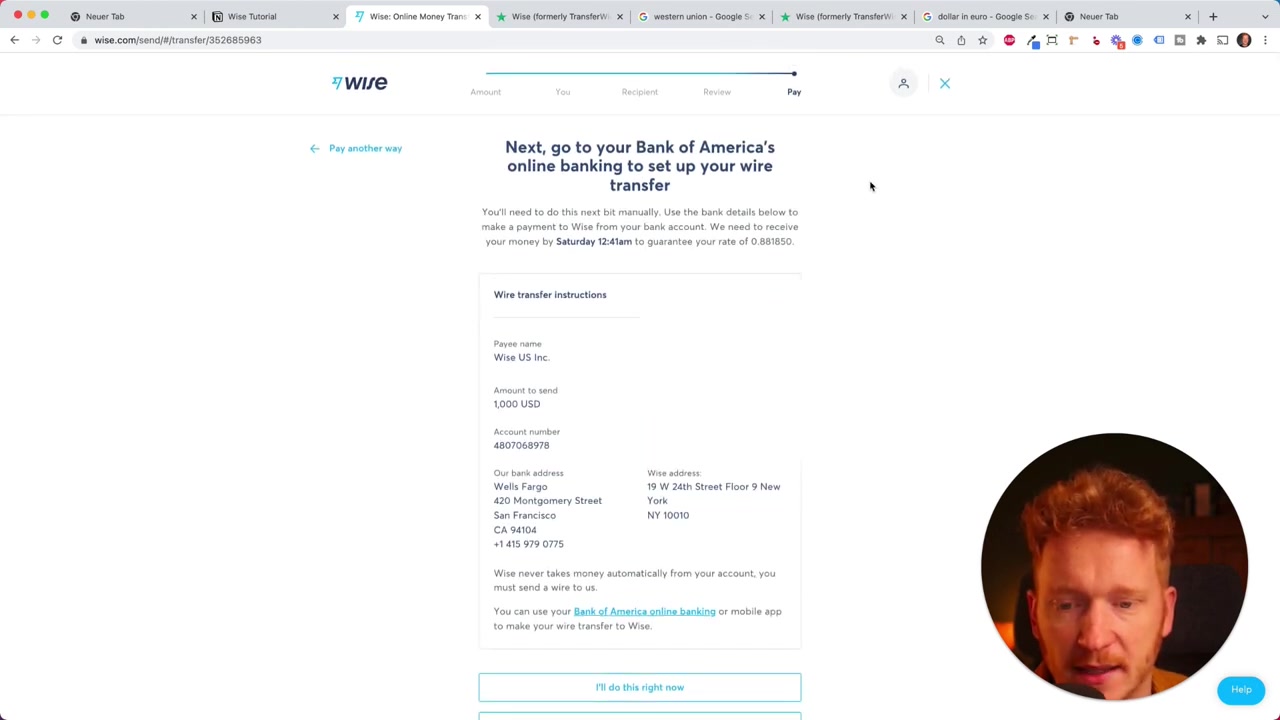
On the final screen, you confirm your payment method. If you choose wire transfer, Wise gives you their bank account number along with a unique reference number.
You then log into your own bank (e.g., Bank of America), send the funds to Wise using that reference number, and once Wise receives the money, they release the transfer to your recipient's account in the target currency.
If you prefer speed, pay by debit or credit card — the funds are deducted immediately, though the fees are higher.
5. Extra Wise Features Worth Knowing
Beyond simple transfers, Wise offers a few other features that are worth exploring:
- Multi-currency account — Hold balances in dozens of currencies and convert between them at the real rate
- Wise debit card — For around $9 USD, you get a physical card you can use in 200+ countries at mid-market rates
- Business account — Ideal for Amazon FBA sellers, freelancers, or anyone paying international suppliers (e.g., manufacturers in China)
The business account is especially popular with e-commerce sellers who need to pay Chinese suppliers regularly, since it's significantly cheaper than PayPal for international B2B payments.
6. Is Wise a Good PayPal Alternative?
For international transfers, Wise is genuinely cheaper than PayPal in most scenarios. PayPal is convenient for domestic payments, but it applies its own currency conversion markup when money crosses borders — often adding significant costs.
If you're regularly sending or receiving money in foreign currencies, Wise is worth considering as your primary international transfer tool. The savings add up fast, especially for larger amounts.
7. Wise Pros and Cons
Pros:
- Real mid-market exchange rate with no markup
- Transparent, upfront fee structure
- Supports 80+ currencies and 200+ countries
- Easy-to-use interface for beginners
- Business account available for international B2B payments
- Debit card available for overseas spending
Cons:
- Wire transfers take time (Wise must receive funds before sending)
- Credit card payments carry higher fees
- Not ideal for domestic transfers where your bank may be free
- Requires identity verification to use (standard KYC process)
Frequently Asked Questions
Is Wise safe to use for international money transfers?
How long does a Wise transfer take?
Does Wise use the real exchange rate?
Can I use Wise for business payments to suppliers in China?
What is the Wise debit card and is it worth it?
What is the difference between Wise and TransferWise?
Can I hold multiple currencies in my Wise account?
Is Wise cheaper than my local bank for international transfers?
8. Disclosure
Some links in this post are affiliate links. If you sign up through them, a small commission may be earned at no extra cost to you. All content is provided for informational purposes only and comes without guarantees of any kind. Nothing in this post constitutes financial, legal, tax, or investment advice.
Related Articles

28 Oct 2025
How to Create a TikTok Ads Account in 2026
Want to run ads on TikTok but not sure where to start? Setting up your TikTok Ads Manager account is easier than you think — and it only takes a few minutes. In this guide, I'll walk you through the e...

15 Dec 2025
Wix Promo Code 2026 – How to Save on Wix Premium Plans
If you've been thinking about upgrading to a Wix premium plan, timing your sign-up the right way can make a real difference. In this guide, I'll walk you through the exact method to access the best av...

3 May 2024
Come creare un sito web con IONOS – Tutorial 2026 – Costruttore di siti web AI
Vuoi creare un sito web professionale senza dover scrivere una riga di codice? In questo tutorial ti mostro come usare IONOS AI Website Builder per costruire un sito completo, passo dopo passo. Dall'a...