How to Connect Your TikTok Account to TikTok Ads Manager (2026 Tutorial)
Connecting your TikTok account to TikTok Ads Manager unlocks a powerful workflow — you can promote your existing TikTok videos directly as ads without uploading new creatives.
In this quick tutorial, Julian Weber walks you through the entire process step by step, from account settings and email verification to managing permissions and enabling Spark Ads. If you haven't set up a TikTok Ads account yet, check out the link below to get started.
1. What Is TikTok Ads Manager and Why Connect Your Account?
TikTok Ads Manager is TikTok's self-serve advertising platform. It lets you create, manage, and track paid campaigns that reach TikTok's massive global audience.
Connecting your personal or business TikTok account to Ads Manager is what unlocks Spark Ads — a format that lets you boost your existing organic TikTok videos as paid ads. No re-uploading, no duplicate content.
This is especially useful if you already have content performing well organically and want to put some budget behind it.
2. Navigate to User Settings in TikTok Ads Manager
Log in to your TikTok Ads Manager account. Once you're in, navigate to the top-right corner and click on your username.
From the dropdown, select User Settings. This will open the Personal Information page where you can manage your linked accounts.
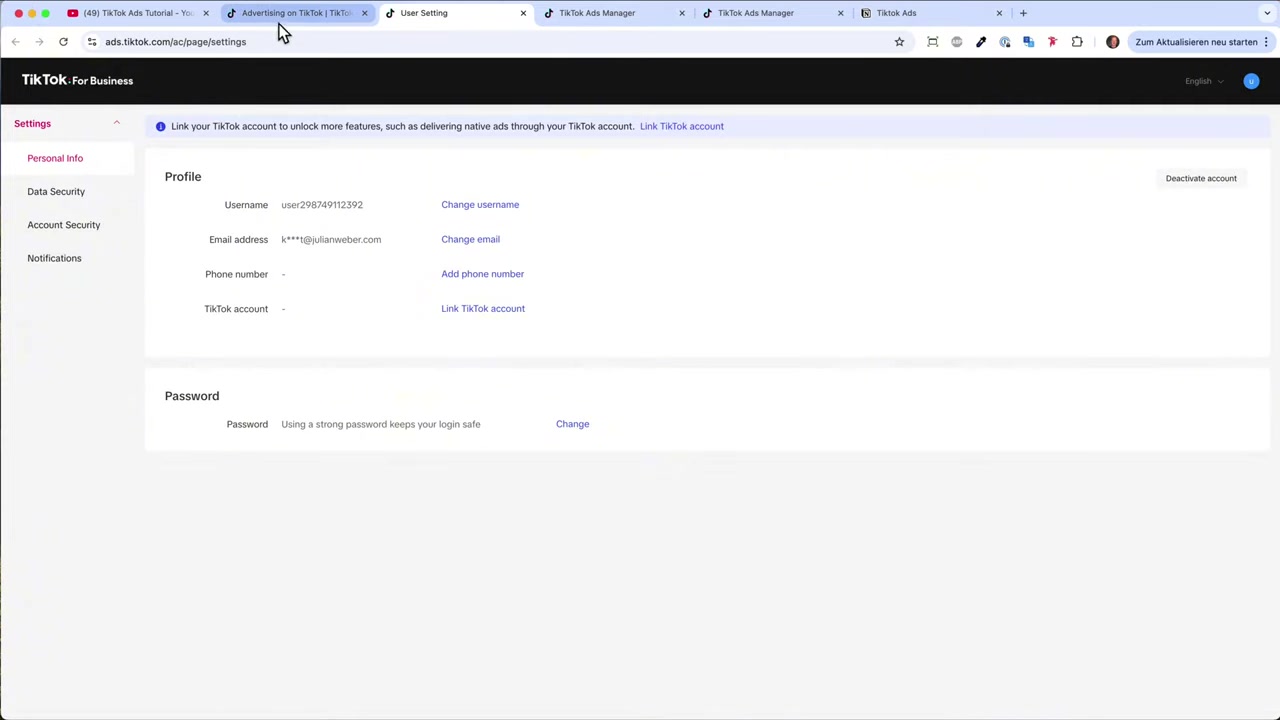
3. Link Your TikTok Account and Verify Your Email
On the Personal Information page, you'll see an option to link your TikTok account. Click it.
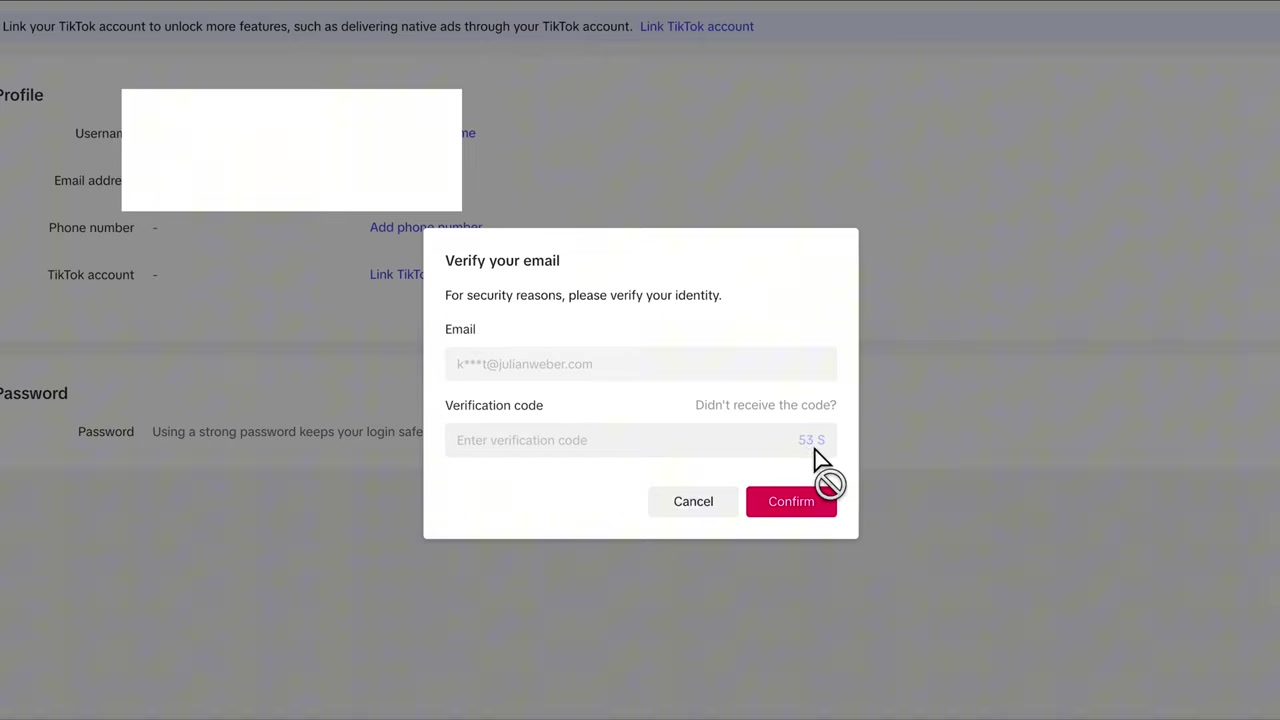
TikTok will ask you to verify your email address for security reasons. Click Send to receive a verification code.
Once you receive the code, paste it into the input field and click Confirm. A new login window will appear.
4. Log In to Your TikTok Account
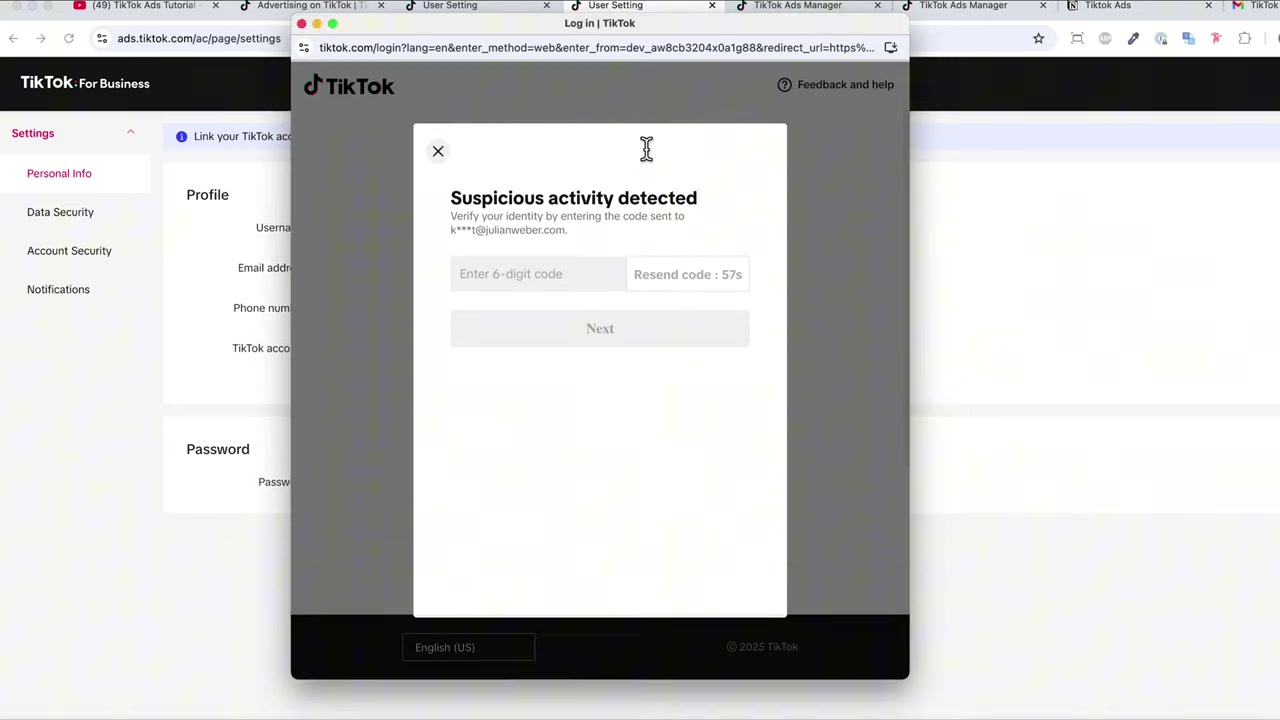
After email confirmation, a TikTok login screen will appear. Enter your TikTok username, email, or phone number and password.
If TikTok detects unusual activity, it may send a second verification code. Just enter that code and click Next.
After a brief loading screen, you'll be logged in and ready to set permissions.
5. Set Access Permissions for TikTok Business
Once logged in, TikTok will ask what level of access you want to grant TikTok Business.
If both the TikTok account and the Ads Manager account belong to you, you can safely grant full access. If you're connecting on behalf of a client or third-party brand, be selective — only grant the permissions that are actually needed.
Review the options carefully, then click Continue.
6. Confirm the Connection and Edit Access
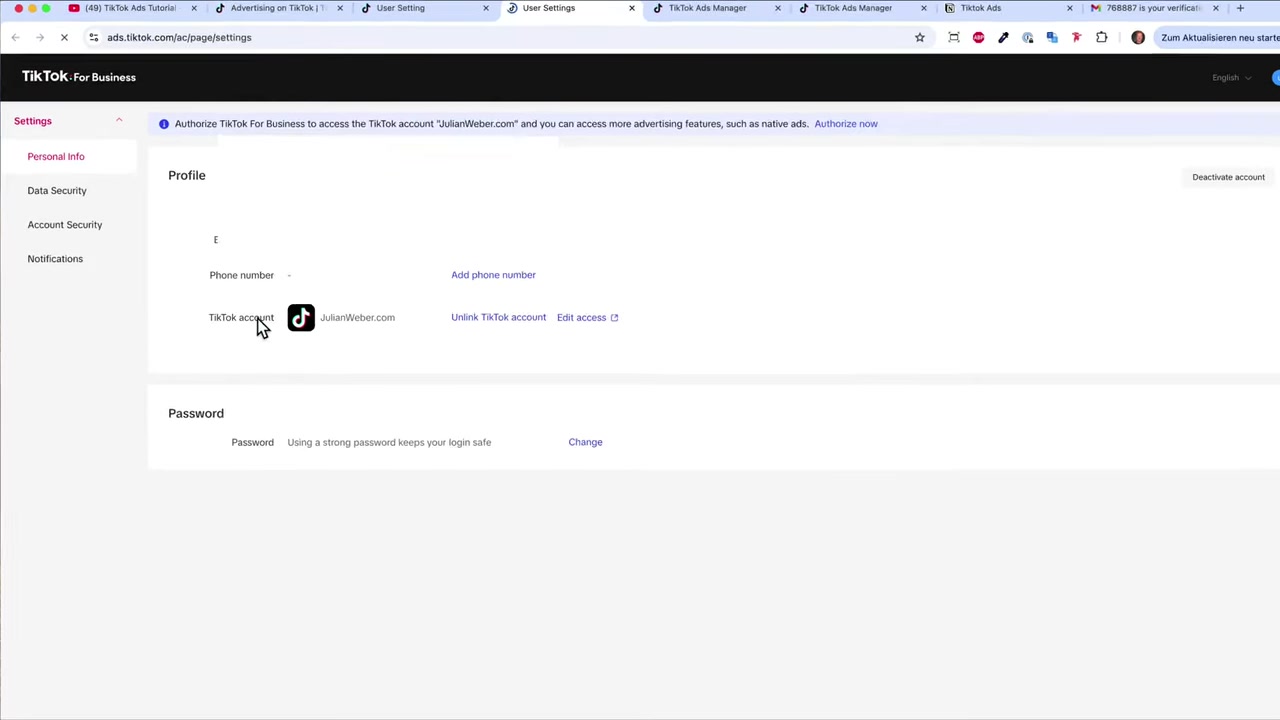
After granting permissions, hit Refresh in Ads Manager. Your TikTok account should now appear as connected.
You'll also see an Edit Access option, which lets you adjust permissions at any time. This is handy if your working relationship with an account changes later.
The connection is live — you're ready to start using your TikTok videos in campaigns.
7. How to Use Spark Ads with Your Connected TikTok Account
With your account connected, you can now use Spark Ads inside TikTok Ads Manager. Spark Ads let you select videos directly from your TikTok profile and promote them — no need to upload separate ad creatives.
When creating a campaign, look for the Spark Ads option and select your connected account. Your organic TikTok videos will appear there for selection.
You can also connect multiple TikTok accounts to the same Ads Manager, which is useful for agencies managing several brands.
8. TikTok Ads Manager: Is It Good for Beginners?
Yes — TikTok Ads Manager is beginner-friendly, especially compared to platforms like Google Ads. The interface is clean and guides you through campaign creation step by step.
The biggest learning curve is understanding TikTok's ad formats and creative requirements. That's why pairing the platform with a structured course makes a big difference.
If you want a full walkthrough of running TikTok ads from scratch, check out Julian's free TikTok Ads course.
9. Common Mistakes to Avoid When Connecting Your TikTok Account
Using the wrong account — Make sure you're logging in with the TikTok account you actually want to advertise from. It sounds obvious, but it's an easy mix-up.
Granting too much access to third parties — If an agency or freelancer is setting up your ads, only give them the permissions they need. Don't hand over full control unless you trust them completely.
Skipping email verification — The verification step is mandatory. Don't try to proceed without completing it — the connection simply won't work.
Frequently Asked Questions
Do I need a TikTok account to run TikTok Ads?
What are TikTok Spark Ads?
Can I connect multiple TikTok accounts to one Ads Manager?
What permissions should I grant when connecting my TikTok account?
Why is TikTok asking for email verification when I connect my account?
What happens if TikTok flags suspicious activity during login?
How long does it take to connect a TikTok account to Ads Manager?
Can I disconnect my TikTok account from Ads Manager later?
10. Disclosure
Some links in this post may be affiliate links. If you make a purchase through them, a small commission may be earned at no extra cost to you. All content is provided for informational purposes only, and no guarantee of results is given. Nothing in this post constitutes financial, legal, tax, or investment advice.
Related Articles

28 Oct 2025
How to Create a TikTok Ads Account in 2026
Want to run ads on TikTok but not sure where to start? Setting up your TikTok Ads Manager account is easier than you think — and it only takes a few minutes. In this guide, I'll walk you through the e...

15 Dec 2025
Wix Promo Code 2026 – How to Save on Wix Premium Plans
If you've been thinking about upgrading to a Wix premium plan, timing your sign-up the right way can make a real difference. In this guide, I'll walk you through the exact method to access the best av...

26 May 2026
How to Add Signature in Gmail (Tutorial 2026)
Want to make your emails look polished and professional? A well-designed Gmail signature can make a huge difference. In this tutorial, Julian Weber walks you through everything — from creating a basic...