How to Receive Crypto on Revolut (2026 New Tutorial)
Want to receive Bitcoin or other cryptocurrencies directly into your Revolut account? It's easier than you might think. This tutorial walks you through every step — from finding your crypto wallet address inside the Revolut app to completing a deposit from Coinbase, Binance, or your own external wallet. Get started with Revolut if you haven't already.
1. What Is the Revolut Crypto Receive Feature?
Revolut is a digital banking app that supports buying, selling, and receiving a range of cryptocurrencies — including Bitcoin — directly inside the app.
The receive feature gives you a personal wallet address for each supported crypto. You can share this address with anyone or any exchange to deposit funds into your Revolut account.
It's a convenient way to consolidate your crypto holdings without needing a separate hardware wallet or exchange account.
2. Open the Crypto Tab in Revolut
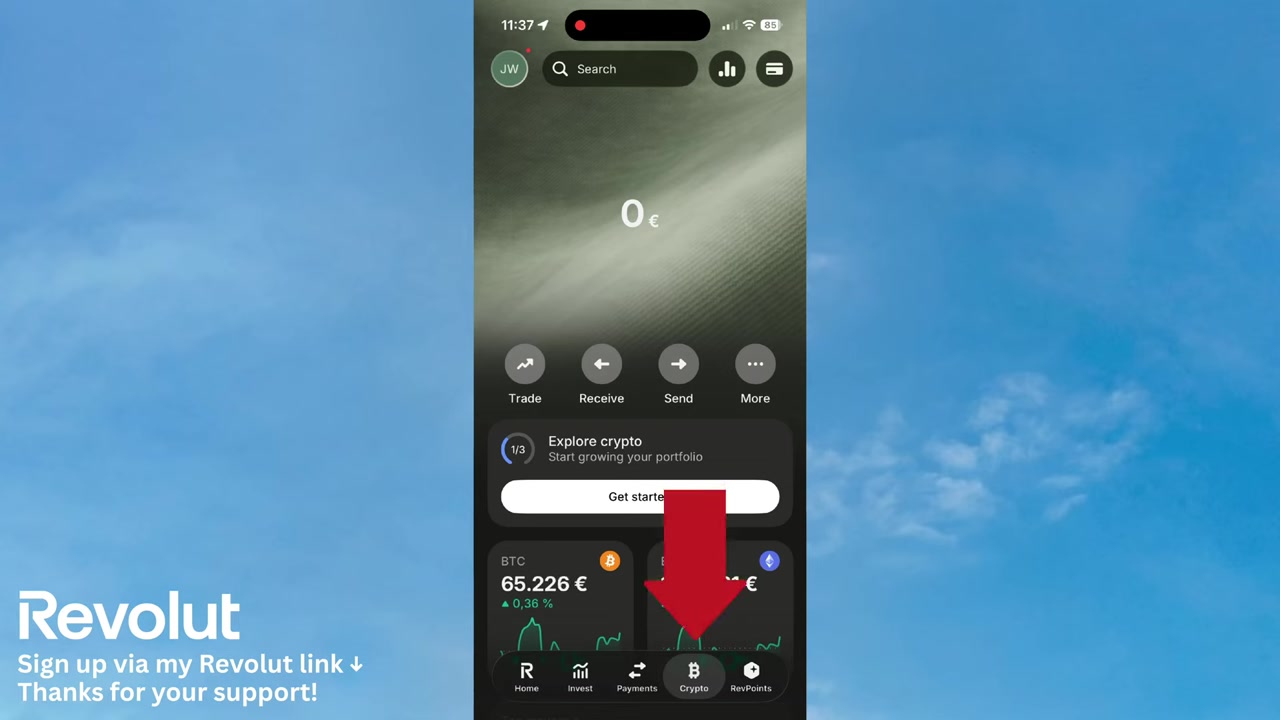
Start by opening the Revolut app on your phone. At the bottom of the screen, tap the Crypto tab.
This brings you to the main crypto hub where you can see your balances, recent transactions, and available actions.
Once you're there, tap the Receive button to begin the process.
3. Select a Cryptocurrency to Receive
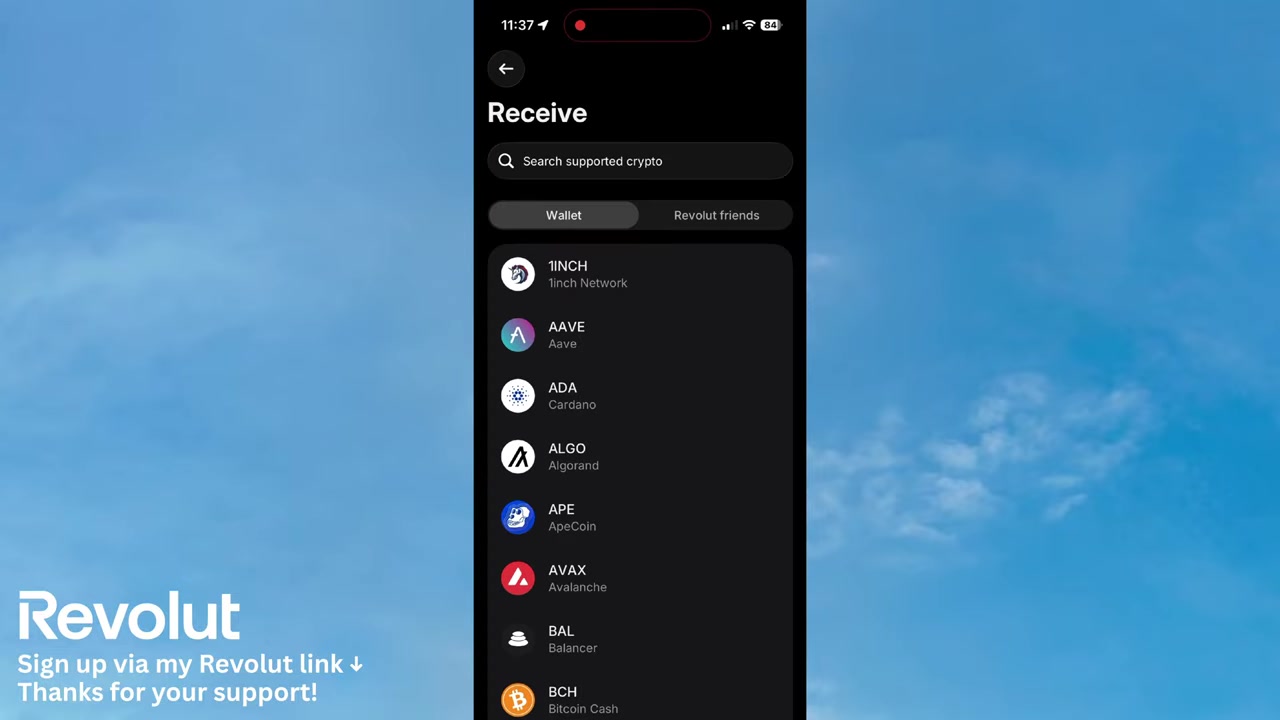
After tapping Receive, Revolut will ask you to choose which cryptocurrency you want to receive. For example, you can select Bitcoin.
Revolut supports a wide range of cryptocurrencies, so make sure you pick the correct one before sharing your address. Sending the wrong token to an incompatible address can result in permanent loss of funds.
Always double-check the token and the network before proceeding.
4. Use the QR Code or Share Your Revolut Wallet Address
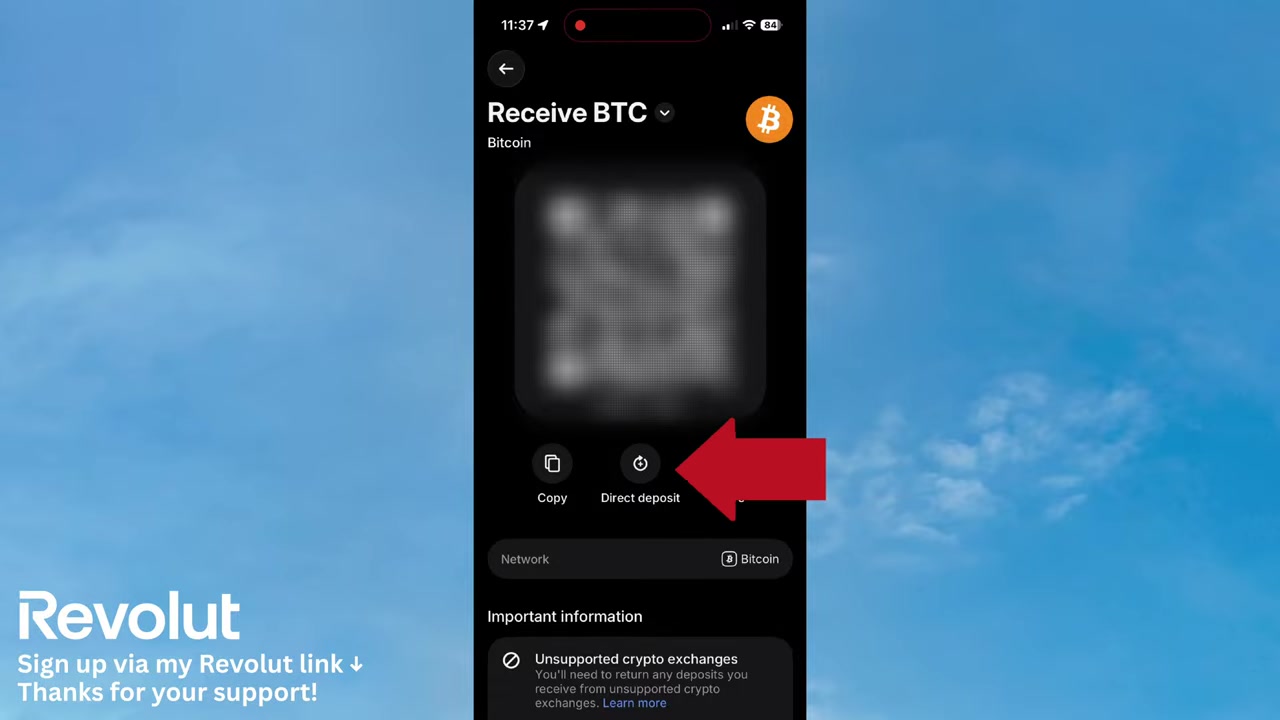
Once you've selected your cryptocurrency, Revolut presents several options for sharing your wallet address:
- Scan the QR code — perfect when someone is sending crypto to you in person
- Share the address — send it via message or email
- Copy the address — paste it into any exchange or wallet app
Any of these methods will work. Choose whichever is most convenient for your situation.
5. Deposit Directly from Coinbase, Binance, or a Wallet Address
Revolut also offers a Direct Deposit option that makes transferring from major exchanges straightforward.
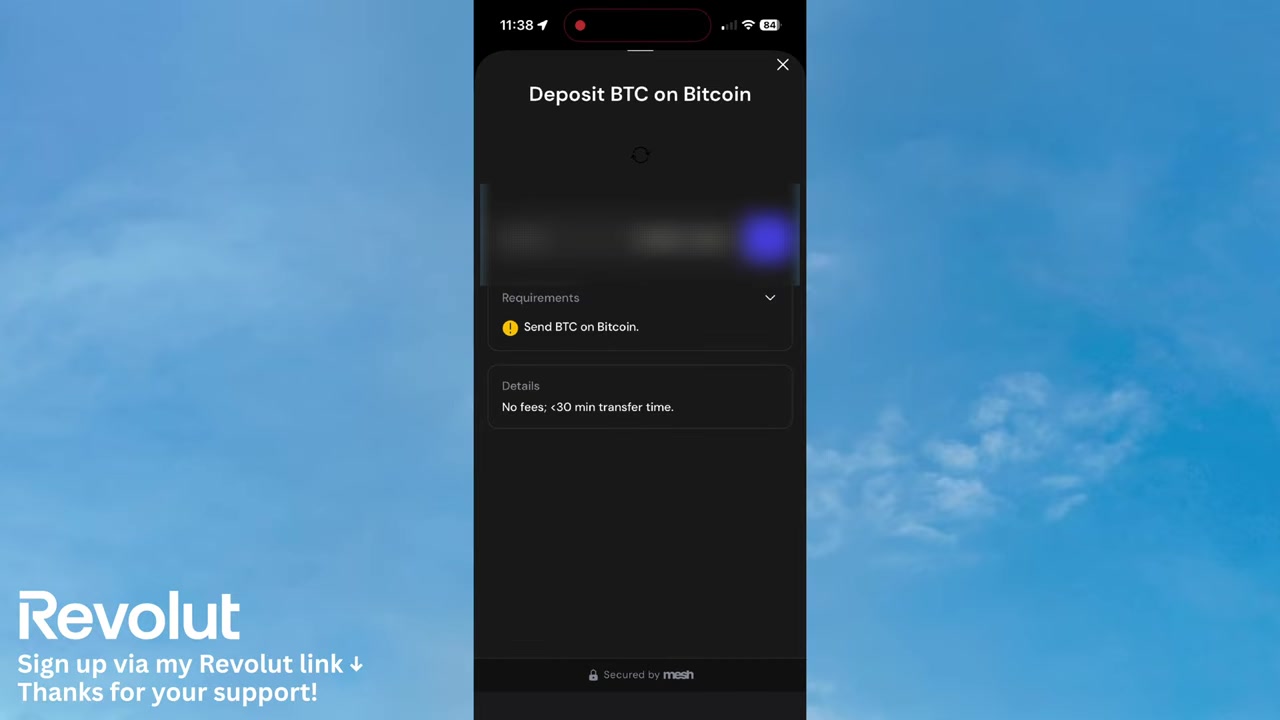
Tap Direct Deposit and you'll be prompted to choose your source — for example, Coinbase or Binance. Selecting Coinbase will open the Coinbase app or website where you can sign in and authorise the transfer.
If you're transferring from a personal wallet instead, tap Deposit with a Wallet Address. Choose your token (e.g., Bitcoin), select the correct network, then tap Show Address to reveal your Revolut Bitcoin address. Copy that address into your external wallet to send funds across.
6. Important Things to Know Before Receiving Crypto on Revolut
Before you send or receive crypto on Revolut, there are a few things worth keeping in mind.
Always verify the network. Bitcoin on the Bitcoin network is not the same as a BTC-compatible token on another network. Sending crypto on the wrong network will likely result in lost funds.
Check fees. Revolut may charge fees for crypto transfers depending on your plan. Review the fee schedule in the app before initiating large transfers.
Crypto is volatile. The value of your holdings can change significantly in a short time. Only transfer amounts you're comfortable holding at current market prices.
7. Is Revolut Good for Receiving Crypto?
Revolut is a solid choice if you want a simple, app-based way to receive and hold cryptocurrency alongside your regular bank balance.
The interface is clean and beginner-friendly, and the direct deposit integrations with exchanges like Coinbase and Binance make it easy to consolidate holdings.
That said, Revolut is not a dedicated crypto exchange. For advanced trading or large-scale crypto management, a specialist exchange or hardware wallet may be more appropriate.
8. Revolut for Business — Crypto Support
If you run a business and want to manage crypto alongside your company finances, Revolut also offers a Business account.
Revolut Business provides many of the same crypto features available to personal users, plus additional tools for managing team expenses, invoicing, and multi-currency payments.
You can sign up for Revolut Business if that's relevant to your needs.
Frequently Asked Questions
Can I receive Bitcoin on Revolut?
How do I find my Revolut crypto wallet address?
Can I receive crypto from Coinbase to Revolut?
Does Revolut charge fees for receiving crypto?
Is it safe to receive crypto on Revolut?
Which cryptocurrencies can I receive on Revolut?
Can I receive crypto on Revolut from a hardware wallet?
Disclosure: Some links in this post are affiliate links. A commission may be earned if you make a purchase through these links — at no extra cost to you. All content is provided for informational purposes only and no guarantee of accuracy or results is given. This post does not constitute financial, legal, tax, or investment advice. Crypto investments involve risk and your capital may be at risk. Always do your own research and consult a qualified professional if needed.
Related Articles
21 Jun 2026
How to Transfer Crypto to Wallet from Revolut (2026 New Tutorial)
Want to move your crypto out of Revolut and into your own wallet? It's simpler than you might think. In this tutorial, we'll walk you through exactly how to send cryptocurrencies from your Revolut acc...

20 Jun 2026
How to Invest on Revolut (2026)
Wondering how to invest your money directly inside Revolut? It's easier than you might think. This guide walks you through the entire process — from opening the Invest tab to placing your first stock ...
19 Jun 2026
How to Transfer Money to Bank Account from Revolut (New Tutorial 2026)
Want to send money from Revolut to a bank account but not sure where to start? It's actually much simpler than you might think. In this step-by-step tutorial, you'll learn exactly how to do it in just...