How To Send Money Internationally With Revolut In 2 Minutes!
Sending money abroad can feel complicated — but with Revolut, it takes just a couple of minutes. In this quick tutorial, you'll learn exactly how to make an international transfer with Revolut, step by step, including how to use currency accounts to keep track of exchange rates before you send.
Whether you're sending money to a friend in Switzerland or paying an overseas invoice, Revolut makes the whole process surprisingly straightforward.
1. What is Revolut?
Revolut is a digital banking app that lets you hold, exchange, and transfer money in dozens of currencies — all from your smartphone.
It's particularly popular for international transfers because it offers competitive exchange rates and low fees compared to traditional banks. You can open currency accounts, send money abroad, and even scan QR codes on invoices to speed up payments.
2. Open a Currency Account in Revolut Before Transferring
Before making an international transfer, it's a good idea to open a dedicated currency account for the destination currency. This gives you full visibility of the exchange rate before any money moves.
To do this, open the Revolut app and tap More, then Add Product and Account, and finally Currency Account. Select the currency you need — for example, Swiss Francs (CHF) — and Revolut will create the account instantly.
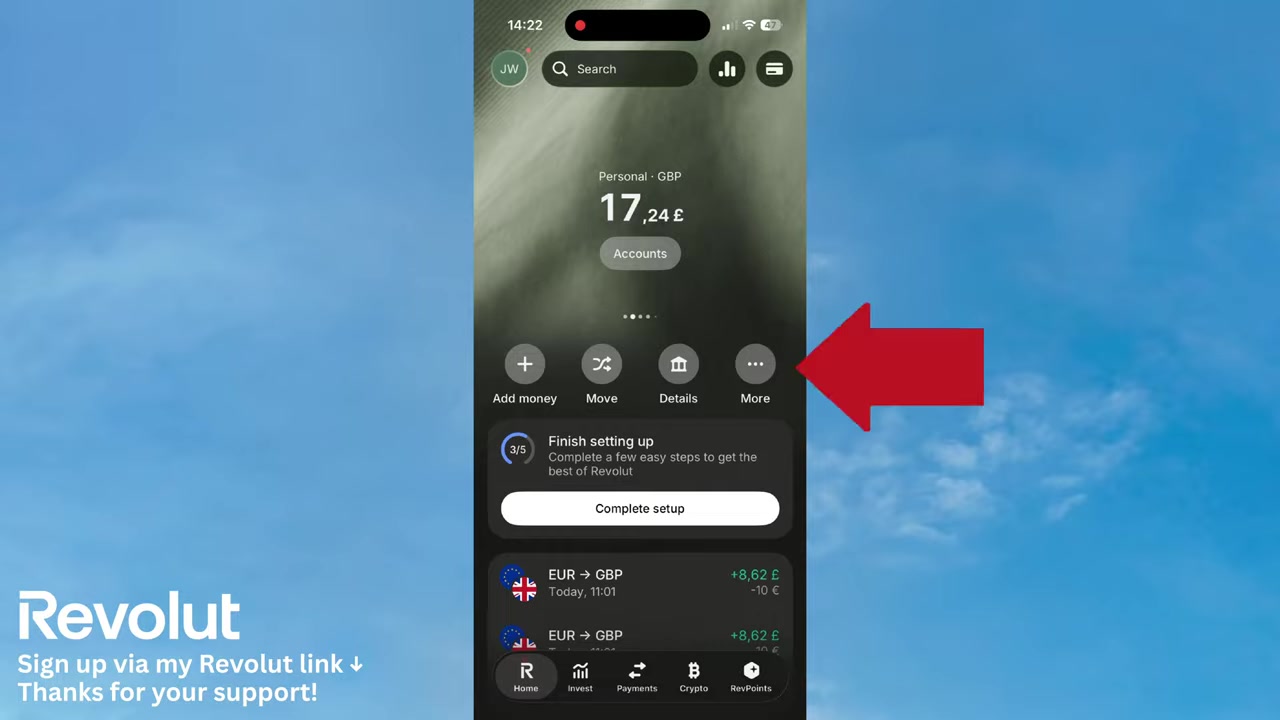
3. Exchange Money Into Your Currency Account
Once your currency account is open, you can fund it from any of your existing accounts. Tap Move and choose to transfer from, say, your Euro account to your new Swiss Franc account.
Enter the amount you want to exchange. The app shows you the live exchange rate right at the top of the screen — no hidden surprises. Tap Review and Order to confirm, and the funds are converted instantly.
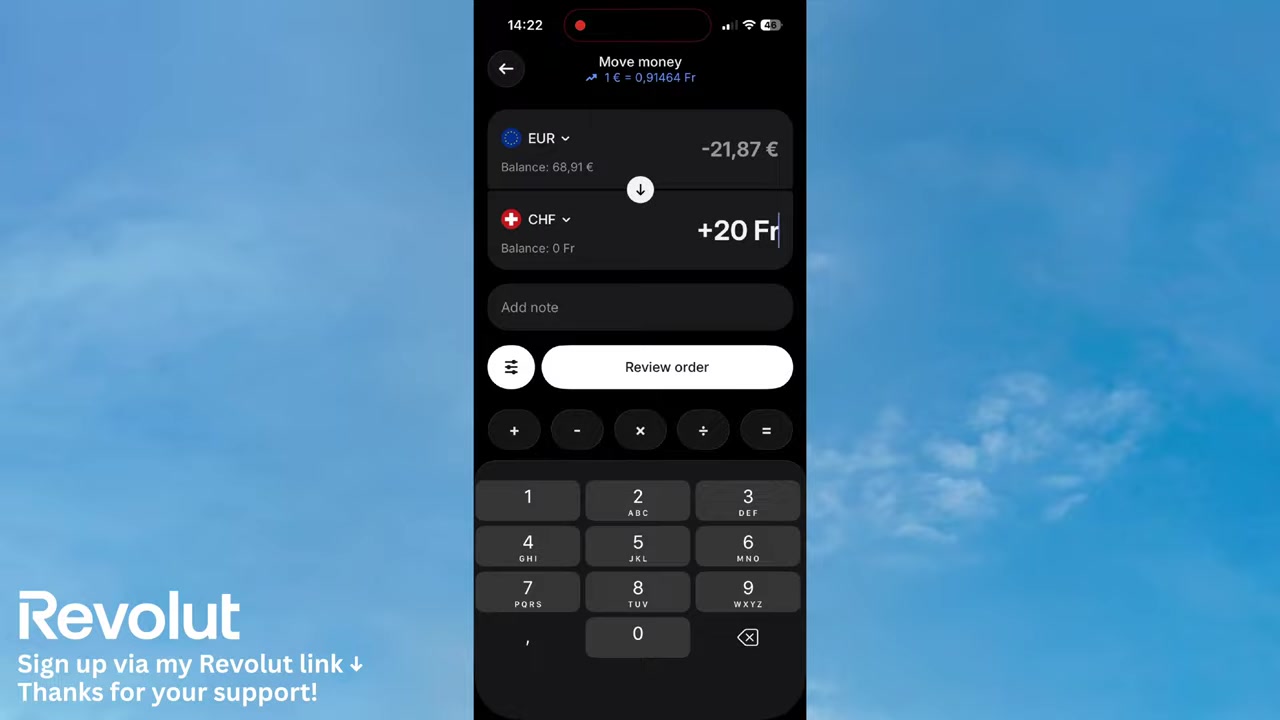
4. Make an International Bank Transfer with Revolut
With funds in your currency account, you're ready to send money internationally. Here's how:
- Tap Payment on the home screen.
- Tap the + icon in the top-right corner.
- Select International as the transfer type.
- Choose the destination country (e.g., Switzerland).
Enter the amount you want to send. You'll see any applicable transfer fee displayed clearly — for example, 0.37 CHF on a small transfer.
Use the drop-down menu to select which currency account the funds should be deducted from. If you already funded your Swiss Franc account, simply select it here.
Tap Continue when you're ready.
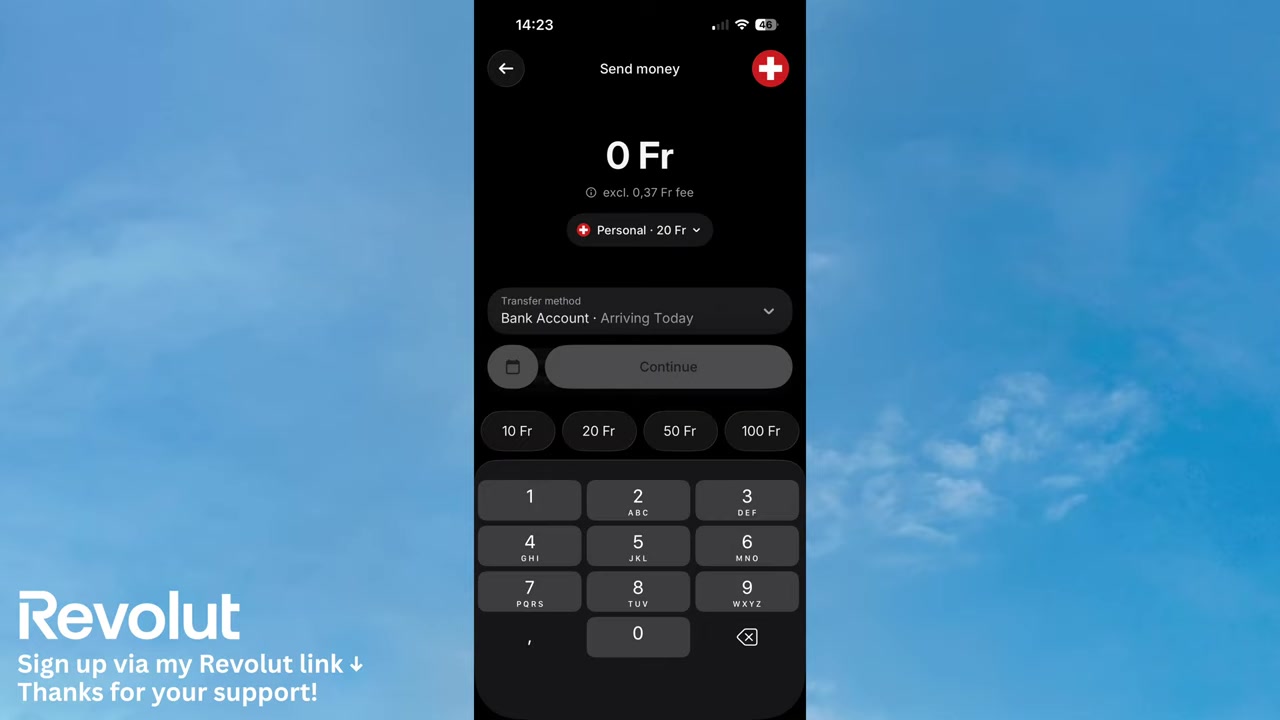
5. Enter Recipient Details and Confirm the Transfer
On the next screen, you'll enter the recipient's details. You can choose whether you're paying an individual or a business.
The fields you see depend on the destination country. For most European transfers, you'll need the recipient's IBAN number. Revolut even lets you scan a QR code if you're paying an invoice — a real time-saver.
Fill in the first name, middle name (if applicable), and last name. Revolut will then show you a full review screen with all transaction fees before you confirm. Tap Send and the money is on its way.
6. Revolut Transfer Fees and Exchange Rates Explained
Revolut uses the interbank exchange rate for currency conversions, which is typically much better than what traditional banks offer. Fees vary depending on your plan and the currencies involved.
For standard users, a small transfer fee applies to international payments — as seen in the tutorial, it was just 0.37 CHF on a 10 CHF transfer. Premium and Metal plan holders may enjoy reduced or waived fees.
Always check the fee display inside the app before confirming — Revolut shows it transparently on the payment screen.
7. Is Revolut Safe for International Transfers?
Revolut is a regulated financial institution in most of its operating markets. Transfers are encrypted and protected, and you can set up spending limits and instant notifications for every transaction.
For added peace of mind, the app shows you a full review screen — including all fees — before any money leaves your account. You stay in control at every step.
8. Revolut for Business International Payments
If you run a business and need to send money internationally on a regular basis, Revolut for Business is worth checking out. It offers multi-currency accounts, bulk payments, and higher transfer limits compared to the personal app.
It's especially useful for freelancers and small business owners dealing with international clients or suppliers.
Frequently Asked Questions
Can I send money internationally with Revolut for free?
How long does an international Revolut transfer take?
What currencies does Revolut support for international transfers?
Do I need an IBAN to send money internationally with Revolut?
Is it better to exchange money first or send directly with Revolut?
Can Revolut be used to pay international invoices?
What is the maximum amount I can send internationally with Revolut?
9. Disclosure
Some links in this post are affiliate links. If you sign up or make a purchase through them, a commission may be earned at no extra cost to you. All content is provided for informational purposes only, without any guarantee of accuracy or results. Nothing in this post constitutes financial, legal, tax, or investment advice — always do your own research and consult a qualified professional where needed.
Related Articles

28 Oct 2025
How to Create a TikTok Ads Account in 2026
Want to run ads on TikTok but not sure where to start? Setting up your TikTok Ads Manager account is easier than you think — and it only takes a few minutes. In this guide, I'll walk you through the e...

15 Dec 2025
Wix Promo Code 2026 – How to Save on Wix Premium Plans
If you've been thinking about upgrading to a Wix premium plan, timing your sign-up the right way can make a real difference. In this guide, I'll walk you through the exact method to access the best av...

20 Aug 2025
Flippa Review – Is It Legit or a Scam? Full Breakdown
Thinking about buying or selling an online business? Flippa is one of the most well-known marketplaces for digital assets — but is it actually legit, or should you be worried about scams? In this hone...