Revolut Business Account Tutorial – Step by Step for Beginners (2026)
Revolut Business is one of the most feature-packed business accounts available today. Whether you need to hold money in multiple currencies, pay international suppliers, issue cards to your team, or accept payments from customers — Revolut Business has you covered. In this step-by-step tutorial, Julian walks through every major feature inside the app so you know exactly what to expect before you sign up.
If you're ready to get started, you can open your account through the Revolut Business partner link and check whether a welcome bonus is currently available in your region.
1. What Is Revolut Business?
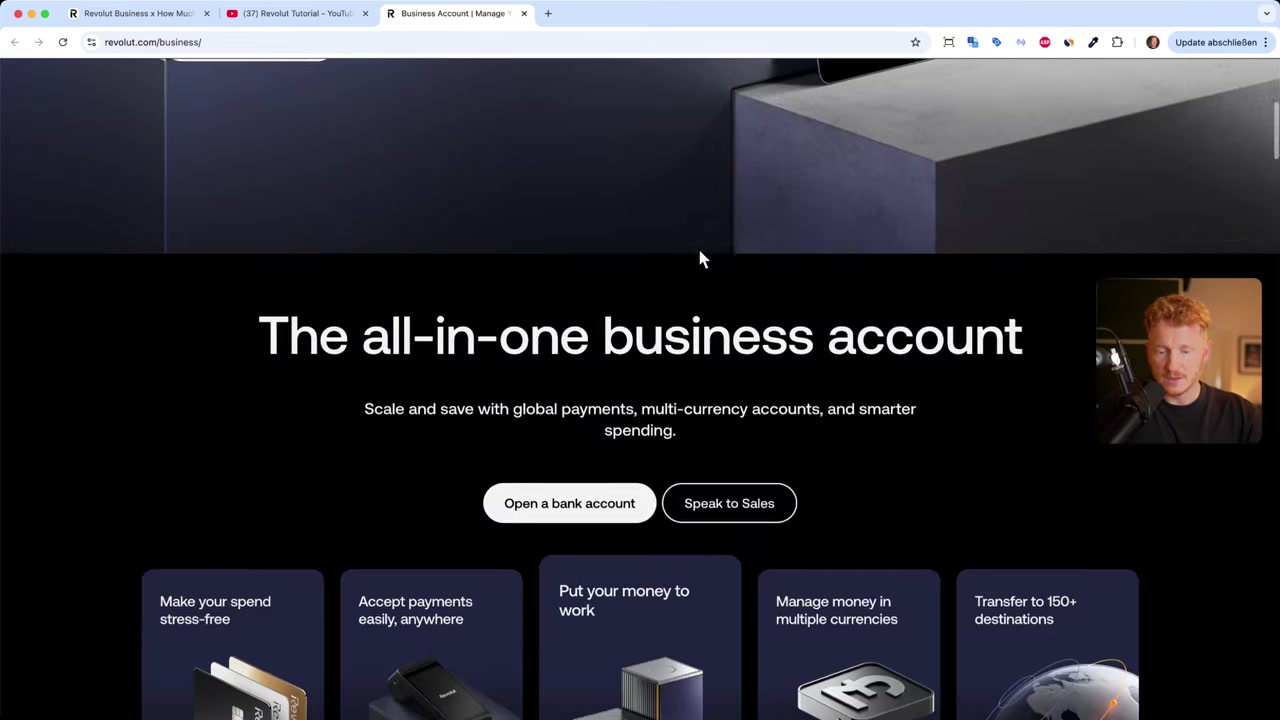
Revolut Business is a digital business banking platform designed for freelancers, startups, and growing companies. It lets you manage money in over 25 currencies, send payments to 150+ countries, and accept payments from customers — all from a single app.
Unlike traditional business bank accounts, Revolut Business also includes investment tools, merchant features, and team management. It is built for companies that operate internationally or want more flexibility than a high-street bank can offer.
2. Revolut Business Plans and Pricing
Revolut Business comes in four plans: Basic, Grow, Scale, and Enterprise. Pricing starts at £10 per month for the Basic plan and goes up to £90 per month for the Scale plan.
Each plan unlocks higher limits, better interest rates on savings, and more virtual cards per team member. If you want a deeper look at what each plan includes, check out the features comparison on the Revolut website.
For most small businesses, the Basic or Grow plan is a solid starting point. You can always upgrade later as your business scales.
3. Setting Up Multi-Currency Accounts in Revolut Business
Once you log in, the home screen shows all your currency accounts side by side — GBP, EUR, USD, CHF, and more. You can hold balances in each currency separately, which is a huge advantage if you work with international clients or suppliers.
Moving money between your own currency accounts is instant. Just tap Move, enter the amount, choose the target currency, and confirm. Revolut converts at the interbank rate with no hidden markup on premium plans.
You can also add new currency accounts at any time. Tap More → Add new account, pick your currency (e.g. Australian dollars), give the account a name, and it is ready to share with clients or employers abroad.
Every currency account comes with its own account details — IBAN, BIC/SWIFT, or local routing numbers depending on the country — so you can receive payments just like a local bank account.

4. How to Send International Money Transfers
Sending money internationally is straightforward. Tap the Transfer icon in the bottom navigation bar, then choose Send money.
You can send to another Revolut user by searching their Revolut tag — similar to how PayPal handles payments between users. For transfers to external bank accounts, tap Bank recipient and enter the IBAN, SWIFT/BIC, and the recipient's name.
Revolut supports bulk payments too, which is useful when you need to pay salaries to multiple employees at once. Just select Send in bulk from the transfer menu and upload your payment file.
Exchange rates are applied automatically based on the destination currency, so you always know exactly how much the recipient will receive.
5. Creating Business Cards for You and Your Team
Revolut Business lets you order both physical and virtual business cards. Physical cards come in standard plastic (free on most plans) or a premium metal option for £59 per card.
Virtual cards are more flexible. Depending on your plan, you can create up to 50 virtual cards per team member. These are perfect for assigning a dedicated card to a specific subscription or vendor so you can track spending precisely.
When creating a virtual card, you can set a spending limit (for example, €100) and configure custom controls. The card is ready instantly and can be added to Apple Wallet or Google Pay.
The smart part: when you pay in a foreign country, Revolut automatically charges the correct currency account. Pay in New York and it debits your USD balance. Pay in London and it uses GBP. No manual switching required.

6. Using the Treasury Features to Grow Your Business Funds
One feature that sets Revolut Business apart from traditional banks is the Treasury tab. Here you can put idle cash to work in two ways.
First, you can open a savings account and earn interest — around 1% on the Basic plan, rising to 1.3% on Scale and higher on Enterprise. Second, you can invest in flexible cash funds such as a EUR fund or a US Treasury fund, with potential returns of up to 2.18% per year on the Basic plan and more on higher tiers.
This is genuinely unusual for a business account. Most business current accounts pay nothing on idle balances.
Just keep in mind that returns are not guaranteed and capital is at risk with the fund options. Always read the product details and make sure it suits your business's risk appetite before investing.
7. Accepting Payments with Revolut Merchant Tools
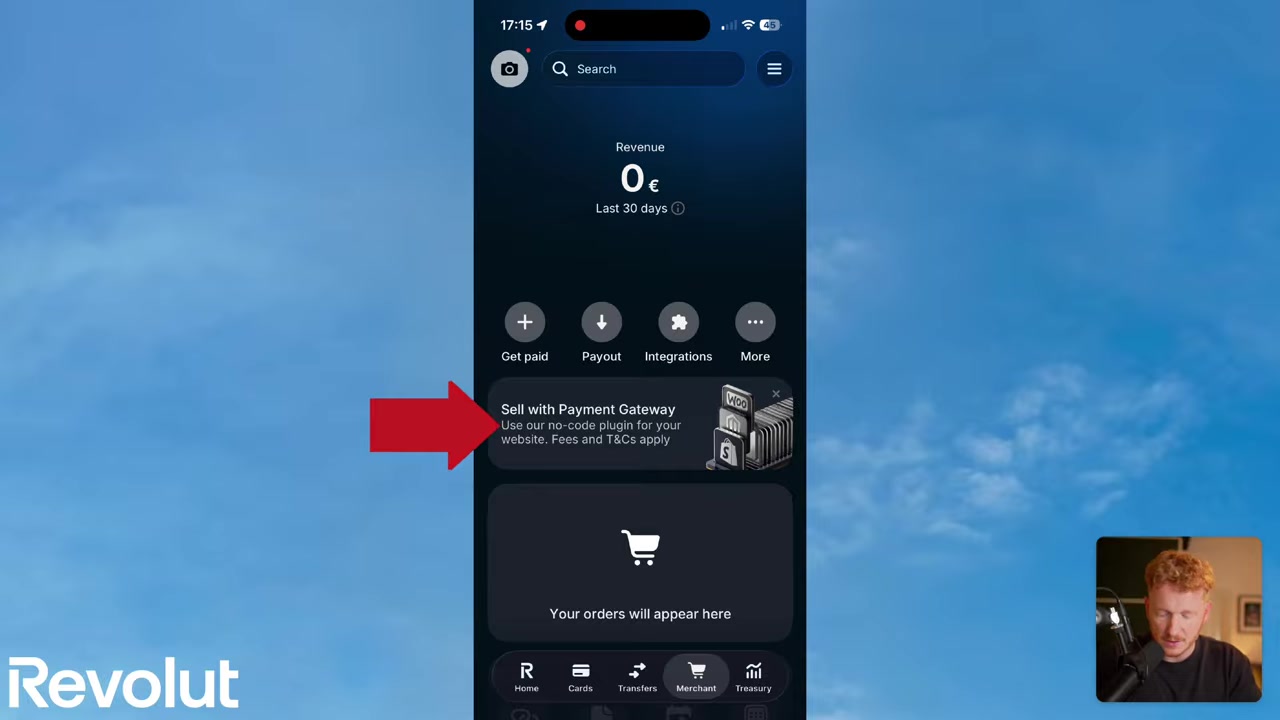
The Merchant section of Revolut Business is packed with tools for getting paid. Here is a quick overview of what is available:
- Payment gateways — connect Shopify, WooCommerce, or other platforms so revenue lands directly in your Revolut account.
- Payment links — create a link, send it to a customer, and they pay by Visa, Mastercard, or bank transfer.
- Invoices — generate professional invoices with line items, due dates, and customer details in just a few taps.
- Subscriptions — set up recurring billing for clients who pay you monthly.
- Tap to Pay — turn your iPhone into a card reader. Customers tap their card on your phone and you get paid instantly — no hardware needed.
- Card reader — if you run a shop, café, or restaurant, you can connect a physical Revolut card reader for in-person payments.
The Tap to Pay feature is particularly impressive. Instead of buying a separate card reader from Revolut or a competitor like SumUp, you simply use your existing iPhone. This is the kind of modern feature you simply will not find at a traditional high-street bank.
8. Inviting Team Members to Your Revolut Business Account
Managing a team is easy inside Revolut Business. Tap your initials in the top-left corner and scroll down to find the Team section. From there you can invite team members by email.
Once they join, you can set their access permissions and issue them a dedicated card. When a team member uses their card on a business trip, the expenses appear directly in your Revolut Business account — everything in one place.
9. Is Revolut Business Good for Beginners?
Yes — Revolut Business is genuinely beginner-friendly. The mobile app is clean and well-organised, and most actions take just a few taps. The learning curve is much lower than dealing with traditional business banking paperwork.
The biggest adjustment for new users is understanding the multi-currency account structure. But once you get the hang of it, moving money between currencies and accounts feels natural and intuitive.
10. Revolut Business vs Traditional Business Bank Accounts
Traditional business bank accounts are designed for domestic use. They charge high fees for international transfers, offer poor exchange rates, and rarely offer any interest on balances.
Revolut Business flips this model. It is built for cross-border operations from the ground up. You get competitive exchange rates, low-cost international transfers, and tools like treasury funds and merchant payments that most traditional banks simply do not offer.
The main trade-off is that Revolut Business is not a full banking licence in every country (it holds an e-money licence in many markets), so it may not fully replace your domestic business current account if you rely heavily on cheques or branch visits.
For international businesses and digital-first companies, however, Revolut Business is hard to beat.
Frequently Asked Questions
How do I open a Revolut Business account?
Can I hold multiple currencies in Revolut Business?
How much does Revolut Business cost per month?
Can I use Revolut Business to accept payments from customers?
Does Revolut Business pay interest on balances?
Can I give my employees their own Revolut Business cards?
What is the difference between a virtual card and a physical card on Revolut Business?
Is Tap to Pay available on Android as well as iPhone?
11. Disclosure
Some links in this post are affiliate links. A commission may be earned if you sign up through them — at no extra cost to you. All content is provided for informational purposes only without any guarantee of accuracy or results. Nothing here constitutes financial, legal, tax, or investment advice. Always do your own research and consult a qualified professional where needed.
Related Articles

16 Jun 2026
How To Pay With Revolut on Phone (2026 Quick Guide)
Want to pay with your phone using Revolut? It only takes a couple of minutes to set up. In this quick guide, you'll learn how to create a virtual Revolut card and add it to Apple Wallet — so you can t...

17 Jun 2026
How to Receive Crypto on Revolut (2026 New Tutorial)
Want to receive Bitcoin or other cryptocurrencies directly into your Revolut account? It's easier than you might think. This tutorial walks you through every step — from finding your crypto wallet add...

20 Jun 2026
How to Invest on Revolut (2026)
Wondering how to invest your money directly inside Revolut? It's easier than you might think. This guide walks you through the entire process — from opening the Invest tab to placing your first stock ...