How to Open a Revolut Business Account in 2026 (Mobile App Tutorial)
Want to open a Revolut Business account but not sure where to start? In this step-by-step tutorial, you'll learn exactly how to sign up, verify your identity, and activate your account — all from your phone.
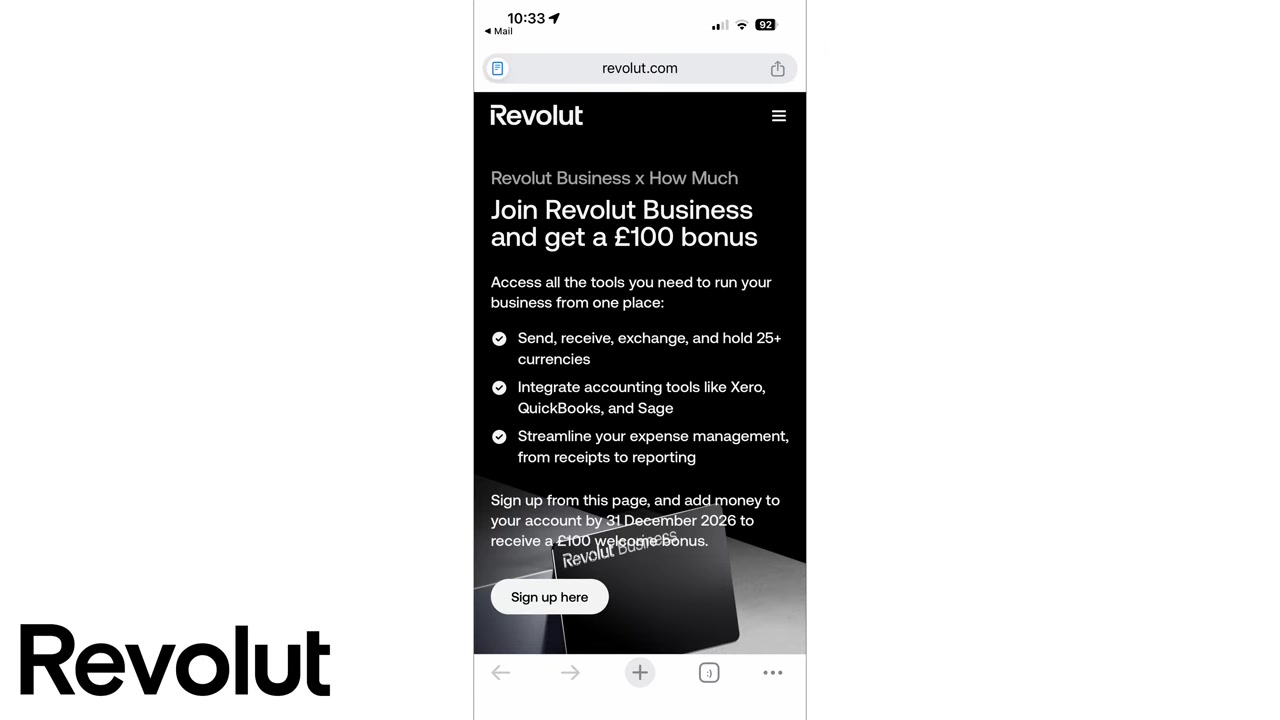
Before you dive in, check out the Revolut Business partner link — from time to time there's a signup bonus available in select regions, so it's worth a look.
1. What is Revolut Business?
Revolut Business is a digital business banking platform that lets you manage payments, international transfers, team spending, and more — all from a single app.
It's designed for freelancers, startups, and growing companies who want a modern alternative to traditional business banking. Unlike legacy banks, everything from account opening to KYC verification happens on your phone.
2. Sign Up and Create Your Revolut Business Account
Head to the Revolut Business signup page using the partner link. Once you're there, click Sign up here.
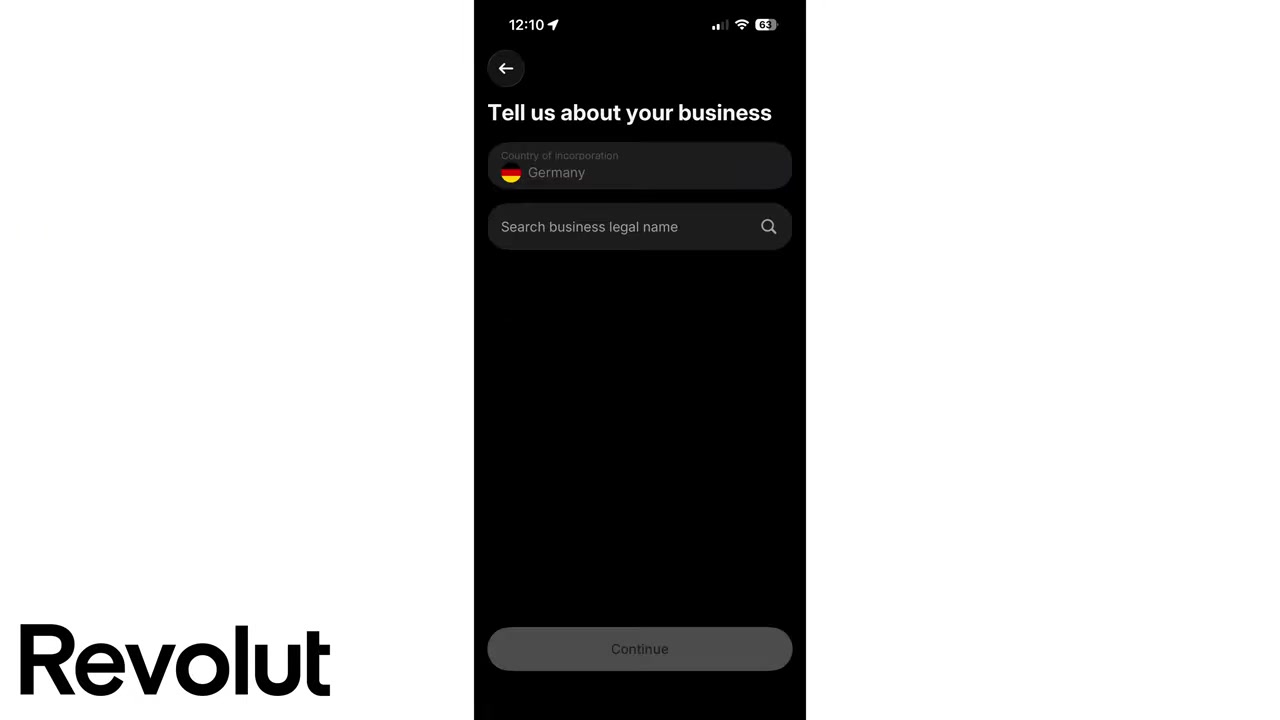
You'll be asked to select your country of incorporation first. Click continue, then choose your legal business type — for example, LLC, sole trader, or limited company.
Next, create your account using your email address, or sign in directly with Google or Apple for a faster setup.
3. Confirm Your Email and Set Up Mobile Verification
After entering your email, Revolut will send you a confirmation email. Open it and click Authorize — this brings you straight back into the app.
From there, enter your mobile number and click continue. Revolut will send you a six-digit SMS code to verify your number.
Once confirmed, you'll be prompted to create a passcode — similar to an iPhone screen lock. Choose something secure and avoid obvious numbers like your birth date.
4. Enter Your Personal and Business Details
With your account created, it's time to fill in some key details. Start with your first name, last name, and date of birth, then search for and confirm your home address.
Next, select your country of citizenship and optionally enable push notifications and app tracking to personalise your experience.
Then comes your business information. Search for your business legal name, enter your government registration number, your tax number, and your registered business address. These fields are standard across most countries — every registered business has them.
5. Accept Terms, Enable Face ID, and Access Your Dashboard
Once your details are in, you'll need to accept Revolut's bank account terms and conditions. Read through and accept to proceed.
You'll then have the option to enable Face ID for quicker login, and push notifications can be turned on again at this stage.
After this, you'll land inside your Revolut Business dashboard — but the account isn't fully active yet. A few more steps are needed.
6. Complete the Activation Steps
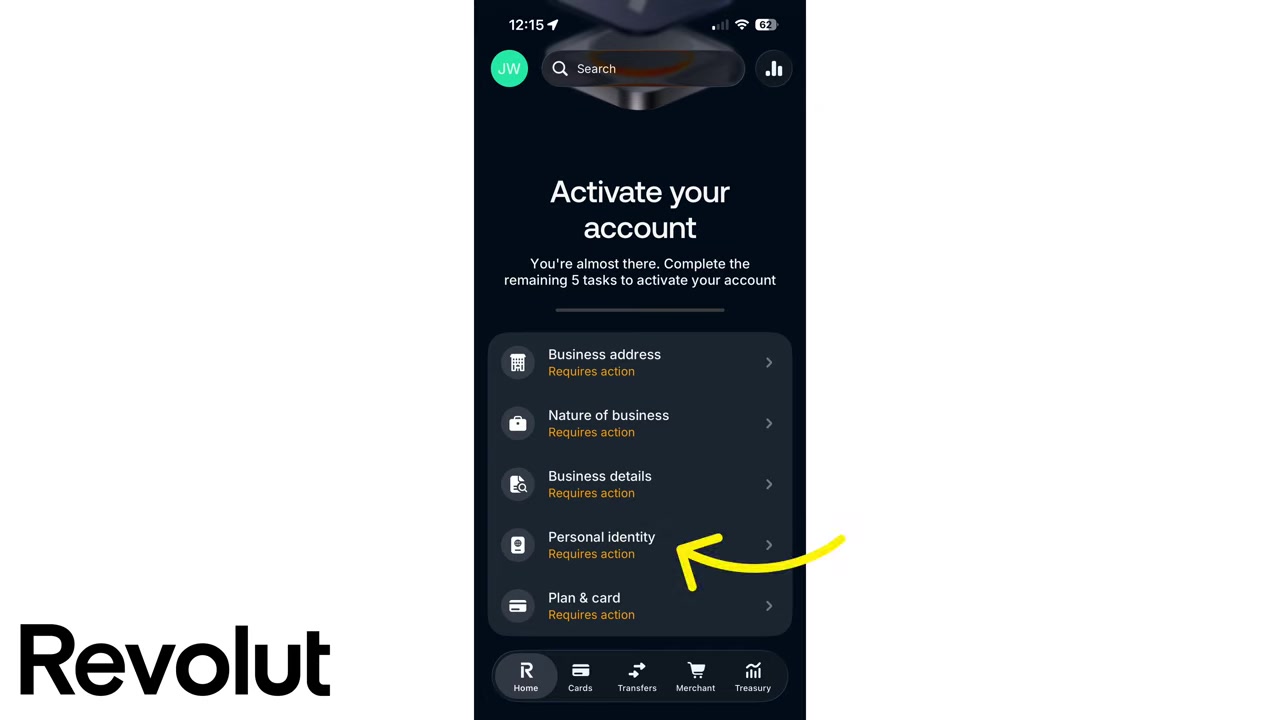
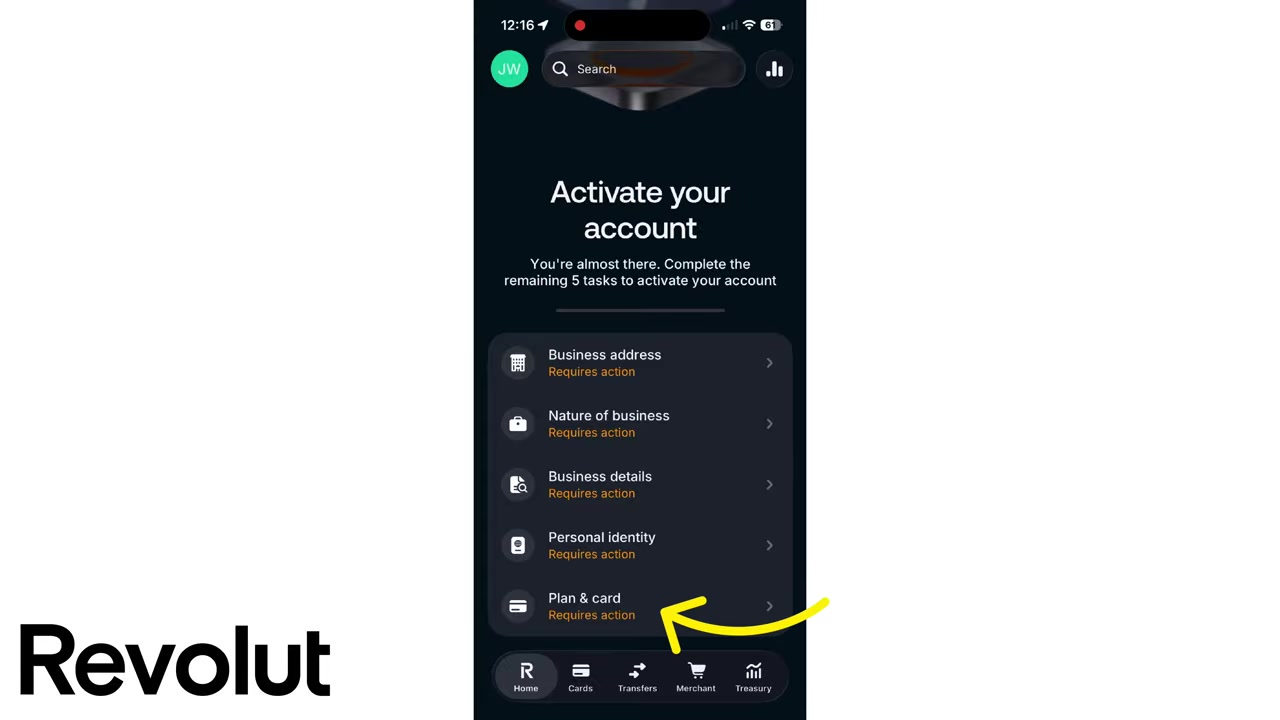
To fully activate your Revolut Business account, you'll need to complete these steps inside the app:
- Business address — confirm your official registered address
- Nature of your business — describe how you use the account (e.g. receiving payments, paying salaries, making purchases)
- Business details — including where you pay taxes and your tax ID number
- Personal identity (KYC) — verify your identity with a Revolut team member or their service provider
What to Expect During KYC Verification
KYC stands for Know Your Customer — it's a legal requirement for all regulated financial institutions, including Revolut.
You'll be connected to a Revolut representative or their verification partner via a short video call. Have your passport or national ID card ready. They'll take a photo of your document, and you'll also snap a quick selfie.
This process is standard practice when opening any business bank account and usually takes just a few minutes.
7. Choose a Revolut Business Plan
The final activation step is selecting a plan. Revolut Business currently offers four tiers:
- Basic — around €10/month. Includes unlimited team members, 10 no-fee local transfers, and currency exchange up to €1,000 at the interbank rate.
- Grow — around €30/month. Adds 5 no-fee international transfers, 100 no-fee local transfers, and exchange up to €50,000. Also includes spending and approval controls for your team.
- Scale — €99/month. More local and international transfers (up to 25), exchange up to €60,000, plus two complimentary metal cards.
- Enterprise — €750/month for larger organisations with complex needs.
Not sure which plan is right for you? Check out the dedicated Revolut Business Pricing post for a full breakdown.
8. Is Revolut Business Good for Beginners?
Yes — Revolut Business is one of the most beginner-friendly business banking options available today. The entire signup process happens on your phone, and there's no need to visit a branch.
The app is intuitive, the onboarding is clearly guided, and even the KYC verification is handled through a simple video call. As long as you have your business registration number and ID ready, the process moves quickly.
9. Revolut Business vs Traditional Business Banks
Traditional business bank accounts can take days or even weeks to open, often requiring in-person appointments and extensive paperwork.
Revolut Business can be set up in under an hour on your phone. You get instant access to multi-currency accounts, real-time spending notifications, and built-in team controls — features most legacy banks charge extra for.
The trade-off is that Revolut isn't a full bank in every country and may lack certain services like direct lending. But for digital-first businesses, it's hard to beat.
10. How Much Does Revolut Business Cost?
Plans start at around €10/month for the Basic tier and go up to €750/month for Enterprise. Most small businesses and freelancers find the Grow plan at €30/month hits the sweet spot.
For a full cost comparison, see the Revolut Business Pricing guide — it covers all four plans in detail so you can make the right choice.
Frequently Asked Questions
How long does it take to open a Revolut Business account?
What documents do I need to open a Revolut Business account?
Can I open a Revolut Business account from my phone?
What is KYC and why does Revolut require it?
Is the Revolut Basic business plan enough for a small business?
Does Revolut Business work in all countries?
Can I use Revolut Business for receiving international payments?
Is there a signup bonus for opening a Revolut Business account?
11. Disclosure
Some links in this post are affiliate links. A commission may be earned if you sign up through these links — at no extra cost to you. All content is provided for informational purposes only, without any guarantee of accuracy or results. Nothing in this post constitutes financial, legal, tax, or investment advice. Always do your own research and consult a qualified professional if needed.
Related Articles

12 Jun 2026
Revolut Business Pricing Explained – Don't Overpay for the WRONG Plan
Trying to figure out which Revolut Business plan is right for you? With four different tiers — Basic, Grow, Scale, and Enterprise — it can be hard to know what you actually need. In this guide, we bre...

15 Jun 2026
Revolut Business Account Tutorial – Step by Step for Beginners (2026)
Revolut Business is one of the most feature-packed business accounts available today. Whether you need to hold money in multiple currencies, pay international suppliers, issue cards to your team, or a...

16 Jun 2026
How To Pay With Revolut on Phone (2026 Quick Guide)
Want to pay with your phone using Revolut? It only takes a couple of minutes to set up. In this quick guide, you'll learn how to create a virtual Revolut card and add it to Apple Wallet — so you can t...