Gelato Print on Demand Tutorial for Beginners in 2026 (Step-by-Step)
Want to sell your own custom t-shirts, mugs, or phone cases online — without ever touching inventory? In this tutorial, you'll learn exactly how to set up a Gelato print on demand store from scratch, even if you've never sold anything online before.
We'll cover everything from creating your first product inside Gelato to publishing it on Etsy, Shopify, or Wix. You can sign up for Gelato for free and follow along step by step.
1. What is Gelato Print on Demand?
Gelato is a global print on demand platform that lets you create and sell custom products — t-shirts, hoodies, mugs, phone cases, calendars, and much more — without holding any stock.
When a customer places an order, Gelato prints and ships the product directly to them. You never deal with inventory, packaging, or shipping logistics.
What makes Gelato stand out is its global printing network. Products are printed locally near your customers, which means faster delivery times and lower shipping costs compared to shipping everything from one warehouse.
2. Create Your Free Gelato Account
Head to Gelato's website and click Sign up for free. You'll be able to select your language and currency right on the landing page.
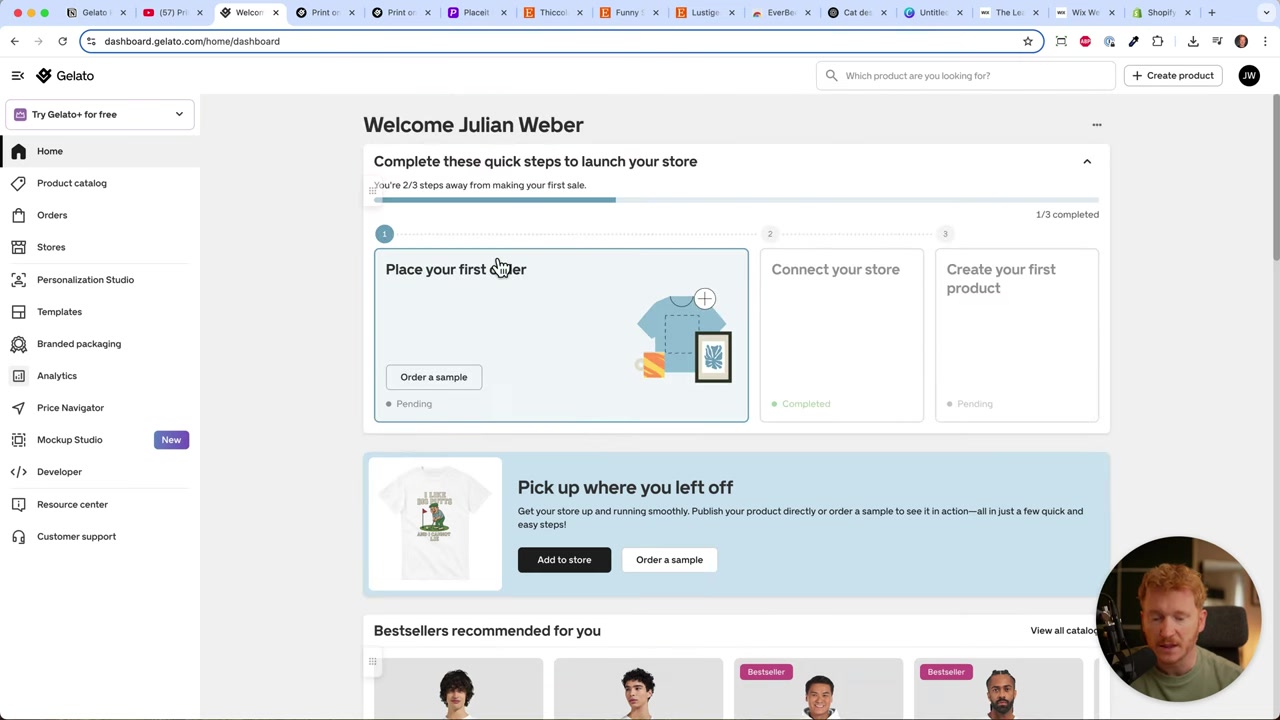
After signing up, you may need to answer a few onboarding questions. Once that's done, you'll land on the Gelato home screen where you can start building your print on demand business.
3. Connect Your Store to Gelato
Gelato integrates with all the major platforms: Shopify, Etsy, WooCommerce, Wix, Amazon, TikTok Shop, and more.
For beginners, Etsy is the easiest starting point. You don't need to build a full website — just upload your products and Etsy handles the storefront. There are platform fees, but the setup is much simpler than building your own shop from scratch.
If you want your own branded store, Wix is a great drag-and-drop option. Shopify is the most powerful e-commerce platform if you're serious about scaling.
To connect your store, click Connect next to your preferred platform and follow the sign-in steps. Once connected, your store will appear on the Gelato home screen.
4. Find Winning Product Ideas on Etsy
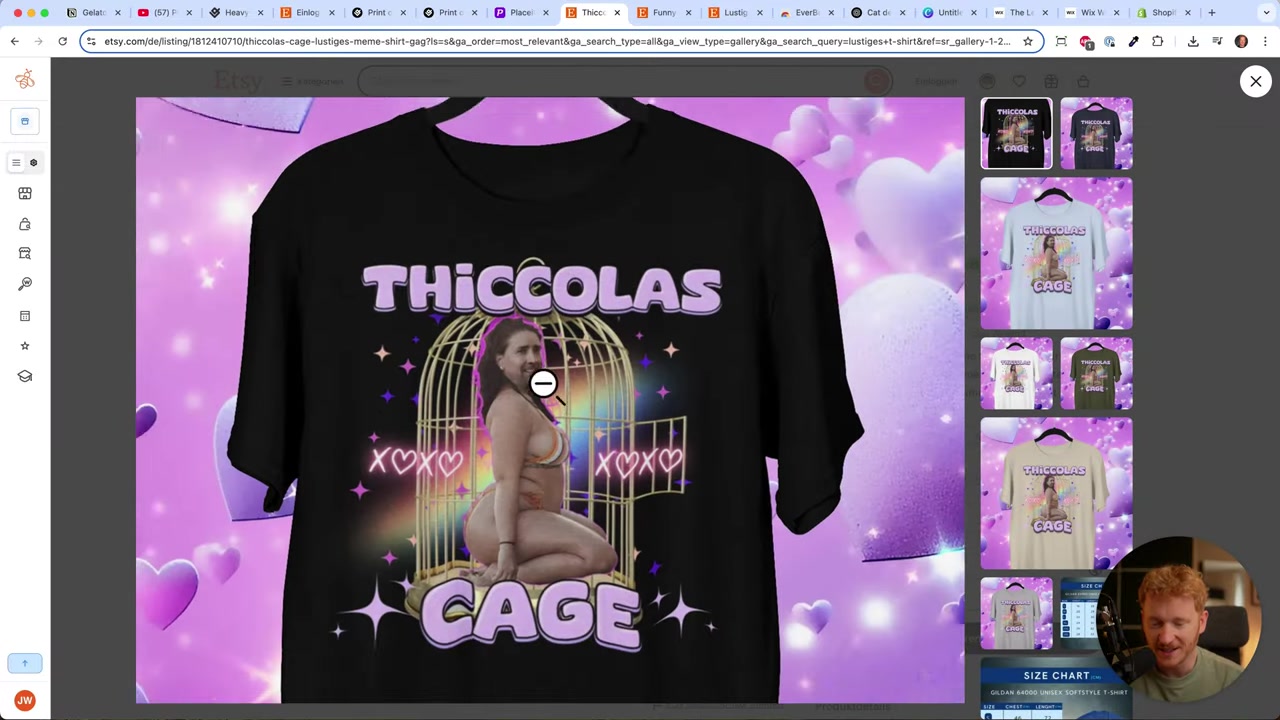
Before you design anything, do a quick product research session on Etsy. Search for t-shirts in your niche and look at what's already selling well.
A great free tool for this is the Everbee Chrome extension. It shows you the view counts on Etsy listings. For example, a listing with 10,000 views — if even 5% of visitors buy at 25 each — could represent over 12,000 in sales from a single product.
This gives you real data on what's working. Use it to identify trending designs and then create your own original version of a popular concept.
5. Create Your Design with ChatGPT and Upload to Gelato
You don't need to be a designer to create great prints. Here's a simple workflow that works well for beginners:
- Find a popular concept on Etsy (for example, a cat smoking a cigarette).
- Take a screenshot of the listing for reference.
- Upload it to ChatGPT with a prompt like: "Create a similar image for a print on demand shirt, sRGB colors, 150 DPI, retro photography style."
- Download the generated image and upload it directly into Gelato's creative editor.
This approach lets you generate fresh, original designs inspired by proven sellers — without copying anyone's artwork. As Picasso famously said: good artists steal, they don't copy.
For the technical settings, always request sRGB color mode and at least 150 DPI when generating images for print. This ensures your design looks sharp when printed on fabric.
6. Choose Colors and Sizes for Your Gelato Product
Once your design is uploaded in the Gelato editor, you can preview it on different shirt colors. Try a few options — gray, pink, yellow, black — and pick the ones that make your design pop.
Stick to 4–6 colors. Too many choices overwhelm buyers and can actually hurt your conversion rate.
For sizes, you can add up to 3XL or 4XL at no extra cost — remember, you only pay when a customer places an order. There's no risk in offering more sizes.
7. Create Professional Mockups with Placeit
Gelato includes a built-in AI mockup generator. You can type a prompt like "lifestyle photo of a woman wearing this shirt in the streets" and it will generate a photo automatically. It's a useful starting point, though you may need to experiment with prompts to get the best results.
For more polished mockups, try Placeit. It offers thousands of lifestyle templates where you simply upload your design and it gets placed on the model or product automatically. You can even download short video clips — perfect for social media ads.
Placeit works great for t-shirts, mugs, canvases, phone cases, and more. It's a tool worth bookmarking if you're building a print on demand brand.
8. Write Product Descriptions with ChatGPT
Writing product listings doesn't have to take long. Just give ChatGPT a quick prompt like:
"Write a short product description for a retro smoking cat t-shirt — funny vintage nightlife design."
Paste the result into Gelato's description field and adjust the tone to match your brand voice. This takes about 30 seconds and gives you a solid, keyword-rich listing.
9. Set Your Prices and Profit Margins
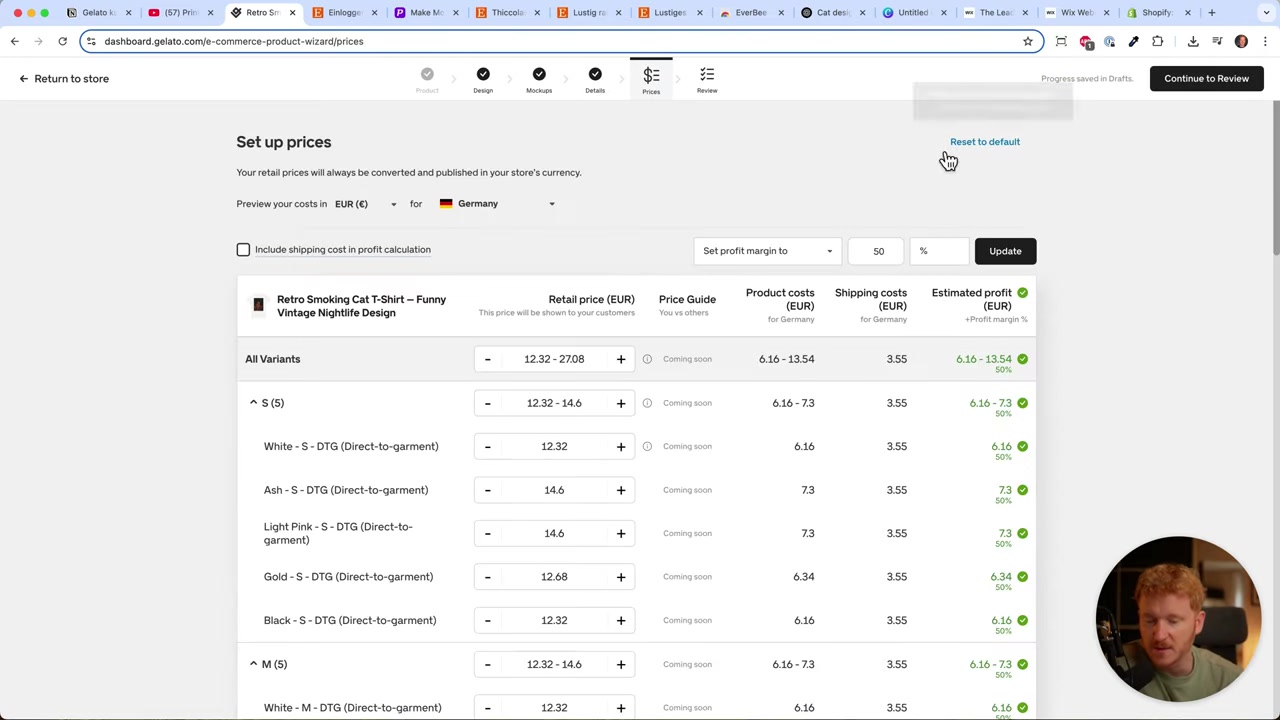
Gelato shows you the product cost for each size and color. You can either:
- Set a target profit margin (e.g., 70%) and let Gelato calculate the retail price automatically, or
- Set a fixed price for all variants (e.g., $29.99 for all standard sizes)
Just keep in mind that larger sizes (2XL, 3XL, 4XL) cost more to produce because they use more fabric. It makes sense to charge a slightly higher price for those — for example, 32 for 2XL and 34–$36 for 3XL/4XL.
A price point like $29.99 is a classic marketing-friendly number that tends to convert well. Once you're happy with the pricing, click Continue and publish your product.
10. Publish Your Product and Go Live
After clicking Publish, Gelato automatically syncs the product to your connected store — whether that's Etsy, Shopify, Wix, or another platform.
You don't need to manually import anything. The product appears in your store's dashboard right away, complete with your chosen colors, sizes, and pricing.
From that point on, whenever a customer places an order, Gelato handles printing and fulfillment. You just focus on marketing and growing your product catalog.
11. How Much Does Gelato Cost?
Gelato is free to use — you only pay for the product cost when a customer orders. There are no monthly fees on the free plan.
Gelato also offers a paid tier called Gelato+, which gives you access to premium mockup templates and a 20% discount on most products. That discount can significantly improve your margins, especially once you're generating consistent sales.
For beginners, the free plan is more than enough to get started and validate your product ideas.
12. Is Gelato Good for Beginners?
Yes — Gelato is one of the most beginner-friendly print on demand platforms available. The product editor is intuitive, integrations are one-click, and you don't need any technical skills to launch your first product.
The AI mockup generator makes it easy to visualize your designs without needing Photoshop or any design experience.
Combine Gelato with Etsy (for built-in traffic) or Wix (for your own branded store), and you have a solid foundation for a print on demand business with minimal setup time.
13. Gelato vs Printful vs Printify
All three platforms are popular print on demand options, but there are some key differences:
Gelato stands out with its global printing network — products are printed close to the customer, which leads to faster delivery and lower shipping costs. The free AI mockup generator is also a nice bonus.
Printful has a larger catalog and very high print quality, but product costs tend to be higher, which squeezes your margins.
Printify offers competitive pricing and a wide range of print providers to choose from, but quality can vary depending on which provider you pick.
For beginners focused on speed, ease of use, and international reach, Gelato is a strong first choice.
Frequently Asked Questions
Do I need to buy inventory upfront with Gelato?
Which platform should I use to sell — Etsy, Shopify, or Wix?
Can I use Gelato for free?
What image format and resolution should I use for Gelato designs?
How do I find good design ideas for print on demand?
How long does Gelato take to fulfill and ship orders?
Can I use ChatGPT to create designs for my print on demand store?
What products can I sell with Gelato?
14. Disclosure
Some links in this post are affiliate links. If you sign up through them, a small commission may be earned at no extra cost to you. All content is provided for informational purposes only — no guarantee of results is given. Nothing in this post constitutes financial, legal, tax, or investment advice.
Related Articles

22 Sep 2025
How To Run TikTok Ads for Shopify Store (New Tutorial 2026)
Want to drive real sales to your Shopify store with TikTok Ads? In this step-by-step tutorial, Julian Weber walks you through everything — from creating your TikTok Ads account and connecting your Sho...

20 Aug 2025
Flippa Review – Is It Legit or a Scam? Full Breakdown
Thinking about buying or selling an online business? Flippa is one of the most well-known marketplaces for digital assets — but is it actually legit, or should you be worried about scams? In this hone...

15 Dec 2025
Wix Promo Code 2026 – How to Save on Wix Premium Plans
If you've been thinking about upgrading to a Wix premium plan, timing your sign-up the right way can make a real difference. In this guide, I'll walk you through the exact method to access the best av...