How To Run TikTok Ads for Shopify Store (New Tutorial 2026)
Want to drive real sales to your Shopify store with TikTok Ads? In this step-by-step tutorial, Julian Weber walks you through everything — from creating your TikTok Ads account and connecting your Shopify pixel, to launching your first campaign and scaling it profitably.
Before you do anything else, grab the TikTok ad credit bonus through the link below — it's a partner promotion that gives you extra ad credits when you hit your first spend milestone.
1. Sign Up for TikTok Ads Manager
Head to the TikTok Ads Manager sign-up page using the partner link in the video description. It's important not to create your TikTok Ads account through Shopify directly — accounts created that way are excluded from the bonus ad credit offer.
Enter your email address and password. TikTok will send you a six-digit verification code to confirm your account.
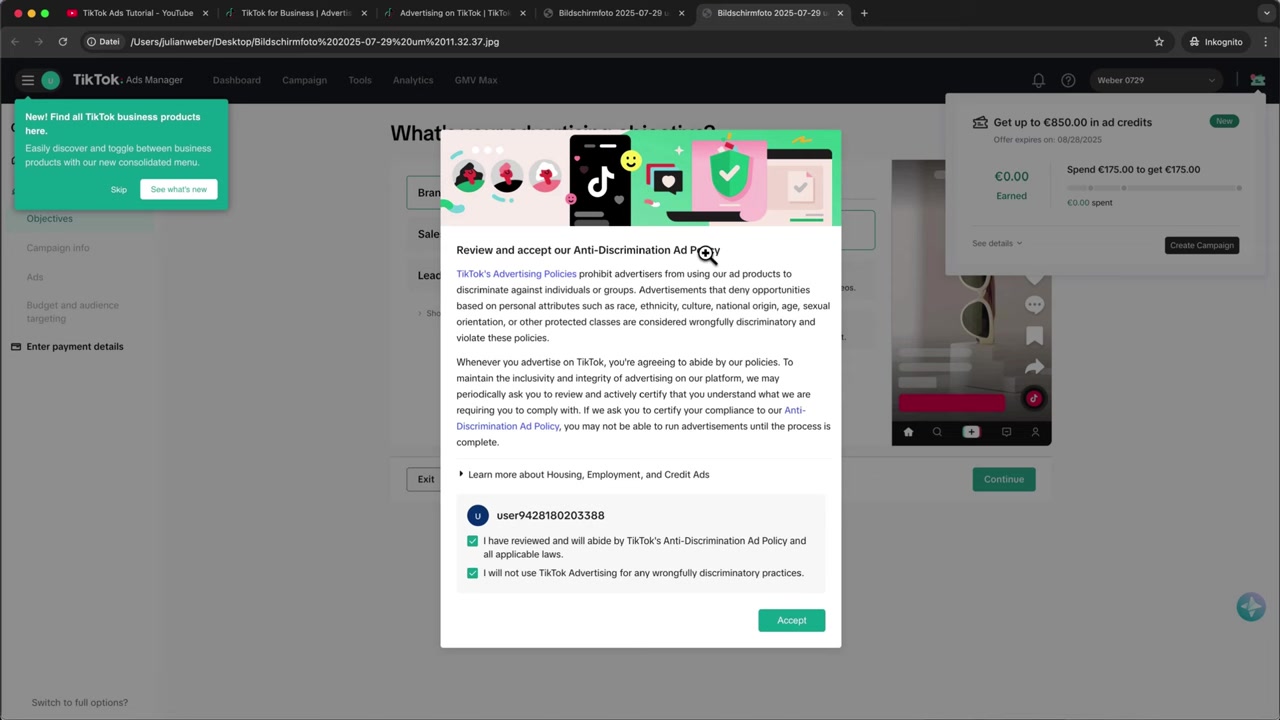
After verifying, fill in your business information: your website URL, industry, and phone number. Click Get Started, accept the anti-discrimination ad policy, and you'll land inside TikTok Ads Manager.
2. Connect the TikTok Pixel to Your Shopify Store
Inside TikTok Ads Manager, go to Tools → Events. This is where you connect data sources so TikTok can track what happens on your store.
Select Website, enter your store URL, choose Partner Integration, and then select Shopify. TikTok will give you a step-by-step guide — but here's the shortcut.
In your Shopify admin, search for TikTok in the app store. Install the official TikTok app by TikTok Inc. (look for the verified publisher and 9,000+ ratings).
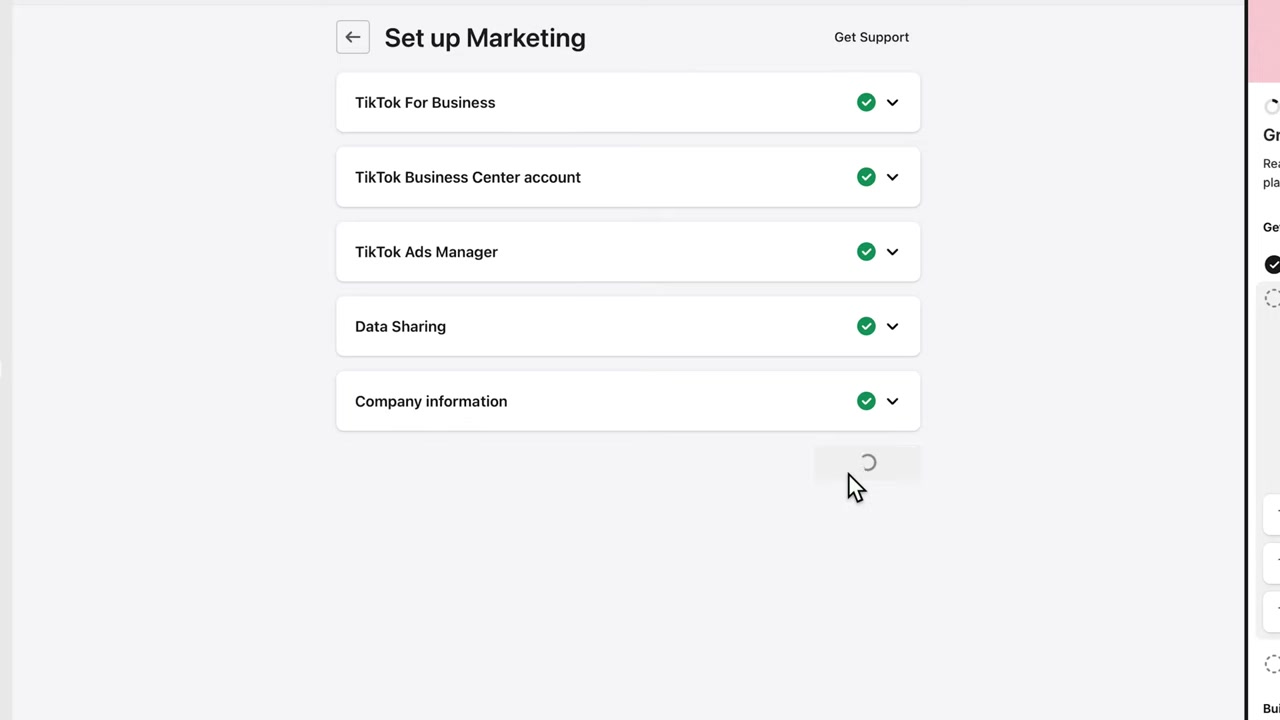
Once installed, click Continue Setup. Since you already have a TikTok Ads account, choose Connect rather than creating a new one. Connect your Business Manager, then your Ads Manager account.
You'll be asked how much data you want to share with TikTok from your store visitors. This depends on your privacy policy and the region you operate in.
In the EU, privacy laws are strict — choosing Standard is a common approach. That said, this is not legal advice, so consult your own lawyer to determine the right data-sharing level for your situation.
Once confirmed, click Finish Setup. Your pixel is now live on your store.
Pro tip: Install the TikTok Pixel Helper Chrome extension to verify your pixel is firing correctly. It will show you live page view and ViewContent events, confirming everything is working.
3. Understand the TikTok Ads Campaign Structure
Before building your campaign, it helps to understand the three-level structure TikTok uses:
- Campaign level — where you set the advertising objective (e.g. sales, traffic, reach)
- Ad Group level — where you define placement, targeting, and budget
- Ad level — where you upload your creative videos or images
Think of it like a folder system: one campaign contains multiple ad groups, and each ad group can contain multiple individual ads.
4. Set Up Your First TikTok Campaign for Shopify
In Ads Manager, click Create Campaign. Choose Sales as your advertising objective since you want to drive product purchases. Then select Website as the destination (not TikTok Shop).
Choose Manual Campaign so you have full control over the settings. You can optionally link your Shopify product catalog here.
Give your campaign a clear name — something like Sales – Watches — so you can identify it easily later. Skip the campaign budget optimization for now; that's more of an advanced setting. Hit Continue.
5. Placement and Targeting for Your Ad Group
On the Ad Group level, start by selecting the TikTok Pixel you just installed. For the optimization event, choose Add to Cart rather than Purchase when you're just starting out.
Why? Because Add to Cart events happen more frequently than completed purchases — this gives TikTok more data to optimize your delivery faster.
For placement, deselect TikTok's partner networks and run your ad on TikTok only. Partner placements typically underperform for e-commerce.
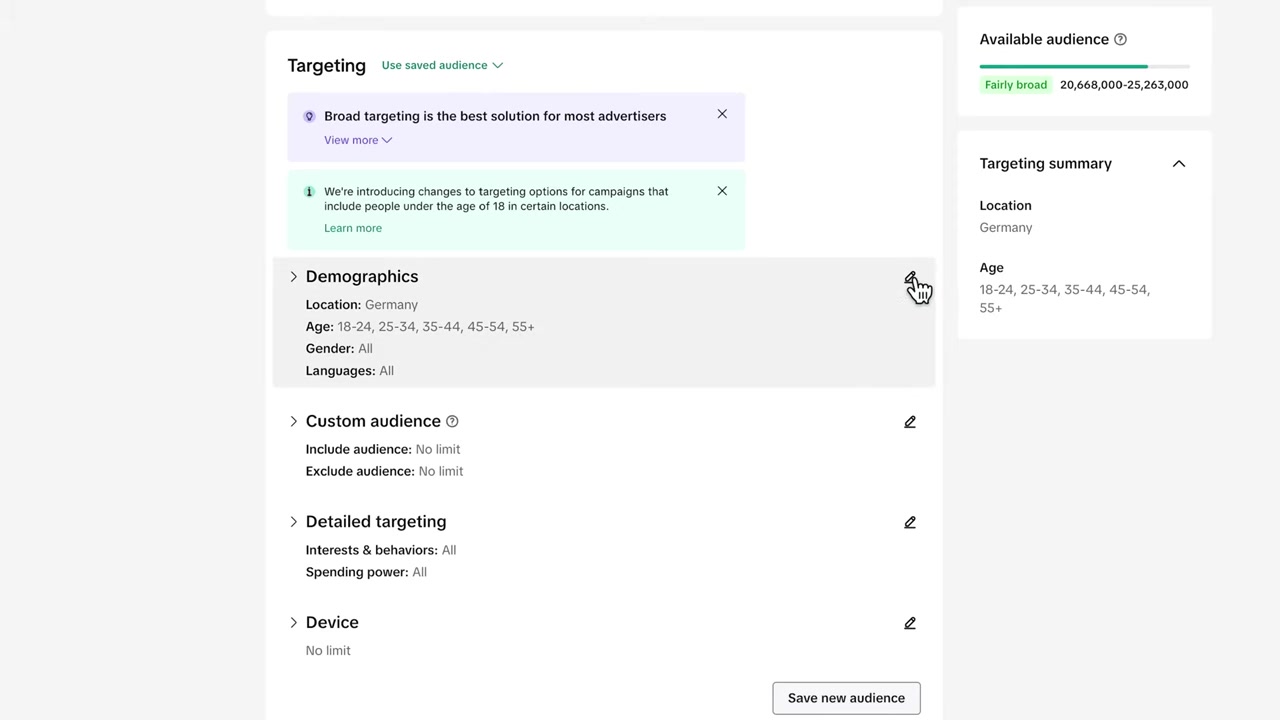
TikTok actually recommends broad targeting and letting its AI find the right audience automatically. However, if you want more control, click the pen icon to set manual targeting.
You can filter by location, age, gender, and language. For interests, typing in a relevant keyword like watches can expand a narrow audience from 160K up to 4–5 million people — a much healthier size for delivery.
If you're selling a luxury product, consider filtering for high spending power. For affordable products, leave it broad and let TikTok optimize.
Set your daily budget — the minimum is 20, so starting at **25/day** is a safe entry point. Set your time zone correctly, choose to run the ad all day, and leave the target CPA blank for now.
Run the campaign first, see what a conversion actually costs you, then optimize from there. Hit Continue.
6. Upload Your First TikTok Ad Creative
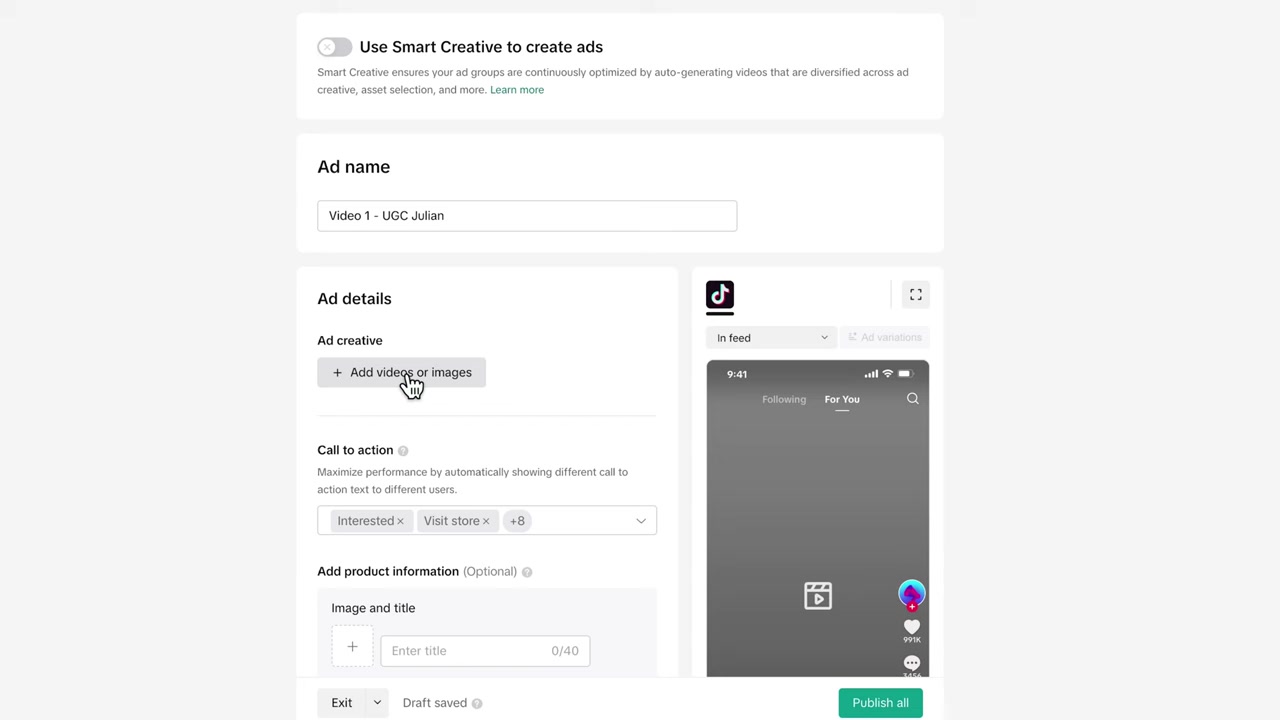
Now you're at the Ad level — the creative part. Give your ad a name (e.g. Video 1 – UGC Julian) and upload your video. TikTok's video optimization feature will automatically adjust your video for best performance on the platform.
Connect your TikTok account as the identity for the ad. You can choose to hide the ad from your public TikTok profile if you prefer — it'll still run as a paid ad.
Write a short, punchy ad text. Something like Summer Sale – Save 25% on new watches works well. Keep it brief so it doesn't get cut off with a line break.
Add a call to action button. For e-commerce, good options include:
- Shop Now
- Order Now
- Visit Store
- Interested
You can enable multiple CTAs and let TikTok test which one performs best.
Finally, add your destination URL — the product page or homepage of your Shopify store. You don't need to add separate tracking since your TikTok pixel already handles that.
Hit Publish. If it's your first campaign, TikTok will prompt you to add a payment method (credit card or PayPal). Once submitted, TikTok will review the ad and start running it.
7. How to Scale Your TikTok Ads Campaigns
Once your campaign is live and collecting data, it's time to optimize and scale. There are two main directions: vertical scaling (increasing budget) and horizontal scaling (duplicating campaigns).
Test Multiple Ad Creatives
The single most important lever for TikTok Ads performance is your creative. Aim to test at least 3–4 different video ads at the same time.
To add more creatives, simply click Duplicate on your existing ad and swap in a new video. Name each one clearly so you know which creative is which.
Not sure where to get more videos? Here are three solid options:
- Fiverr — Hire UGC creators who will film a short product review for around 30–40 per video. Just send them your product.
- MakeUGC AI — AI-generated UGC-style content that looks surprisingly real. Great for fast iteration.
- Agencies like Billo or Bands Off Ads — They produce batches of TikTok-ready ads for you.
Vertical and Horizontal Scaling
Once you know which ad is performing and what your cost per acquisition (CPA) is, you can start scaling.
Vertical scaling means increasing the daily budget on a performing ad group — for example, going from 25 to 50 per day. Only do this when the campaign is profitable.
Horizontal scaling means duplicating the campaign 2–3 times. Each duplicate reaches a different audience bucket, and you'll often find that some outperform others. You can also use duplicates to test different audience segments — for example, targeting women aged 20–45 in a separate campaign.
Turn off underperforming ads as soon as the data is clear. Keep refreshing your creative library so your audience always sees fresh content from your brand. Fresh creatives = lower ad fatigue = better results over time.
8. What Is TikTok Ads Manager?
TikTok Ads Manager is TikTok's self-serve advertising platform. It lets businesses create and manage paid ad campaigns that appear in users' TikTok feeds.
For Shopify store owners, it's one of the most powerful ways to reach a large, highly engaged audience — especially for products that photograph or film well. The platform uses a campaign → ad group → ad structure similar to Meta Ads and Google Ads.
9. How Much Does It Cost to Run TikTok Ads for Shopify?
TikTok requires a minimum daily budget of **20 per ad group**. Most beginners start with 25–$50 per day to gather enough data without overspending.
Your actual cost per result depends heavily on your niche, creative quality, and targeting. Some advertisers see add-to-cart events for under $1, while others pay more depending on competition.
The key metric to watch is your CPA (cost per acquisition) — what you pay for each sale. Once you know this number, you can decide whether to scale or optimise.
10. Is TikTok Ads Good for Shopify Beginners?
Yes — TikTok Ads can work very well for Shopify beginners, especially because TikTok's AI does a lot of the heavy lifting when it comes to targeting and delivery optimisation.
The setup process is straightforward, and the Shopify integration via the official TikTok app makes pixel installation simple. The main challenge for new advertisers is usually creative quality — your video ad needs to stop the scroll.
Starting with UGC-style content (from platforms like Fiverr or MakeUGC AI) is a proven way to get authentic-looking ads without a big production budget.
11. TikTok Ads vs Facebook Ads for Shopify
Both platforms can drive strong results for Shopify stores, but they have different strengths.
TikTok Ads tend to have lower CPMs (cost per 1,000 impressions) and can generate viral organic reach alongside paid campaigns. The audience skews younger, and video-first content performs best.
Facebook/Meta Ads have a larger and more diverse audience, more mature targeting tools, and stronger retargeting capabilities thanks to years of pixel data. Many advertisers run both platforms simultaneously to maximize reach.
Frequently Asked Questions
Do I need a TikTok account to run TikTok Ads for my Shopify store?
Why shouldn't I create my TikTok Ads account through Shopify?
How do I verify that my TikTok pixel is working on Shopify?
What type of TikTok ad campaign should I use for a Shopify store?
Should I use broad targeting or detailed targeting on TikTok Ads?
How many ad creatives should I test in my TikTok campaign?
What is a good CPA (cost per acquisition) for TikTok Ads?
Can I run TikTok Ads in Europe (EU) for my Shopify store?
12. Disclosure
Some links in this post are affiliate links. If you make a purchase through them, a small commission may be earned at no extra cost to you. All content is provided for informational purposes only, and no guarantee of results is given. Nothing in this post constitutes financial, legal, tax, or investment advice.
Related Articles

28 Oct 2025
How to Create a TikTok Ads Account in 2026
Want to run ads on TikTok but not sure where to start? Setting up your TikTok Ads Manager account is easier than you think — and it only takes a few minutes. In this guide, I'll walk you through the e...

7 Nov 2025
TikTok Ads Tutorial – Snelstartgids voor Beginners
Wil je nieuwe klanten bereiken via TikTok? In deze tutorial laat ik je stap voor stap zien hoe je je eerste TikTok advertentiecampagne opzet – ook als je nog nooit eerder hebt geadverteerd. We beginne...
24 Sep 2025
TikTok Ads Tutorial Italiano: Come Creare Annunci di Successo!
Vuoi iniziare a fare pubblicità su TikTok ma non sai da dove partire? In questo tutorial imparerai passo dopo passo come creare la tua prima campagna su TikTok Ads Manager, dal scegliere l'obiettivo g...