Eventbrite Tutorial – How to Create an Event & Sell Tickets Online (2026)
Want to sell tickets online without the tech headache? Eventbrite makes it surprisingly simple to create professional events, manage ticket sales, and get paid — all from one place. In this step-by-step tutorial, you'll learn exactly how to set up your first event on Eventbrite, from signing up to publishing your event page and collecting payments.
1. What is Eventbrite?
Eventbrite is an online event management and ticketing platform that lets you create, promote, and sell tickets to virtually any type of event — concerts, workshops, webinars, conferences, festivals, and local meetups.
It's used by millions of organizers worldwide, from solo artists to large enterprises. The platform handles everything from ticket sales to attendee check-in, making it a go-to tool for event organizers of all sizes.
2. Create Your Eventbrite Account
Head over to Eventbrite and click Create Events. You can sign up with an Apple ID, Google account, or a standard email and password — whatever works best for you.
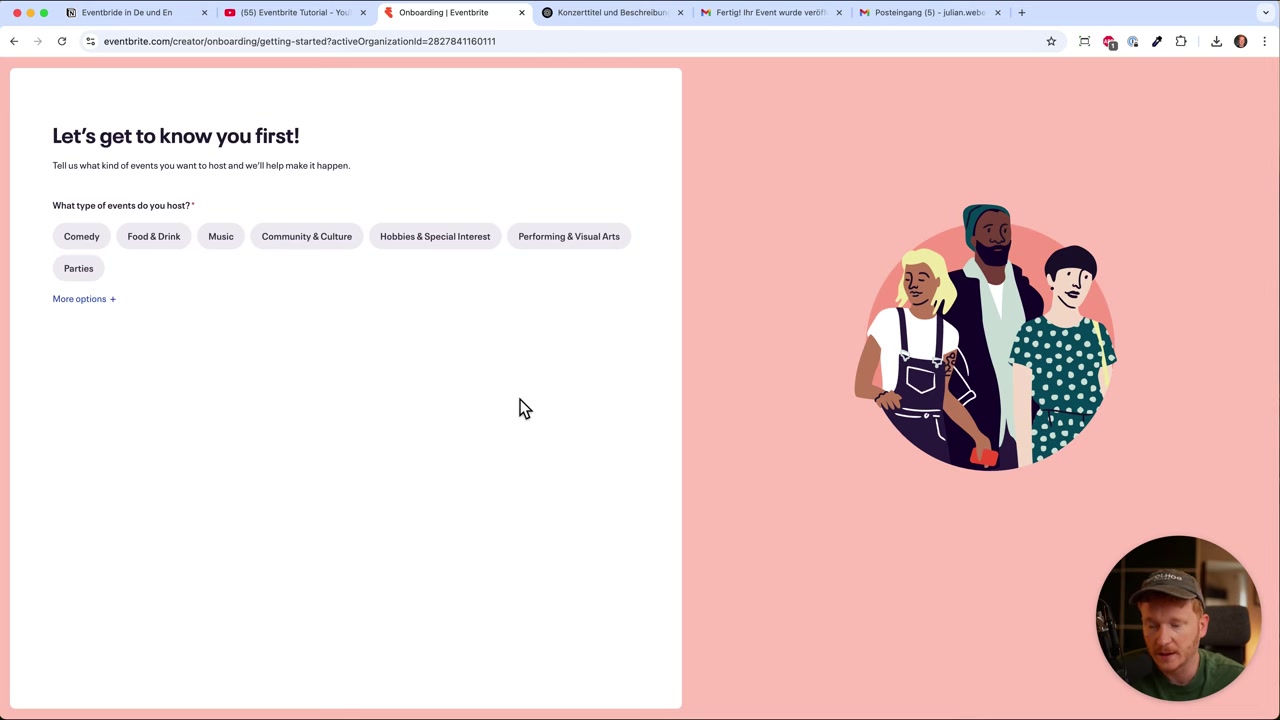
After signing up, Eventbrite walks you through a short onboarding quiz. It asks what kind of event you're planning, how many events per year, your expected attendance, and what matters most to you as an organizer.
You can skip the phone number step if you'd rather not share it. Once that's done, you're ready to jump straight into the event builder.
3. Add Your Event Details
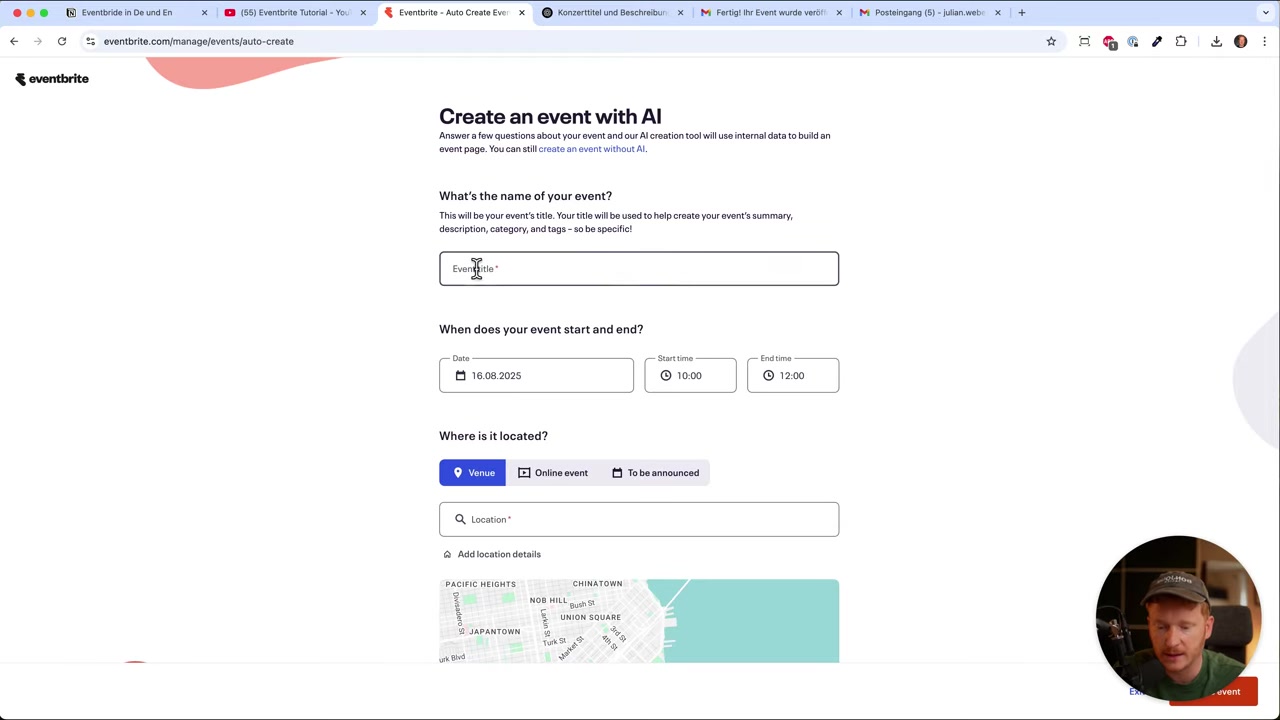
Inside the event builder, start with the basics. Type in your event title — if you need inspiration, tools like ChatGPT can help you come up with a catchy name and description in seconds.
Next, set the start and end date and time. Then add your venue by typing in the location. Eventbrite also supports fully online events, so if you're running a webinar or virtual workshop, just select the online option.
Finally, set your ticket price and the maximum capacity for your event. Once you hit Create Event, your event is live within seconds.
4. Customize Your Eventbrite Event Page
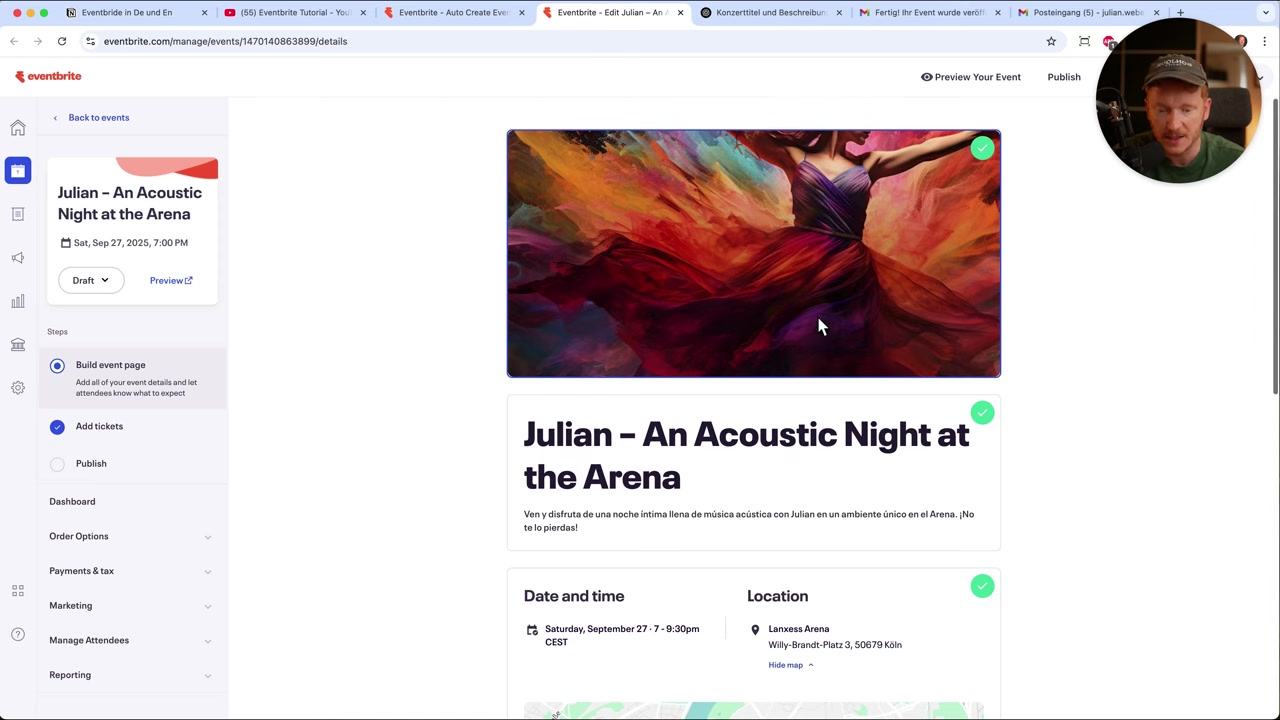
After the quick setup, click Edit Event to fine-tune your event page. This is where you can make it look polished and professional.
Upload your own cover image or video — a great visual makes a huge difference in attracting attendees. You can upload multiple images and drag your favorite to the top as the cover.
Add a short summary (shown as a preview on the event listing), your full event description, and any extra details like age restrictions, check-in times, or parking information.
If your event features multiple speakers or performers, use the lineup section to add them. For conferences or festivals with a schedule, you can also build out a full agenda with a timetable.
5. Set Up Tickets and Promotions
In the Add Tickets step, your ticket price is already set from the initial setup. But this is where you can get more creative with your ticketing strategy.
You can create discount codes for promotions, or set up ticket holds for friends, family, or VIPs — giving them a reserved allocation before tickets go on sale to the general public.
Multiple ticket tiers are also possible — think General Admission, VIP, or Early Bird. This flexibility makes Eventbrite a solid choice for everything from small workshops to large-scale concerts.
6. Publish Your Event on Eventbrite
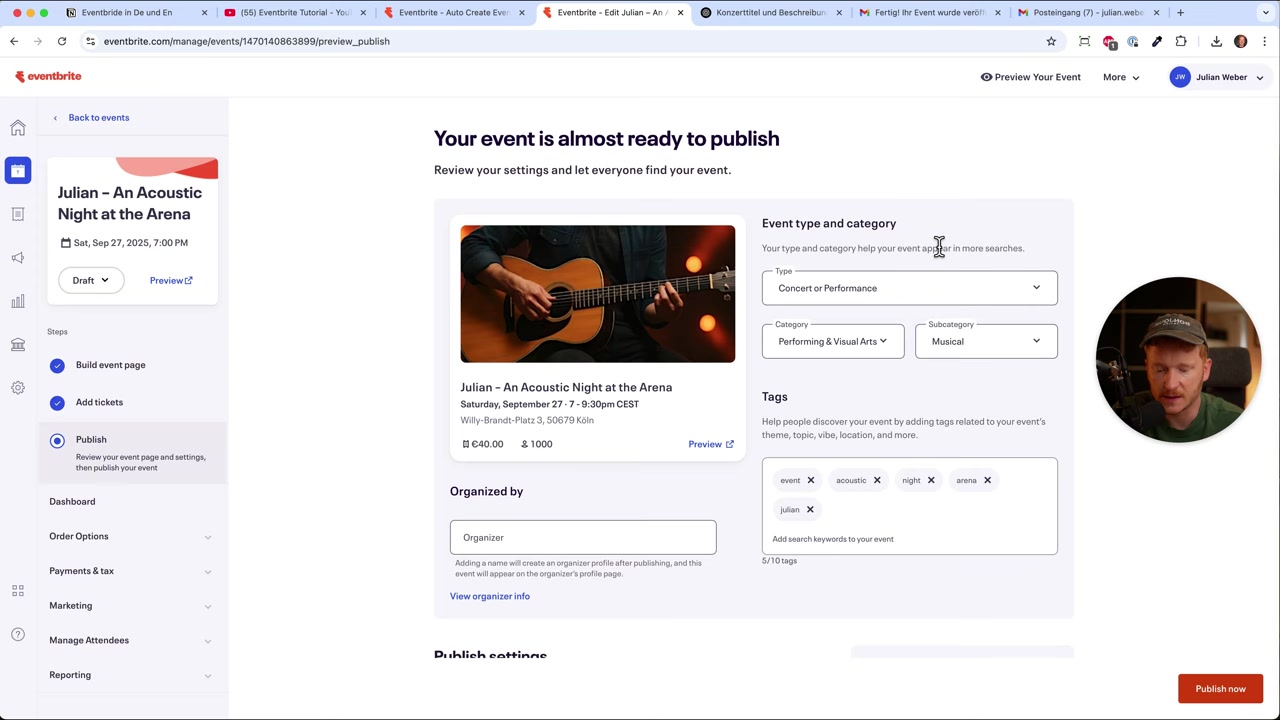
When you're ready to go live, head to the Publish step. Choose a category, subcategory, and add relevant tags so attendees can discover your event through Eventbrite's search.
Add your organizer profile — this could be your name, your agency, or your brand. Include a profile picture, website link, and a short bio to build trust with potential ticket buyers.
Set your refund policy — for example, allowing refunds up to 7 days before the event gives attendees peace of mind and can actually boost sales. Then click Publish Now or schedule the event drop for a later date.
7. Connect Your Bank Account to Get Paid
Before you start selling, make sure to add your bank account details inside Eventbrite. This is how you'll actually receive the money from ticket sales.
Just enter your name and your checking or savings account details. Once that's in place, every ticket sold will send money directly to your account.
8. Track Sales and Manage Your Event
After publishing, you get a clean dashboard showing your ticket sales, net revenue, and individual orders. You can also process refunds directly from this screen.
To share your event, simply copy the event URL from your event page and post it to social media, your email list, or anywhere else you promote your work. Attendees can pay by credit card or PayPal — no friction, no complications.
Eventbrite also includes basic marketing tools like email campaigns to help you reach potential attendees. For most organizers, though, your own social media channels will do the heavy lifting.
9. How Much Does Eventbrite Cost?
Eventbrite's pricing model is simple: they take a small fee per ticket sold. You don't pay anything upfront to create or publish your event.
For example, if you sell a ticket for €40, the buyer pays slightly more — something like €42 — and the difference goes to Eventbrite. This means the platform essentially pays for itself through ticket sales, which is great for organizers who want to keep upfront costs at zero.
If you want to offer free tickets (like for a free webinar or community event), you can do that at no cost at all. You only pay when you earn.
10. Is Eventbrite Good for Beginners?
Absolutely. The onboarding flow is guided and intuitive — you can go from sign-up to a live, published event in under 10 minutes, as shown in this tutorial.
You don't need any technical skills, design experience, or prior knowledge of event platforms. The builder walks you through each step, and the end result looks clean and professional.
For more complex setups — like custom seating charts or multi-session conferences — there's more depth to explore, but beginners can safely ignore those features until they're needed.
Frequently Asked Questions
Is Eventbrite free to use?
How do I get paid through Eventbrite?
Can I create online events on Eventbrite?
Can I offer different ticket types on Eventbrite?
Can I schedule when my event goes on sale?
How do I promote my event on Eventbrite?
Does Eventbrite support refunds?
Can I add multiple speakers or performers to my Eventbrite event?
11. Disclosure
Some links in this post may be affiliate links. If you click through and make a purchase, a small commission may be earned at no extra cost to you. All content is provided for informational purposes only and comes without guarantee. Nothing in this post constitutes financial, legal, tax, or investment advice.
Related Articles

28 Oct 2025
How to Create a TikTok Ads Account in 2026
Want to run ads on TikTok but not sure where to start? Setting up your TikTok Ads Manager account is easier than you think — and it only takes a few minutes. In this guide, I'll walk you through the e...

15 Dec 2025
Wix Promo Code 2026 – How to Save on Wix Premium Plans
If you've been thinking about upgrading to a Wix premium plan, timing your sign-up the right way can make a real difference. In this guide, I'll walk you through the exact method to access the best av...

26 May 2026
How to Add Signature in Gmail (Tutorial 2026)
Want to make your emails look polished and professional? A well-designed Gmail signature can make a huge difference. In this tutorial, Julian Weber walks you through everything — from creating a basic...