Wix vs WordPress: The Brutal Truth No One Tells You! 😲
Choosing between Wix and WordPress is one of the most common dilemmas for anyone starting a website. Julian Weber has used both platforms extensively — WordPress since 2015 and Wix for his personal brand — and in this video he gives you his brutally honest take on which one is actually worth your time. If you want to try Wix yourself, you can get started here.
1. What Is the Real Difference Between Wix and WordPress?
Most comparisons dive deep into feature lists and capability tables. But Julian argues that misses the point entirely.
The real difference comes down to one thing: how much of a headache WordPress gives you before you can even start building. Once you understand that, the decision becomes a lot clearer.
2. The WordPress Setup Process (And Why It Takes Weeks)
Getting started with WordPress is anything but simple. Here's what you have to do before you can even touch your website design:
- Choose a hosting provider — Hostinger, Bluehost, SiteGround, and many more. Each with its own pricing and feature set.
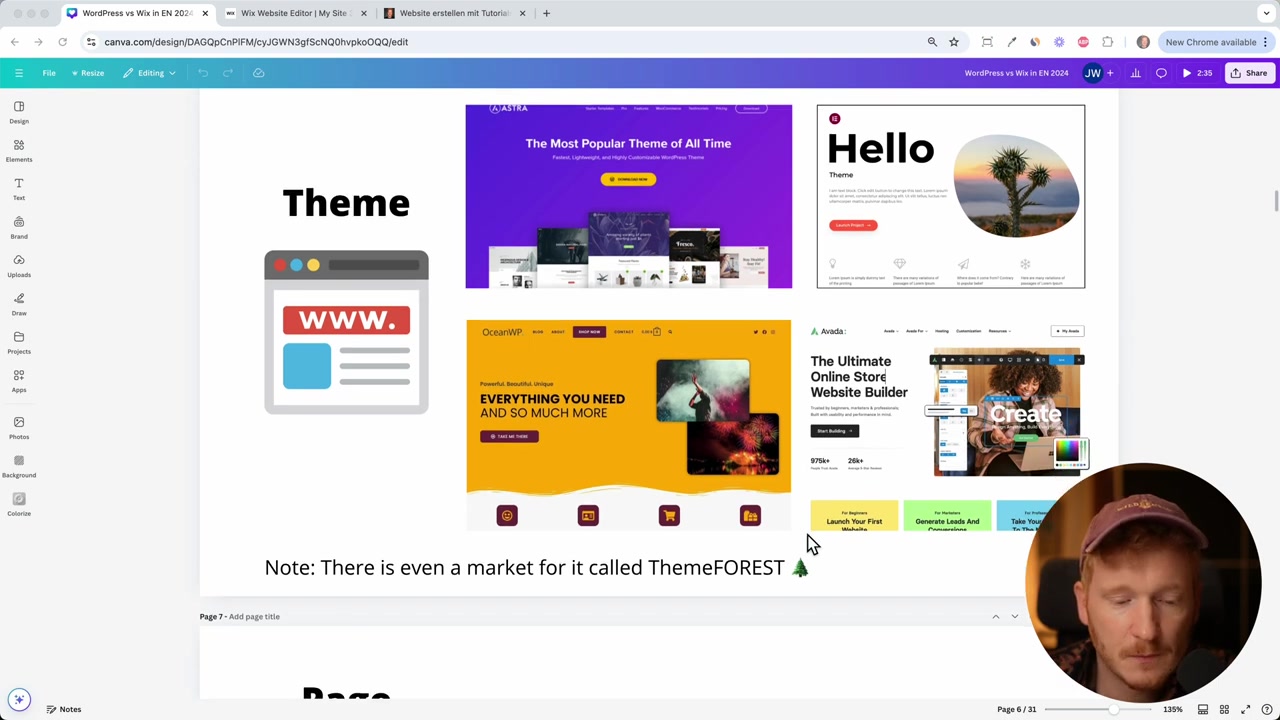
- Pick a theme — Astra, Elementor, OceanWP... the list goes on.
- Choose a page builder — Elementor with the Hello theme is a common starting point, but there are plenty of alternatives.
- Register a domain — sometimes bundled with hosting, sometimes not.
- Install WordPress on your server and connect everything together.
By the time you've worked through all of that, two weeks may have already passed. And you haven't even started designing yet.
3. The WordPress Plugin Problem
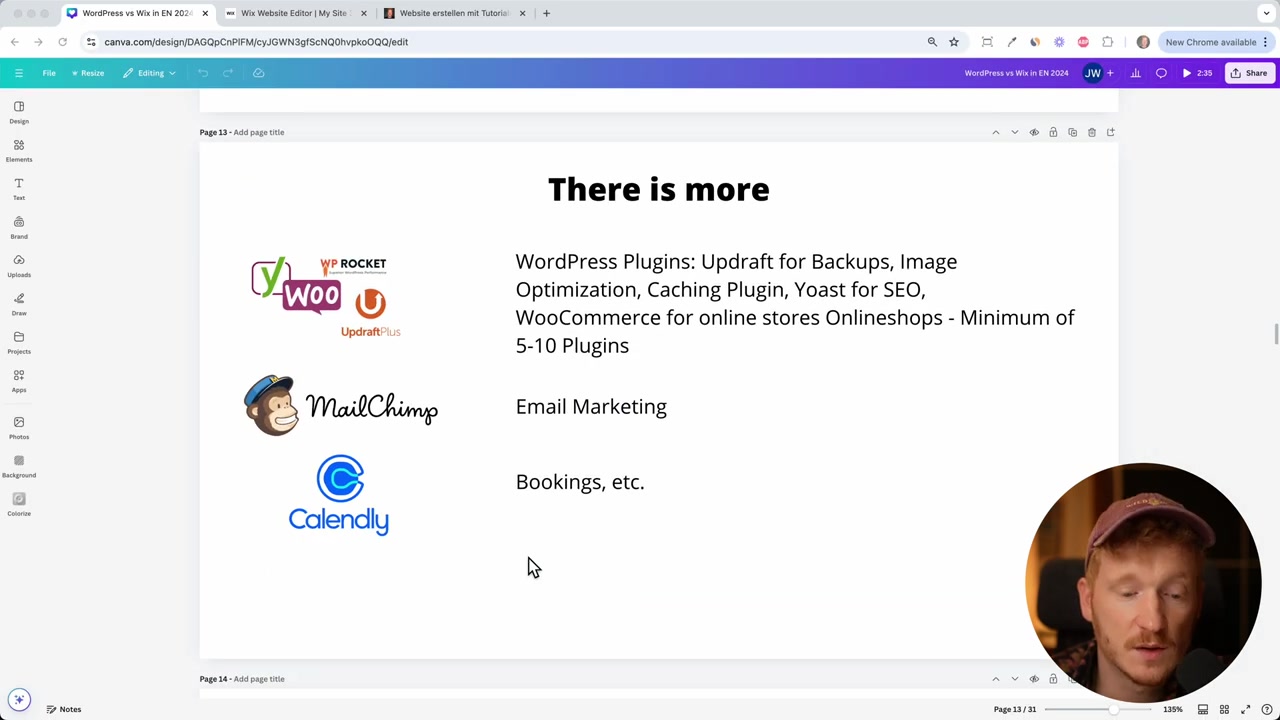
Once the basic setup is done, WordPress requires 5 to 10 plugins just to run properly. You'll typically need separate plugins for:
- SEO (e.g. Yoast SEO)
- Backups
- Image optimization
- Security
- Email marketing (e.g. Mailchimp)
- Booking tools (e.g. Acuity)
That's 10 different companies sending you emails, upselling premium plans, and requiring individual setup and maintenance.
Julian's reaction: "Why do I even need WordPress when I need all these other companies?"
4. Why Wix Is the Better Choice for Small Businesses
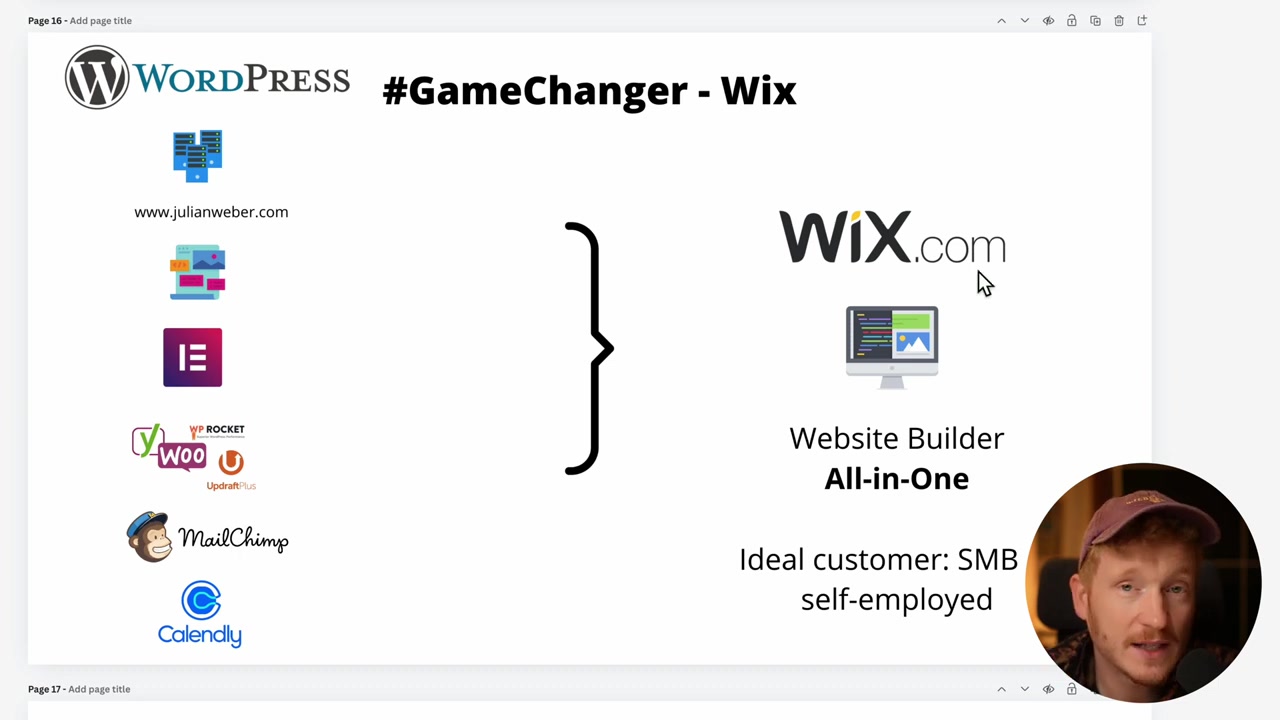
Wix takes the opposite approach. It's an all-in-one platform — one company, one login, everything included. Here's what you get out of the box:
- Over 800 design templates
- A free domain for the first year
- Built-in SEO tools
- Automatic backups
- Email marketing
- Online store
- Booking system
- Two-factor authentication for security
Julian built his personal brand julianweber.com entirely on Wix. He sells coaching, runs a blog, embeds videos, and even has a live chat — all without touching a single plugin.
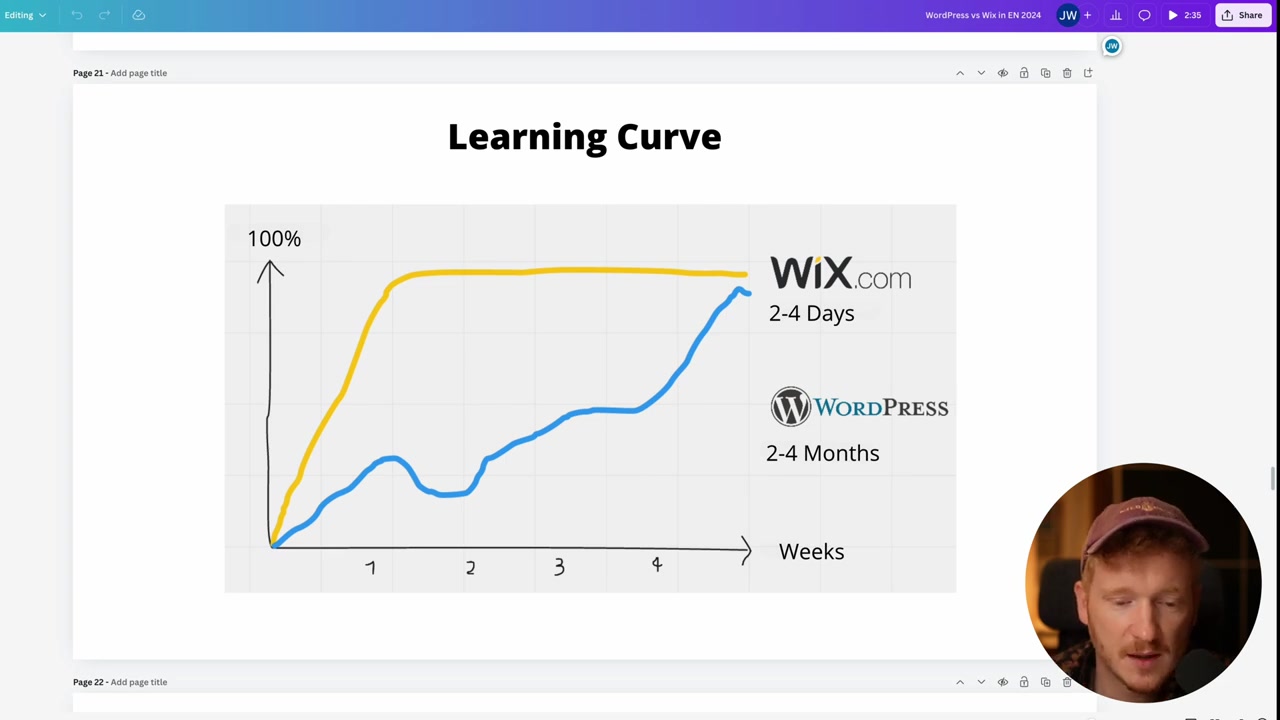
His verdict? A complete Wix website can be up and running in a weekend. WordPress took him two to four months to fully wrap his head around.
5. How Much Does Wix Cost Compared to WordPress?
WordPress is often marketed as "free" — but that's misleading. Here's what you actually end up paying:
- Hosting: 5–10/month
- Domain: extra cost unless bundled
- Premium page builder (e.g. Elementor Pro): additional fee
- Premium plugins: costs can add up quickly
Wix starts at around $15/month and includes hosting, a domain (first year), security, backups, and core features — all in one predictable price.
When you add everything up, the cost difference between the two platforms is often smaller than people expect.
6. Is Wix Good for Beginners?
Absolutely. Wix is specifically designed so that non-technical users can build a professional website without learning web development, server management, or plugin ecosystems.
If your goal is to run a business online — not become a web developer — Wix lets you focus on what actually matters.
WordPress, on the other hand, rewards people who work with websites every day: web designers, developers, agencies. If that's not you, the learning curve is steep and the time investment is real.
7. Wix vs WordPress for E-Commerce
WordPress has a larger ecosystem of e-commerce plugins, with WooCommerce being the most popular. But Julian tried WooCommerce and his conclusion was blunt: "It's just not worth your time."
Wix has its own fully integrated online store. It's not the most advanced solution on the market, but for small and medium-sized businesses selling products or services online, it gets the job done — without the setup nightmare.
8. When Should You Actually Choose WordPress?
To be fair, WordPress does have its place. It makes sense if you:
- Are a professional web designer building client sites regularly
- Need highly specific customizations that no all-in-one platform can provide
- Are exploring newer alternatives like Framer or Webflow
But if you're at the beginning of your online journey and want a website up fast? WordPress is likely to slow you down significantly.
9. Wix Pros and Cons
Pros:
- All-in-one platform (hosting, domain, SEO, email, bookings, store)
- 800+ professionally designed templates
- Fast setup — website ready in days, not months
- No plugins to manage
- Automatic backups and security built in
- Predictable monthly pricing
Cons:
- Less flexibility than a fully custom WordPress build
- Bound to Wix's own ecosystem and store system
- Not ideal for large-scale enterprise websites or agencies managing dozens of client sites
10. Final Verdict: Which Platform Should You Choose?
Julian's recommendation is clear: if you're a small business owner, freelancer, or anyone who just wants a great-looking website without the technical headaches, choose Wix.
If you're a web designer or developer building sites for clients and you enjoy the technical side, WordPress (or newer tools like Framer or Webflow) may be worth exploring.
The biggest mistake Julian made was choosing WordPress in 2015 and losing months of momentum trying to figure it all out. He wants to help you avoid the same mistake.
Ready to get started? Try Wix here and have your website live by the end of the week.
Frequently Asked Questions
Is Wix better than WordPress for beginners?
How long does it take to build a website with Wix vs WordPress?
Is WordPress actually free?
Can I sell products online with Wix?
Does Wix handle SEO?
Do I need to install plugins on Wix?
Is Wix good for a business website?
What is a good WordPress hosting provider for beginners?
11. Disclosure
Some links in this post may be affiliate links. If you click through and make a purchase, a small commission may be earned at no extra cost to you. All content is provided for informational purposes only and no guarantees are made regarding accuracy or completeness. Nothing in this post constitutes financial, legal, tax, or investment advice.
Related Articles

15 Dec 2025
Wix Promo Code 2026 – How to Save on Wix Premium Plans
If you've been thinking about upgrading to a Wix premium plan, timing your sign-up the right way can make a real difference. In this guide, I'll walk you through the exact method to access the best av...

28 Oct 2025
How to Create a TikTok Ads Account in 2026
Want to run ads on TikTok but not sure where to start? Setting up your TikTok Ads Manager account is easier than you think — and it only takes a few minutes. In this guide, I'll walk you through the e...

7 Nov 2025
TikTok Ads Tutorial – Snelstartgids voor Beginners
Wil je nieuwe klanten bereiken via TikTok? In deze tutorial laat ik je stap voor stap zien hoe je je eerste TikTok advertentiecampagne opzet – ook als je nog nooit eerder hebt geadverteerd. We beginne...