Build a Free Wix Website – Is It Really Free?
Can you really build a website with Wix for free? The short answer is yes — and in this post, you'll learn exactly how it works, what the free plan includes, and how to make your free Wix URL look as clean as possible. Whether you're a startup watching your budget or just want to test things out, this guide has you covered.
You can sign up and start building right away using this link to Wix — no credit card required.
1. What Is Wix and How Does the Free Plan Work?
Wix is a popular drag-and-drop website builder that lets anyone — with zero coding skills — create a fully functional website.
The free plan lets you build and publish a real, live website without entering a credit card. You get access to the Wix editor, hundreds of templates, and the ability to publish your site online immediately.
The main trade-off on the free plan is that you won't get a custom domain. Instead, your site lives on a Wix subdomain — but there's a trick to make that URL look much cleaner (more on that below).
2. Sign Up and Start Building Your Wix Website
Head to Wix and click Sign Up — it's completely free to get started. Once you're logged in, you'll land on the Wix dashboard.
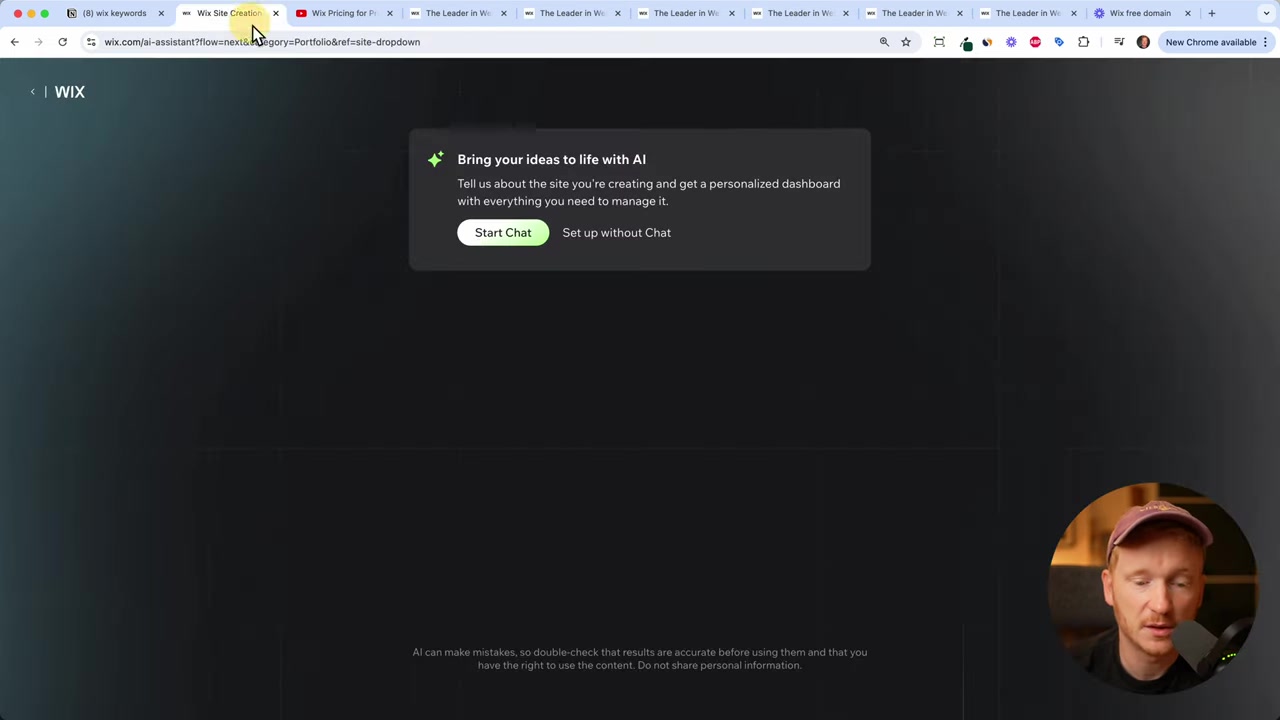
You can choose to chat with the AI assistant to generate a site automatically, or skip that step and go straight to choosing a template. If you're just exploring, skipping the AI setup is the fastest route.
3. Choose a Template in the Wix Editor
After skipping the AI setup, you'll be asked what kind of website you want to build — portfolio, agency, blog, and so on. Pick the category that fits your project.
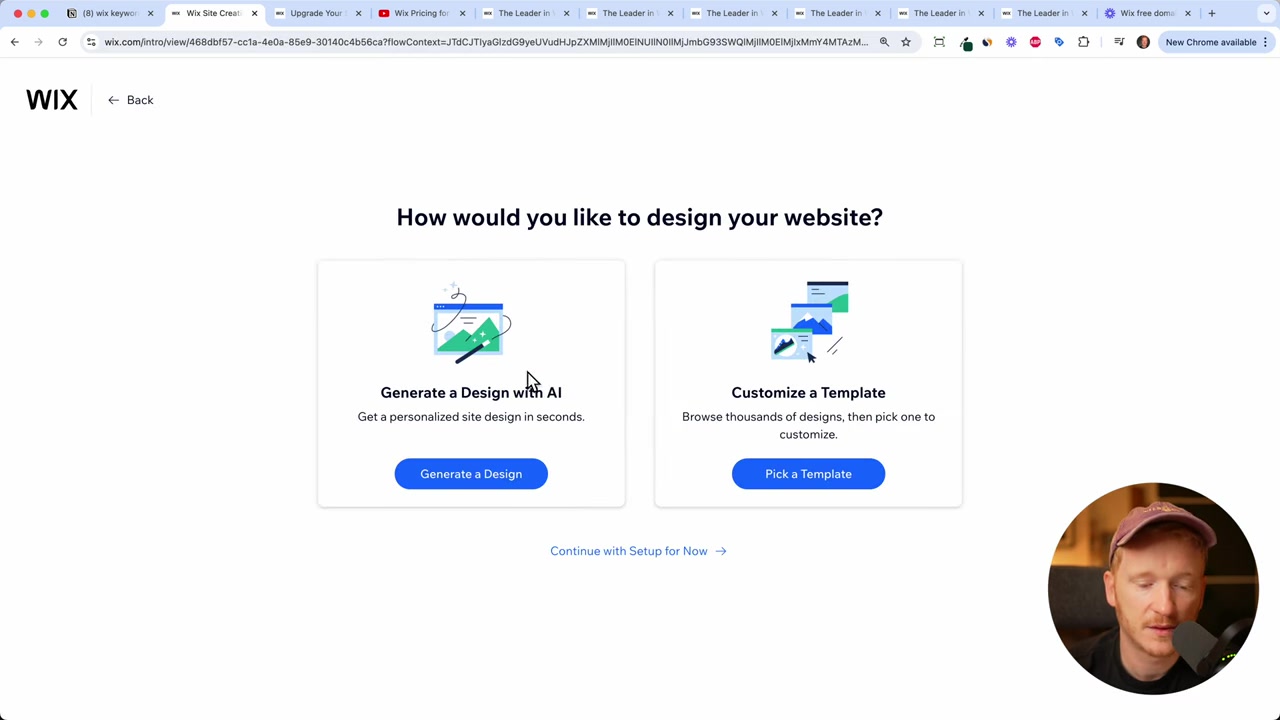
Wix will then load a selection of templates for you. Choose one you like, click Edit, and the Wix editor opens up.
From there you can change text, upload your own images and videos, add pages, and customize virtually everything — all for free.
4. Understanding the Free Wix Domain
When you publish your site on the free plan, Wix assigns you a subdomain that looks something like this:
yourname.wixsite.com/mysite
It's a bit long and not the most professional-looking URL. But there's a way to make it shorter and more presentable.
5. How to Customize Your Free Wix URL
Here's the trick to cleaning up your free Wix URL. Follow these steps:
- In the editor, click Publish to get your default URL.
- After publishing, go back and click Site > Exit Editor.
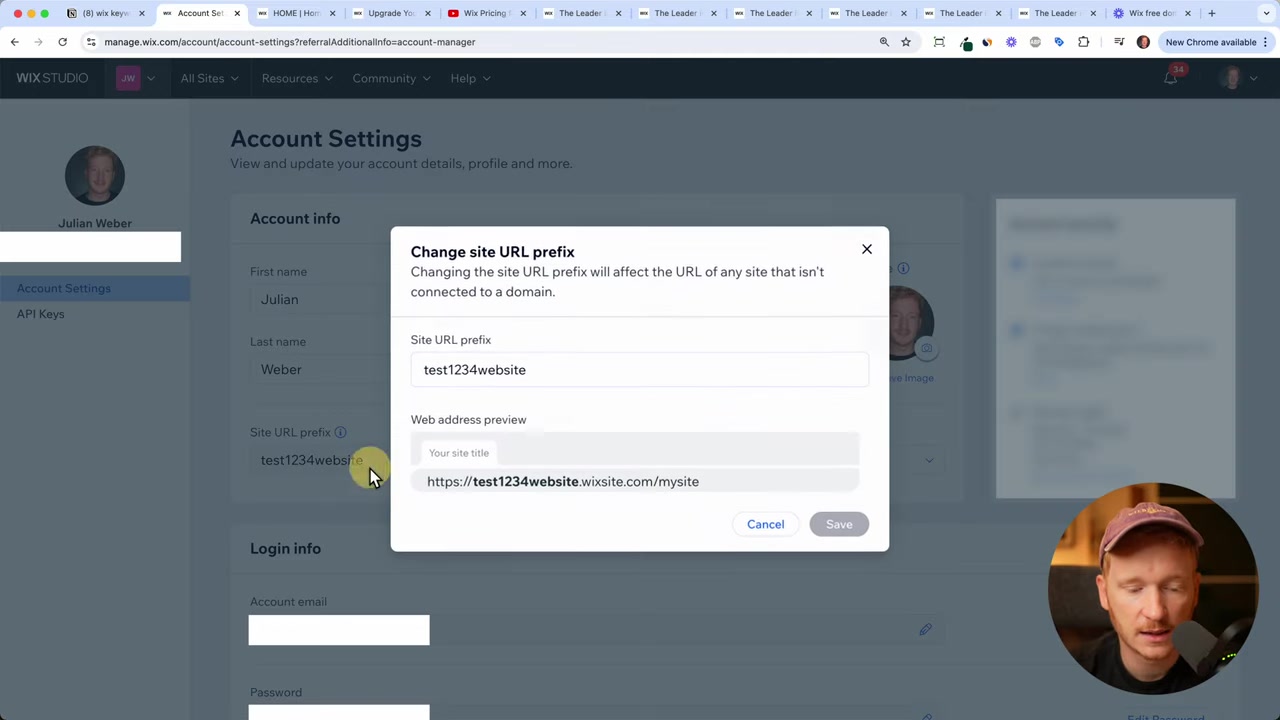
- In the top-right corner of your dashboard, click Account Settings.
- Find the URL Prefix field and change it to something short and memorable — for example,
julianhomepage. - Click Save.
Now your site URL becomes something like julianhomepage.wixsite.com/home — still a subdomain, but much cleaner.
You can also shorten the path at the end (the part after the slash) directly in the editor when you publish. Between both tweaks, you can get a reasonably tidy link you'd be comfortable sharing.
6. What Can You Actually Do for Free on Wix?
More than you might expect. On the free plan you can:
- Upload your own text, images, and videos
- Add and manage multiple pages
- Receive contact form submissions
- Publish a live, publicly accessible website
This is plenty for a portfolio site, a landing page to collect early leads, or a simple business page while you're still validating your idea.
7. What Are the Limitations of the Free Wix Plan?
The free plan does come with some restrictions worth knowing about:
- No custom domain — your site uses a Wix subdomain.
- No e-commerce — you can't sell products on the free plan.
- Limited forms and email marketing — advanced form features and email campaigns require a paid plan.
- Wix branding — Wix ads may appear on your free site.
For a static content site — think text, images, a contact form — the free plan is genuinely functional. If you need any of the features above, you'll need to upgrade.
8. When Should You Upgrade to a Paid Wix Plan?
The free plan is a great starting point, especially if you're a startup trying to keep fixed costs low. Use it to test your idea, collect your first leads, or build a simple portfolio.
When you're ready to grow — or when you need a custom domain, an online store, or advanced marketing tools — paid plans start at around $13 per month.
If you want a deeper breakdown of what each plan includes, check out our post on Wix Promo Code 2026 for more context on pricing options.
9. Is Wix Good for Beginners?
Absolutely. Wix is one of the most beginner-friendly website builders available. The drag-and-drop editor requires no coding knowledge at all.
The template library covers almost every niche — from portfolios and agencies to restaurants and blogs. And the AI assistant can even generate a starting layout for you automatically.
If you've never built a website before, Wix is a solid first choice.
10. Wix Free Plan Pros and Cons
Pros:
- Completely free to sign up and publish
- No credit card required
- Full access to the drag-and-drop editor
- Hundreds of professional templates
- Customizable subdomain URL
Cons:
- No custom domain on the free plan
- Wix branding may appear on your site
- E-commerce and advanced features locked behind paid plans
- Subdomain URL is less professional than a custom domain
Frequently Asked Questions
Can I really build a Wix website for free?
Do I need a credit card to sign up for Wix?
What domain do I get on the Wix free plan?
Can I use a custom domain on the Wix free plan?
Can I sell products on a free Wix site?
Will Wix show ads on my free website?
How long can I stay on the Wix free plan?
Is the Wix free plan good enough for a startup?
11. Disclosure
Some links in this post may be affiliate links, meaning a small commission may be earned at no extra cost to you. All content is provided for informational purposes only, and no guarantees are made regarding accuracy or results. This post does not constitute financial, legal, tax, or investment advice.
Related Articles

15 Dec 2025
Wix Promo Code 2026 – How to Save on Wix Premium Plans
If you've been thinking about upgrading to a Wix premium plan, timing your sign-up the right way can make a real difference. In this guide, I'll walk you through the exact method to access the best av...

28 Oct 2025
How to Create a TikTok Ads Account in 2026
Want to run ads on TikTok but not sure where to start? Setting up your TikTok Ads Manager account is easier than you think — and it only takes a few minutes. In this guide, I'll walk you through the e...

20 Dec 2024
Comment Avoir Un Domaine Gratuit Sur Wix
Vous souhaitez créer un site web sans dépenser le moindre centime ? Bonne nouvelle : Wix propose un plan gratuit qui vous permet de publier un site entièrement fonctionnel. Dans ce guide, vous allez a...