Wix ADI vs Wix Editor – How to Switch from ADI to the Wix Editor
Not sure whether to use Wix ADI or the Wix Editor? When you first sign up for Wix, the platform immediately asks you to choose between these two systems — and it can feel confusing. In this guide, we break down exactly what each tool does, who it's best for, and how to switch from Wix ADI to the Wix Editor when you're ready to take full creative control.
You can try Wix for free and follow along with this tutorial right away.
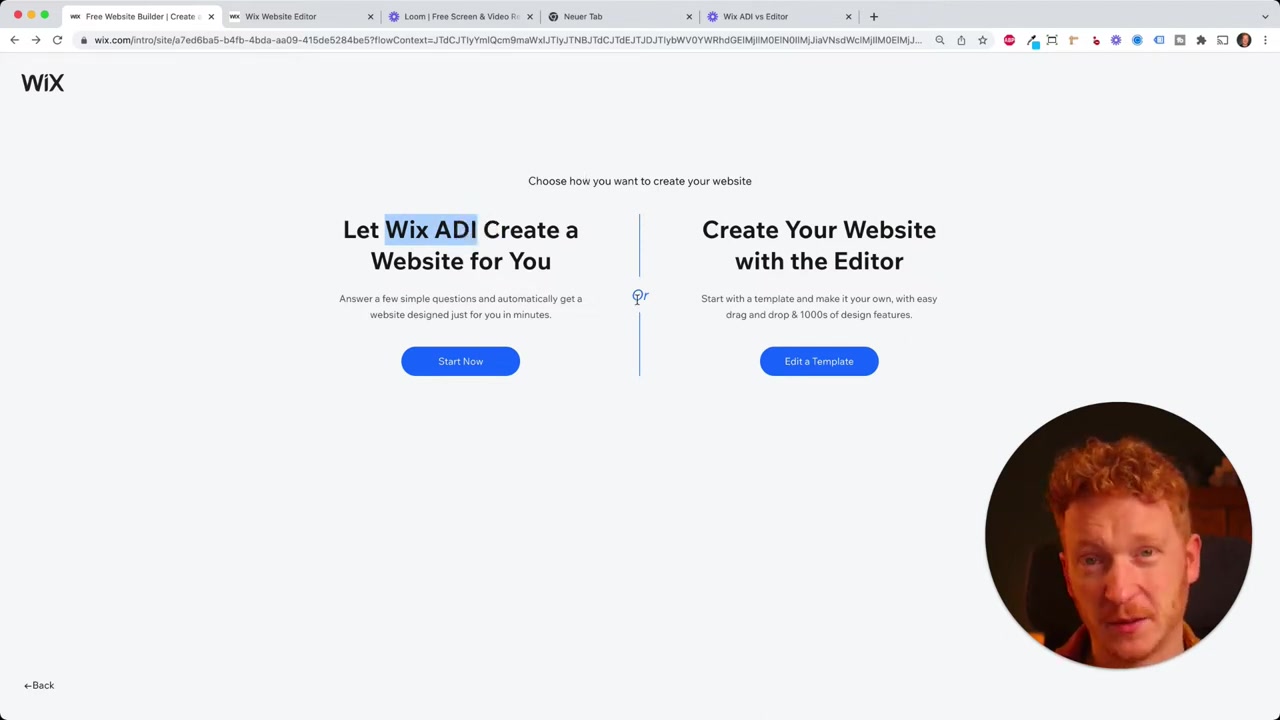
1. What is Wix ADI?
Wix ADI stands for Artificial Design Intelligence. It's Wix's beginner-friendly website builder that guides you through a short survey before automatically generating a complete website for you.
The survey asks about your business type, preferred colors, and which pages you need. Within seconds, Wix ADI produces a polished, ready-to-use site based on your answers.
Editing inside ADI is straightforward — you can update text, swap images, and change content. However, your design freedom is intentionally limited. You can't freely reposition elements or make granular style changes; you choose from pre-set design templates instead.
2. What is the Wix Editor?
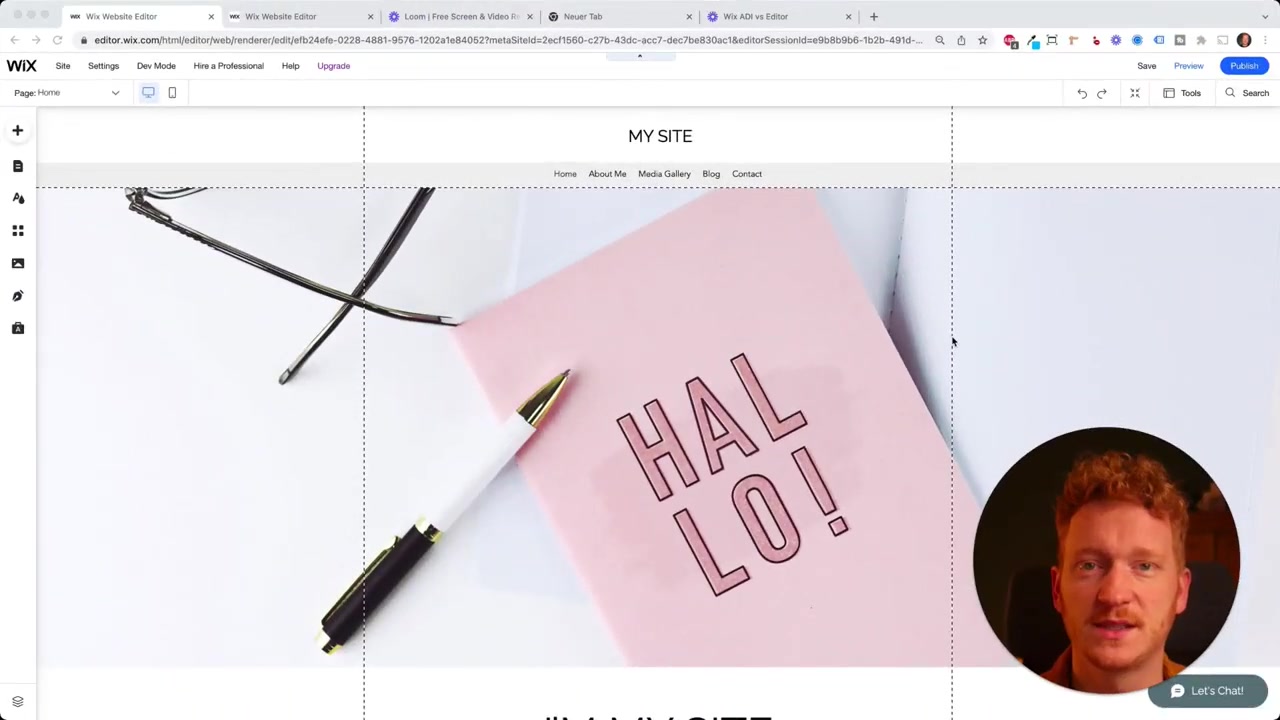
The Wix Editor is Wix's fully flexible drag-and-drop website builder. Unlike ADI, it gives you complete control over every element on the page.
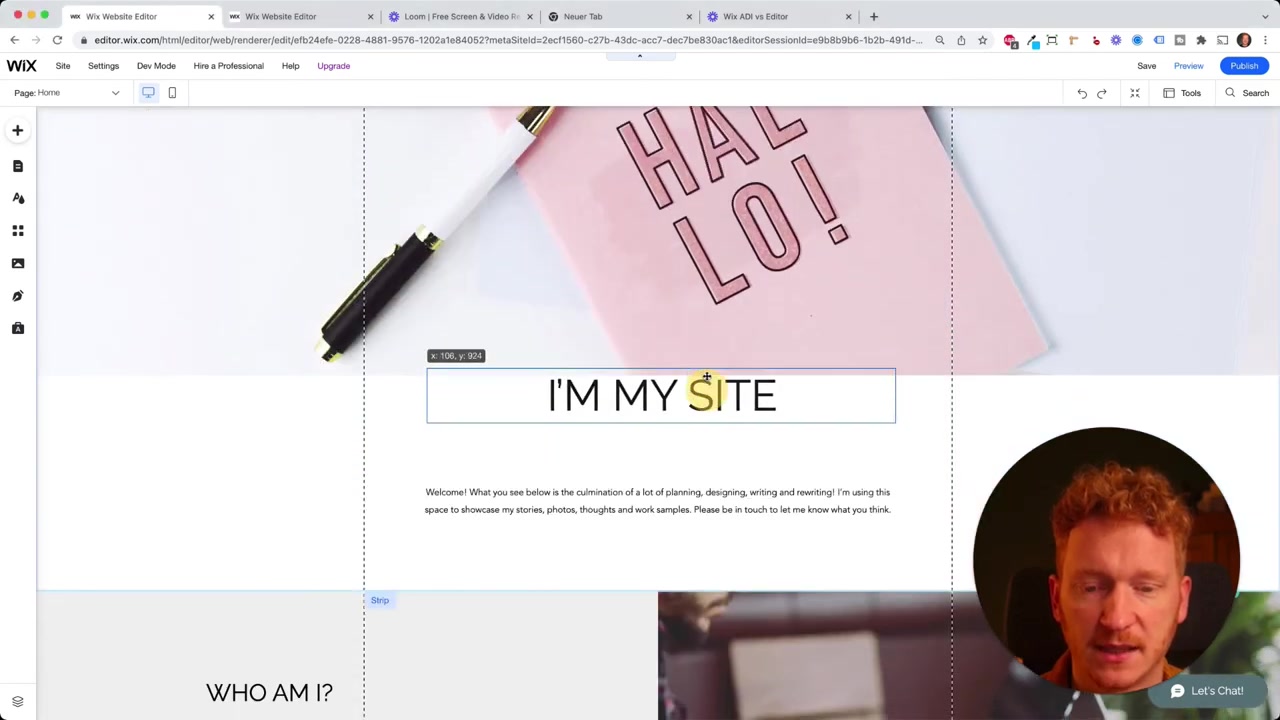
You can move text blocks, buttons, and images anywhere on the canvas. You can change fonts, colors, sizes, and backgrounds down to the finest detail.
This makes the Wix Editor ideal for professional web designers or anyone who wants a truly custom look — but it does come with a steeper learning curve compared to ADI.
3. Wix ADI vs Wix Editor – Key Differences
Here's a quick comparison of both systems:
| Feature | Wix ADI | Wix Editor |
|---|---|---|
| Ease of use | ⭐⭐⭐⭐⭐ Beginner-friendly | ⭐⭐⭐ More advanced |
| Design freedom | Limited | Full control |
| Auto-generates site | Yes | No |
| Best for | First-time builders | Designers & power users |
| Drag-and-drop elements | No | Yes |
If this is your first website, start with Wix ADI. You can always switch to the Wix Editor later. The reverse is not true — once you move to the Editor, you cannot go back to ADI without losing your changes.
4. How to Switch from Wix ADI to the Wix Editor
When you feel ready to unlock more design options, switching from ADI to the Wix Editor is straightforward. Here's how to do it:
- Inside Wix ADI, click on Site in the top menu.
- Select Want more design options?
- A pop-up will appear warning you about the switch — read it carefully.
- Click Switch to Editor.
Wix will then transfer your entire site — including all the changes you made in ADI — directly into the full Wix Editor.
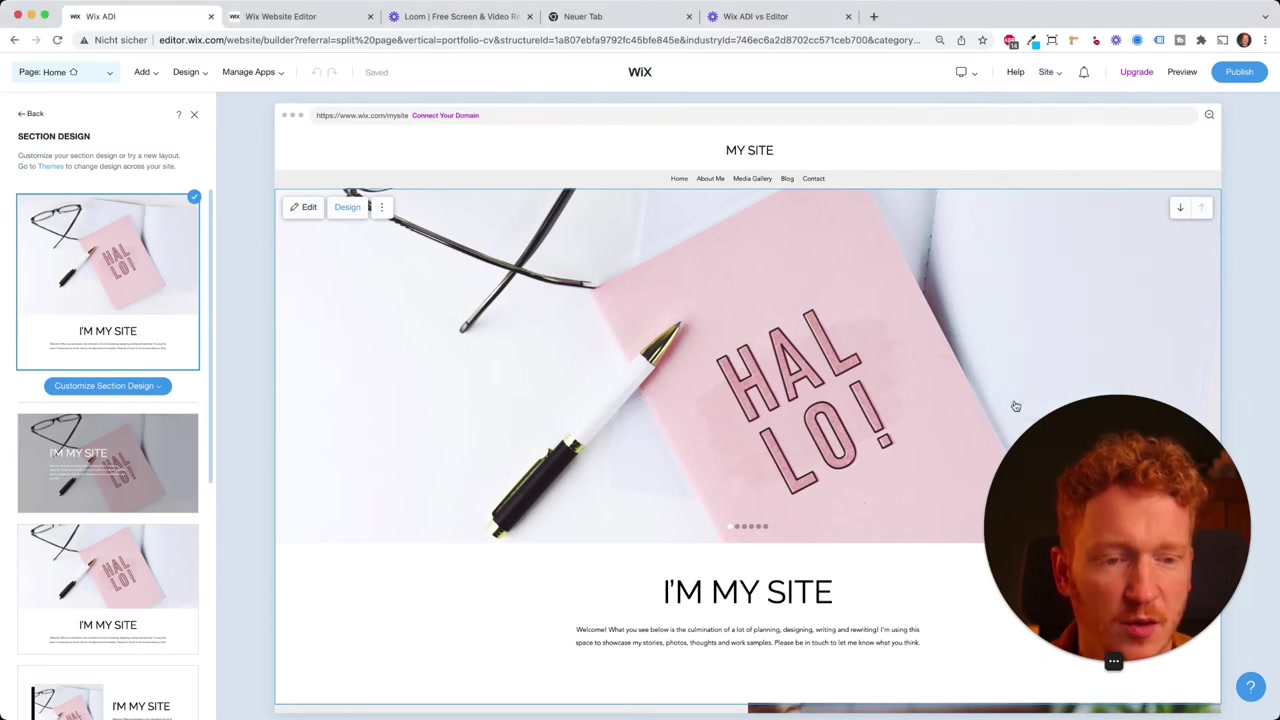
Important: Once you start editing inside the Wix Editor, you cannot return to Wix ADI. You can revert to a previous version of your site, but you will lose any edits made in the Editor.
This is why the recommendation is simple: start with ADI, switch to the Editor when you need more power.
5. Is Wix ADI Good for Beginners?
Absolutely. Wix ADI was built specifically with beginners in mind. The automated survey-and-build process means you can have a good-looking website live within minutes — no design skills required.
For many small business owners, freelancers, and bloggers, ADI's built-in templates and guided editing are more than enough. You don't need the full Editor unless you want pixel-perfect customization.
If you're just getting started, try Wix for free and let ADI do the heavy lifting first.
6. Does It Cost More to Use the Wix Editor?
No — Wix pricing is per domain, not per editor type. Whether you build your site with ADI or the full Wix Editor, you pay the same plan price.
This means you can start with ADI on a free plan, switch to the Editor whenever you like, and upgrade your plan at any point without any extra cost for the editor itself.
For a full breakdown of what each plan includes, check out our Wix promo code guide for tips on getting the best deal on a premium plan.
7. Can You Go Back from the Wix Editor to ADI?
This is one of the most common questions people ask — and the answer is no, not directly.
Once you switch to the Wix Editor and make changes, those edits exist only in the Editor. You can restore a previous version of your website (before you made Editor changes), but you cannot return to the ADI interface itself.
This is why it's smart to explore ADI fully before switching. Only switch to the Editor when you know you want to stay there.
Frequently Asked Questions
What does Wix ADI stand for?
Is Wix ADI free to use?
Can I switch from Wix ADI to the Wix Editor?
Will I lose my content when switching from ADI to the Wix Editor?
Which is better — Wix ADI or the Wix Editor?
Do I pay more for the Wix Editor than for ADI?
Can I go back from the Wix Editor to Wix ADI?
How long does Wix ADI take to build a website?
8. Disclosure
Some links in this post are affiliate links. If you click through and make a purchase, a small commission may be earned at no extra cost to you. All content is provided for informational purposes only, and no guarantees are made regarding results. This post does not constitute financial, legal, tax, or investment advice.
Related Articles

15 Dec 2025
Wix Promo Code 2026 – How to Save on Wix Premium Plans
If you've been thinking about upgrading to a Wix premium plan, timing your sign-up the right way can make a real difference. In this guide, I'll walk you through the exact method to access the best av...

28 Oct 2025
How to Create a TikTok Ads Account in 2026
Want to run ads on TikTok but not sure where to start? Setting up your TikTok Ads Manager account is easier than you think — and it only takes a few minutes. In this guide, I'll walk you through the e...

7 Nov 2025
TikTok Ads Tutorial – Snelstartgids voor Beginners
Wil je nieuwe klanten bereiken via TikTok? In deze tutorial laat ik je stap voor stap zien hoe je je eerste TikTok advertentiecampagne opzet – ook als je nog nooit eerder hebt geadverteerd. We beginne...