How to Install the TikTok Pixel on Shopify (Tutorial 2026)
Want to track sales from your TikTok ads inside your Shopify store? Installing the TikTok Pixel is the first thing you need to do — and it's easier than you think. In this tutorial, you'll learn exactly how to connect TikTok Ads Manager to your Shopify store, set up your pixel, and verify that it's firing correctly. No coding required.
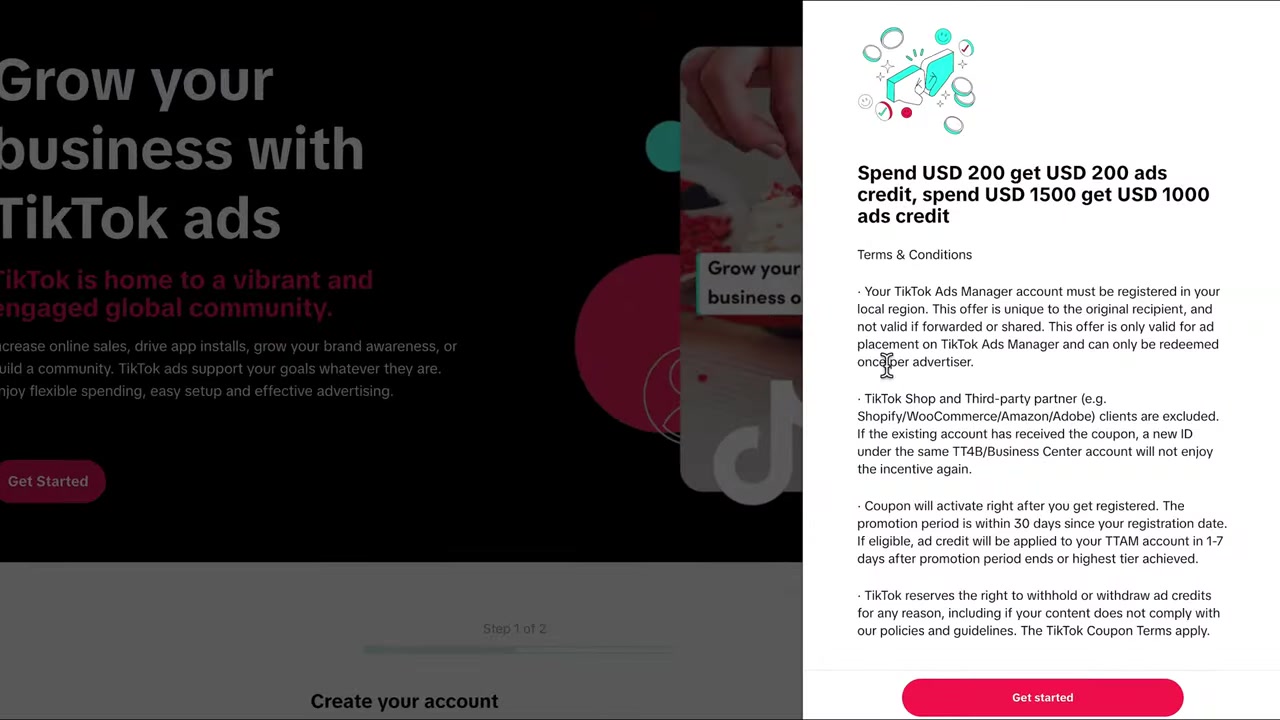
Before you dive in, make sure to grab the TikTok ad bonus — TikTok is currently running a promotion for new accounts that's worth checking out.
1. What Is the TikTok Pixel and Why You Need It
The TikTok Pixel is a small piece of tracking code that lives on your Shopify store. It records what visitors do — page views, product views, add-to-carts, and purchases — and sends that data back to TikTok.
Without it, TikTok has no idea whether your ads are actually driving sales. You're essentially flying blind.
Once the pixel is installed, TikTok can optimize your campaigns for conversions instead of just clicks, which makes a huge difference in ad performance and budget efficiency.
2. Create Your TikTok Ads Account First (Important Step)
Here's something many beginners miss: you should sign up for TikTok Ads directly, not through Shopify.
Why does this matter? TikTok runs a promotion where new advertisers can earn ad credits after spending a certain amount. However, accounts created through third-party integrations like Shopify are excluded from this offer.
To be eligible, go to julianweber.com/tiktok and create your TikTok Ads account from there. Sign up with your email and password, fill in your company details, and you'll land inside TikTok Ads Manager ready to go.
3. Install the TikTok App on Your Shopify Store
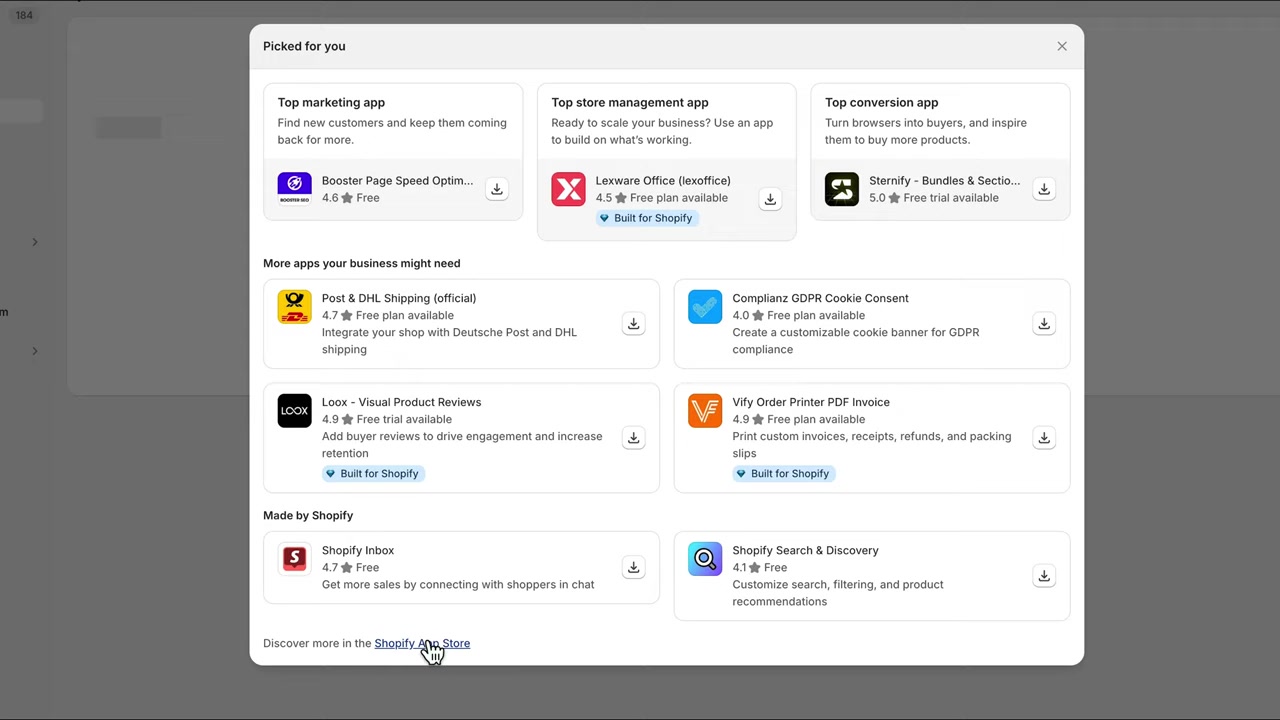
Once your TikTok Ads account is set up, head over to your Shopify Admin and open the App Store.
Search for "TikTok" and look for the official app published by TikTok Inc. — you can recognize it by the developer name and its high number of reviews. Hit Install and Shopify will walk you through a quick setup wizard.
When prompted, click Continue Setup to skip the intro guide and get straight to connecting your accounts.
4. Connect TikTok Business Manager to Shopify
After installing the app, you'll be asked to connect your TikTok Business account. Simply click Connect and the app will automatically link to the account you created earlier.
You'll go through a couple of confirmation prompts — just click connect again to confirm the connection.
At this point, you're almost done. The integration will go into a pending state and may take up to 24 hours to fully activate.
5. Configure Data Sharing Settings for the TikTok Pixel
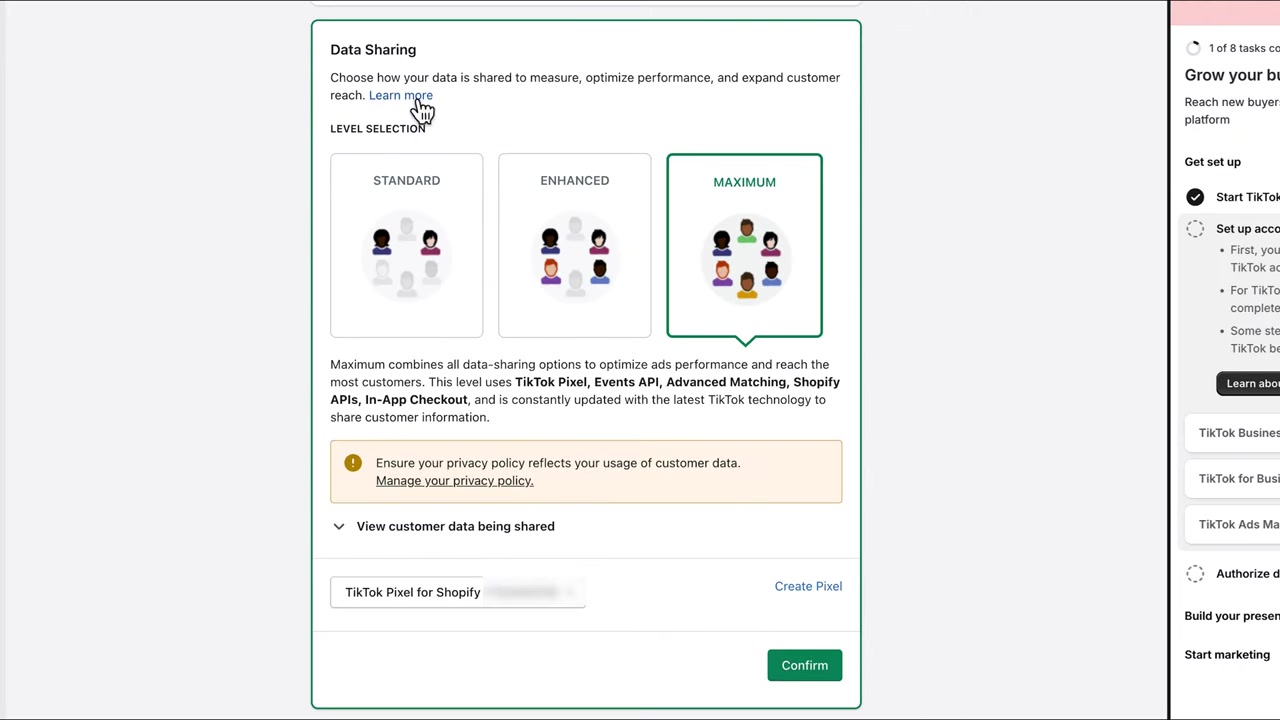
One important screen you'll encounter is the data sharing settings. This controls how much customer data gets sent from your store to TikTok.
You can choose to share the maximum amount of data for the best ad performance — but make sure your privacy policy reflects this. If you're based in the European Union, sharing maximum data may not be compliant with GDPR.
When in doubt, choose Standard data sharing and consult a lawyer if needed. Once you've made your selection, click Confirm and then Finish Setup.
6. Verify That Your TikTok Pixel Is Firing Correctly
After setup, you'll want to confirm the pixel is actually working. The easiest way to do this is with the TikTok Pixel Helper — a free Chrome extension.
Just search for "TikTok Pixel Helper" in Google, install it from the Chrome Web Store, and then visit your online store. Click the extension icon and you should see events like Page View and View Content being tracked.
You can also check inside TikTok Ads Manager under Events to see if the pixel is registering activity. If you see events firing there, you're all set.
7. Set Up a Sales Conversion Campaign in TikTok Ads
Now that your pixel is live, you can unlock the most powerful campaign objective in TikTok Ads: Sales Conversion.
This goal tells TikTok to show your ads to people most likely to make a purchase — not just scroll past. Without pixel data, this optimization simply isn't possible.
Select your pixel in the campaign setup, choose Purchase as your conversion event, and TikTok will start learning from real buyer behavior to improve your results over time.
Want to go deeper? Check out the free TikTok Ads course linked in the description — it covers everything from campaign structure to creative strategy.
8. Useful Tools for Running Your Shopify Store and TikTok Ads
Here are some tools worth having in your stack if you're running TikTok ads for eCommerce:
- Shopify — the shop system used in this tutorial: julianweber.com/shopify
- Wix — great website builder if you need a landing page or brand site: julianweber.com/wix-en
- Canva — design tool for creating ad creatives: partner.canva.com/Julian
- Gamma — AI-powered presentation tool: julianweber.com/gamma
- ElevenLabs — AI voice cloning for ad voiceovers: julianweber.com/elevenlabs
9. TikTok Pixel on Shopify — Common Issues and Tips
The pixel shows as pending for more than 24 hours. Double-check that your TikTok Business account is fully verified and that you completed all steps in the Shopify app setup.
No events showing in TikTok Ads Manager. Visit your store first to trigger a Page View, then check the Events dashboard again. Use the TikTok Pixel Helper to confirm the pixel fires in real time.
EU compliance concerns. If you're in the EU, start with Standard data sharing and review your privacy policy before switching to enhanced sharing. This is a legal matter, so when in doubt, talk to a qualified professional.
Frequently Asked Questions
What is the TikTok Pixel?
Do I need to know how to code to install the TikTok Pixel on Shopify?
Why should I create my TikTok Ads account before connecting Shopify?
How do I know if my TikTok Pixel is working?
How long does it take for the TikTok Pixel to connect to Shopify?
What data sharing setting should I choose for the TikTok Pixel?
Can I use the TikTok Pixel for dropshipping?
What campaign objective should I use once the pixel is installed?
10. Disclosure
Some links in this post are affiliate links. If you click through and make a purchase, a small commission may be earned at no extra cost to you. All content is provided for informational purposes only and no guarantee is given regarding results. Nothing in this post constitutes financial, legal, tax, or investment advice.
Related Articles

28 Oct 2025
How to Create a TikTok Ads Account in 2026
Want to run ads on TikTok but not sure where to start? Setting up your TikTok Ads Manager account is easier than you think — and it only takes a few minutes. In this guide, I'll walk you through the e...

15 Dec 2025
Wix Promo Code 2026 – How to Save on Wix Premium Plans
If you've been thinking about upgrading to a Wix premium plan, timing your sign-up the right way can make a real difference. In this guide, I'll walk you through the exact method to access the best av...

7 Nov 2025
TikTok Ads Tutorial – Snelstartgids voor Beginners
Wil je nieuwe klanten bereiken via TikTok? In deze tutorial laat ik je stap voor stap zien hoe je je eerste TikTok advertentiecampagne opzet – ook als je nog nooit eerder hebt geadverteerd. We beginne...