Build a Restaurant Website with Claude Code (Full Tutorial)
Websites with a scroll animation look like something an agency charges thousands for. In this tutorial I build one for a kebab restaurant with Higgsfield and Claude Code, and then put it online with Hostinger.
As you scroll, the page zooms into the kebab and ends with the owner handing it to you over the counter. Everything you need is linked below, and the whole thing takes less time than you might think.
1. What You Need for This Claude Code Website
You need three things:
- Higgsfield to create the background video and images.
- Claude Code to write the website.
- A hosting provider to put the website online. I use Hostinger.
The heart of the website is a video in the background that is tied to scrolling. Scroll down and it plays forward, scroll up and it plays backward. That is what makes the page feel high-end.
2. Create the Scroll Video with Higgsfield
Higgsfield is one platform that connects to the common image and video models, such as GPT Image, Nano Banana, Seedream and Flux. For the video I used Seedance 2.5, which I think is the best video model right now.
The trick is to give the model a start frame and an end frame. My start frame was a photo of the kebab, and my end frame was the owner handing it over the counter. Upload both in the video tool.
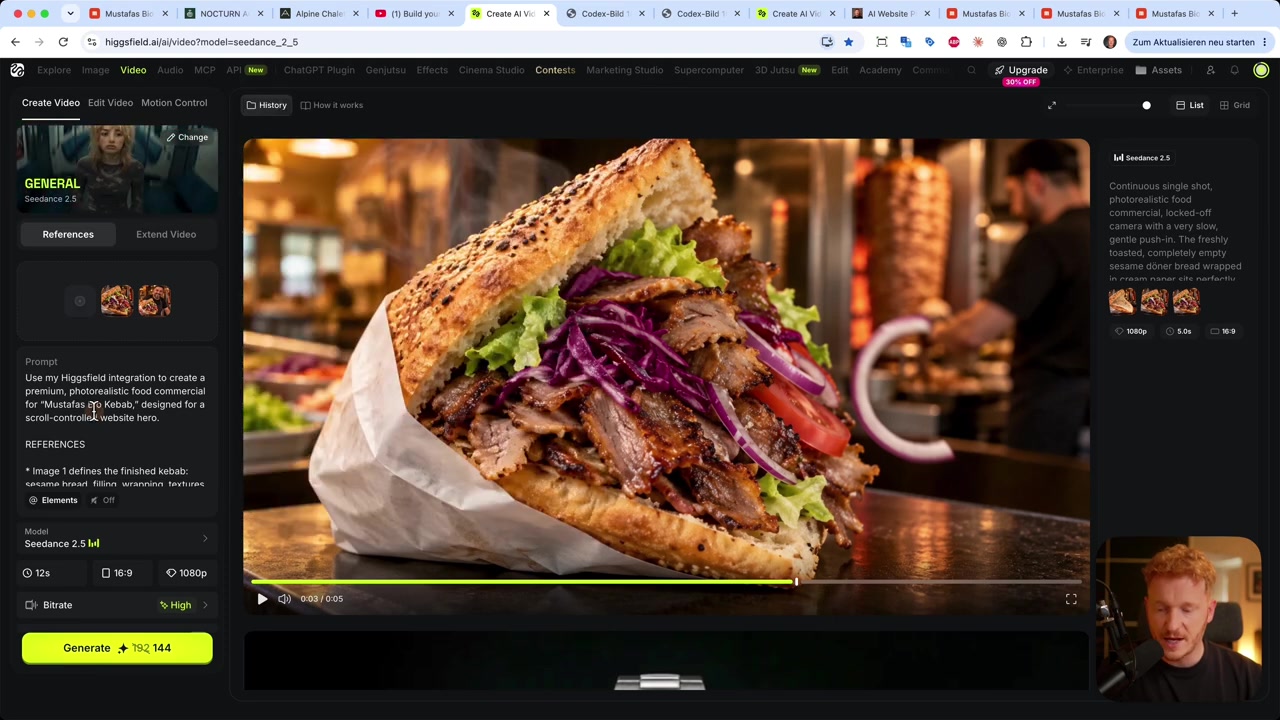
Then add a prompt. You can describe what should happen, or use the restaurant prompt from my prompt page. There is also a prompt pack for cafes, holiday rentals and portfolio websites.
Ask Claude in the chat to rewrite the prompt for your own place. Then pick these settings:
- Model: Seedance 2.5
- Duration: 12 seconds
- Aspect ratio: 16:9, because this is a desktop website
- Quality: 1080p
Higgsfield shows how many credits it will use before you hit Generate. When the video is done, download it.
3. Generate Images for Your Website
Besides the video, the website needs a few pictures. For the restaurant I used photos of menu items, a wide shot of the place and the owner.
You can create them in Higgsfield too, under Create Image. For a watch shop I made an exploded view that shows every part of the watch. I like GPT Image from OpenAI for this, as I think it makes the best images right now.
4. Write the Prompt for Claude Code
Download the Claude desktop app. It opens in Claude Chat, and there is a toggle at the top to switch to Claude Code.
Stay in the chat for a moment first. Copy the restaurant website prompt from my prompt page and paste it in. Then tell Claude something like:
I watched a tutorial on building a website with Claude Code and this was the prompt. Use it as a template, but make it my own for my cafe, with my name, my opening hours and my address.Claude rewrites the prompt with your details. Copy the result.
5. Build the Website in Claude Code
Switch to Claude Code and paste the prompt. Click the plus icon, choose Add files and photos, and upload the video and all the pictures for the homepage, such as you, your team, your place and your menu.
Start with the homepage only. You can add more pages later. Then hit Enter and Claude Code starts building.
My site took about 25 minutes, because I used Fable 5.1, a large model that uses a lot of credits. When it is done, Claude Code shows a preview that you can open in the browser.
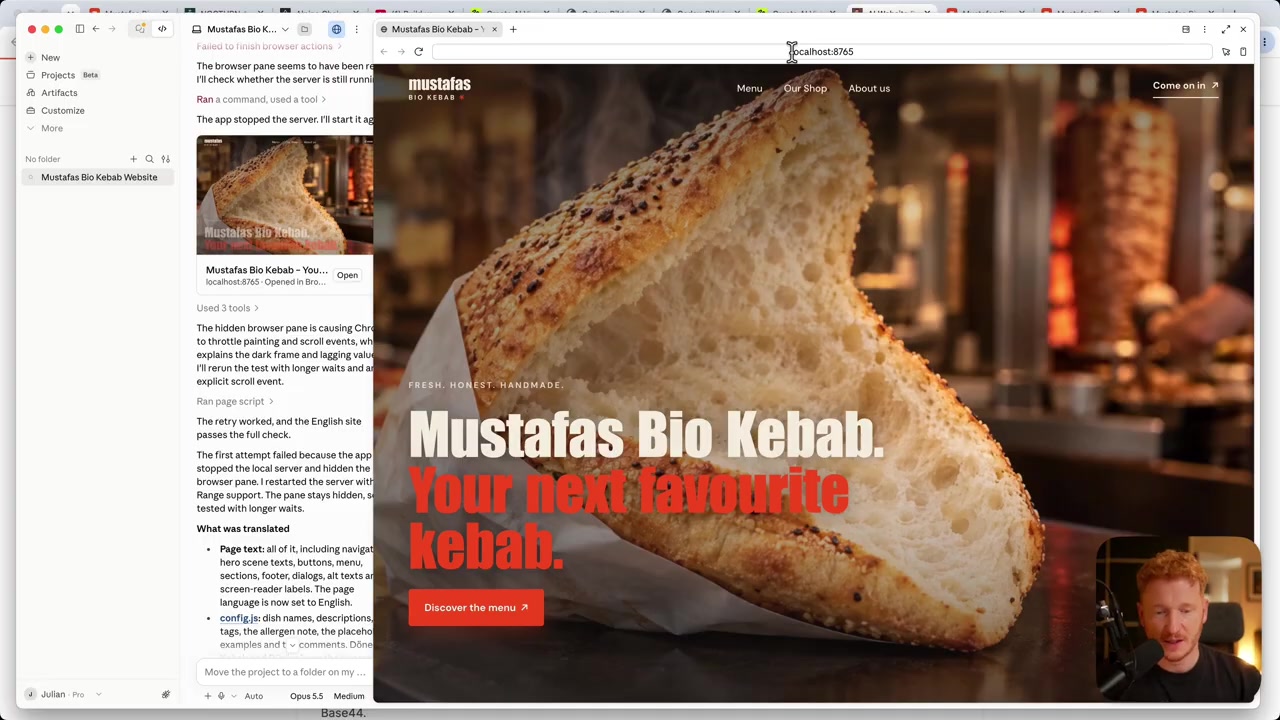
The website is not online yet. It runs on localhost, which means on your own computer. But it works: the ingredients fall into place as you scroll, and the zoom animation is smooth.
6. Customize Your Website with Claude Code
The first draft is not set in stone. Describe what you want to change, in plain English:
- "Replace this picture with the one I'm uploading."
- "Add a contact page where people can reach me."
Claude Code changes the code for you. This is what people call vibe coding. Take as long as you like, a weekend if you want. For me the first draft was good enough after 25 minutes.
7. Export Your Website as a ZIP File
To put the site online, you need its files. Ask Claude Code:
Please give me this website in a ZIP file that I can upload to my hosting provider.Right-click the ZIP and choose Show in Finder. If you unpack it and open index.html, the site opens in Chrome or Firefox. It still only lives on your computer, though.
8. Put Your Claude Code Website Online with Hostinger
I host my own sites on Hostinger. Go to Products, then Hosting, then Web Hosting, and pick how long you want it. I went with 12 months, which was $3.99 per month for the first year at the time of the video.
In the checkout you can enter the coupon code JULIANWEBER. Check the price in the cart before you pay. Then type the domain you want and add it to the cart, since a domain is included for the first year. You can pay by credit card or PayPal, and there is a 30-day money-back guarantee.
After checkout, Hostinger asks what you want to do. Choose to migrate an existing site and upload your web files.
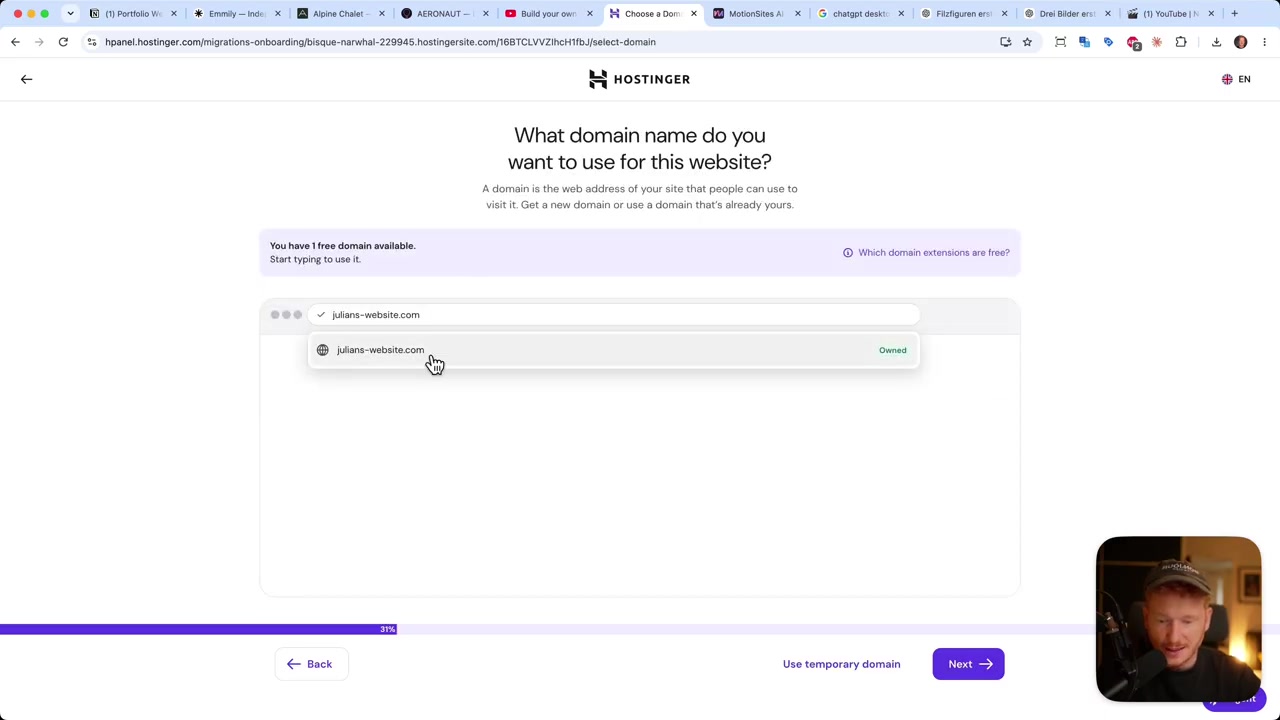
Link the domain you just bought, fill in the owner details for the domain registration, and upload the ZIP. Hostinger analyzes the files, uploads them and connects the domain.
When it is done you land in the Hostinger dashboard. There you can manage the domain, set up email and handle the database. Click your domain, and the website is live with the scroll animation working.
For a site built inside Hostinger instead, see my Hostinger website builder tutorial.
9. What Is Claude Code?
Claude Code is Anthropic's coding agent. Instead of chatting about code, it works in a folder on your computer, writes the files, runs them and shows you a preview.
That makes it a good fit for websites you want to own. You get plain HTML files that you can host anywhere, with no website builder subscription.
10. Is Claude Code Good for Beginners?
Yes, if you follow a workflow like this one. You never touch the code, you describe what you want and check the preview.
The parts that take some getting used to are the desktop app, the localhost preview and the upload to a host. Once you have done it once, it is the same every time.
11. Claude Code vs AI Website Builders
An AI website builder hosts the site for you and has an editor, but you stay on its platform. Claude Code gives you the files, and you pick the host.
If you would rather not deal with hosting, have a look at my comparison of AI app and website builders. For apps, I like Base44.
Frequently Asked Questions
Can Claude Code build a website without coding?
How long does it take Claude Code to build a website?
What is a scroll animation website?
How do I put a Claude Code website online?
Can I use the same workflow for other kinds of websites?
Do I need Claude Code on my computer?
Disclosure
Some links in this post are affiliate links. If you buy through them, I may earn a commission at no extra cost to you. All content is for information only and comes with no guarantee. It is not financial, legal, tax or investment advice.
Related Articles

4 Jun 2026
Hostinger AI Website Builder Tutorial 2026 – Build a Website in Minutes (Step-by-Step)
Want to build a professional website without writing a single line of code? In this step-by-step tutorial, you'll see exactly how to use the Hostinger AI Website Builder to go from a blank slate to a ...
10 Nov 2025
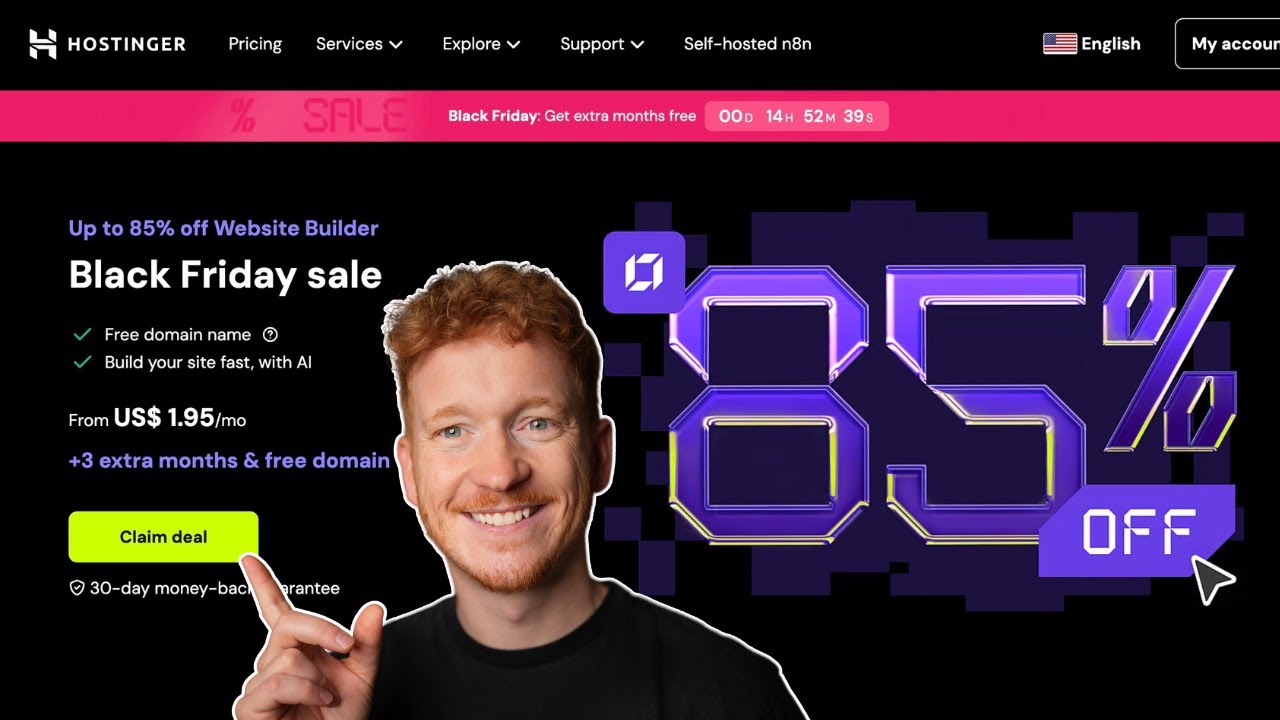
Hostinger Coupon Code For Black Friday – Save Up to 85% with this Promo Code 💸
Looking for the best Hostinger coupon code? You're in the right place. In this guide, I'll walk you through exactly how to claim the biggest savings on Hostinger's Black Friday deal — including how to...

28 Apr 2026
How to Redesign Your Website with AI (Free & No Code)
Is your website looking dated? In this tutorial from the Julian Weber channel, you'll see how to completely redesign an old website into a clean, modern, and high-converting page — in under 10 minutes...