How to Cancel Your Shopify Plan in 2026 – Quick & Easy Tutorial
Want to cancel your Shopify plan but not sure where to start? Don't worry — it only takes a couple of minutes.
This quick guide walks you through every step, so you can close your store cleanly without unexpected charges. And if you're looking for an easier alternative, check out Wix or Hostinger — both are beginner-friendly e-commerce platforms.
1. Go to Your Shopify Plan Settings
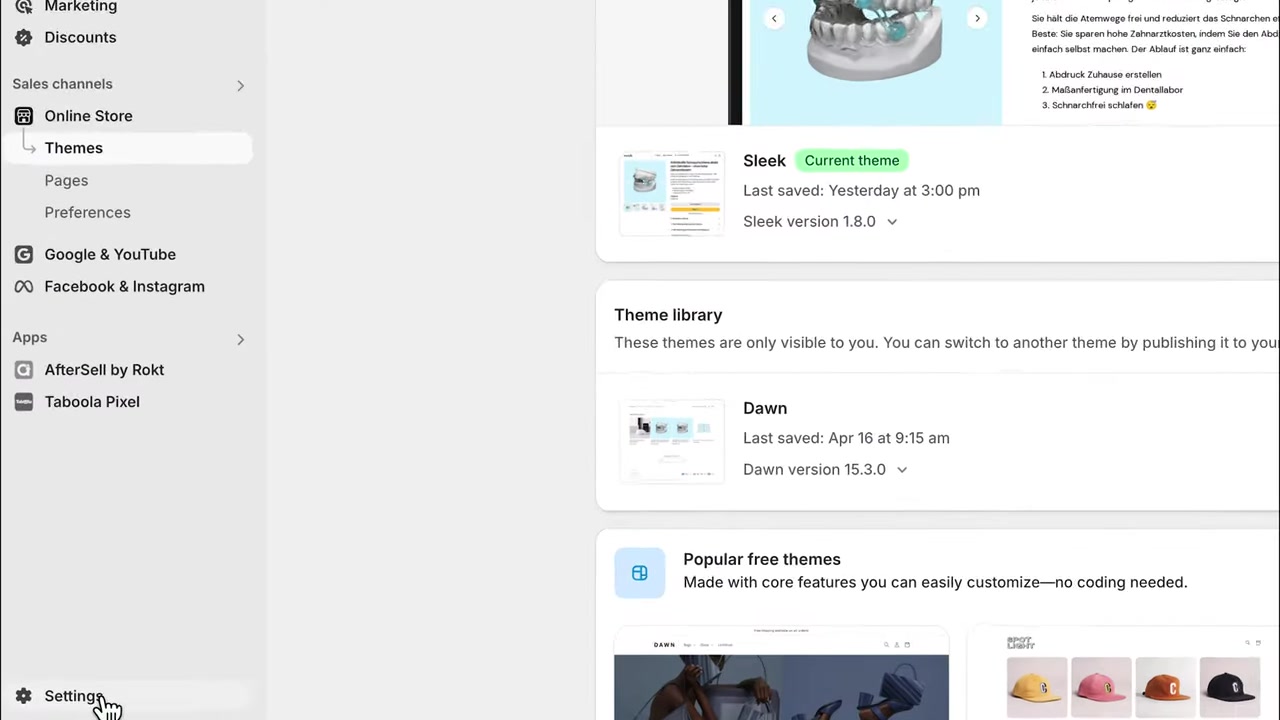
Start by logging in to your Shopify admin panel. From there, click on Settings in the bottom-left corner of the dashboard.
In the settings menu, select the second option: Plan. You'll see your currently active Shopify plan displayed here.
2. Click Cancel Plan
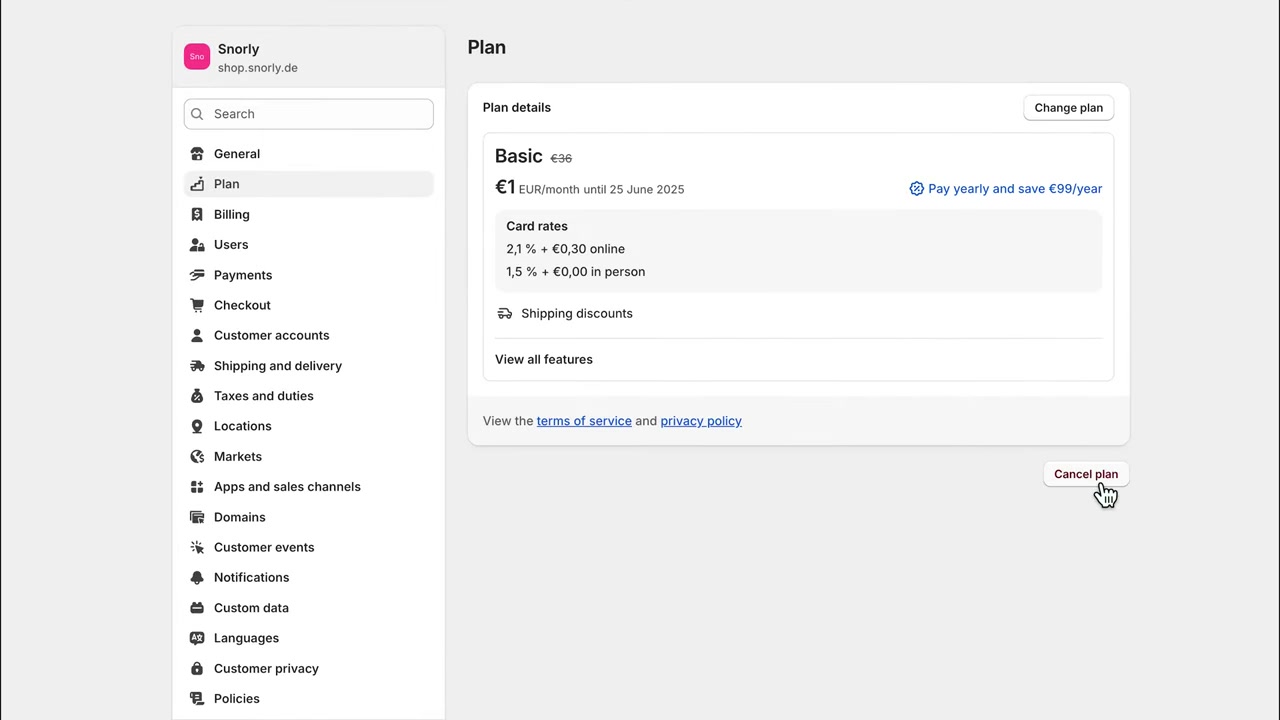
Scroll down on the Plan page and click the Cancel button, then confirm by clicking Cancel Plan.
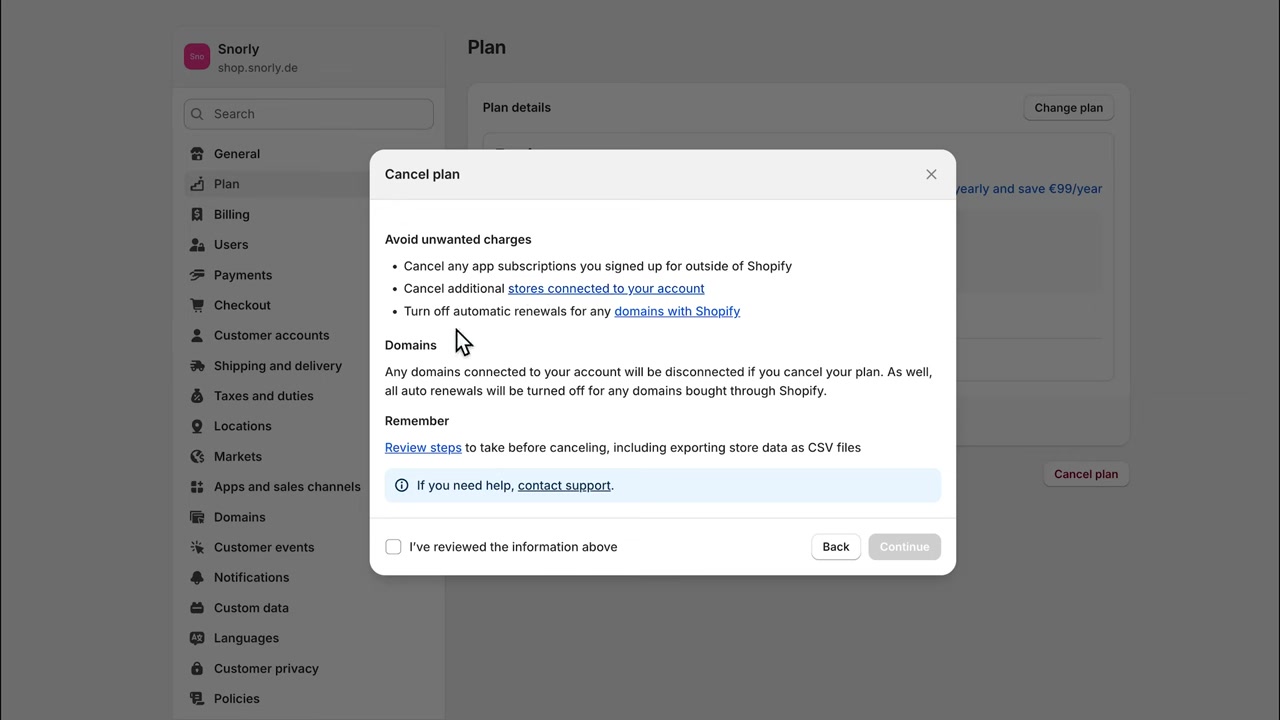
Shopify will now show you three important bullet points. Read these carefully before proceeding — they're easy to overlook but crucial.
3. Cancel External App Subscriptions First
Here's the most important step many people miss: all Shopify apps will be cancelled automatically, but any apps with external billing outside of Shopify will not be cancelled for you.
Head to Apps and Sales Channels in your settings and check for any third-party apps with their own subscriptions. Cancel those manually before proceeding — otherwise you'll keep getting charged even after your Shopify plan is gone.
4. Remove Additional Store Connections
If any business partners or staff members have access to your store, remove them before cancelling.
Simply click the relevant link in the cancellation checklist to manage store collaborators and revoke access.
5. Disable Automatic Domain Renewal in Shopify
If you purchased your domain through Shopify, you need to turn off automatic domain renewal before cancelling your plan.
If you skip this, Shopify will continue to bill you for the domain renewal even after your store is deactivated. Click the link in the checklist and untick the automatic renewal box.
6. Confirm Cancellation and Deactivate Your Store
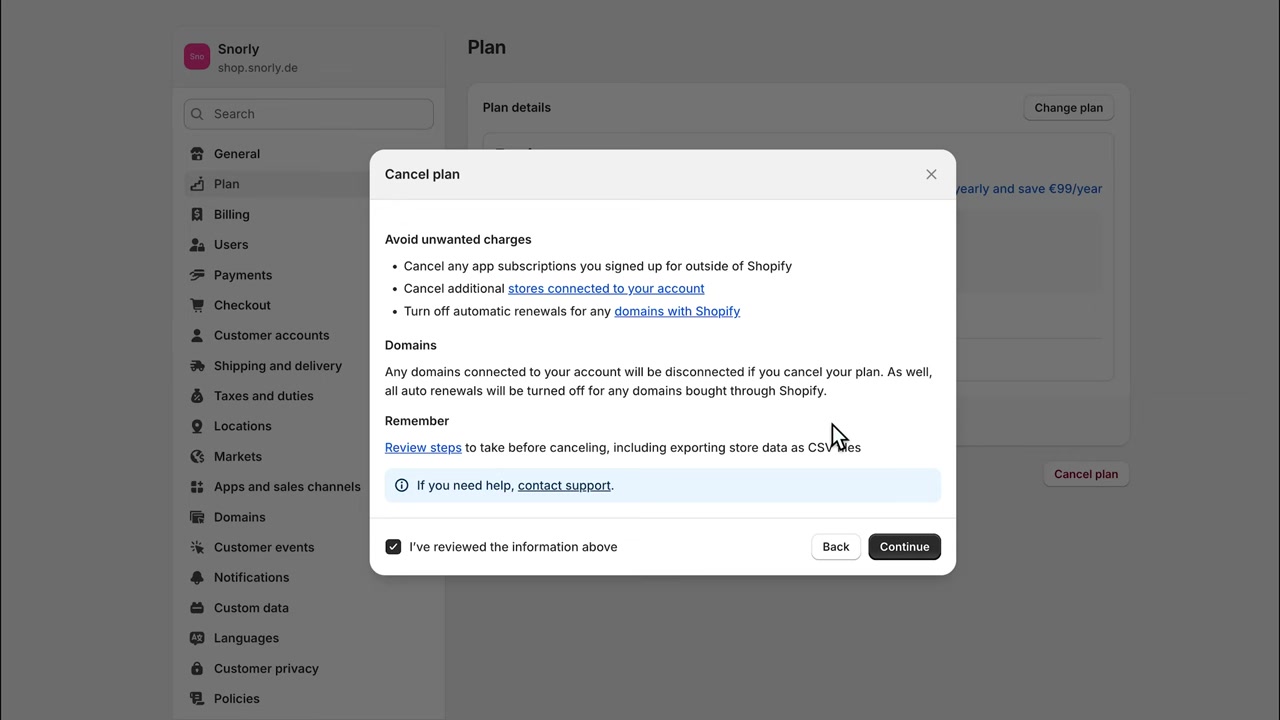
Once you've completed all three checklist items, tick the box that says "I have reviewed the information above" and click Continue.
Your store will be deactivated and your plan cancelled. There won't be any further charges to your account.
7. What Happens to Your Shopify Data After Cancellation?
Good news: Shopify keeps your store data — including product information and customer details — for 2 years after cancellation.
So if you change your mind down the road, you can simply log back in, reactivate your plan, and your store will be right where you left it.
8. Easier Shopify Alternatives Worth Considering
If you found Shopify too complicated or just not the right fit, there are simpler alternatives for building an online store.
Wix is a drag-and-drop website builder with solid e-commerce features — great for beginners. Hostinger is another excellent option if you want an easy, affordable online shop setup.
Both platforms are significantly more beginner-friendly than Shopify, so they're worth exploring if you want to continue your e-commerce journey.
9. Is Shopify Right for Beginners?
Shopify is powerful, but it comes with a learning curve. The interface can feel overwhelming, especially with all the app integrations and billing settings.
For beginners who just want a simple online store without a lot of technical setup, alternatives like Wix or Hostinger are often a better starting point.
10. How Much Does It Cost to Keep a Shopify Plan?
Shopify's basic plan starts at $39/month (billed monthly). If you're not actively using your store, those charges add up quickly.
Cancelling your plan stops the monthly billing — but remember to also handle domain renewals and third-party app subscriptions separately, as described above.
Frequently Asked Questions
Can I pause my Shopify plan instead of cancelling it?
Will I lose my data if I cancel my Shopify plan?
Do I get a refund when I cancel my Shopify plan?
What happens to my Shopify domain if I cancel my plan?
Do third-party app subscriptions cancel automatically when I cancel Shopify?
Can I reactivate my Shopify store after cancelling?
Is there a free plan on Shopify?
What is a good Shopify alternative for beginners?
11. Disclosure
Some links in this post may be affiliate links. If you make a purchase through them, I may earn a small commission at no extra cost to you. All content is provided for informational purposes only — no guarantees are made regarding results. This post does not constitute financial, legal, tax, or investment advice.
Related Articles

15 Dec 2025
Wix Promo Code 2026 – How to Save on Wix Premium Plans
If you've been thinking about upgrading to a Wix premium plan, timing your sign-up the right way can make a real difference. In this guide, I'll walk you through the exact method to access the best av...

28 Oct 2025
How to Create a TikTok Ads Account in 2026
Want to run ads on TikTok but not sure where to start? Setting up your TikTok Ads Manager account is easier than you think — and it only takes a few minutes. In this guide, I'll walk you through the e...

7 Nov 2025
TikTok Ads Tutorial – Snelstartgids voor Beginners
Wil je nieuwe klanten bereiken via TikTok? In deze tutorial laat ik je stap voor stap zien hoe je je eerste TikTok advertentiecampagne opzet – ook als je nog nooit eerder hebt geadverteerd. We beginne...