Best AI Image Generator in 2026 – NanoBanana vs MidJourney vs DALL-E (ChatGPT)
Which AI image generator should you use in 2026? Whether you need illustrations for a children's book, a professional headshot for your CV, or eye-catching visuals for your website, the answer depends on which tool you pick. In this post we break down Google NanoBanana (inside Gemini), MidJourney, and DALL-E (inside ChatGPT) — comparing quality, consistency, ease of use, and pricing — so you can stop guessing and start creating.
Need a website to showcase your AI-generated images? Check out Wix — it's the website builder Julian uses daily and a great place to put your visuals to work.
1. What Is AI Image Generation — and Why Does It Matter in 2026?
AI image generation lets you describe a scene in plain text and receive a finished image in seconds. No photographer, no stock library subscription, no royalty headaches.
The use cases are surprisingly broad: social media graphics, website hero images, children's book illustrations, resume portraits, product mockups, and much more. Three tools dominate the conversation right now — and each has a very different personality.
2. Meet the Three AI Image Generators
MidJourney
MidJourney has been around since the early days of generative AI and has built a huge community. Its signature look is cinematic and artistic — think moody lighting, painterly textures, and movie-ready compositions.
It lives inside Discord, which adds a small learning curve. You'll also need to upgrade to a paid plan (starting around $10/month) to use it seriously. The trade-off is some of the most visually striking imagery available from any AI tool.
ChatGPT (DALL-E)
Inside ChatGPT you can hit the + icon and choose "Create image" to invoke the DALL-E model. It's tightly integrated into a conversational workflow, which makes iteration feel natural.
ChatGPT shines when you need consistency across multiple images — for example, keeping the same character through an entire children's book. It also handles photo-style editing well, such as placing your face into a professional portrait.
Google NanoBanana (inside Gemini)
Google's NanoBanana model powers image generation inside Gemini. It's available on the Gemini premium plan, and in some regions you may need to upgrade to access it.
NanoBanana tends to produce more photorealistic results than ChatGPT's DALL-E and is often Julian's first choice when he needs images that look less "AI-ish".
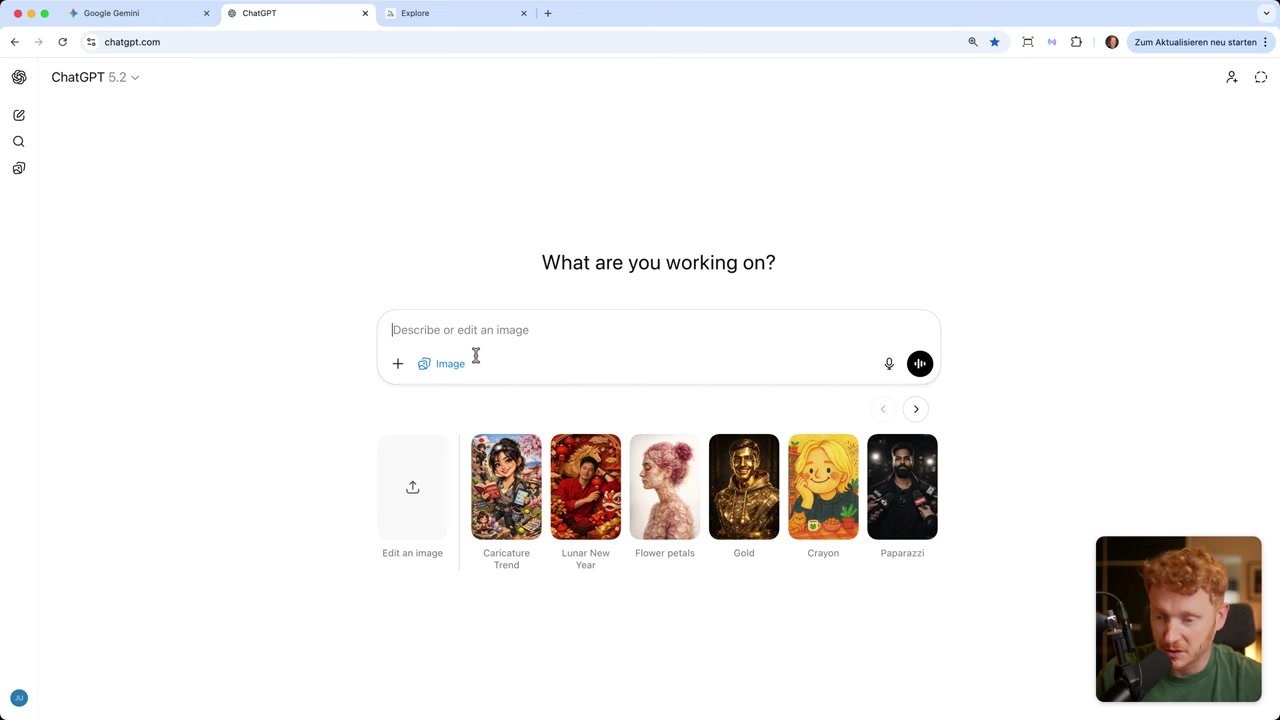
3. Side-by-Side Test: Children's Book Illustrations
To make the comparison fair, Julian used the exact same prompt across all three tools:
"Create a heartwarming children's book illustration of a friendly whale and a small white bird playing together in the ocean at sunset."
All three produced charming results, but the style differences were immediately obvious.
Gemini / NanoBanana returned a warm, colorful scene that looked close to a real illustration you'd find in a published book.
ChatGPT / DALL-E went vibrant and playful — perhaps a touch more saturated, but still very usable.
MidJourney delivered something more artistic and cinematic — beautiful, but with a slightly darker, moodier palette.
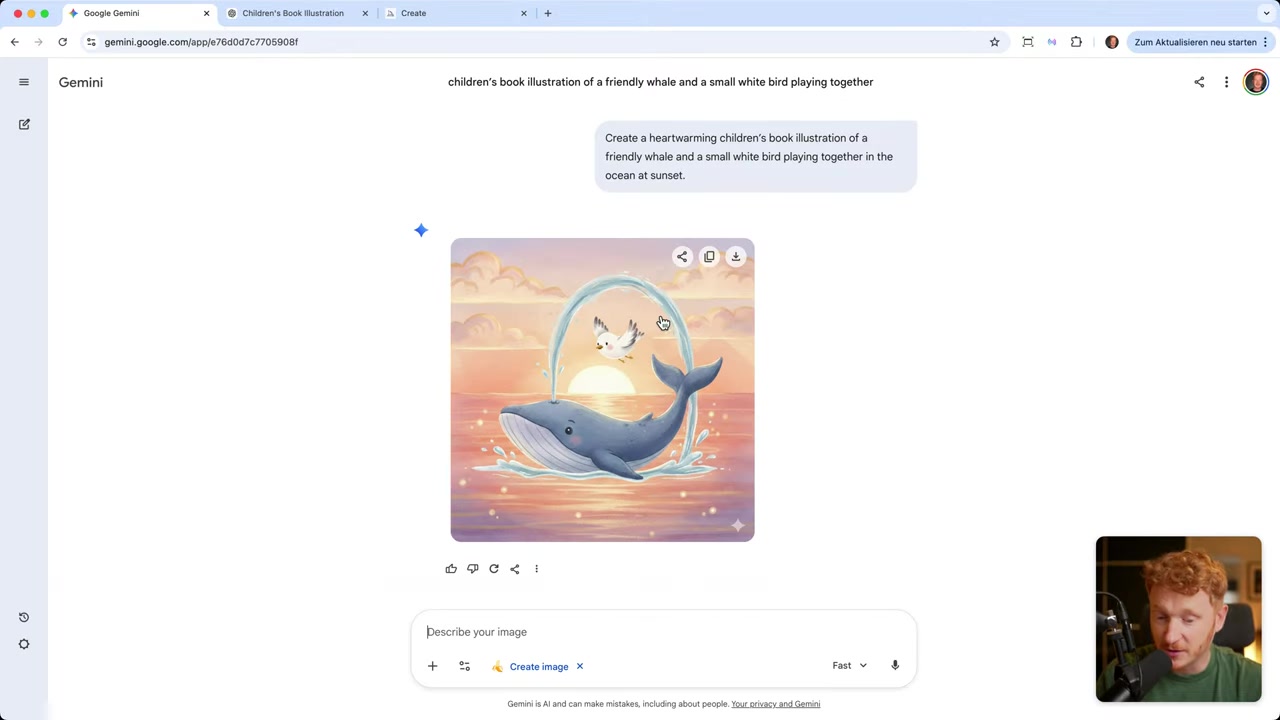
4. Consistency Test — the Real Challenge for AI Image Generators
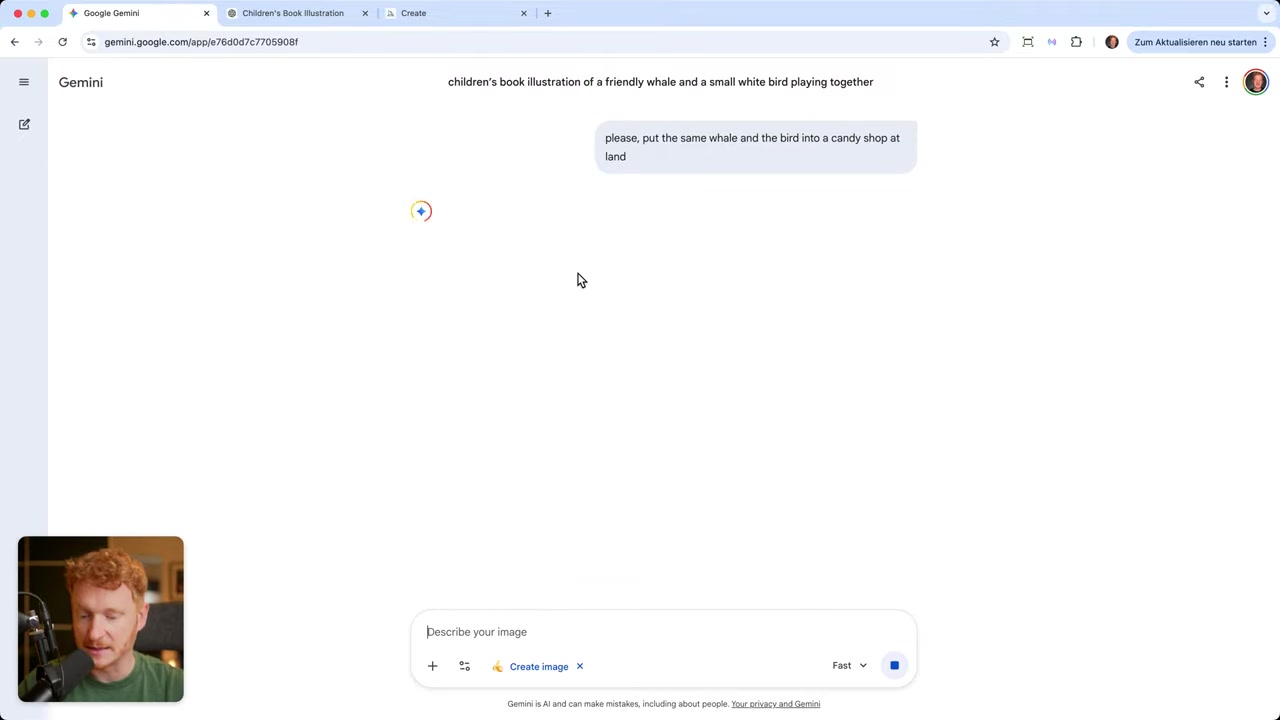
A children's book isn't one image — it's a whole story. So the next test asked each tool to keep the same whale and bird but change the setting (first to daytime, then to a candy shop on land).
This is where the tools diverged significantly.
ChatGPT was impressively consistent — the same whale and the same bird moved from scene to scene without drifting.
Gemini / NanoBanana also held up well across scene changes, making it a solid choice for multi-image projects.
MidJourney struggled. The characters shifted noticeably between prompts. MidJourney is actively working on tools like personalized styles and mood boards to improve this, but for now it's the weakest of the three on consistency.
Pro tip: If you love MidJourney's visual style, generate your hero image there first, then upload it to ChatGPT or Gemini for follow-up scenes. You get the best of both worlds.
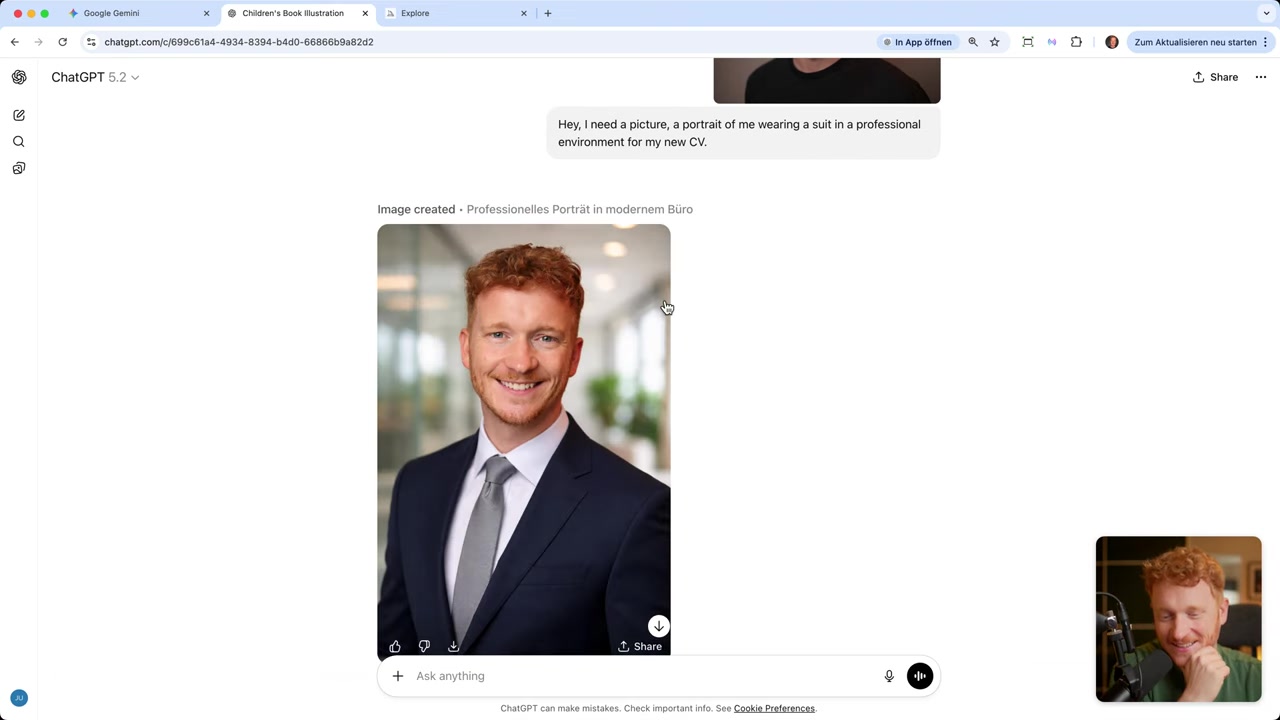
5. Real-World Use Case: AI-Generated CV Portrait with ChatGPT
One of the most practical use cases Julian demonstrates is generating a professional portrait for a CV or LinkedIn profile — without hiring a photographer or owning a suit.
The workflow is simple: click the + icon in ChatGPT, upload a photo of yourself, and write a prompt like:
A portrait of me wearing a suit in a professional environment for my new CV.ChatGPT analyzes your face, places it onto a suited figure, and swaps in a clean office background — all while preserving your facial features and expression. The result looks genuinely professional.
This is one area where ChatGPT clearly leads the other two tools right now.
6. Using AI Image Generation for Your Website or Business
Running a pizza restaurant and need a great food photo? Launching an online store and need product lifestyle shots? AI image generation means you never have to search a stock library again.
Just describe what you need — "a table with a nice-looking salami pizza on it" — and the AI delivers a copyright-free image you can use anywhere. No model releases, no licensing fees, no photographer invoices.
Once you have your images, you need somewhere to put them. Julian builds his own sites with Wix, which makes it easy to drop AI-generated visuals straight into a polished website layout. He also uses Canva for additional design work when he needs more control over layouts.
7. NanoBanana vs MidJourney vs DALL-E — Which AI Image Generator Should You Choose?
Here's a quick summary to help you decide:
| Tool | Best for | Consistency | Realism | Price |
|---|---|---|---|---|
| ChatGPT (DALL-E) | Storytelling, CV portraits, consistent series | ✅ Excellent | Medium | Included in ChatGPT Plus |
| Gemini NanoBanana | Realistic images, quick creation | ✅ Good | ✅ Best | Gemini premium plan |
| MidJourney | Artistic / cinematic one-off images | ⚠️ Weaker | Stylized | From ~$10/month |
If you already use ChatGPT or Gemini daily, start there — the image tools are built right in and require no extra setup.
If you need stunning one-off visuals for thumbnails, ads, or creative projects and don't mind a learning curve, MidJourney is worth exploring.
8. How Much Do AI Image Generators Cost?
ChatGPT / DALL-E — image generation is included in the ChatGPT Plus subscription. You don't pay separately for images.
Google Gemini / NanoBanana — available on the Gemini Advanced (premium) plan. In some regions a free tier may give you limited access.
MidJourney — starts at around $10/month for a basic plan. Higher tiers unlock faster generation, more concurrent jobs, and additional features like stealth mode.
9. Are AI-Generated Images Copyright-Free?
In most jurisdictions, AI-generated images are not protected by traditional copyright because they lack a human author. This means you can generally use them on your website, in marketing materials, or in commercial projects without licensing fees.
That said, the legal landscape is still evolving. Always check the specific terms of service for the tool you're using, as each platform has its own usage policy for generated content.
10. Tips for Getting the Best Results from Any AI Image Generator
- Be specific in your prompts. "A salami pizza" is fine; "a rustic wooden table with a golden-crusted salami pizza, soft evening lighting, Italian restaurant atmosphere" is better.
- Iterate. If the first result isn't right, regenerate or add more detail to your prompt.
- Use reference images. ChatGPT and Gemini both accept uploaded images — use them to anchor the style or character.
- Combine tools. Generate in MidJourney for style, refine in ChatGPT or Gemini for consistency.
- Explore style options. ChatGPT lets you pick a style before generating — experiment to find what fits your project.
Frequently Asked Questions
What is the best AI image generator in 2026?
Is NanoBanana free to use?
Can ChatGPT generate images from a photo I upload?
Is MidJourney worth paying for?
Can I use AI-generated images commercially?
Why are my MidJourney images inconsistent across prompts?
Which AI image generator is most realistic?
Do I need any design skills to use these AI image generators?
11. Disclosure
Some links in this post are affiliate links. If you make a purchase through them, I may earn a commission at no extra cost to you. All content is provided for informational purposes only and comes without any guarantee. Nothing here constitutes financial, legal, tax, or investment advice.
Related Articles

15 Dec 2025
Wix Promo Code 2026 – How to Save on Wix Premium Plans
If you've been thinking about upgrading to a Wix premium plan, timing your sign-up the right way can make a real difference. In this guide, I'll walk you through the exact method to access the best av...

28 Oct 2025
How to Create a TikTok Ads Account in 2026
Want to run ads on TikTok but not sure where to start? Setting up your TikTok Ads Manager account is easier than you think — and it only takes a few minutes. In this guide, I'll walk you through the e...
4 Sep 2025
TikTok Creative Center Tutorial (2026) – How to Find Top Ads on TikTok
Want to know which TikTok ads are crushing it right now — and how to model them for your own campaigns? In this tutorial, you'll learn two proven strategies to find winning ad creatives on TikTok, inc...