Build Your Own App with Base44 in 15 Minutes (Free & No Coding)
Can you really build a fully functional app — complete with user logins, Stripe payments, and a polished homepage — without writing a single line of code? In this Base44 tutorial, that's exactly what we're going to do. Using nothing but AI prompts, you'll go from a blank canvas to a live, published app in under 15 minutes.
Before we dive in, grab Base44 via this link and sign up for free so you can follow along step by step.
1. What is Base44?
Base44 is an AI-powered no-code app builder. You describe your idea in plain language — just like chatting with ChatGPT — and the AI writes all the HTML, CSS, and logic for you automatically.
The result is a fully working web app you can publish to your own domain. No developer, no agency, no technical background required.
It's especially popular for building SaaS tools, dashboards, visualizers, and any web app concept where you'd normally need to hire someone.
2. Sign Up for Base44 for Free
Head over to Base44 and click Sign Up. The free plan comes with 25 message credits to start building right away — no credit card required.
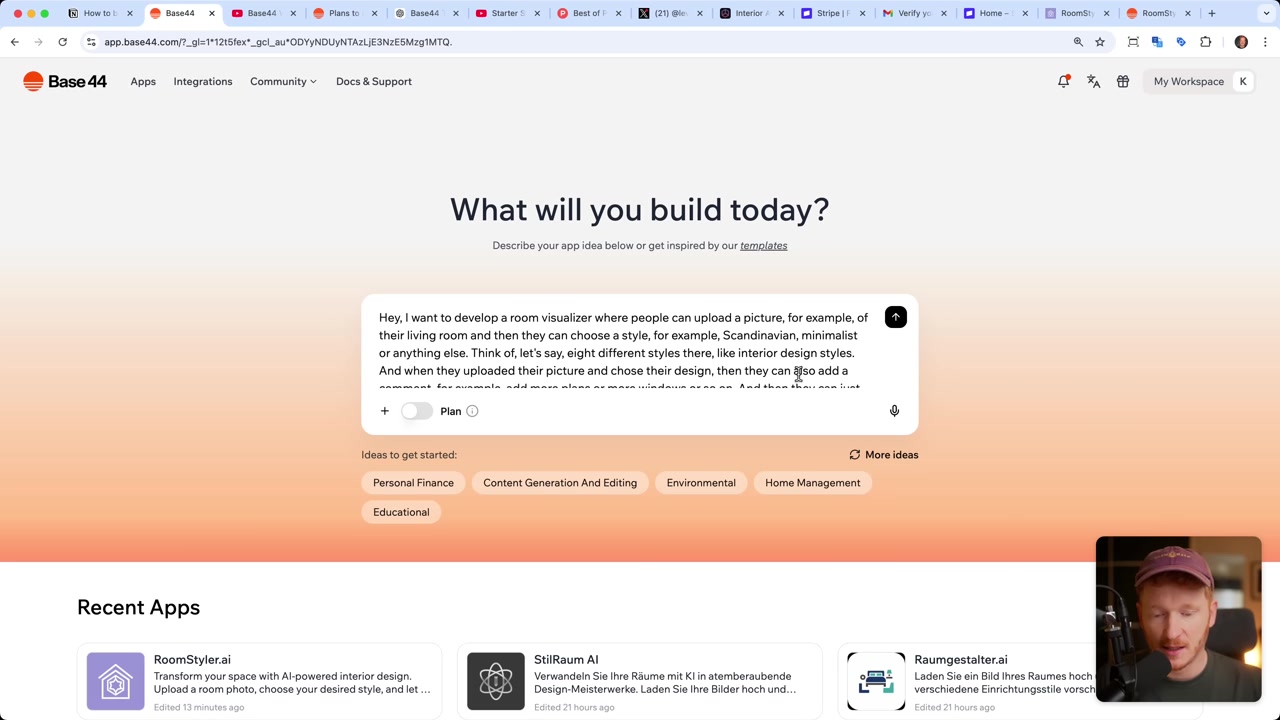
Once you're inside the dashboard, you'll see a prompt input with a microphone icon. You can type your idea or simply speak it. This is where things get interesting.
3. Create Your First App with Base44
For this tutorial, we're building a room visualizer — an app where users upload a photo of their room and the AI transforms it into a new interior design style. This concept is inspired by a real app already generating $40K per month, so we know the demand is there.
In the prompt, describe exactly what you want. For example:
"I want to develop a room visualizer where people can upload a picture of their living room, choose from 8 design styles like Scandinavian, Minimalist, or Bohemian, add a comment like 'add more plants', and then the AI creates a new image for them."
You can also include styling preferences — for example, asking for a bright, colorful interface. Once you're satisfied, hit Send.
4. Watch the Base44 AI Build Your App
After submitting your prompt, Base44 immediately gets to work. It discusses the features it plans to build — photo upload, style selection, design generation — then writes all the code in real time right in front of you.
All you do is lean back and watch. Within a couple of minutes, a fully functional app is ready to test.
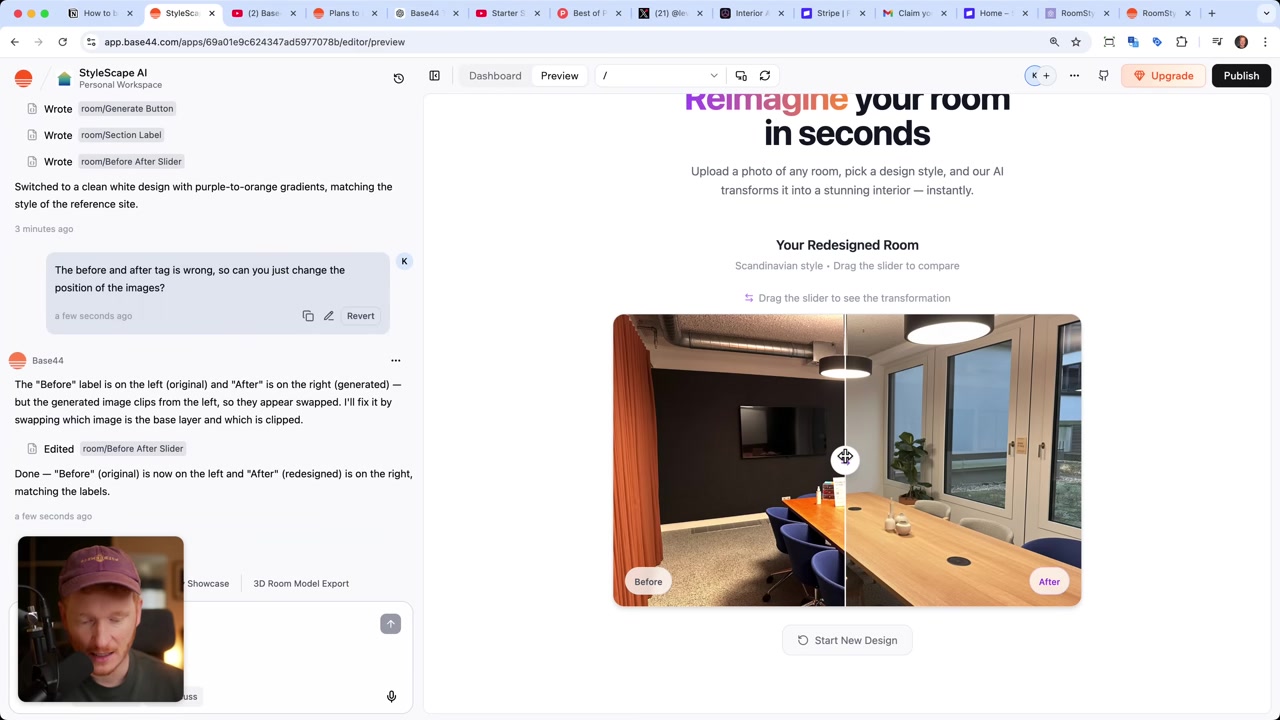
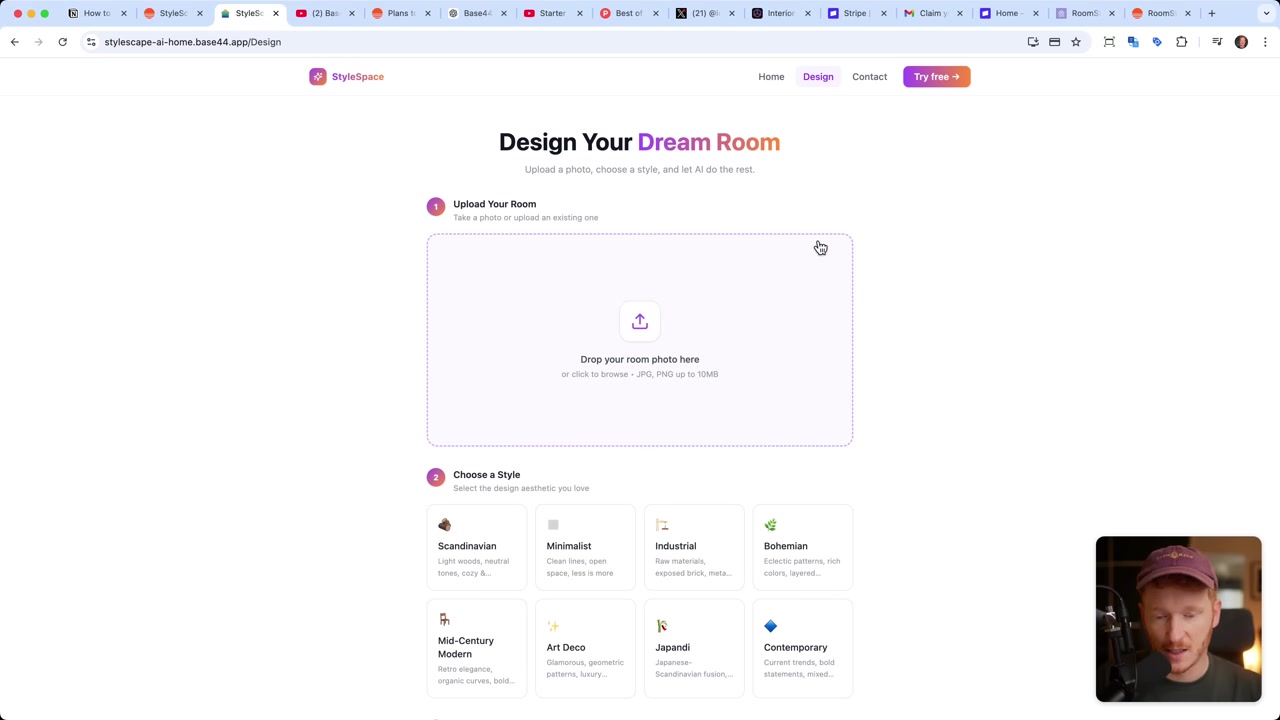
Once it's done, upload a test photo, select a style, and hit Generate Design. The before/after comparison is genuinely impressive — the AI completely reimagines the room in the style you selected.
5. Add a Homepage and Contact Page
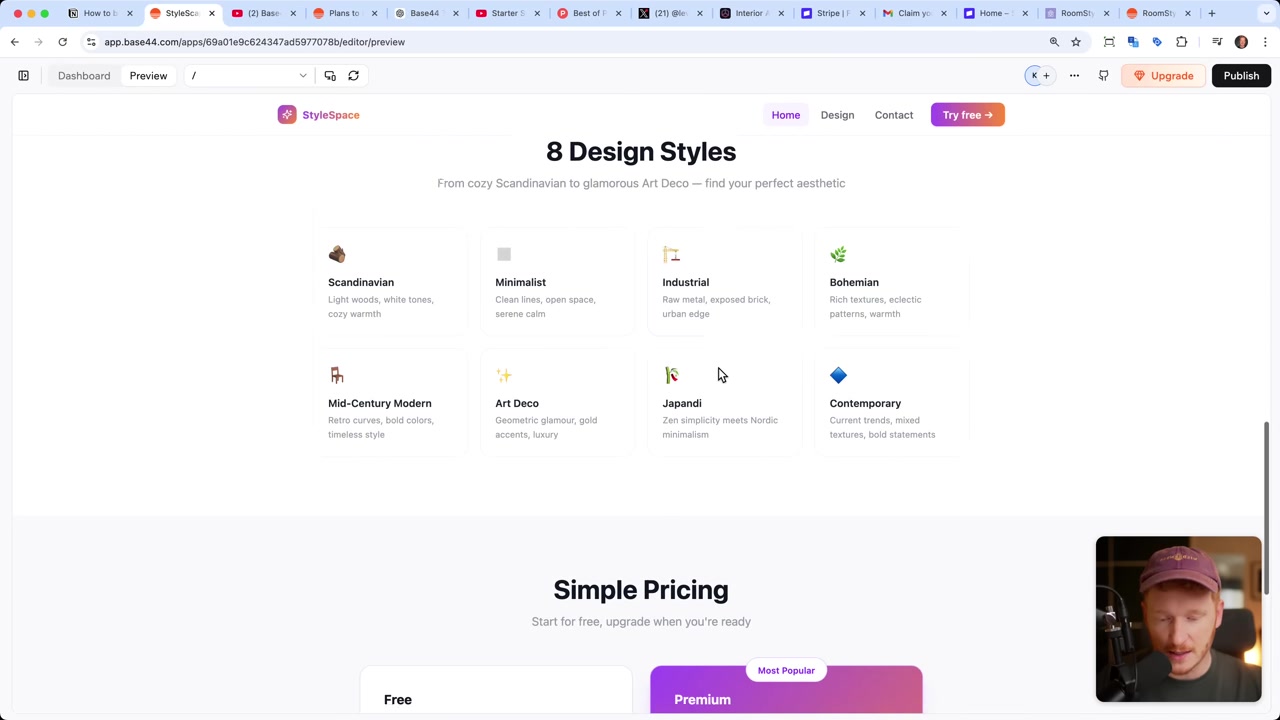
The core feature works, but a real product needs more than just one screen. Use a follow-up prompt to ask Base44 to generate a homepage — with a headline, an image slider showing before/after results, a description of the app's features, available styles, and a pricing section.
You can also request a contact page that stores messages in a database. Base44 handles all of this in one prompt.
Pro tip from the tutorial: don't overload the AI with too many instructions at once. Break your requests into small, focused steps. You'll get cleaner results and fewer credits wasted on corrections.
6. Base44 Pricing Explained
Base44 has a free plan that includes 25 message credits per month, with a daily limit of 5 credits. This is enough to experiment and build a basic app from scratch.
The Builder plan bumps you up to 250 credits — plenty for developing a more complete product with multiple pages, Stripe integration, and user authentication.
Each prompt to the AI costs one credit, so focused and specific prompts go a long way. Sign up for free via this link and upgrade only when you need to.
7. Using the Discuss Function in Base44
The Discuss tab is one of Base44's most underrated features. It works like a conversation with ChatGPT, but the AI has complete context about your app's current state.
Use it to plan changes before executing them. Ask it how you should implement a pricing gate, or what the cleanest approach to adding login would be. The AI will outline a plan — and you can review it before it touches any code.
This is a great way to avoid wasting credits on changes that don't go the way you expected.
8. Connect Base44 to Stripe
To accept payments, just tell the AI: "Please integrate Stripe so we can accept payments for the premium plan." Base44 will set up a Stripe account for you and send a confirmation email so you can claim your sandbox.
The sandbox is a test environment where you can verify everything works before going live. You'll receive test API keys — a Publishable Key and a Secret Key — which you paste into the Base44 dashboard under Integrations.
When you're ready to launch for real, switch to your Stripe live account, copy the live API keys, and paste them in. Your app will then be able to accept real credit card, PayPal, or even crypto payments.
9. Publish Your Base44 App and Test Payments
Once Stripe is connected, hit Publish at the top of the editor. Base44 gives you a default subdomain so you can preview your live app immediately.
To test the full payment flow, navigate to your pricing section, click Go to Premium, and you'll be redirected to a Stripe checkout page. Enter the test credit card details provided in your Stripe sandbox, complete the purchase, and you'll land back in your app — fully subscribed and ready to use.
10. Connect Your Own Domain to Base44
The default subdomain works for testing, but for a professional product you'll want your own domain. Go to Domains inside Base44 and search for available names — Base44 is integrated with Ionos as the domain provider.
Once you purchase a domain, allow 1–2 hours for it to propagate. After that, refresh the page and your app is live under your own custom URL.
It's a seamless process — no manual DNS configuration required.
11. Exploring the Base44 Database
Base44 includes a built-in database that stores everything your app collects — contact form submissions, generated room designs, and user accounts. You can view and manage all of it directly from the dashboard.
Need to store a new type of data? Just tell the AI in the chat. It will create the database structure for you automatically — no SQL or manual setup needed.
You can also see all registered users under the Users tab and configure whether your app requires login before access.
12. Is Base44 Good for Beginners?
Absolutely. Base44 is built specifically for people with zero coding experience. The entire workflow revolves around natural language — if you can describe what you want, the AI can build it.
The visual editor lets you click on any element and change text, colors, or layout without touching code. If you're curious, the raw HTML and CSS are still accessible for those who want to go deeper.
The main learning curve is writing effective prompts — specific, step-by-step instructions consistently get better results than vague or overly broad requests.
13. Base44 Pros and Cons
Pros:
- Build complete web apps using only text prompts
- No coding knowledge required at any stage
- Built-in database, user authentication, and Stripe integration
- Mobile-optimized output by default
- Visual editor for quick, code-free tweaks
- Discuss mode for safely planning changes before implementing them
Cons:
- Free plan is limited to 5 credits per day
- Complex apps may require many prompts and consume credits quickly
- The quality of output depends heavily on how clearly you phrase your prompts
- Domain purchasing routes through Ionos as an external provider
Frequently Asked Questions
Is Base44 really free to use?
Do I need any coding skills to use Base44?
Can Base44 accept real payments from users?
Can I use my own domain with a Base44 app?
How many credits does it take to build a complete app?
What kinds of apps can I build with Base44?
Does Base44 handle user authentication and logins?
What is the Base44 Discuss function used for?
Disclosure
Some links in this post are affiliate links. If you click through and make a purchase, I may earn a small commission at no extra cost to you. All content is provided for informational purposes only — no guarantees are made regarding results or earnings. Nothing in this post constitutes financial, legal, tax, or investment advice.
Related Articles

13 Apr 2026
How I Built a $40K/Month App Using AI in 15 Minutes (Base44 Tutorial)
What if you could build a fully functional, monetizable app — without writing a single line of code? In this tutorial, we use Base44, a no-code AI app builder, to recreate a room design visualizer app...
26 Apr 2026
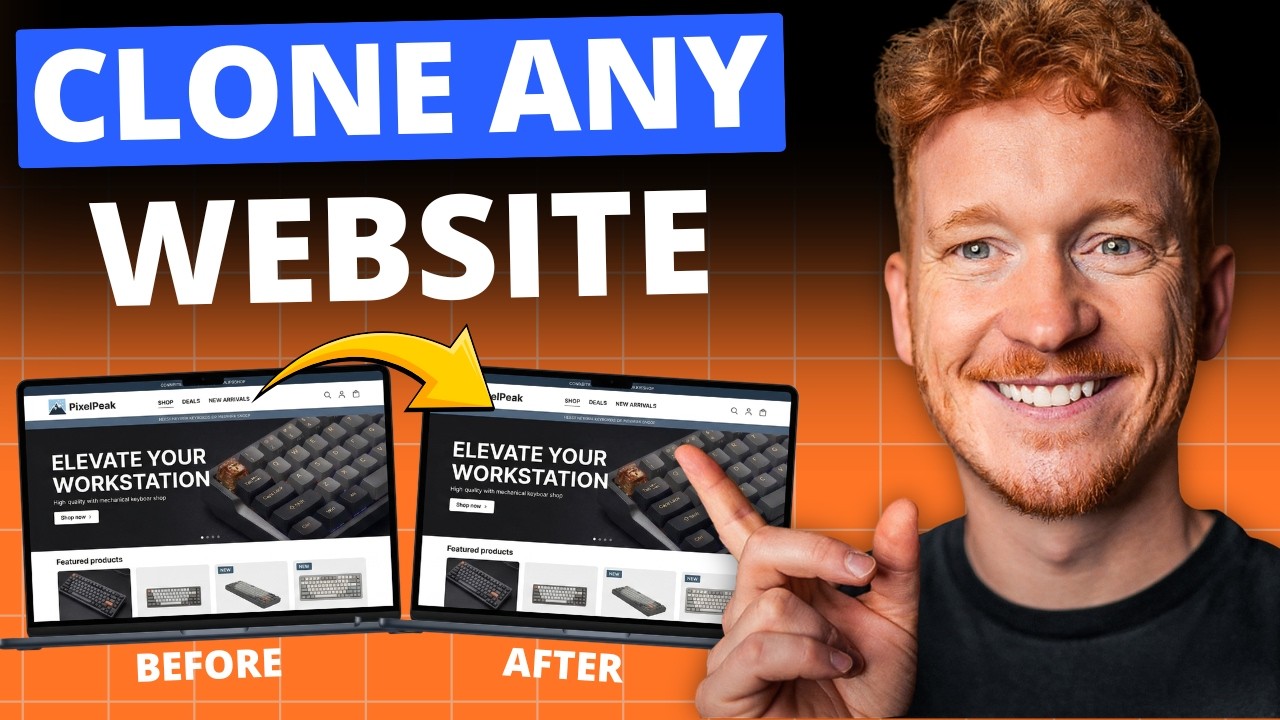
How to Clone Any Website for Free with AI (Base44 Tutorial)
What if you could clone an entire website in under five minutes — without writing a single line of code? In this tutorial, Julian Weber walks you through exactly how to do that using Base44, a powerfu...

28 Apr 2026
How to Redesign Your Website with AI (Free & No Code)
Is your website looking dated? In this tutorial from the Julian Weber channel, you'll see how to completely redesign an old website into a clean, modern, and high-converting page — in under 10 minutes...