TikTok Spark Ads Tutorial (2026) – Promote Your Videos To Get More Views & Followers
Have a TikTok video that performed really well and wish you could push it out to even more people? That's exactly what TikTok Spark Ads are designed for. In this step-by-step tutorial, you'll learn how to set up your first Spark Ads campaign, target the right audience, and use influencer content — all inside TikTok Ads Manager. Try it yourself via the link below and start growing your account today.
1. What Are TikTok Spark Ads?
TikTok Spark Ads let you take existing organic content from your TikTok profile and put paid promotion behind it. Instead of uploading a brand-new creative, you boost a video that's already live on your account.
This means all the likes, comments, shares, and saves generated by the ad remain visible on your organic post. Your profile looks more active, your engagement rate grows, and your content feels native — not like a traditional ad.
The result? More impressions, more clicks, and more conversions — all from content you've already created.
2. Create Your TikTok Ads Manager Account
To get started, click the link in the description to open the TikTok Ads Manager sign-up page. You'll need to enter your email address, set a password, and accept the terms and conditions.
Important: Make sure you sign up directly through the partner link — not via Shopify — to be eligible for any available new-user promotions on the platform.
If you already have a TikTok Ads account under a different email, you can log out and create a fresh advertiser account to start clean.
3. Set Up Your TikTok Spark Ads Campaign
Once you're inside TikTok Ads Manager, click Create Campaign. You'll be asked to choose an advertising objective. The right choice depends on your goal:
- Community Interactions — ideal if you want more views, likes, and followers on your organic TikTok posts
- Sales / Conversions — best if you run an online store and want to drive purchases
- Traffic — sends people directly to your website or landing page
For most e-commerce brands, Sales with Manual Campaign Setup is the recommended choice. Give your campaign a name (e.g. "Watches"), skip the split test for now, and click Continue.
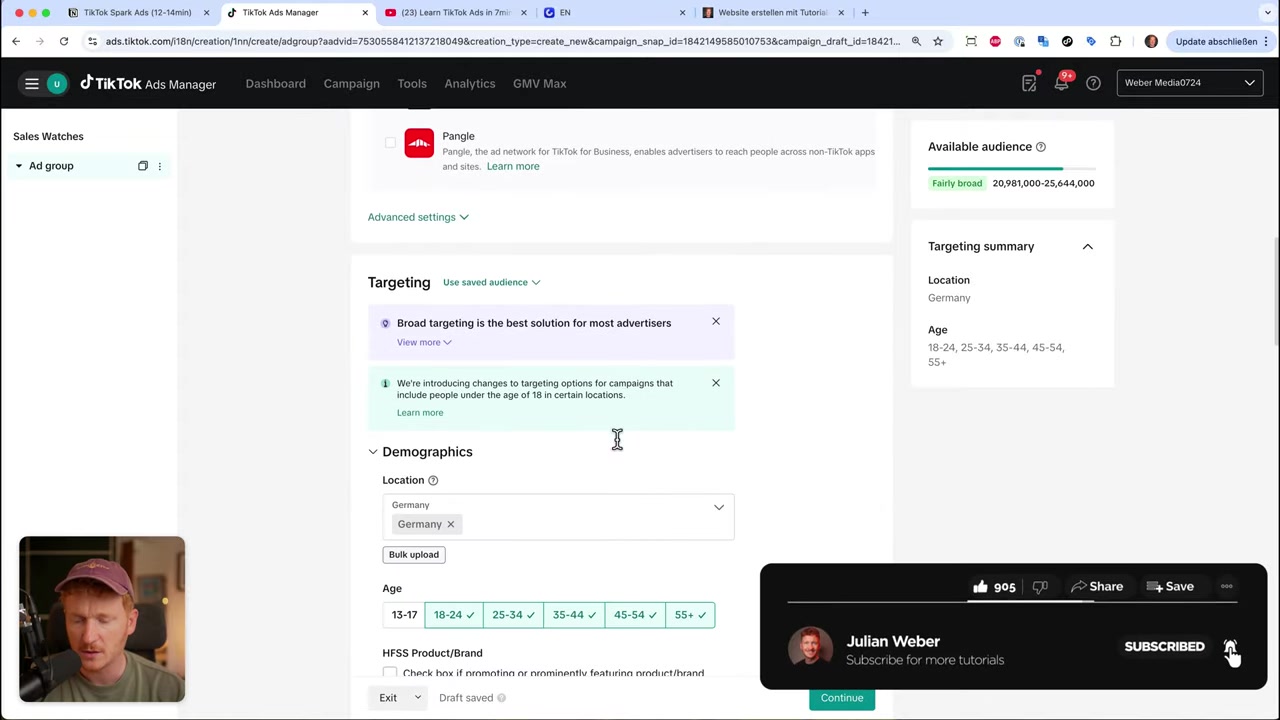
4. Configure Your Ad Group and Targeting
At the ad group level, start by selecting your data source. If you have a Shopify or WooCommerce store, connect your TikTok Pixel first under Tools → Events. This lets TikTok track purchases and optimize your campaigns for real conversions.
For placement, select TikTok only and deselect Global App Bundle and Pangle. This keeps your Spark Ads focused on the TikTok feed.
When it comes to audience targeting, TikTok recommends keeping it broad. Their AI is good at finding the right buyers — you just need to make sure you're targeting the correct country and language. Set your daily budget (minimum €20 / $25) and hit Continue.
5. Connect Your TikTok Account and Select a Video for Spark Ads
Now comes the most important part. Instead of uploading a new video, you'll pull content directly from your TikTok profile. On the ad creation screen, go to TikTok Post instead of the standard creative library.
Click Link TikTok Account, enter your TikTok email, and request a verification code. Enter the code to connect your TikTok profile to your Ads Manager account.
Once connected, all your TikTok posts will appear. Select the video you want to promote, hit Confirm, and the video will load directly into the ad editor.
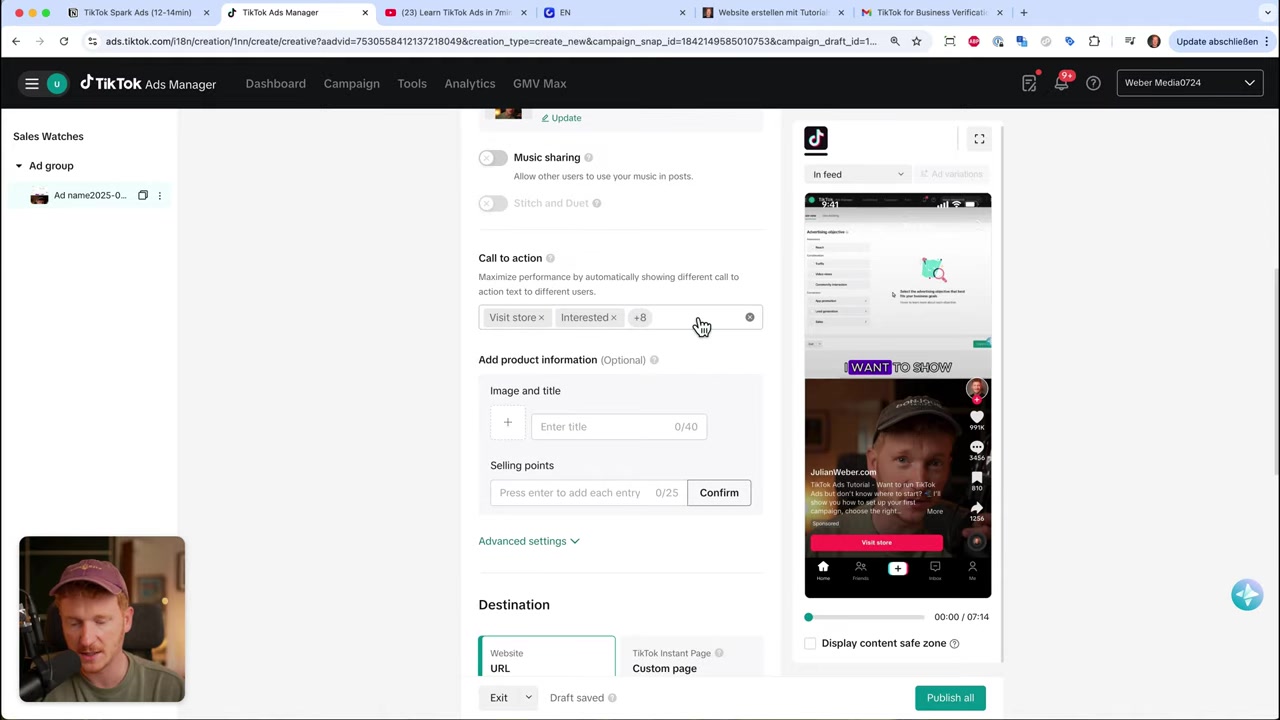
6. Customize the Ad — Call to Action, Product Info, and URL
With your organic video loaded, you can now customize a few elements:
- Call to Action — choose from options like Shop Now, Learn More, Visit Store, Sign Up Now, etc. TikTok will A/B test these automatically.
- Product Information — add an optional card overlay with your product title and selling points.
- URL — paste the link to your product page or online store. Always click Preview to verify the URL is correct before going live.
Note: the video description stays exactly as it was on your organic post — you can't edit that. But the CTA and URL are fully customizable.
7. Run Spark Ads on Influencer Content
One of the most powerful features of TikTok Spark Ads is the ability to boost an influencer's video — without needing access to their account.
Here's how the influencer authorization process works:
- Ask the influencer to open their TikTok app and navigate to the specific post.
- Tap the three dots (more options), then swipe right and tap Ad Settings.
- Enable Ad Authorization and set the permission duration (e.g. 180 days).
- Tap Manage to copy the unique Video Code.
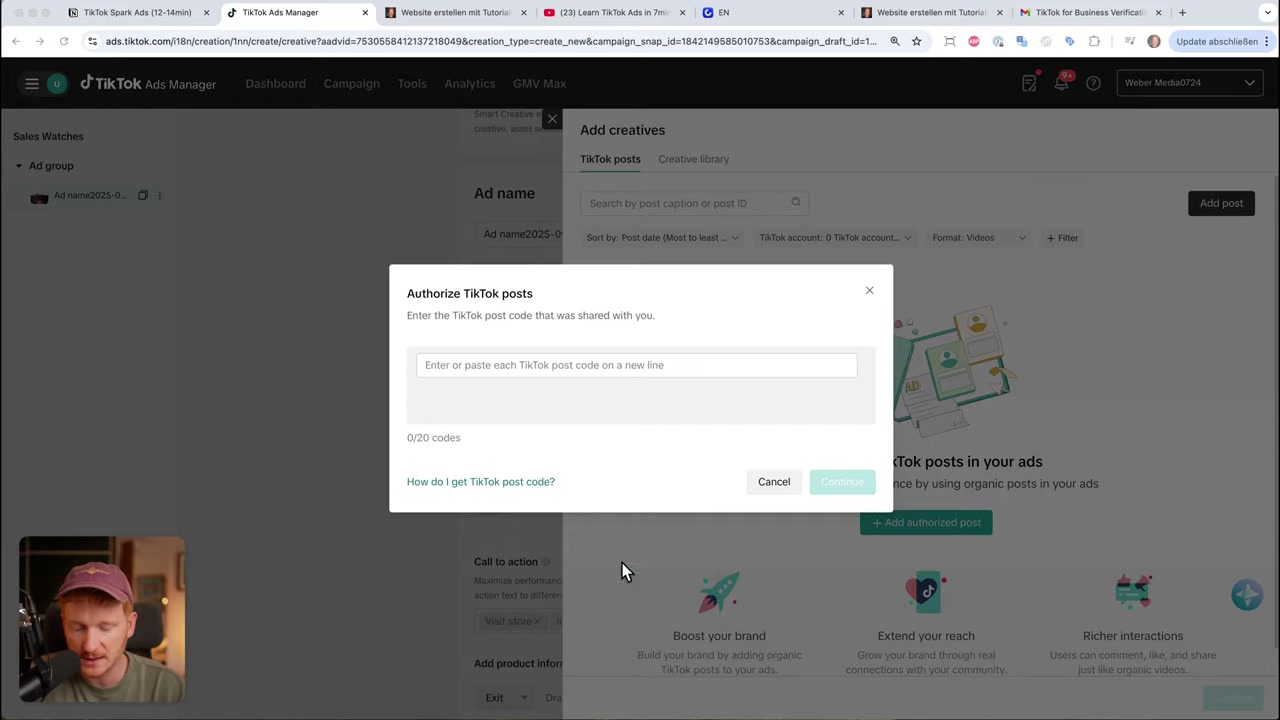
The influencer then sends you this code. Back in TikTok Ads Manager, go to Add Post, paste the code, and click Continue. The influencer's video is now available to use in your campaign — without them sharing their login credentials.
This makes Spark Ads feel completely native. Users see the post on the influencer's real profile, which builds trust and drives stronger results.
8. What Results Can You Expect from TikTok Spark Ads?
In the video, Julian shares a real example from his own TikTok account. Videos that were boosted with Spark Ads received 30,000–31,000 views, while non-boosted posts sat at around 1,000 views.
The key insight: you don't need to go viral organically. Spark Ads let you engineer virality by putting budget behind content that already shows engagement potential.
Beyond views, you'll also see growth in followers, comments, and profile visits — all metrics that compound over time and build long-term organic reach.
9. TikTok Spark Ads vs Regular TikTok Ads
Regular TikTok Ads require you to upload a new creative from scratch. They appear in the feed as standard paid placements, and any engagement stays separate from your organic profile.
Spark Ads, on the other hand, boost content that already exists on your profile. Engagement is cumulative — likes and comments show up on your real post. This makes the content feel more authentic and trusted by users.
For brands and creators who already produce regular TikTok content, Spark Ads are almost always the smarter choice. You're amplifying what's already working rather than starting from zero.
10. Is TikTok Spark Ads Good for Beginners?
Yes — Spark Ads are one of the most beginner-friendly ad formats on TikTok. You don't need to produce a dedicated ad creative or write ad copy. You simply promote content you've already posted.
The setup is straightforward: connect your account, pick a video, set a budget, and publish. TikTok's AI handles a lot of the optimization for you, especially when you keep targeting broad.
If you want to go deeper, Julian also offers a free TikTok Ads course covering everything from pixel setup to advanced campaign strategies. You can sign up via the link below.
11. Disclosure
Some links in this post are affiliate links. We may earn a commission if you sign up or make a purchase — at no extra cost to you. All content is provided for informational purposes only, and no guarantees are made regarding specific results. This post does not constitute financial, legal, tax, or investment advice.
Frequently Asked Questions
What are TikTok Spark Ads?
How much does it cost to run TikTok Spark Ads?
Can I run Spark Ads on someone else's TikTok video?
Do Spark Ads help grow followers?
What's the difference between Spark Ads and Boosting a post?
Do I need a TikTok pixel for Spark Ads?
Which videos should I boost with Spark Ads?
Can I edit the video description in a Spark Ad?
Related Articles

28 Oct 2025
How to Create a TikTok Ads Account in 2026
Want to run ads on TikTok but not sure where to start? Setting up your TikTok Ads Manager account is easier than you think — and it only takes a few minutes. In this guide, I'll walk you through the e...

27 Sep 2025
Lancer des publicités TikTok en 7 min – Tutoriel en français
Tu veux te lancer sur TikTok Ads mais tu ne sais pas par où commencer ? Ce tutoriel rapide te montre comment créer et configurer ta première campagne publicitaire TikTok en moins de 7 minutes. Parfait...
7 Nov 2025
TikTok Ads Tutorial – Snelstartgids voor Beginners
Wil je nieuwe klanten bereiken via TikTok? In deze tutorial laat ik je stap voor stap zien hoe je je eerste TikTok advertentiecampagne opzet – ook als je nog nooit eerder hebt geadverteerd. We beginne...