Learn TikTok Ads in 7 Minutes – Tutorial 2026
Want to run your first TikTok ad but don't know where to start? In this tutorial, Julian Weber walks you through the entire process — from creating your TikTok Ads account to publishing your first campaign — in under seven minutes.
Whether you run a Shopify store, offer coaching services, or just want more traffic to your website, this guide has you covered. You can also claim a TikTok advertising bonus to get started with extra credits.
1. What Is TikTok Ads Manager?
TikTok Ads Manager is the platform where you create, manage, and optimize paid ad campaigns on TikTok. It works similarly to Facebook Ads Manager — you build campaigns, set your audience, define your budget, and upload your creative.
The platform has three levels: Campaign, Ad Group, and Ad. Each level controls a different part of your advertising setup, from the overall goal down to the individual video creative.
2. Create Your TikTok Ads Account
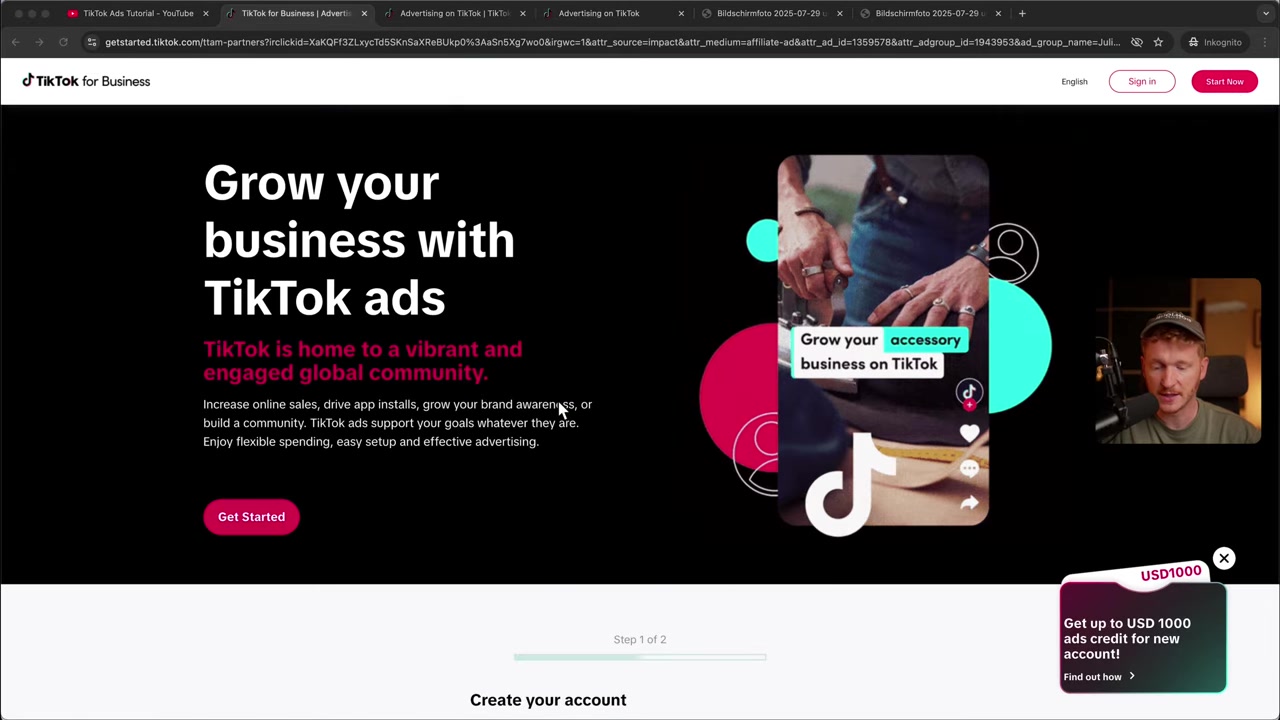
Before anything else, you need a TikTok Ads account. Head to the link in the video description — or use this partner link — to sign up directly.
Enter your email and a password. TikTok will send you a verification code. After entering it, fill in your business name, website URL, and phone number. That's it — you're in.
Once inside, accept the anti-discrimination ad policy and you'll land in the Ads Manager dashboard. Click on Campaign in the top navigation if you don't see it right away.
3. Choose Your TikTok Ads Campaign Objective
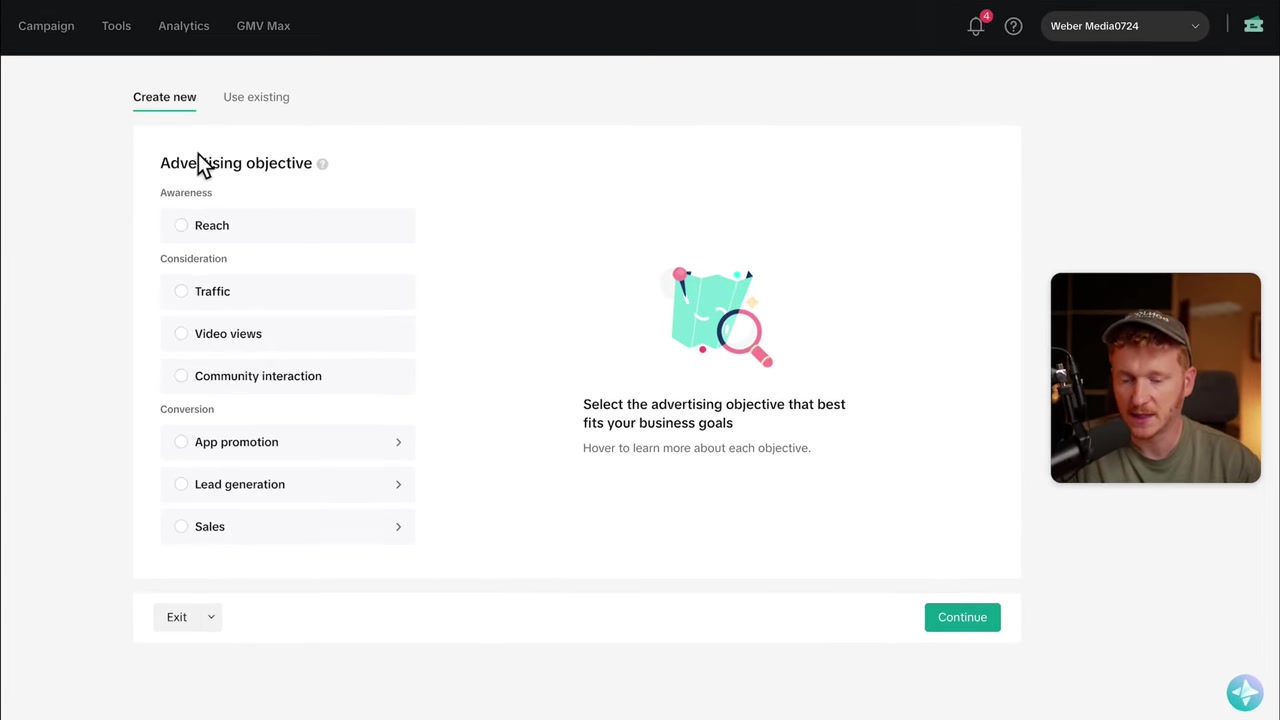
The first step in creating a campaign is selecting your advertising objective. TikTok groups objectives into three categories:
- Awareness & Reach — Great for big brands like Nike or Coca-Cola who want maximum visibility.
- Consideration — Use this for traffic, video views, or community interactions like follows and likes.
- Conversions / Sales — Perfect if you have a Shopify store and want to drive purchases.
For most beginners, a Traffic campaign is the best starting point. It's straightforward and doesn't require a pixel to be set up first.
If you do want to run conversion campaigns later, you'll need to connect your TikTok Pixel under Tools → Events in the Ads Manager. Julian has a dedicated video on that topic on his channel.
4. Configure Your Ad Group: Placements and Targeting
After naming your campaign, you move to the Ad Group level. This is where you control who sees your ad and where it appears.
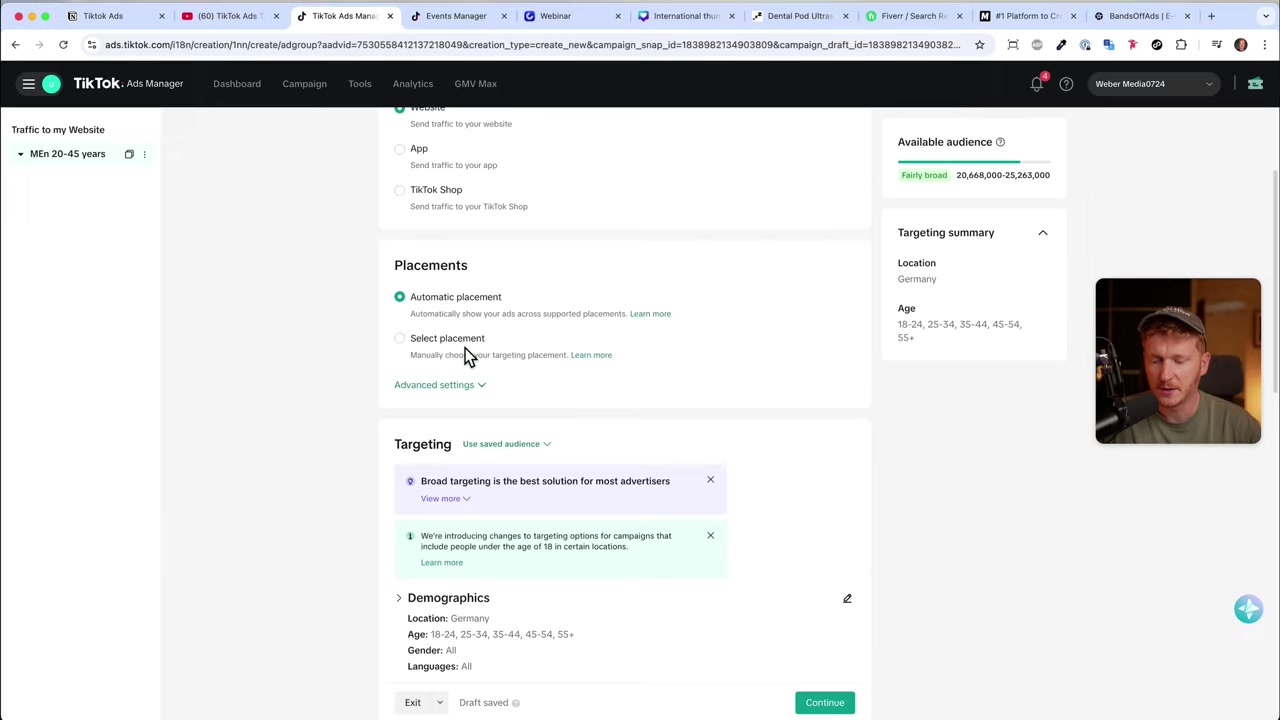
Placements: Select TikTok only. The partner sites and partner networks in the list tend to underperform, so it's best to deselect them and focus your budget on TikTok itself.
Targeting: TikTok recommends keeping targeting broad, and for good reason — its AI is very effective at finding the right audience automatically. That said, if you know your audience well, you can narrow things down by location, age, gender, and language.
Detailed Targeting: If you're promoting something specific — say, watches — you can layer in interest targeting (e.g., people interested in watches) or even purchase intent signals. For broader offers, leaving detailed targeting open and letting the algorithm work is a solid approach.
Budget: The minimum daily budget on TikTok is €20 (or the equivalent in your currency). Set your start date, confirm your time zone, and choose to run the ad all day.
5. Upload Your Creative and Launch the Ad
The final step is the Ad level — this is where you upload your video creative and write your ad copy.
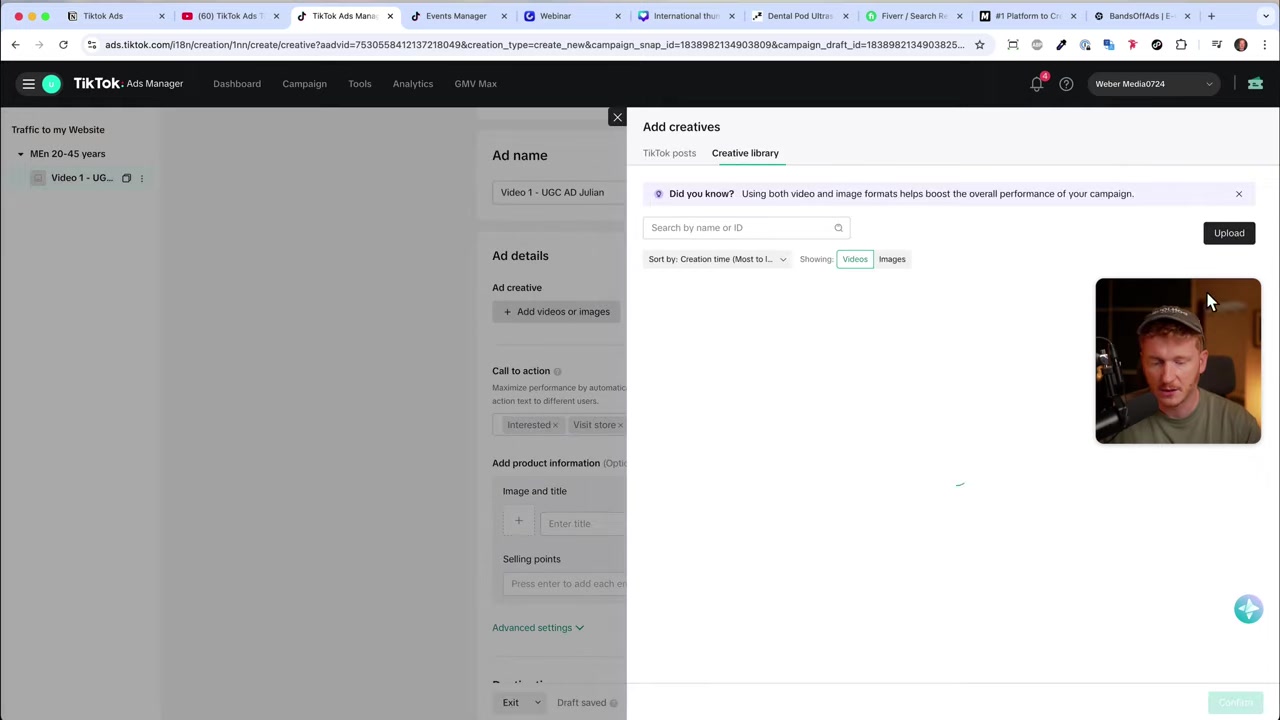
Give your ad a descriptive name (e.g., "Video 1 – UGC Julian") so your account stays organized as it grows. Then upload your video directly from your computer, or connect your TikTok account under User Settings to use an existing TikTok post as your ad.
Add your ad text — a short line that appears above the video. Then choose your call to action button. TikTok offers options like Learn More, Sign Up, Watch Now, Visit Now, and Interested.
Pro tip: select multiple CTAs and let TikTok's algorithm test which one drives the most clicks. Finally, paste in your destination URL, then hit Publish All.
TikTok will review your ad, which typically takes a few hours. Once approved, you'll see your campaign, ad group, and ad all listed in the dashboard.
6. Is TikTok Ads Good for Beginners?
Yes — TikTok Ads is genuinely beginner-friendly compared to other platforms. The setup process is logical and well-guided, and TikTok's AI does a lot of the heavy lifting when it comes to finding the right audience.
The minimum daily budget of €20 also makes it accessible for small businesses and solo entrepreneurs. You don't need a massive budget to test whether TikTok advertising works for your offer.
If you want to go deeper, Julian has created a free TikTok Ads course that covers everything from pixel setup to advanced campaign strategies.
7. How Much Does TikTok Advertising Cost?
TikTok requires a minimum daily budget of €20 per ad group. There is no fixed cost per campaign — you set your own budget and TikTok spends it on your behalf to maximize results.
Actual costs vary depending on your industry, audience, and creative quality. Traffic campaigns typically have a lower cost per click than conversion campaigns, making them a good starting point for testing.
TikTok also periodically runs promotions where new advertisers can receive bonus credits when they spend a certain amount. Check the current offer here before signing up.
8. TikTok Ads vs Facebook Ads – Which Should You Choose?
Both platforms are powerful, but they suit different use cases. Facebook Ads gives you access to a broader demographic and more granular targeting options built up over years of data collection.
TikTok Ads shines when your audience skews younger, when you have engaging video content, and when you want to test ideas quickly with a relatively lean budget. The platform's algorithm is also very good at finding buyers without requiring you to over-engineer your targeting.
For many businesses — especially e-commerce and coaches — running both platforms in parallel and comparing results is the smartest approach.
9. Tools to Build Your TikTok Ad Funnel
Running TikTok ads is only one part of the equation. You also need a destination that converts your traffic into leads or customers. Here are the tools Julian uses:
- Website builder: Wix — great for building landing pages quickly
- E-commerce: Shopify — ideal for product-based businesses
- Domains: IONOS — where Julian registers his domains
- Design: Canva — for creating ad visuals and thumbnails
- AI presentations: Gamma — useful for pitch decks and content creation
- Voice cloning AI: ElevenLabs — for voiceover production
Frequently Asked Questions
How do I create a TikTok Ads account?
What is the minimum budget for TikTok Ads?
Do I need a TikTok account to run TikTok Ads?
What is a TikTok Pixel and do I need one?
Which campaign objective should a beginner choose?
How long does TikTok ad review take?
Should I use broad or narrow targeting on TikTok?
Can I use an existing TikTok video as an ad?
10. Disclosure
Some links in this post are affiliate links. If you make a purchase through them, a commission may be earned at no extra cost to you. All content is provided for informational purposes only and no guarantee of results is given. Nothing in this post constitutes financial, legal, tax, or investment advice.
Related Articles
28 Oct 2025
How to Create a TikTok Ads Account in 2026
Want to run ads on TikTok but not sure where to start? Setting up your TikTok Ads Manager account is easier than you think — and it only takes a few minutes. In this guide, I'll walk you through the e...
7 Nov 2025
TikTok Ads Tutorial – Snelstartgids voor Beginners
Wil je nieuwe klanten bereiken via TikTok? In deze tutorial laat ik je stap voor stap zien hoe je je eerste TikTok advertentiecampagne opzet – ook als je nog nooit eerder hebt geadverteerd. We beginne...

27 Sep 2025
Lancer des publicités TikTok en 7 min – Tutoriel en français
Tu veux te lancer sur TikTok Ads mais tu ne sais pas par où commencer ? Ce tutoriel rapide te montre comment créer et configurer ta première campagne publicitaire TikTok en moins de 7 minutes. Parfait...