NEW TikTok Ads Promotion: How To Claim Up To $6000 FREE Ad Credit
TikTok is currently sponsoring new advertisers with free ad credits worth up to $6,000 USD. If you've been thinking about running TikTok ads, this promotion is one of the best entry points available right now. In this guide, you'll learn exactly how to claim your bonus, what the terms and conditions are, and how to get your first campaign live — without leaving money on the table. You can get started by claiming your TikTok bonus through this partner link.
1. What Is the TikTok Ads Promotion?
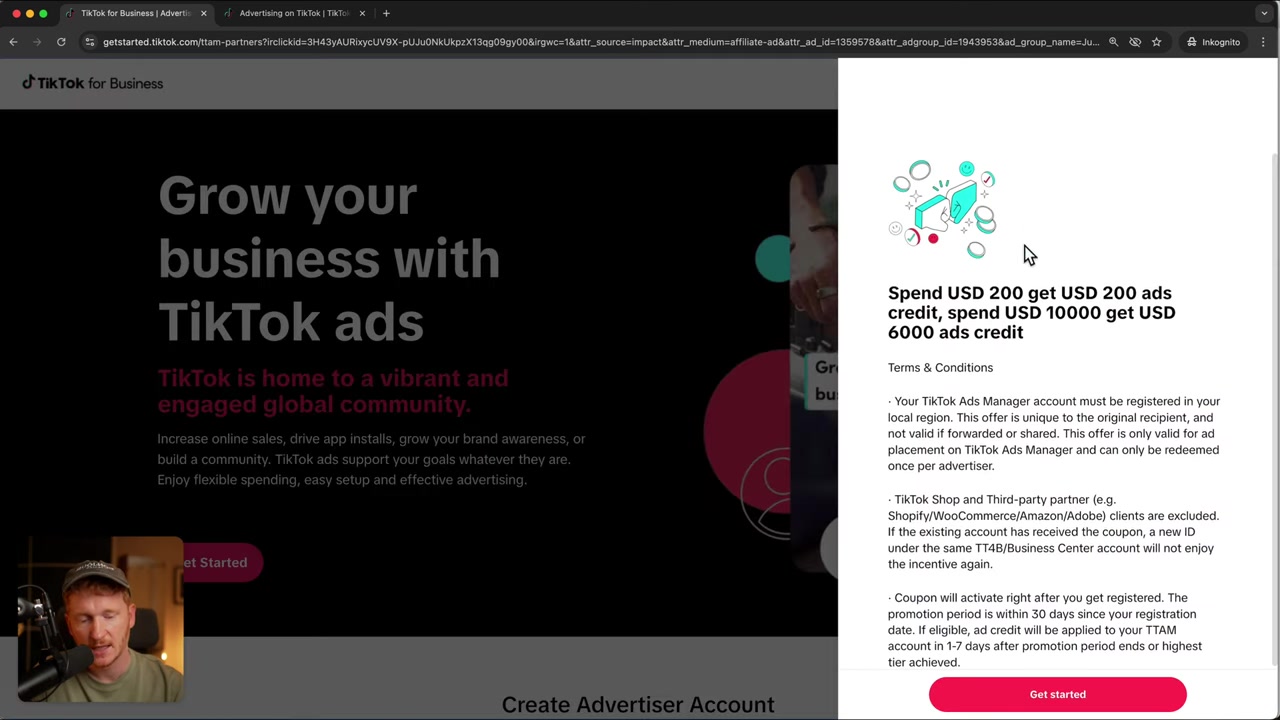
TikTok is offering a matching ad credit bonus to new advertisers who sign up through an official partner link. The more you spend, the more free credits TikTok adds to your account.
Here's how the bonus tiers break down:
| Your Ad Spend | Free Credits You Receive |
|---|---|
| $200 | $200 |
| $500 | $500 |
| $1,000 | $1,000 |
| $10,000 | $6,000 |
Even if your budget is on the smaller side, TikTok has made it accessible — the promotion starts at just $200. That means any size of business or creator can benefit from this offer.
2. Who Is Eligible for the TikTok Ads Credit?
Before you dive in, there are a couple of important eligibility rules you need to know about. Getting these wrong means you won't receive the bonus at all.
You must NOT sign up via Shopify. If you've installed the TikTok app inside your Shopify store, it automatically creates a TikTok Ads account for you — but that account is excluded from this promotion.
The coupon is only active for the first 30 days after account creation. So once you sign up, start spending within that window to unlock your matching credits.
If you already have a Shopify-linked TikTok Ads account, don't worry. Simply sign out of TikTok Ads Manager, then create a fresh account through the partner link to qualify.
3. How to Claim Your TikTok Ad Bonus Step by Step
Follow these steps carefully to make sure you get credit for the promotion.
Step 1: Open the Partner Link
Click the TikTok partner link. This takes you to the official promotion page where the coupon offer is displayed. This is the only route through which the offer is available.
Step 2: Review the Offer and Terms
On the landing page, you'll see the bonus tiers. Click on the offer and read through the full terms and conditions. Understanding the terms upfront saves you a lot of frustration later.
Step 3: Create Your TikTok Ads Account
Scroll down on the page and sign up with your email address and a password. TikTok will send you a two-factor authentication code — enter it on the next screen.
You'll then be asked for your business information: your website URL, phone number, and other basic details. Accept the terms and conditions to complete the sign-up.
Step 4: Find Your Ad Credits in TikTok Ads Manager
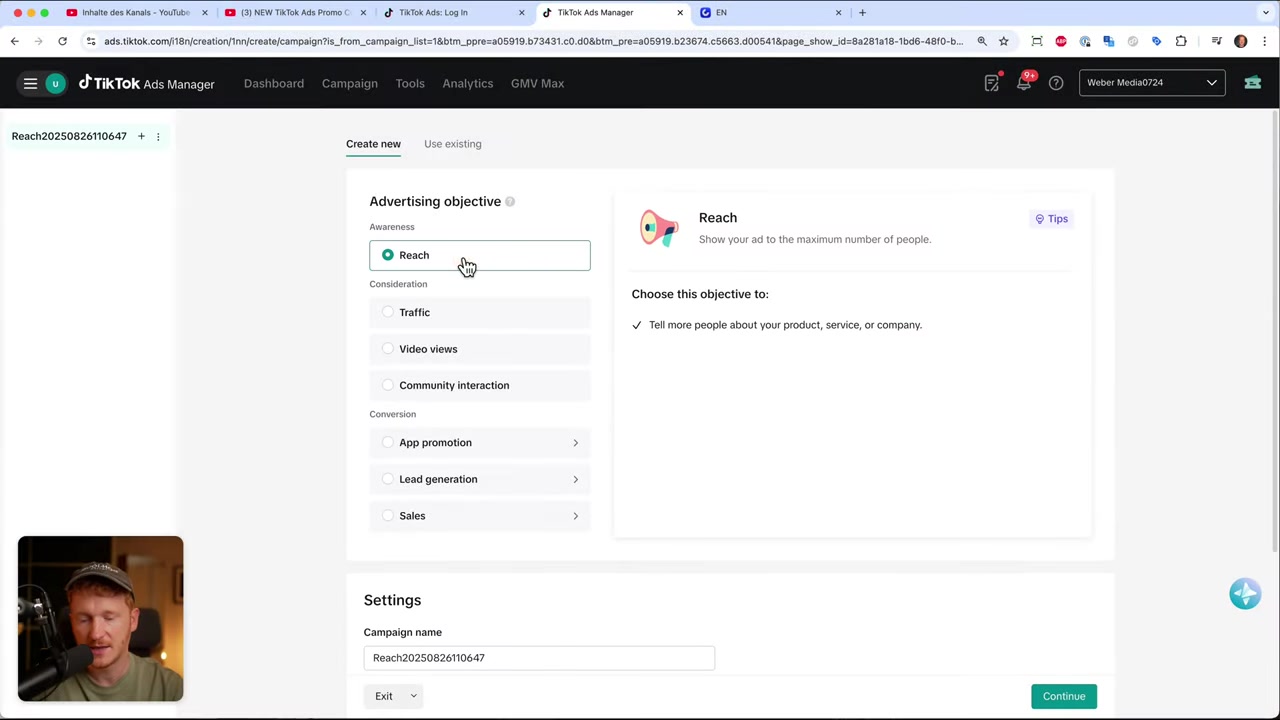
Once you're inside TikTok Ads Manager, your bonus credits should appear at the top of the dashboard. If you don't see them there, navigate to Tools → Finance → Promotions to locate your coupon code.
4. Is the TikTok Ads Promotion Worth It?
Absolutely — especially if you're just getting started. Every advertiser makes mistakes when learning a new platform. The ad credit effectively gives you a safety net while you figure out what works.
Even at the $200 entry level, you're essentially doubling your initial budget for free. That's real additional reach for your campaigns at no extra cost.
The promotion is also designed to scale with you. If you're an established business ready to spend more, the higher tiers offer proportionally generous bonuses as well.
5. Learn TikTok Ads From Scratch With a Free Course
Getting free credits is great — but knowing how to spend them effectively is even better. Julian Weber has put together a free TikTok Ads course (roughly 1.5–2 hours long) that walks you through everything from campaign setup to optimization.
The course covers how to set up your campaigns, how to improve them over time, and even includes a real-world look at how Julian runs his own ads. You can sign up for the free course here with just your email address.
6. TikTok Ads: Pros and Cons for New Advertisers
Pros:
- Massive, highly engaged audience
- Lower cost per click compared to Meta in many niches
- Free ad credit promotion makes it low-risk to get started
- Strong algorithm for discovery and reach
Cons:
- Creative requirements are higher — video content performs best
- The 30-day coupon window requires you to act quickly
- Shopify-linked accounts are excluded from the promotion
- Learning curve for campaign structure and targeting
7. Useful Tools to Get Started With TikTok Ads
Running successful TikTok ads often means having the right tools alongside your ad account. Here are a few that can make your workflow smoother:
- Website builder: Wix — a great option for building landing pages for your ads
- E-commerce: Shopify — ideal if you're running a product-based store
- Design: Canva — create eye-catching ad creatives quickly
- AI Presentations: Gamma — useful for pitches and brand decks
- Domains: Ionos — reliable and affordable domain registration
Frequently Asked Questions
How do I claim the TikTok Ads free credit promotion?
How much free ad credit can I get from TikTok?
Can I claim the TikTok ad bonus if I signed up via Shopify?
How long is the TikTok ad coupon valid?
Do I need a large budget to benefit from this TikTok promotion?
Where do I find my TikTok ad bonus after signing up?
Is there a free TikTok Ads course for beginners?
Can I use the TikTok ad credit for any type of campaign?
8. Disclosure
Some links in this post are affiliate links. If you make a purchase through them, a commission may be earned at no extra cost to you. All content is provided for informational purposes only without any guarantee of accuracy or completeness. This post does not constitute financial, legal, tax, or investment advice.
Related Articles

28 Oct 2025
How to Create a TikTok Ads Account in 2026
Want to run ads on TikTok but not sure where to start? Setting up your TikTok Ads Manager account is easier than you think — and it only takes a few minutes. In this guide, I'll walk you through the e...
7 Nov 2025
TikTok Ads Tutorial – Snelstartgids voor Beginners
Wil je nieuwe klanten bereiken via TikTok? In deze tutorial laat ik je stap voor stap zien hoe je je eerste TikTok advertentiecampagne opzet – ook als je nog nooit eerder hebt geadverteerd. We beginne...

27 Sep 2025
Lancer des publicités TikTok en 7 min – Tutoriel en français
Tu veux te lancer sur TikTok Ads mais tu ne sais pas par où commencer ? Ce tutoriel rapide te montre comment créer et configurer ta première campagne publicitaire TikTok en moins de 7 minutes. Parfait...