How to Create Songs with Suno AI – Tutorial 2026 (Start for Free)
Ever wanted to create your own song but have zero musical experience? In this tutorial from the Julian Weber channel, you'll learn how to generate full, professional-sounding songs using Suno AI — from lyrics to vocals — in just a few clicks. Whether you want to surprise a friend at their birthday, make a wedding song, or create music for your next video project, Suno AI makes it surprisingly easy.
1. What Is Suno AI?
Suno AI is an AI-powered music generator that creates complete songs — including vocals, instruments, and production — from a simple text prompt. Just describe the genre and theme you have in mind, and Suno does the rest.
The platform already hosts thousands of community-created tracks, ranging from polished R&B to cinematic film scores. Some creators have even built entire AI artist personas, uploaded tracks to Spotify, and are earning real money from streams — fully AI-generated music.
2. Sign Up and Explore Suno AI
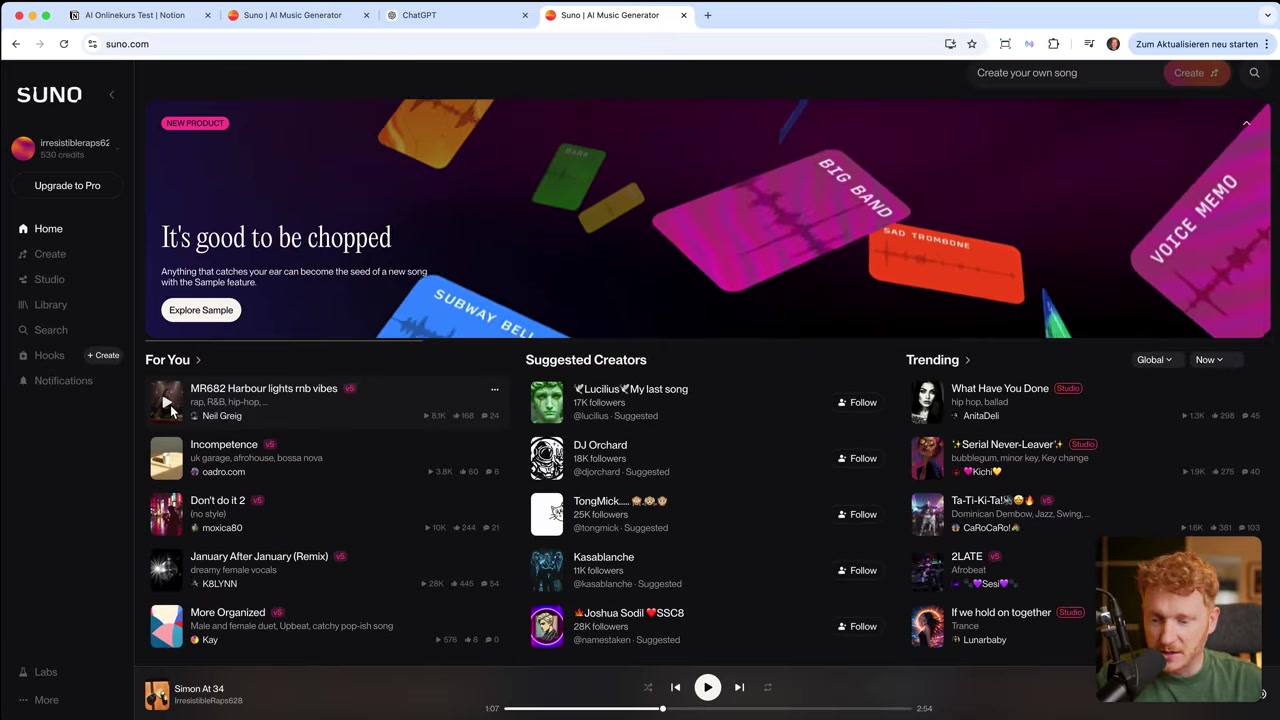
Head over to suno.ai and sign up for a free account. Once you're in, you'll immediately see your available credits and can start browsing songs other users have created on the platform.
Before creating your own song, it's worth listening to a few community tracks. This helps spark ideas and gives you a feel for what the AI is capable of. Some of the most-played tracks on the platform sound genuinely indistinguishable from professionally produced music.
3. Create Your First Song with Suno AI
Click the Create button to open the song generator. You'll see a prompt field where you can describe the song you want. The key is to mention the genre and a theme or story — for example: "Make a house song about quitting your job" or "A country song about being late to everything."
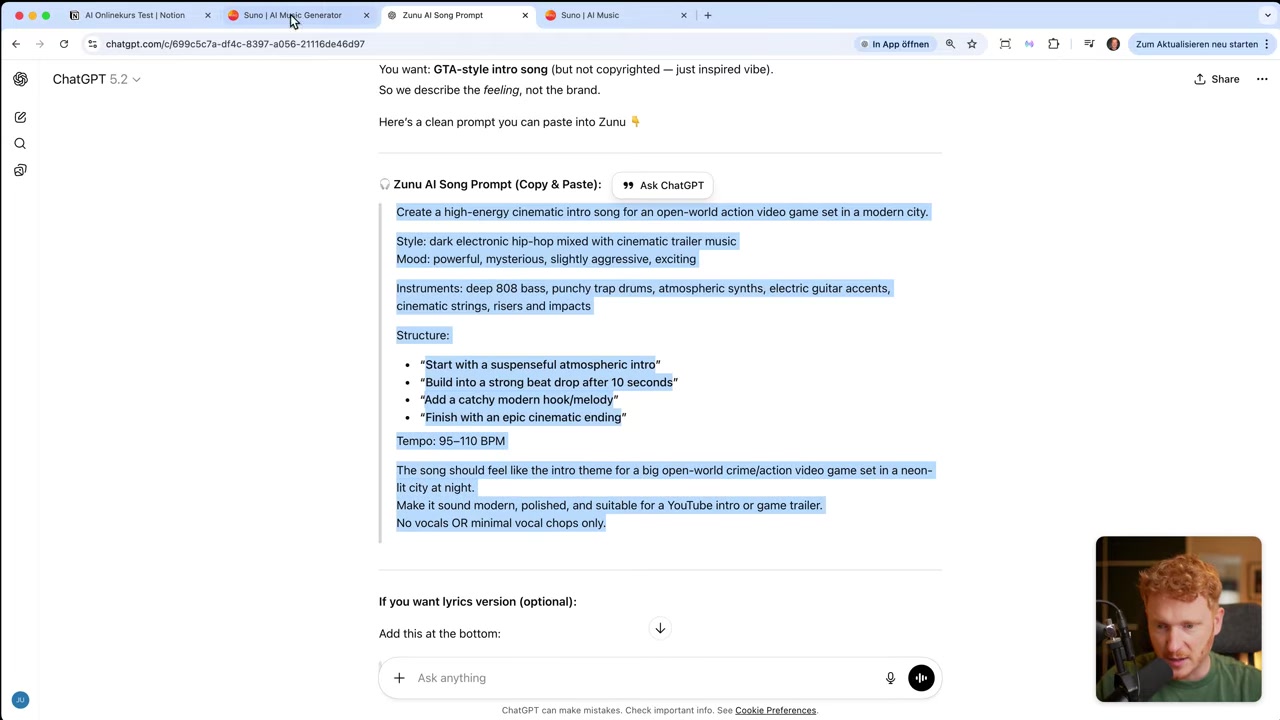
Not sure what to write? Use ChatGPT to generate a prompt for you. Just tell it what you need — for example: "I'm making a song for the GTA 6 release. Give me a good prompt to use in Suno AI." Copy the result and paste it straight into Suno.
4. Upload Audio or Custom Lyrics
Suno AI isn't just a text-to-song tool. You can also upload an audio file — for example, a guitar recording — and Suno will add AI vocals on top of it. This is perfect if you already play an instrument and want to take your music to the next level.
You can also paste in your own lyrics if you have specific lines you want the song to include. This gives you much more creative control over the final result.
5. Choose the Right Model for Your Suno AI Song
Suno currently offers multiple AI models. Version 5 is in beta and available on the pro plan, while version 4.5 is the best free option available right now. For casual use — birthday songs, wedding tracks, or fun projects — the free model produces great results.
If you're serious about building a music career with AI or need the highest audio quality, upgrading to a paid plan makes sense. But for most people, the free tier is more than enough to get started.
6. Listen, Remix, and Download Your Song
Once you hit Create, Suno generates up to four different versions of your song. Each generation typically takes under a minute. You can listen to all versions and pick your favourite.
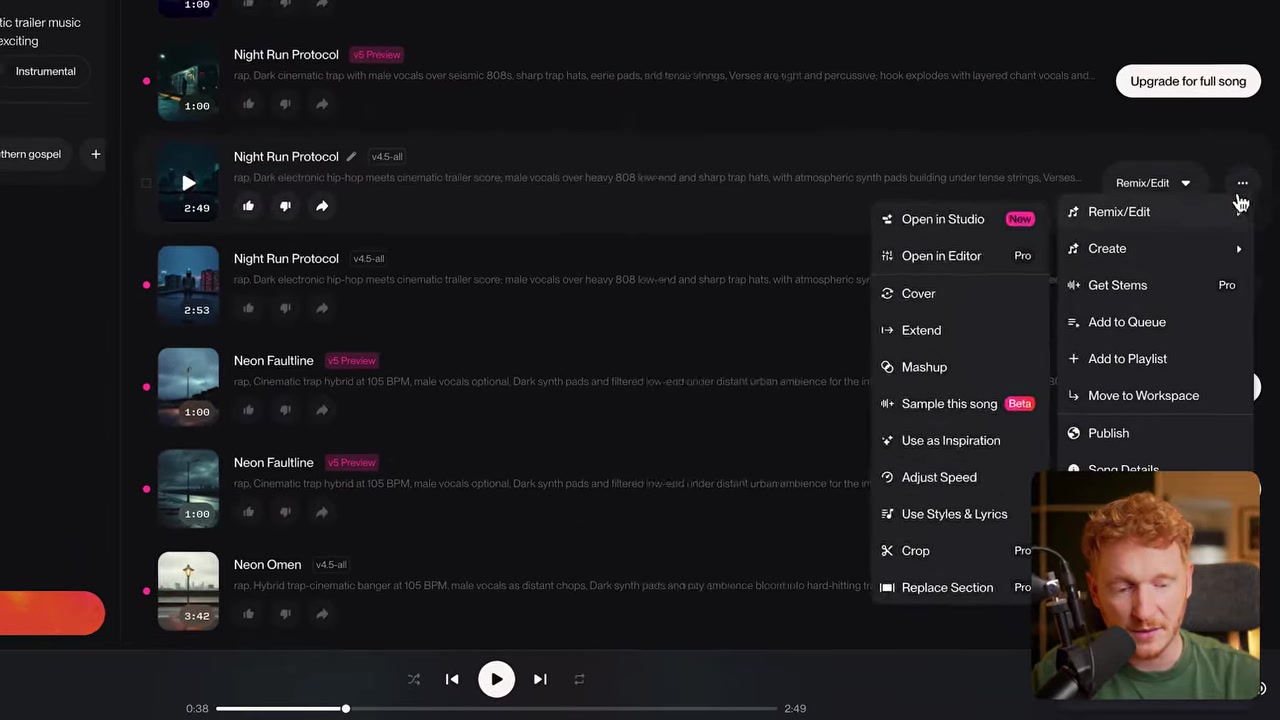
Under the three-dot menu on any song, you'll find options to remix, create a variation, or download the track as an MP3 or WAV file. From there, you can drop it into your video, video game, presentation, or use it at an event.
7. Creative Use Cases for Suno AI Songs
Here are some of the best ways to put Suno AI to work:
- Birthday & wedding songs — Use ChatGPT to write a personalised prompt with the couple's names, how long they've been together, and special details. Suno turns it into a heartfelt track.
- Video game music — Generate a cinematic intro or background track for a game you're building.
- Content creation — Add a custom theme song to your YouTube channel, podcast, or social media videos.
- Spotify artist projects — Some creators build entire AI artist profiles and monetise them through streaming platforms.
8. How Much Does Suno AI Cost?
Suno AI offers a free plan that lets you generate your first songs using credits at no cost. Paid plans unlock higher-quality models, more monthly credits, and commercial usage rights.
For personal projects, the free plan is a great starting point. If you're planning to publish music commercially or upload to Spotify, check Suno's current pricing on their website to find the plan that fits your goals.
9. Is Suno AI Good for Beginners?
Absolutely. Suno AI is designed for people with no musical background whatsoever. You don't need to know how to play an instrument, read music, or understand production. If you can describe what you want in plain language, Suno can create it.
The trick is to combine Suno with a tool like ChatGPT to generate better prompts. That combination makes even a complete beginner capable of producing surprisingly professional-sounding tracks in minutes.
10. More AI Tools Worth Trying
If you're exploring the world of AI tools, here are a few others from the Julian Weber channel worth checking out:
- Base44 — Build no-code apps and automate tasks with AI
- Gamma — Create AI-powered presentations in seconds
- ElevenLabs — Clone voices and generate realistic AI voiceovers
- Wix — Build a professional website with AI
- Canva — Design graphics, social posts, and more
Frequently Asked Questions
Is Suno AI free to use?
Can I upload my own audio to Suno AI?
Can I upload my own lyrics to Suno AI?
Can I publish Suno AI songs on Spotify?
How long does it take Suno AI to generate a song?
Do I need any music knowledge to use Suno AI?
What file formats can I download from Suno AI?
How do I write a good prompt for Suno AI?
Related Articles

17 Mar 2026
Base44 Superagents: The Free AI Agent That Automates Your Work
Base44 just released their Superagents to the public — and in this tutorial from the Julian Weber channel, you'll see exactly how to set one up, connect it to Gmail and Google Calendar, and automate r...
24 Apr 2026
Create Your Own Game with Base44 (No Coding Required)
Want to build your own game but have zero coding experience? In this tutorial, Julian Weber walks you through how to use Base44 — an AI-powered app and game builder — to create a fully playable game f...

28 Apr 2026
How to Redesign Your Website with AI (Free & No Code)
Is your website looking dated? In this tutorial from the Julian Weber channel, you'll see how to completely redesign an old website into a clean, modern, and high-converting page — in under 10 minutes...