Base44 Super Agents: Finally, an AI That Gets Work Done
Base44 just released Super Agents to the public — and they might be the most practical AI automation tool yet. No server setup, no technical configuration, and no spooky cursor-moving software taking over your computer.
In this tutorial, you'll learn exactly what Base44 Super Agents are, how they compare to tools like OpenClaw and Claude Co-work, and how to set one up to handle your emails, LinkedIn posts, and more — all on autopilot.
1. What Are Base44 Super Agents?
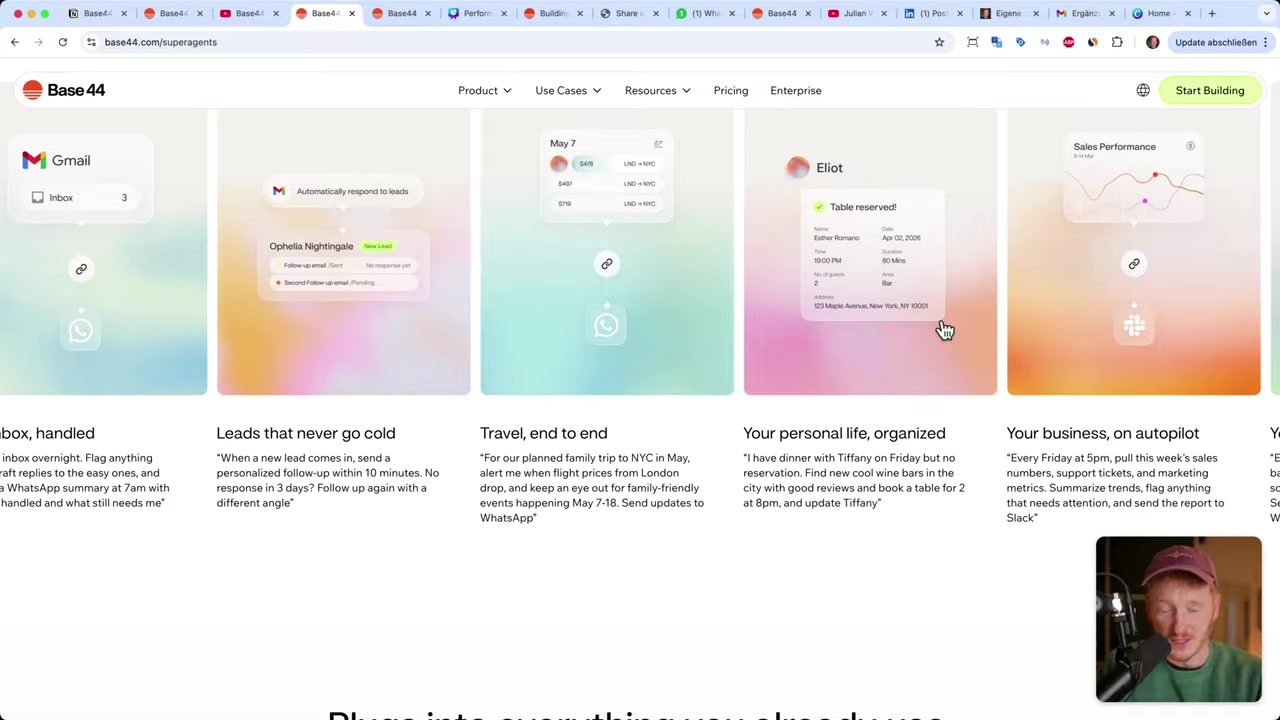
Base44 Super Agents are intelligent AI assistants that can connect to your real-world tools — Gmail, Google Calendar, Notion, LinkedIn, WhatsApp, and more — and autonomously handle tasks on your behalf.
Think of them as a personal assistant who lives in your browser. You give them a name, tell them about yourself, connect your tools, and assign tasks. They get to work immediately.
Unlike traditional chatbots, Super Agents don't just answer questions. They take action — drafting emails, publishing LinkedIn posts, summarizing reports, and scheduling recurring jobs — all without you lifting a finger.
2. Base44 Super Agents vs OpenClaw vs Claude Co-work
To understand where Base44 fits in, here's a quick timeline of how AI automation has evolved:
- 2025 — Standard AI (ChatGPT, Gemini, Claude): You send a prompt, you get an answer. No actions, no integrations.
- N8N (automation era): Connect tools like Gmail and Slack via workflows. Powerful but technical — many people never got past the setup.
- 2026 — OpenClaw & Claude Co-work: Full agentic AI that takes over your entire computer or browser. Risky for many users — lots of people set these up on a separate computer because it feels unsettling to hand over full cursor control.
- Base44 Super Agents: A hybrid. They connect to specific tools via API and perform predefined tasks. They're focused, safe, and require zero server setup.
The key advantage of Base44 over OpenClaw is no server required. Everything runs in your Chrome browser. You also control exactly which permissions each agent gets — read-only or write access — so you stay in charge.
It's not trying to control your whole computer. It's doing targeted, useful work inside the tools you already use.
3. Sign Up for Base44
Getting started is straightforward. Click the link in the video description to go to the Base44 Super Agents page, then scroll down to read what they can do.
When you're ready, click Start Building to create your free account and land in the Base44 dashboard.
Base44 originally launched as a no-code app builder — if you want to explore that side of the platform, check out the tutorial on how to build an app with AI in 15 minutes. Super Agents are their newest feature, added on top of that foundation.
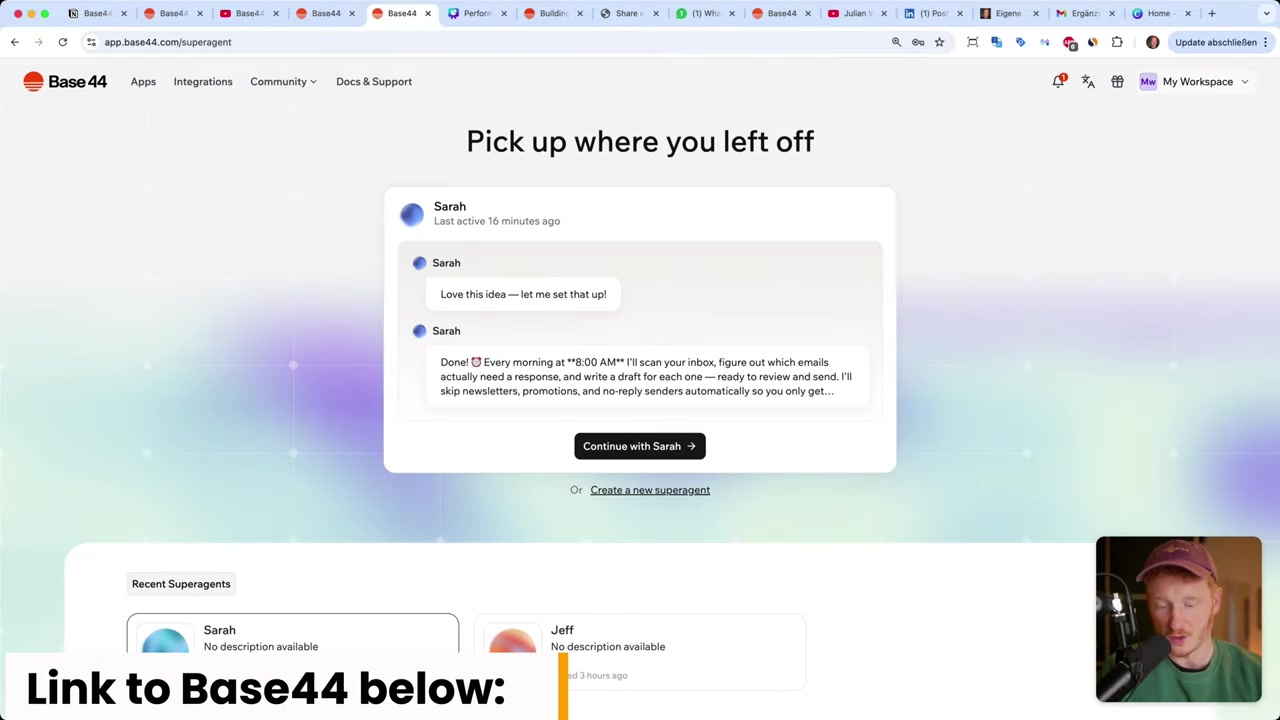
Once you're in the dashboard, you'll see your agent workspace where you can create your first agent immediately.
4. Create Your First AI Agent with Base44
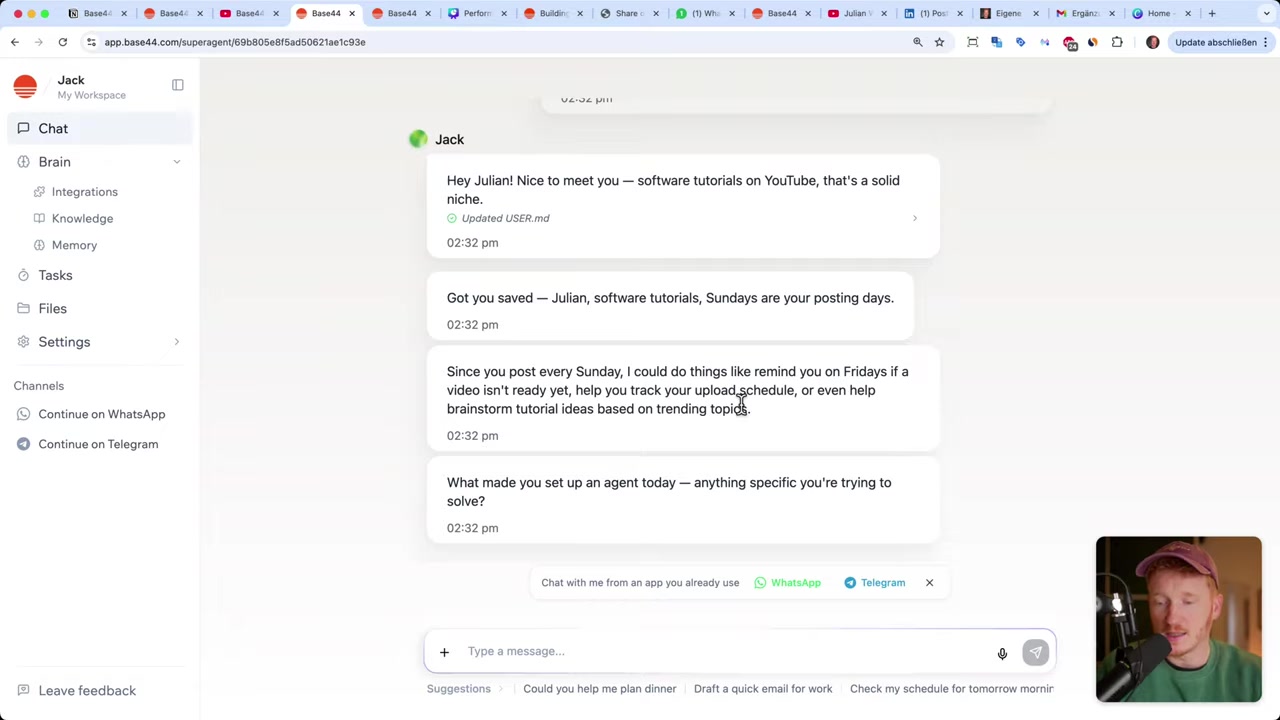
To create a new agent, click Create Agent. The agent will introduce itself and ask what you'd like to call it.
Give it a name — let's say Jack. From there, the agent starts building its own identity. Under the Brain tab, you'll see it has already assigned itself a name, a personality, and even a purpose statement.
Next, the agent asks about you. Share your name, what you do, and any relevant details. This information goes straight into the agent's Knowledge section — it now knows your profession, habits, and working style.
The more you interact with it over time, the smarter it gets. It learns how you write emails, what tone you prefer, and what matters most to you.
5. Integrations: Connect Gmail with Base44 Super Agents
This is where the magic happens. Head to the Integrations tab inside your agent and you'll see a list of tools you can connect:
- Gmail
- Google Calendar
- Google Drive
- Notion
- Slack
- TikTok
- Wix
- Salesforce
- And more via API keys
To connect Gmail, click Connect Gmail, select your Google account, and grant the appropriate permissions. You can choose read-only access if you just want the agent to scan your inbox, or write access if you want it to draft and send emails.
Once connected, go back to the chat and give Jack a task. For example:
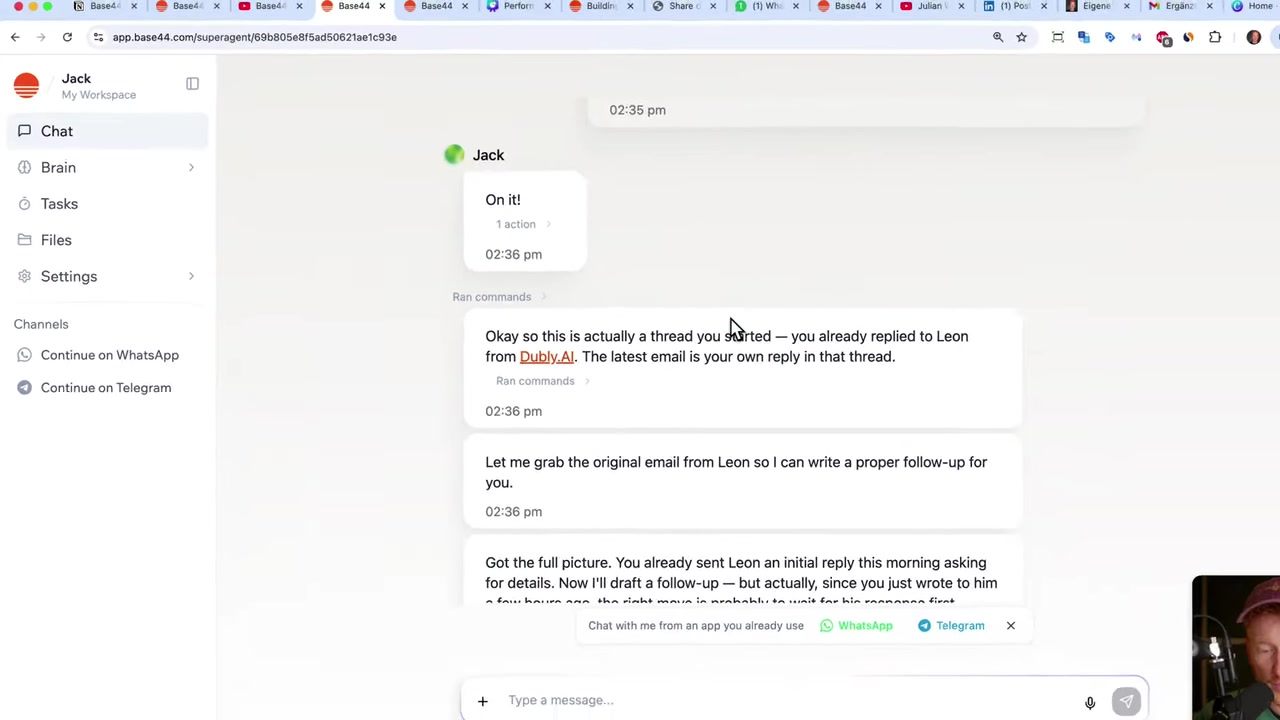
"Please get my latest email and write up a draft reply so I just need to click send."
Jack will pull your most recent email, read it, and create a draft in Gmail — automatically. It even detects the language of the email and responds accordingly.
All you have to do is open Gmail, review the draft, and hit send. No more staring at a blank reply window.
6. Schedule Recurring Tasks to Save Hours Every Week
One-time tasks are useful, but the real power of Base44 Super Agents is scheduled automation. You can tell your agent to run a job at a specific time, every day or week.
For example:
"Every morning at 7:00 a.m., go through my inbox. If there's an important message, write up a draft so I just need to hit send."
Jack creates a scheduled task called Morning Inbox Review and it runs automatically every day at 7 a.m.
Under the Tasks tab, you can see all your scheduled jobs, toggle them on or off whenever you like, and check how many times each task ran successfully or failed.
Some real-world examples of what you can automate:
- Draft email replies every morning before you start work
- Summarize this week's sales data and send a report every Friday
- Check for new YouTube videos and post a LinkedIn summary every Monday
- Organize a restaurant reservation for Friday evening
- Write and publish blog posts from video transcripts automatically
7. Connect WhatsApp to Your Base44 Agent
You can also chat with your agent directly through WhatsApp or Telegram — which makes the whole thing feel incredibly natural.
Go back to the chat, select Open WhatsApp in the browser, and follow the connection steps. Once linked, your agent can send you morning summaries, notify you about important emails, or ask for approval before publishing a post — all in WhatsApp.
Imagine waking up, checking WhatsApp with your morning coffee, and seeing a message from Jack:
"Good morning! You have 3 new emails. I've drafted replies for 2 of them. Your LinkedIn post for Monday is ready — want me to publish it?"
You just tap Yes and the job is done. That's genuinely what this feels like in practice.
8. How Much Does Base44 Cost?
Base44 uses a credit-based system. When you chat with the agent, one credit is deducted. When the agent performs an integration action (like reading emails or posting to LinkedIn), an integration credit is used.
On the free plan (via the sign-up link), you get:
- 25 chat credits per month
- 100 integration credits per month
Integration credits are more generous because the agents are expected to take many more actions than you'll be chatting with them.
If you run out of credits, you can upgrade to a paid plan to unlock higher limits. Paid tiers give you significantly more monthly credits and remove the restrictions on how many agents you can run.
For most casual users getting started, the free tier is enough to explore what the agents can do and set up a few automations.
9. Is Base44 Good for Non-Technical Users?
Absolutely. That's one of the clearest advantages Base44 Super Agents have over competing tools.
You don't need to configure servers, write code, or understand APIs. You just describe what you want in plain language and the agent figures out how to do it.
The integration setup is also handled via a simple OAuth flow for tools like Gmail — the same kind of "Connect your account" button you've clicked a hundred times on other apps.
If you've ever used ChatGPT, you already know enough to get started with Base44 Super Agents. The conversational interface means the learning curve is essentially zero.
10. Base44 Super Agents Pros and Cons
Pros:
- No server or technical setup required
- Runs entirely in your Chrome browser
- Granular permissions — you control what each agent can access
- Supports scheduled recurring tasks
- Connects to all major tools (Gmail, LinkedIn, Notion, Slack, WhatsApp, etc.)
- Agents learn and improve over time
- Chat interface is familiar and beginner-friendly
- WhatsApp/Telegram integration for mobile notifications
Cons:
- Credit system can feel limiting on the free plan for heavy users
- Best results require spending time setting up tasks and giving context
- Still relatively new — some features and integrations are being expanded
Frequently Asked Questions
What is Base44 Super Agents?
Do I need to set up a server for Base44 Super Agents?
Is Base44 free to use?
What tools can I connect to Base44 Super Agents?
How is Base44 different from OpenClaw or Claude Co-work?
Can Base44 Super Agents send emails on my behalf?
Can I talk to my Base44 agent via WhatsApp?
Can Base44 Super Agents run on a schedule?
11. Disclosure
Some links in this post are affiliate links. If you sign up through them, I may earn a small commission at no extra cost to you. All content is provided for informational purposes only — no guarantee is given regarding results. This post does not constitute financial, legal, tax, or investment advice.
Related Articles

13 Apr 2026
How I Built a $40K/Month App Using AI in 15 Minutes (Base44 Tutorial)
What if you could build a fully functional, monetizable app — without writing a single line of code? In this tutorial, we use Base44, a no-code AI app builder, to recreate a room design visualizer app...

26 Apr 2026
How to Clone Any Website for Free with AI (Base44 Tutorial)
What if you could clone an entire website in under five minutes — without writing a single line of code? In this tutorial, Julian Weber walks you through exactly how to do that using Base44, a powerfu...

24 Apr 2026
Create Your Own Game with Base44 (No Coding Required)
Want to build your own game but have zero coding experience? In this tutorial, Julian Weber walks you through how to use Base44 — an AI-powered app and game builder — to create a fully playable game f...